> ## Documentation Index
> Fetch the complete documentation index at: https://docs.cloudify.biz/llms.txt
> Use this file to discover all available pages before exploring further.
# Customer Sync Settings
## Setting Up Customer Sync Preferences
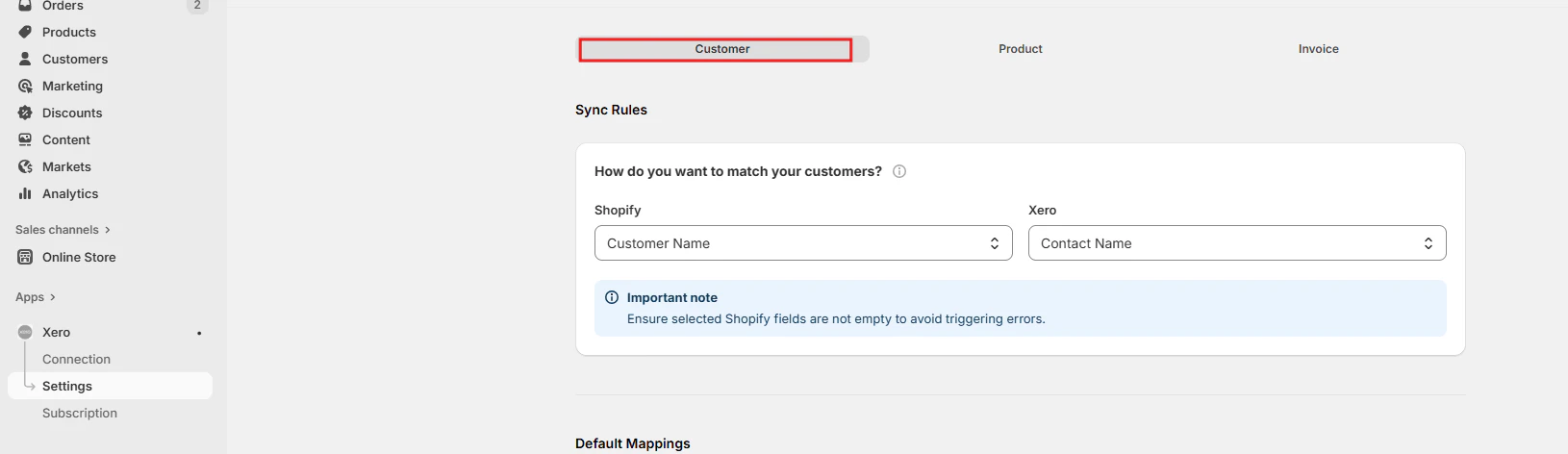
### Customer Search Field
Define how customer data is synchronised between Shopify and Tripletex. Choose a unique field, like **email** or **VAT number**, to prevent duplicates. A new customer is created in Tripletex only when the customer is not found using the defined search parameter.
 ***
### Customer Default Mappings
Set default values for **Currency**, **Branding theme**, **Invoice due date**, **Sales account**, and **Sales default amounts**. These default values apply when new customers are created in Tripletex.
***
### Customer Default Mappings
Set default values for **Currency**, **Branding theme**, **Invoice due date**, **Sales account**, and **Sales default amounts**. These default values apply when new customers are created in Tripletex.
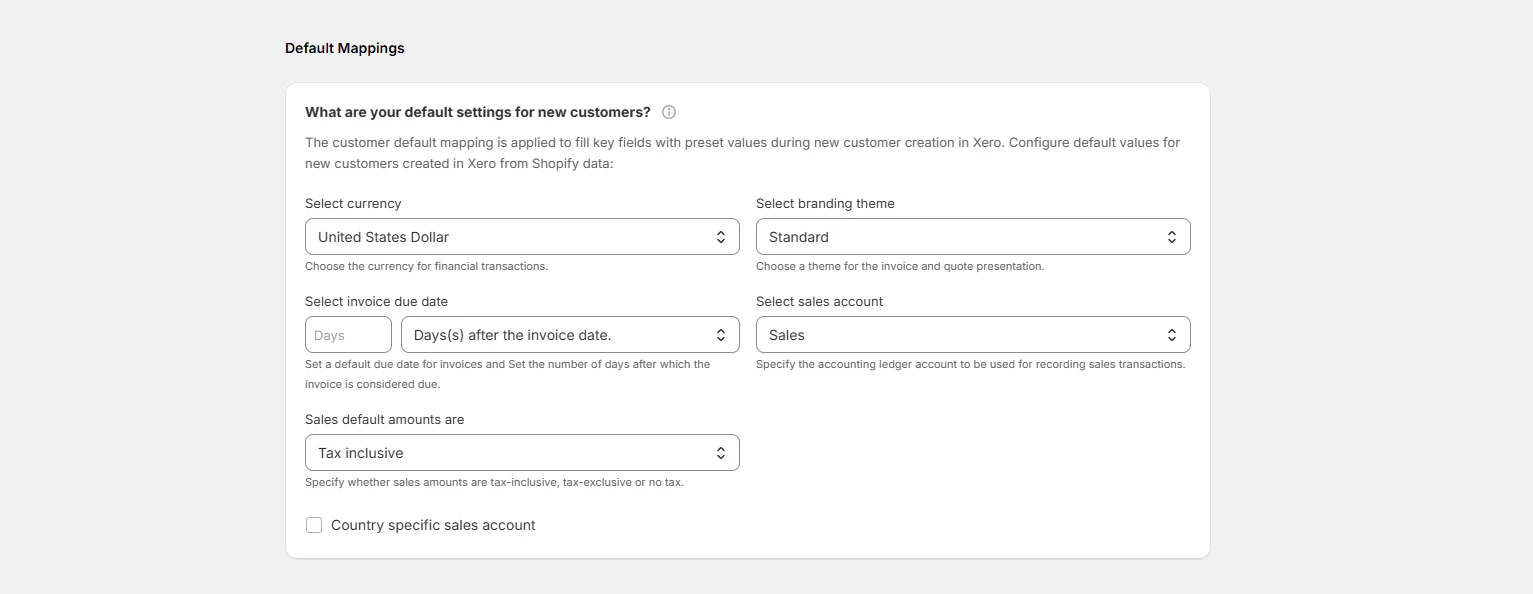 Default values set here will be applied automatically whenever a new customer is created in Tripletex from a Shopify order.
***
### How Should Customer Data Fields Be Mapped?
Customise the data transfer from Shopify to Tripletex to ensure accurate synchronisation when a new customer is being created. Some fields are mapped by default.
Click **"Create new Shopify field"** to add any additional mapping fields as needed.
Default values set here will be applied automatically whenever a new customer is created in Tripletex from a Shopify order.
***
### How Should Customer Data Fields Be Mapped?
Customise the data transfer from Shopify to Tripletex to ensure accurate synchronisation when a new customer is being created. Some fields are mapped by default.
Click **"Create new Shopify field"** to add any additional mapping fields as needed.
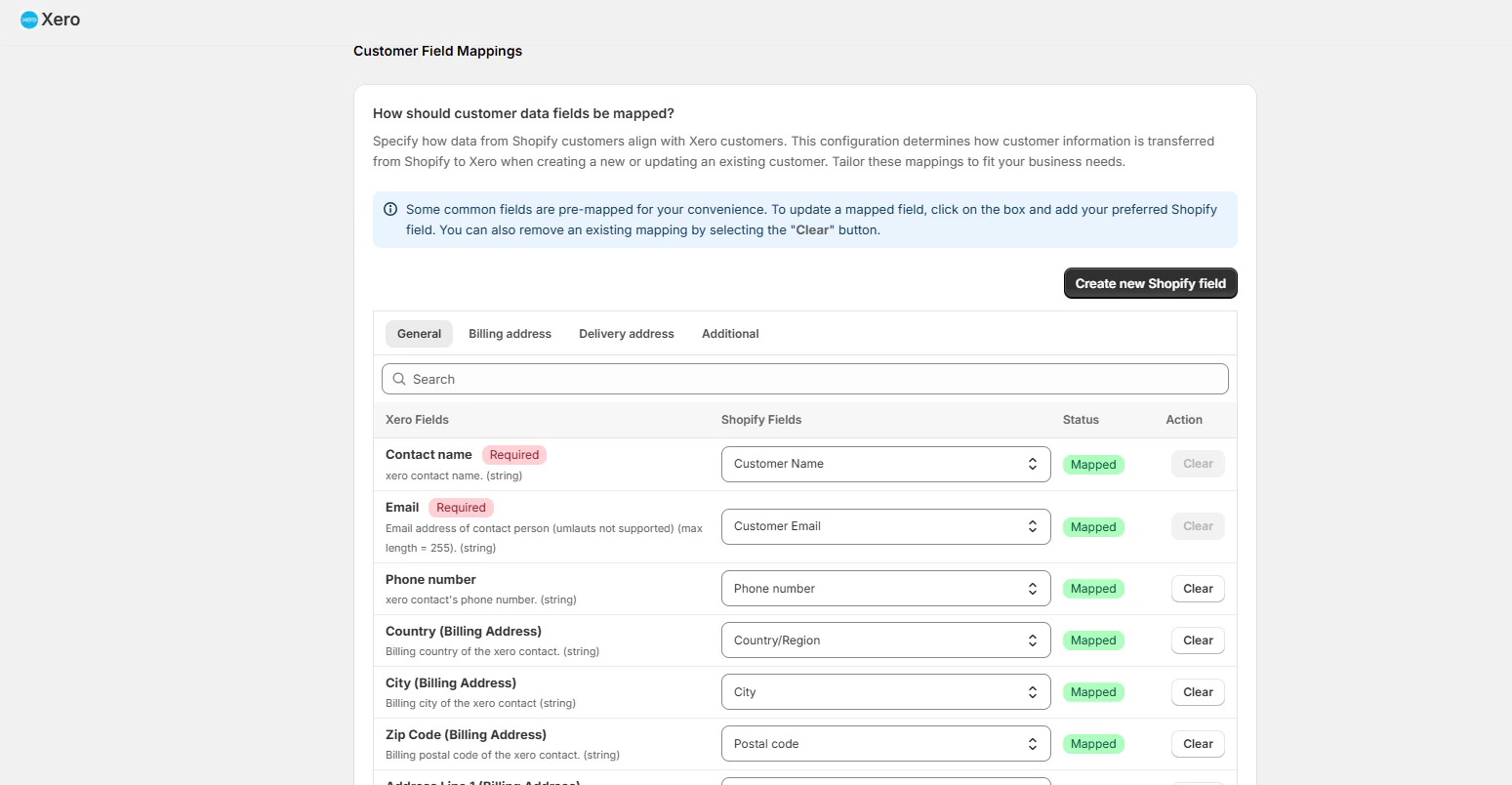 Map all relevant customer fields before going live to avoid incomplete customer records being created in Tripletex.