> ## Documentation Index
> Fetch the complete documentation index at: https://docs.cloudify.biz/llms.txt
> Use this file to discover all available pages before exploring further.
# Disconnect From HubSpot
To disconnect HubSpot from our Visma e-conomic app, follow these simple steps directly within your HubSpot account:
Click the **settings icon** in the top navigation bar.
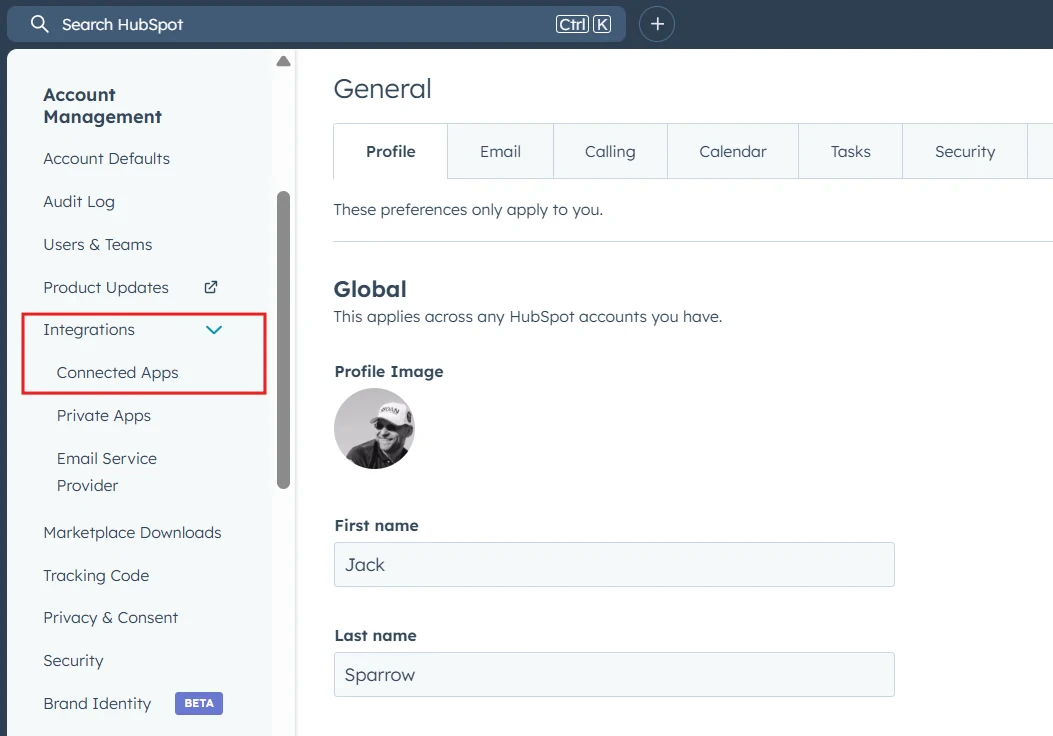
 Choose "**Integrations"** from the left sidebar, then select **"Connected Apps".**
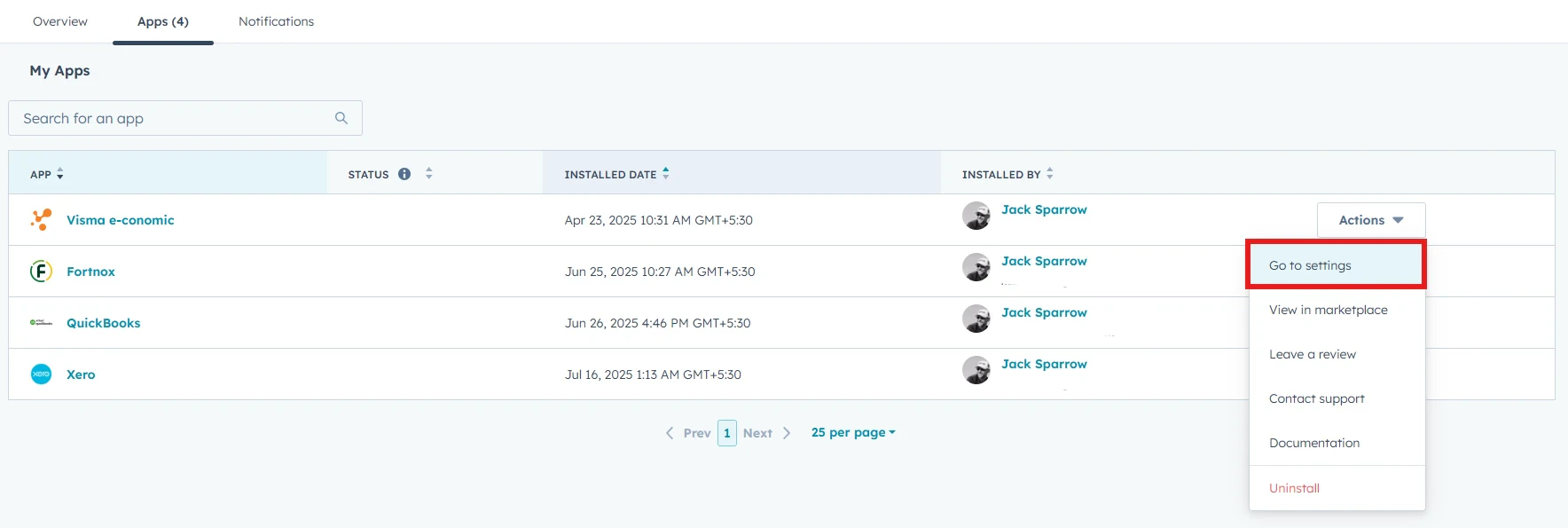
 Locate the app you want to remove in the list.
Click "**Actions"** next to the app and select "**Go to settings"**.
Locate the app you want to remove in the list.
Click "**Actions"** next to the app and select "**Go to settings"**.
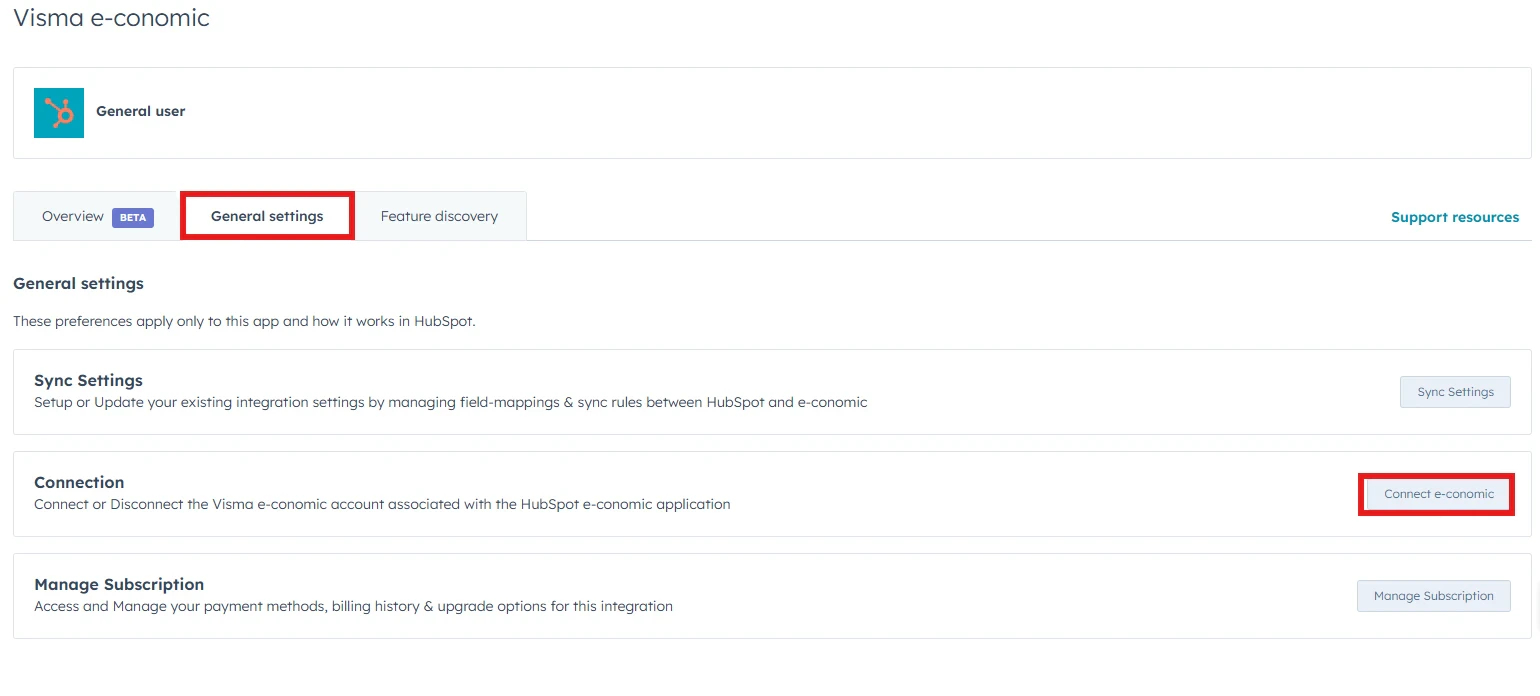
 In the app's settings, navigate to "**General settings"**. Then click the "**Connect/Disconnect"** button, then confirm by choosing "**Disconnect"**.
 **Note:** Disconnecting HubSpot from our app will immediately stop all future data sync. Any previously synced data will remain in your HubSpot account and must be removed manually if desired. After disconnecting, our app will no longer have any access to your HubSpot data.