> ## Documentation Index
> Fetch the complete documentation index at: https://docs.cloudify.biz/llms.txt
> Use this file to discover all available pages before exploring further.
# How to Uninstall
> Uninstall the e-conomic integration app from your HubSpot account.
Follow these steps to uninstall the Visma e-conomic integration app from your HubSpot account:
Log in to your HubSpot account.
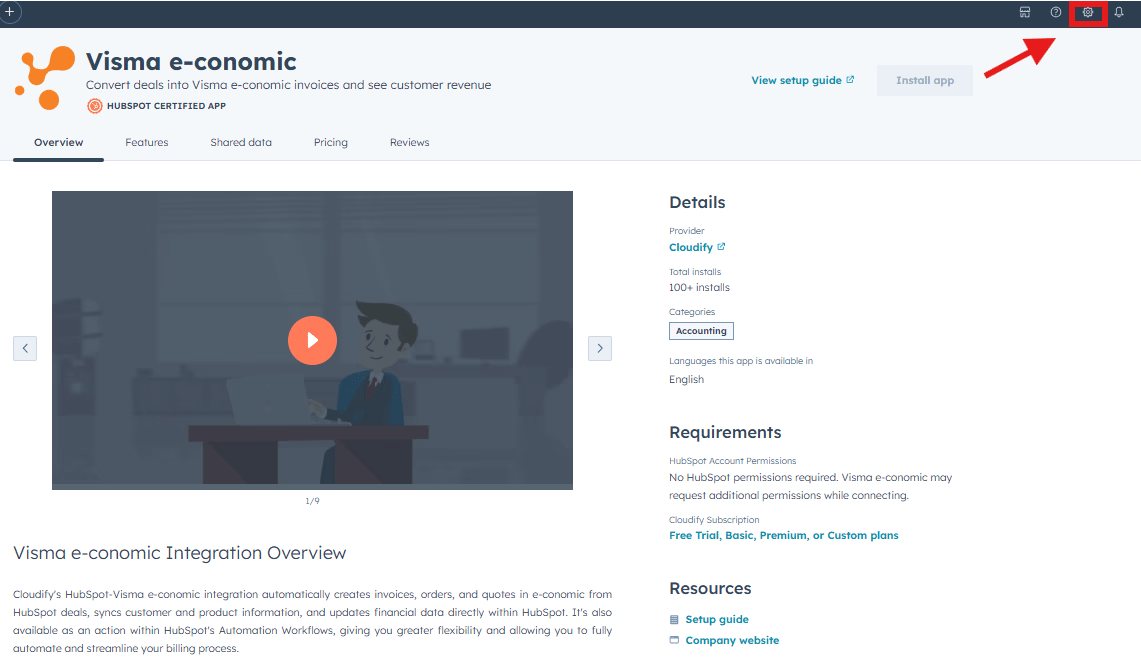
Click the settings icon located in the top navigation bar.
 In the left sidebar menu, go to **Integrations** > **Connected Apps**.

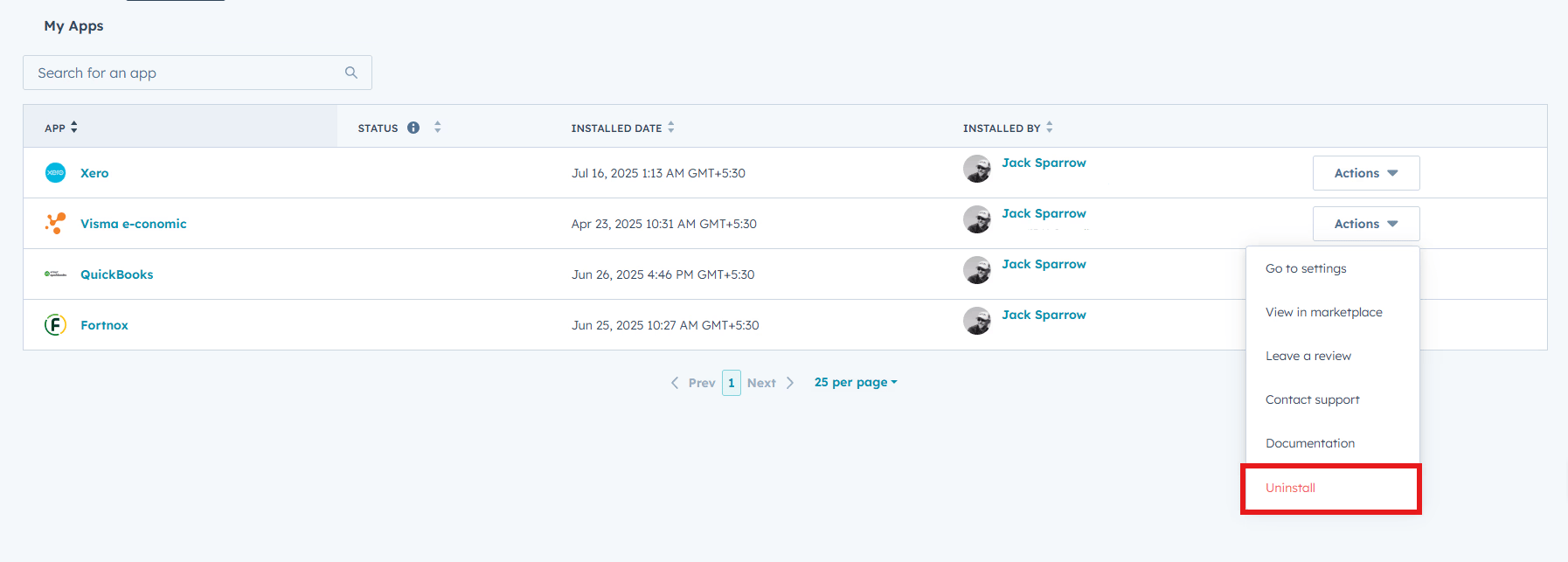
Locate the e-conomic integration app in the list of connected apps.
Click **Actions** next to the e-conomic app.
Select **Uninstall** from the dropdown menu.
In the left sidebar menu, go to **Integrations** > **Connected Apps**.

Locate the e-conomic integration app in the list of connected apps.
Click **Actions** next to the e-conomic app.
Select **Uninstall** from the dropdown menu.
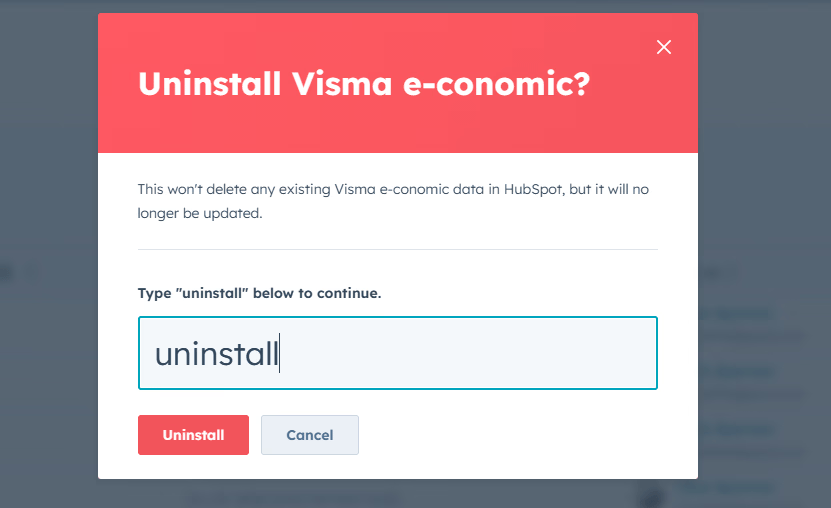
 In the dialog box that appears, type **Uninstall** in the provided text field.
Click **Uninstall** to confirm and complete the process.
In the dialog box that appears, type **Uninstall** in the provided text field.
Click **Uninstall** to confirm and complete the process.
 This will fully disconnect the e-conomic integration from your HubSpot account. If you need to reconnect the integration in the future, you can do so via the HubSpot marketplace.
Uninstalling the app will not delete any of your existing data, however, it
will impact your ability to use the functionality described above.
Our custom team can build tailored integrations, specialized data mappings,
and workflow automations to perfectly match your specific business processes.
This will fully disconnect the e-conomic integration from your HubSpot account. If you need to reconnect the integration in the future, you can do so via the HubSpot marketplace.
Uninstalling the app will not delete any of your existing data, however, it
will impact your ability to use the functionality described above.
Our custom team can build tailored integrations, specialized data mappings,
and workflow automations to perfectly match your specific business processes.