> ## Documentation Index
> Fetch the complete documentation index at: https://docs.cloudify.biz/llms.txt
> Use this file to discover all available pages before exploring further.
# Connect Fortnox Account
## How to Install the App
Log in to your HubSpot account and search for **"Fortnox Integration"** in the marketplace. If you already have a HubSpot account, you can click the application link directly.
Click **"Install App"**.
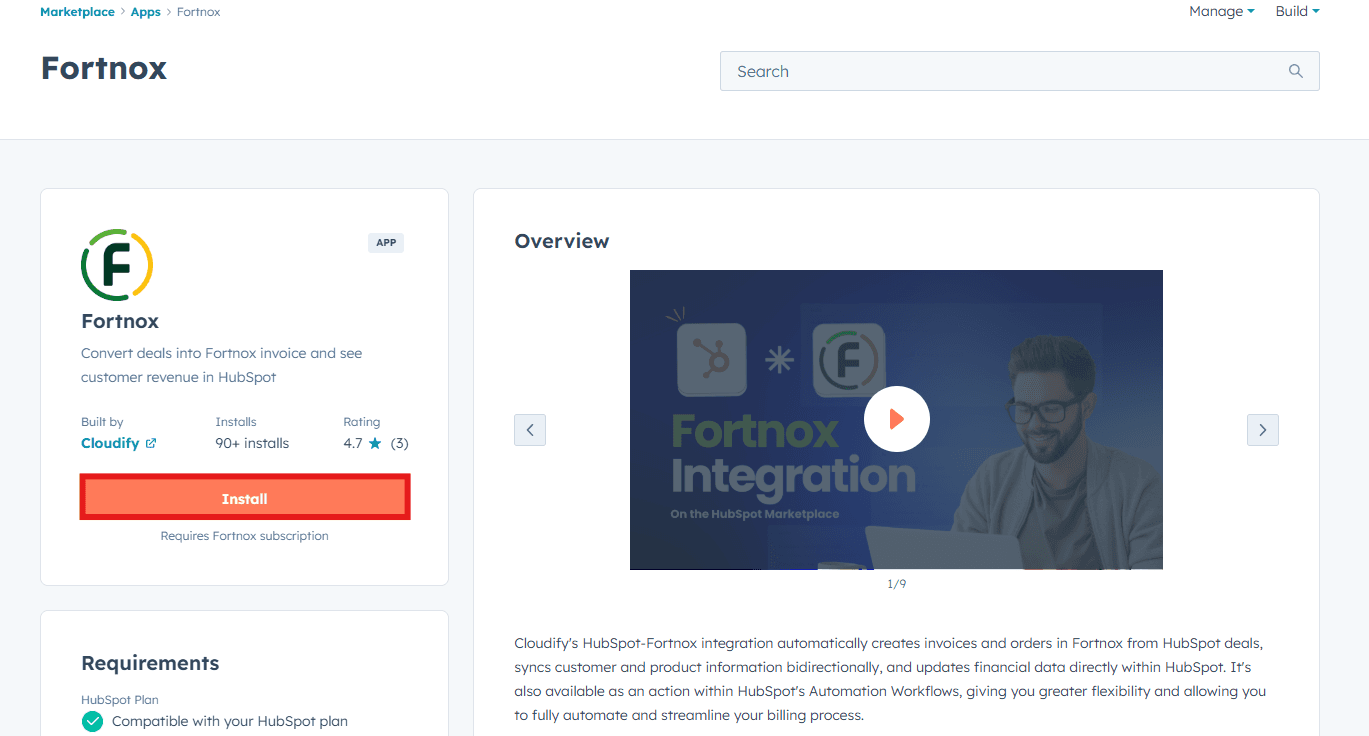
Click **"Connect App"**.
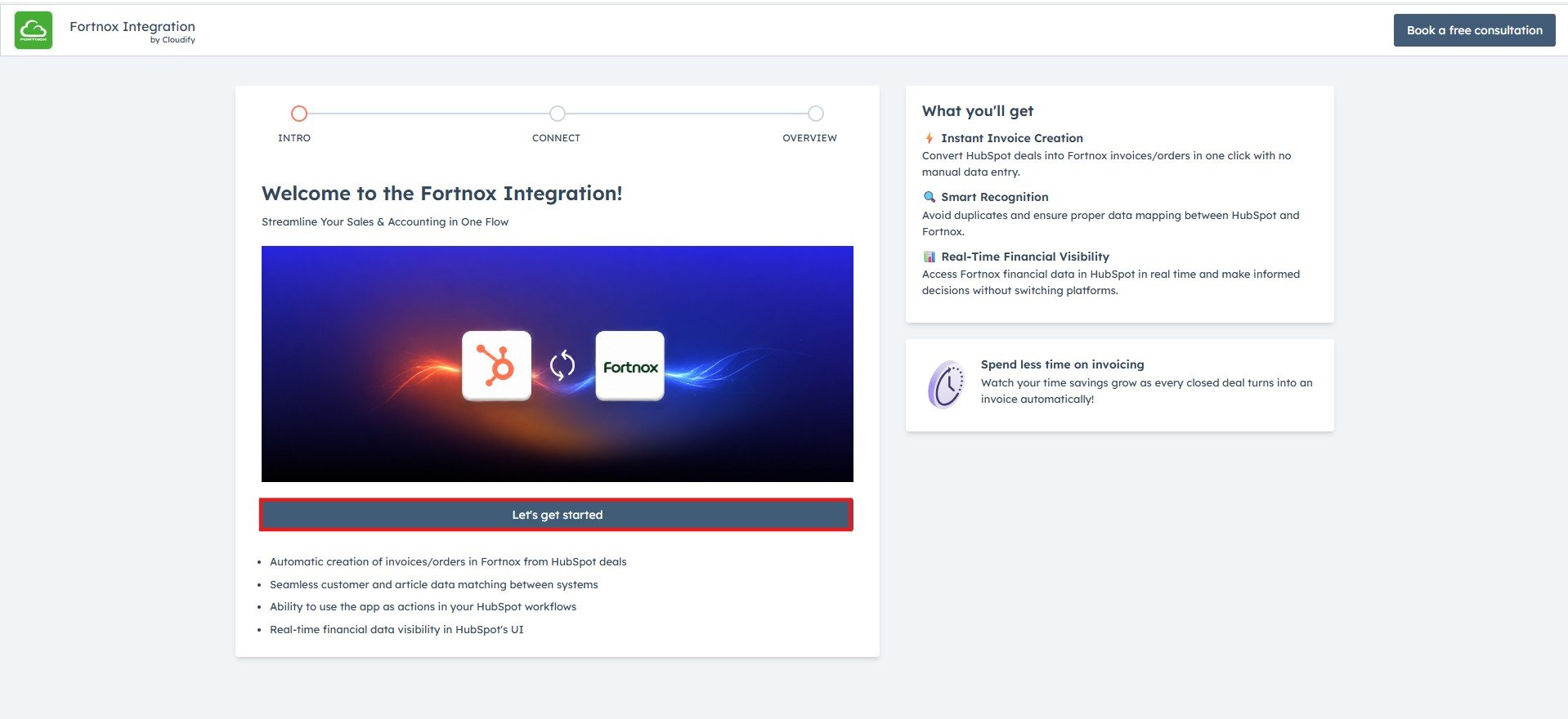
Click on “**Let’s get started”**.
 ***
## Connecting Your Fortnox Account
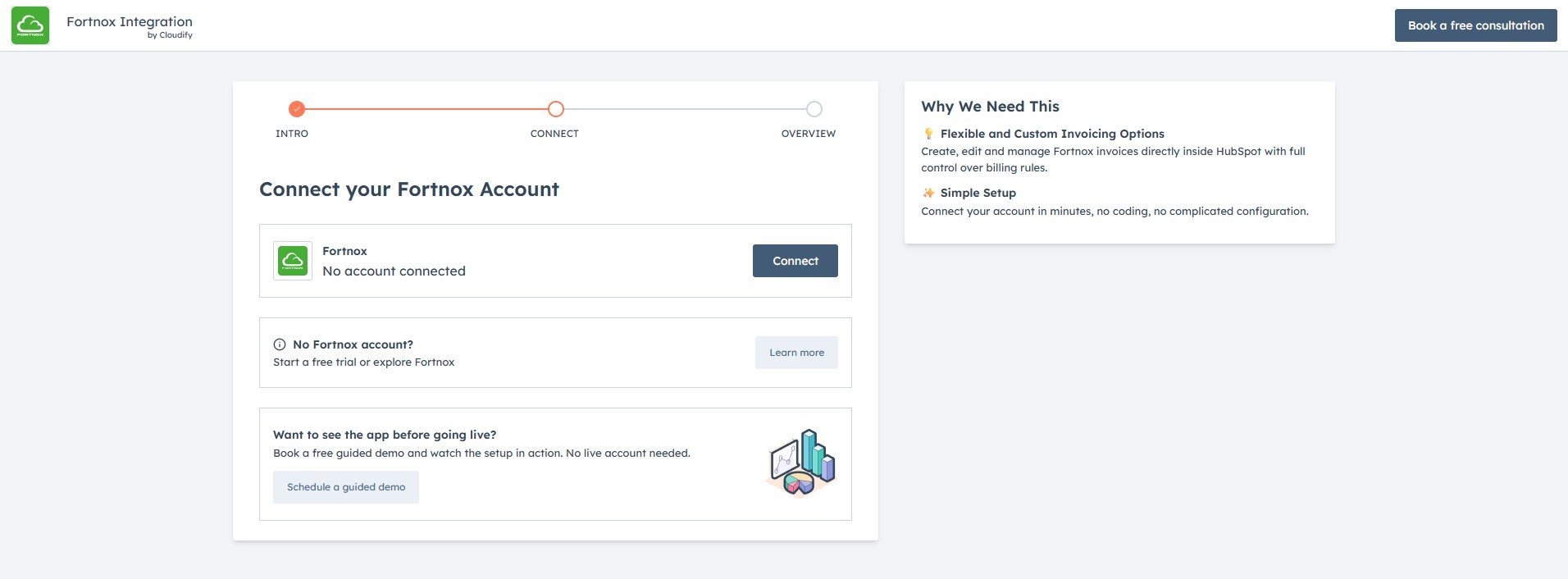
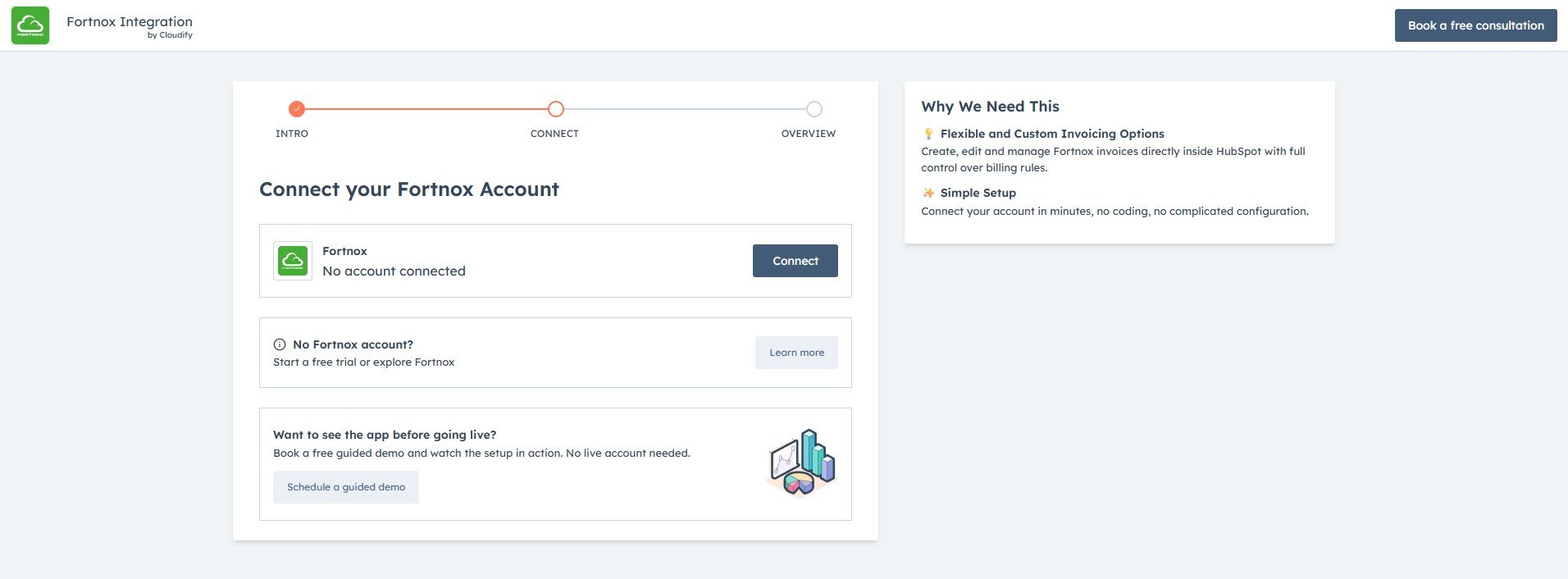
Click **"Connect Fortnox"** to connect your Fortnox account.
Please ensure that your Fortnox account has the required scopes for creating an invoice/order within Fortnox. [Watch this quick video](https://youtu.be/ulnoR3Cql_A) to check and enable this before proceeding.
***
## Connecting Your Fortnox Account
Click **"Connect Fortnox"** to connect your Fortnox account.
Please ensure that your Fortnox account has the required scopes for creating an invoice/order within Fortnox. [Watch this quick video](https://youtu.be/ulnoR3Cql_A) to check and enable this before proceeding.
 Enter the email address connected to your Fortnox account and click **"Next"**.

Enter your password and click **"Log In"**.

You will be asked to grant permission to add the app to your agreement. Click **"Accept Permission"**.
You will receive a success message. You will be automatically redirected to the final installation page.

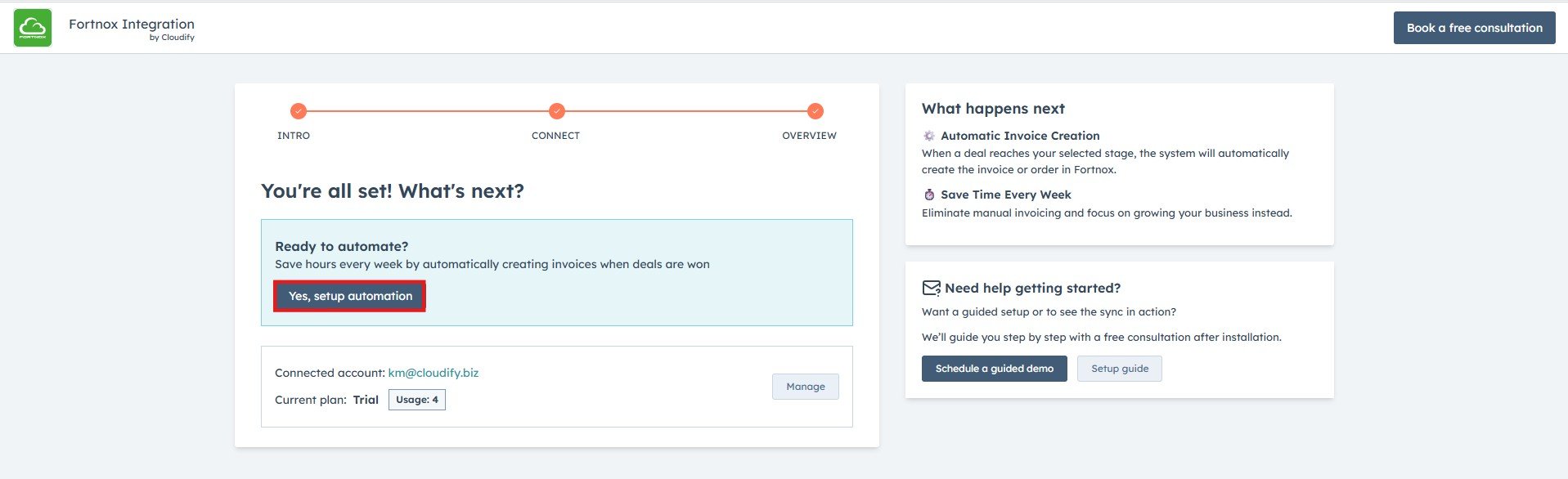
Click on **Yes, Setup Automation** to configure automatic invoice creation. Select your preferred sales pipeline and trigger stage, review the smart settings.
Enter the email address connected to your Fortnox account and click **"Next"**.

Enter your password and click **"Log In"**.

You will be asked to grant permission to add the app to your agreement. Click **"Accept Permission"**.
You will receive a success message. You will be automatically redirected to the final installation page.

Click on **Yes, Setup Automation** to configure automatic invoice creation. Select your preferred sales pipeline and trigger stage, review the smart settings.
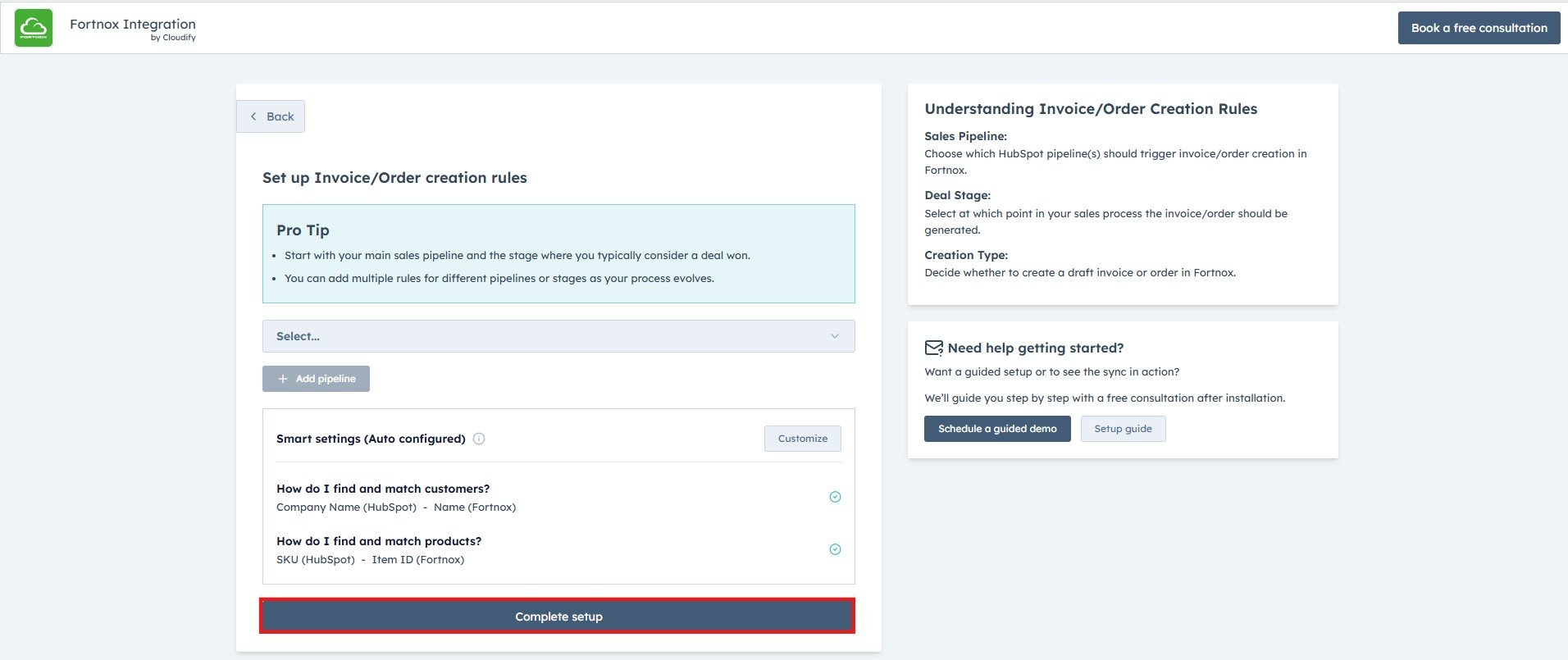 Click **Complete Setup** to save your automation settings.
Once setup is complete, invoices will be automatically created in Fortnox whenever a deal reaches your selected trigger stage in HubSpot.
**Got unique integration needs?**\
Our custom team can build tailored integrations, specialized data mappings, and workflow automations to perfectly match your specific business processes.
[Advanced integration settings](https://custom.cloudify.biz/)
Click **Complete Setup** to save your automation settings.
Once setup is complete, invoices will be automatically created in Fortnox whenever a deal reaches your selected trigger stage in HubSpot.
**Got unique integration needs?**\
Our custom team can build tailored integrations, specialized data mappings, and workflow automations to perfectly match your specific business processes.
[Advanced integration settings](https://custom.cloudify.biz/)