> ## Documentation Index
> Fetch the complete documentation index at: https://docs.cloudify.biz/llms.txt
> Use this file to discover all available pages before exploring further.
# Getting Started
Now that you've installed the app and connected your accounts, it's time to configure how information flows between HubSpot and Microsoft Business Central.
The quick installation covers the essentials. This section helps you customize the integration further based on your business needs.
***
## Accessing the Settings Page
Click the **Marketplace icon** in HubSpot and go to **Connected Apps**.
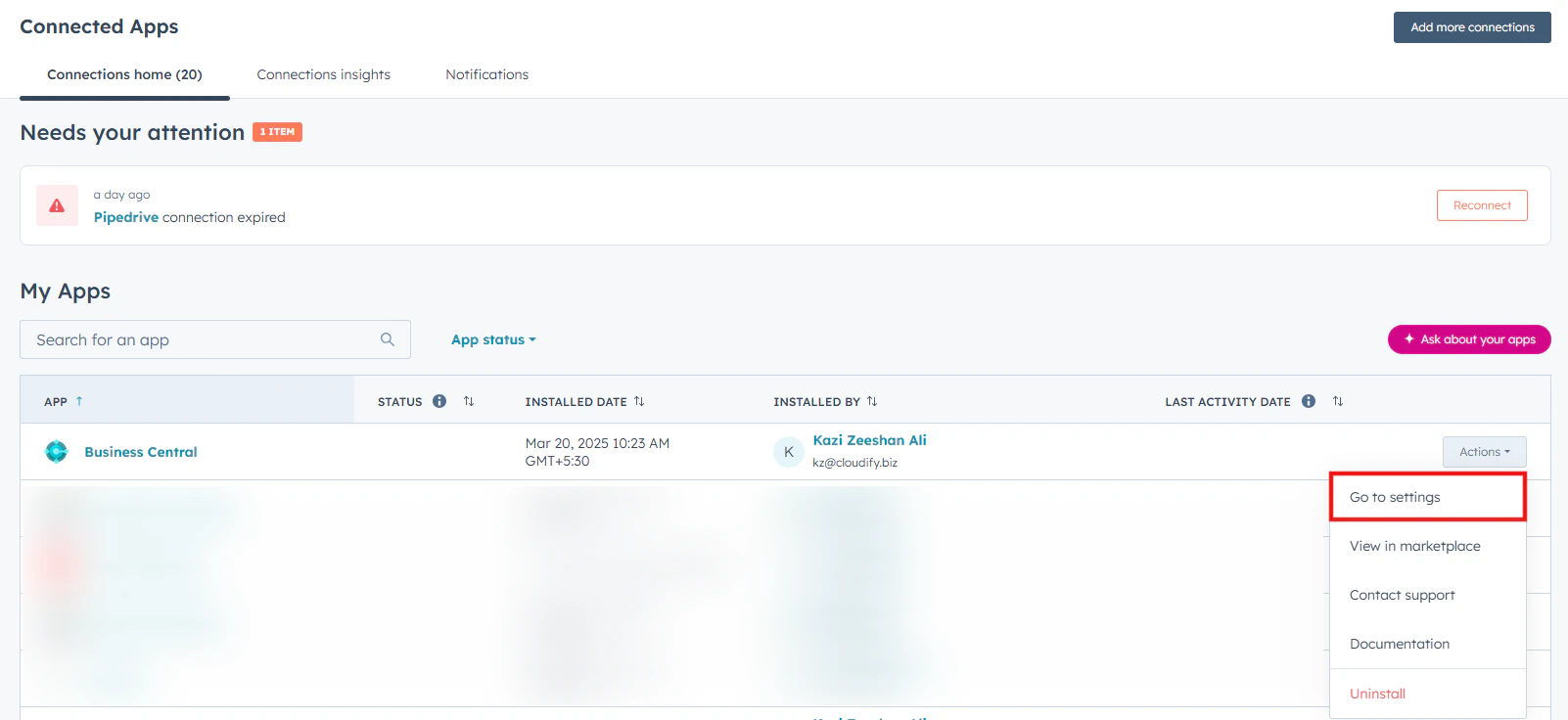
Select the **Business Central app**.
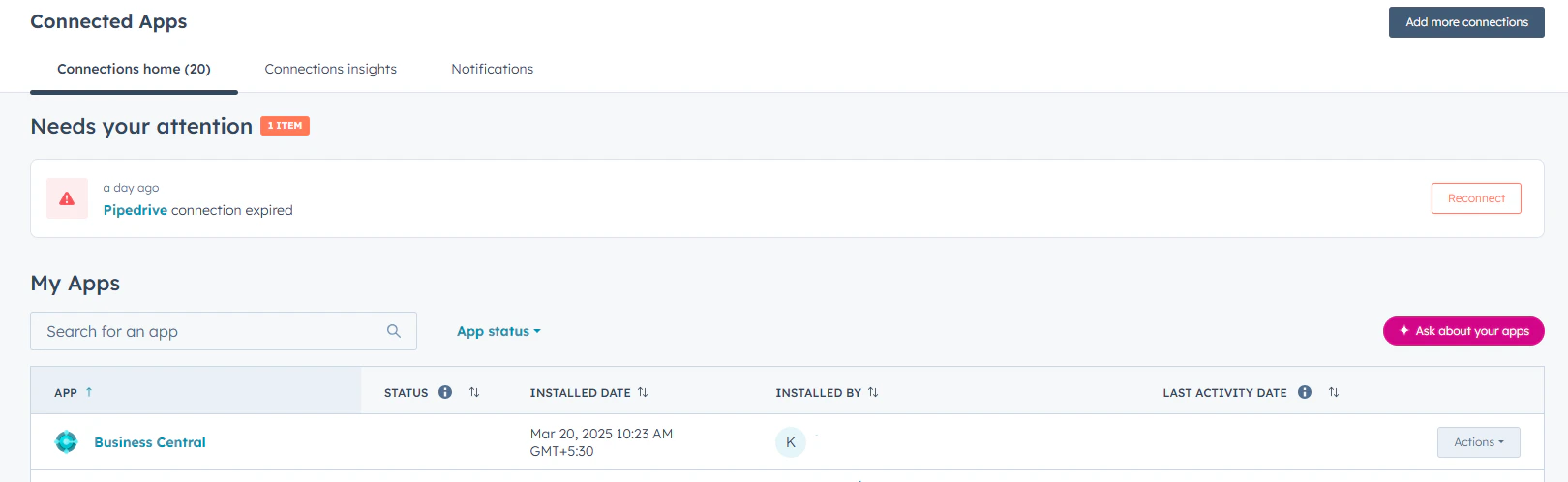
 Click **Go to settings**.
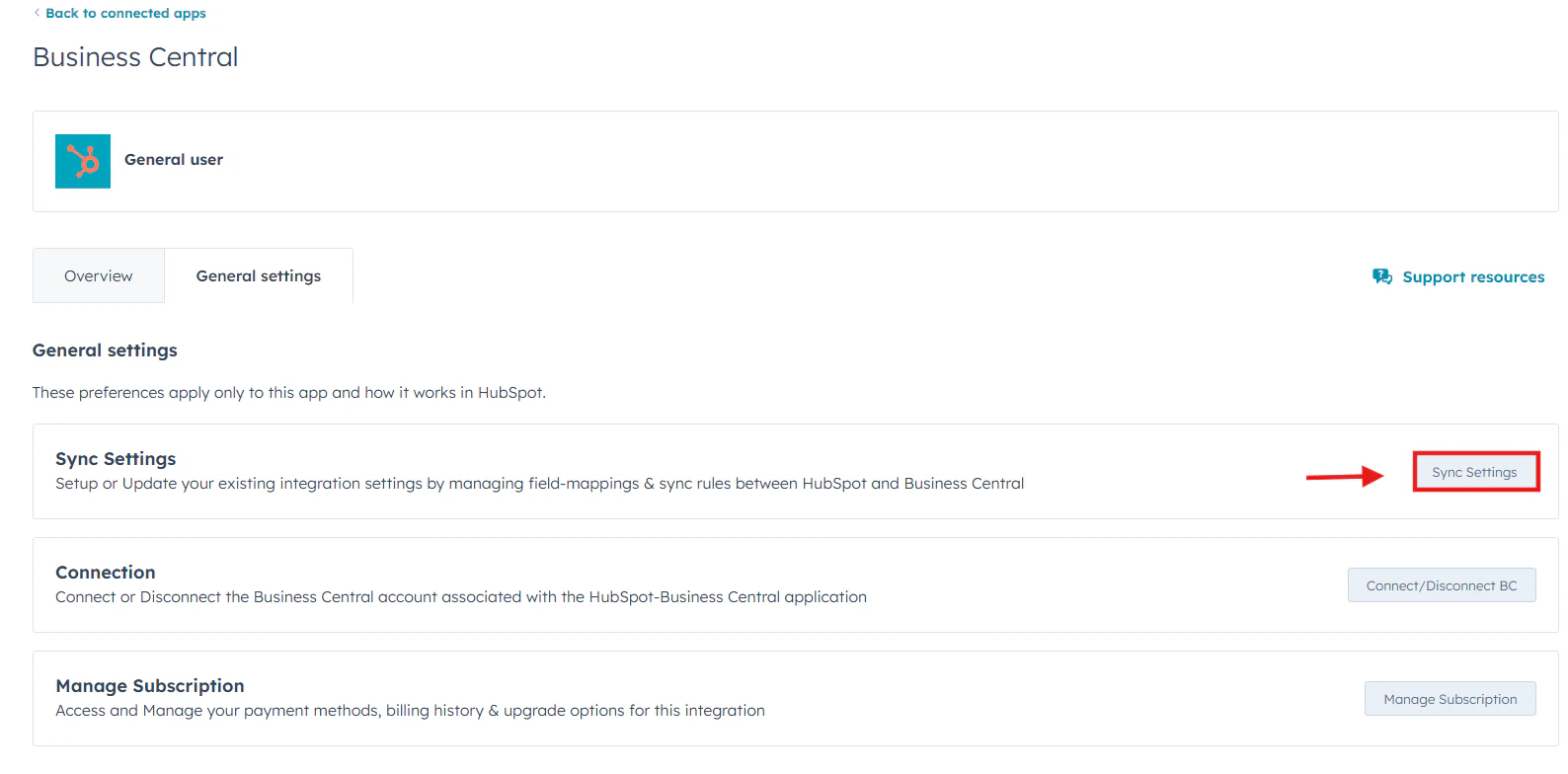
 Click **Sync settings**.
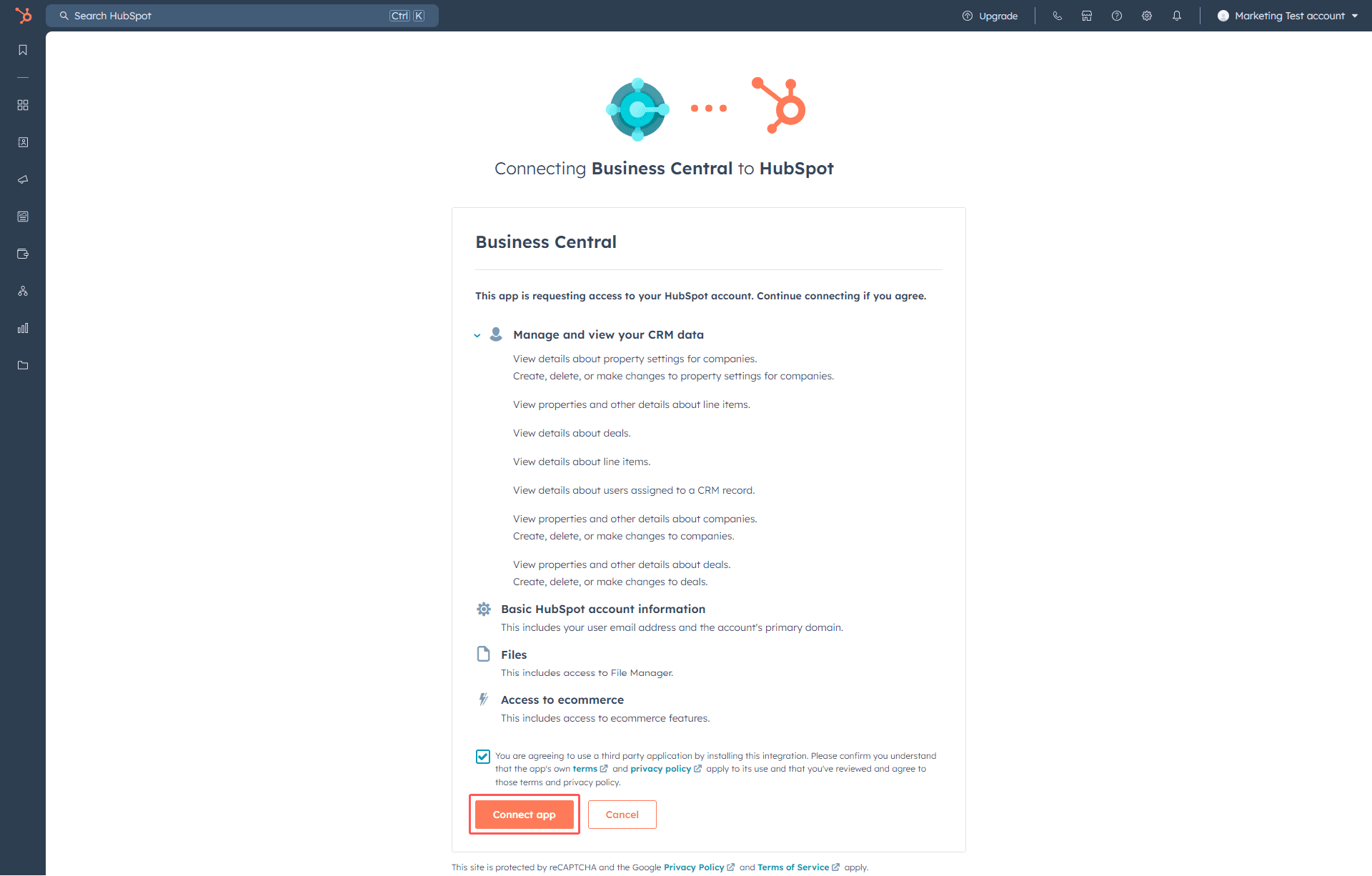 ***
You have now reached the configuration area.
***
## Configuration Overview
The setup process is divided into three main areas:
1. **Customer Settings**
2. **Product Settings**
3. **Invoice/Order Settings**
Each section controls how data is synchronized and how automation behaves across systems.
***
**Got unique integration needs?**\
Our custom team can build tailored integrations, specialized data mappings, and workflow automations to perfectly match your specific business processes.
[Advanced Integration Setting](https://custom.cloudify.biz/)
***
You have now reached the configuration area.
***
## Configuration Overview
The setup process is divided into three main areas:
1. **Customer Settings**
2. **Product Settings**
3. **Invoice/Order Settings**
Each section controls how data is synchronized and how automation behaves across systems.
***
**Got unique integration needs?**\
Our custom team can build tailored integrations, specialized data mappings, and workflow automations to perfectly match your specific business processes.
[Advanced Integration Setting](https://custom.cloudify.biz/)