> ## Documentation Index
> Fetch the complete documentation index at: https://docs.cloudify.biz/llms.txt
> Use this file to discover all available pages before exploring further.

# Connect QuickBooks Account

## How to Install the App

<iframe width="100%" style={{ aspectRatio: "16/9" }} src="https://www.youtube.com/embed/9fopTcOJ0No" title="Connect QuickBooks Account" frameBorder="0" allowFullScreen />

<Steps>
  <Step>
    Log in to your HubSpot account and search for the **"QuickBooks Integration"** app in the HubSpot Marketplace. Click **"Install App"**.

    <Frame>
      ![Connect QuickBooks account](https://framerusercontent.com/images/DIgdZb0yiUJPXOlBqyris182vFU.png)
    </Frame>
  </Step>

  <Step>
    Click **"Sign In"** to proceed.

    <Frame>
      ![Connect QuickBooks account](https://framerusercontent.com/images/GyQ22u30R59Bue1Ol5abMrl3Q.png)
    </Frame>
  </Step>

  <Step>
    Select the account you want to use to install the QuickBooks app and click **"Choose Account"**.

    <Frame>
      ![Connect QuickBooks account](https://framerusercontent.com/images/CA9qykTqEhyndp3U3H9zEGYZ8U.png)
    </Frame>
  </Step>

  <Step>
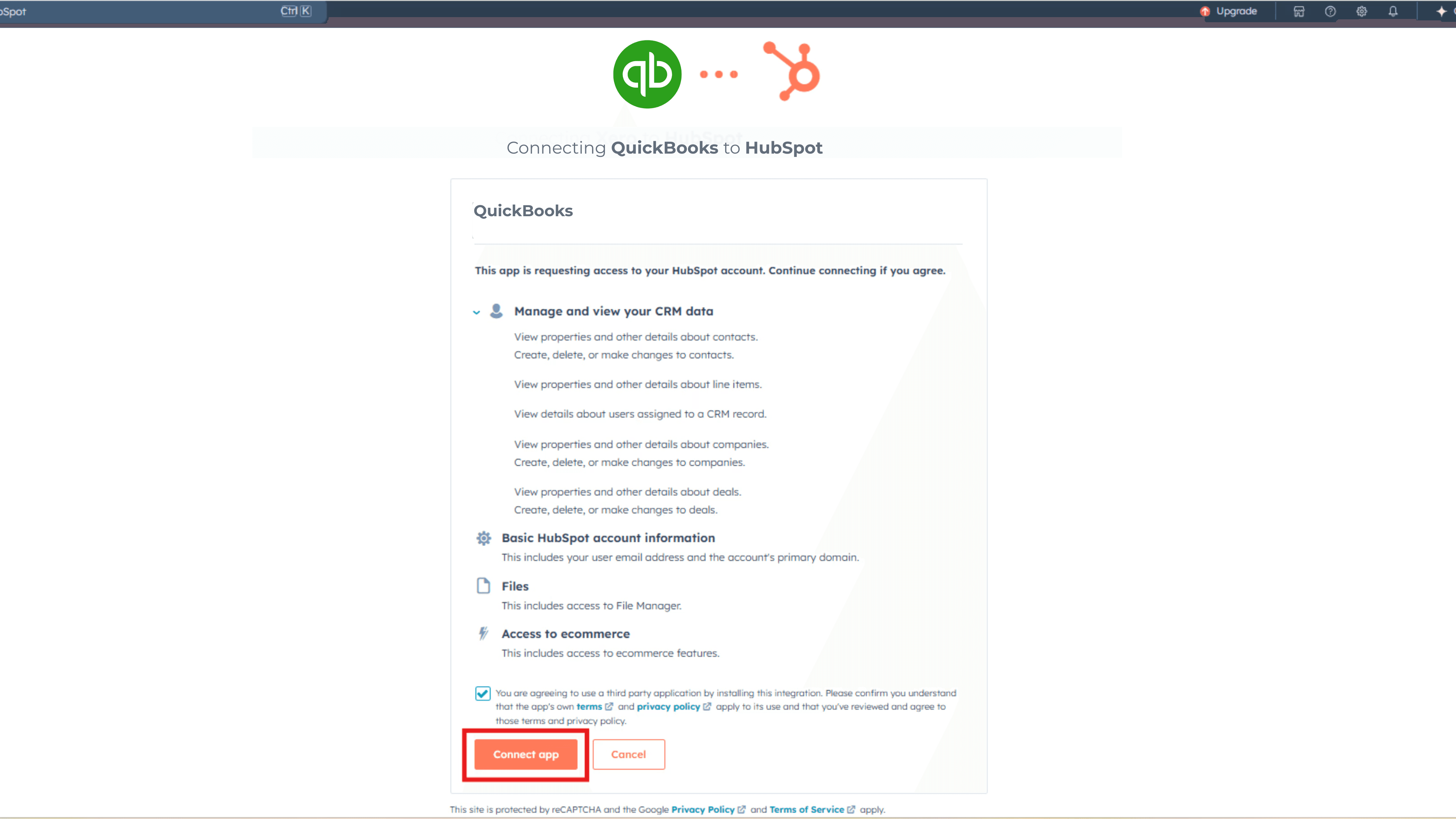
    Select the checkbox and click **"Connect App"**.
    <Frame>
      ![Connect QuickBooks account](https://framerusercontent.com/images/7GRRORujvhVVDQBsbSsKbeGrjI.png)
    </Frame>
  </Step>

  <Step>
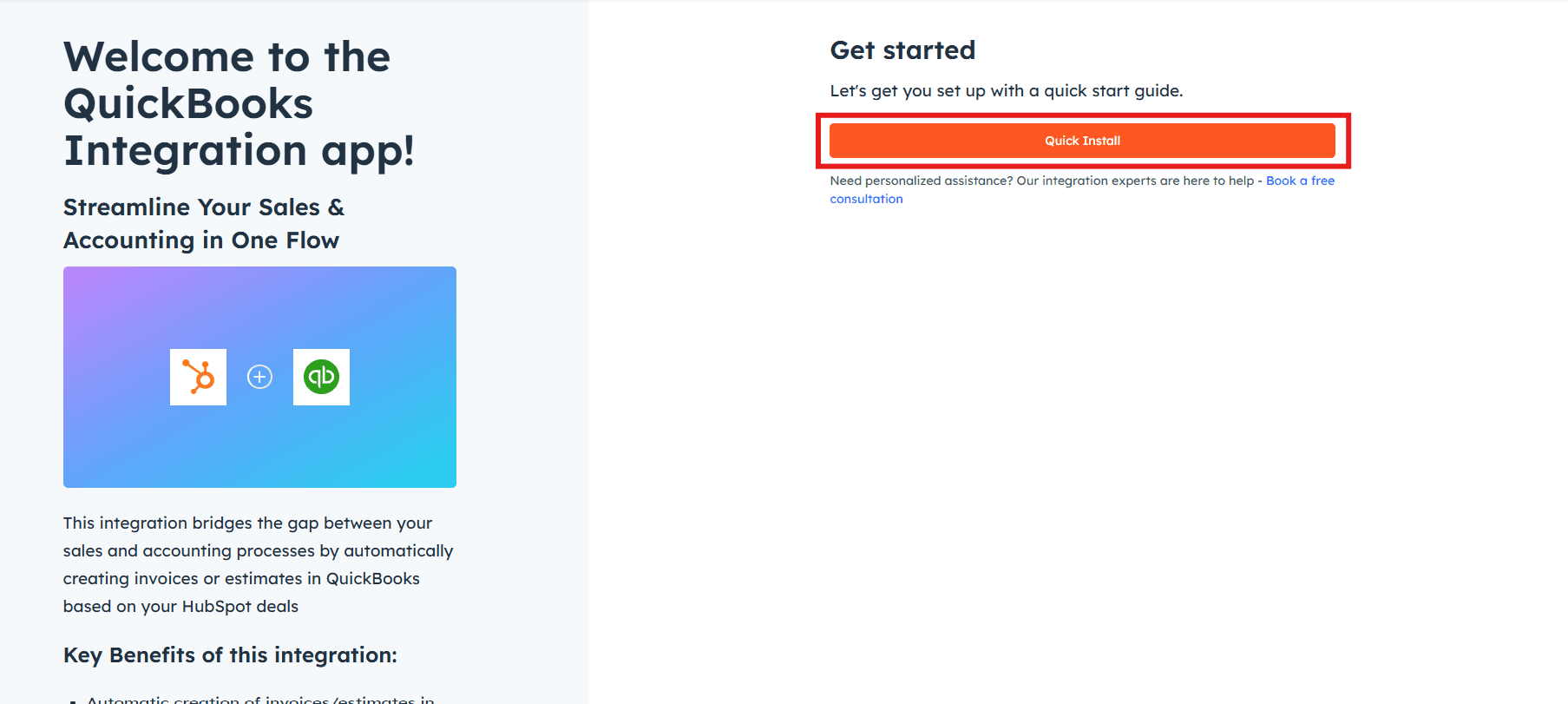
    Click **"Quick Install"**.

    <Frame>
      ![Connect QuickBooks account](https://framerusercontent.com/images/uRepuRggC70rlKfGKACaVphexs.png)
    </Frame>
  </Step>
</Steps>

***

## Connecting Your QuickBooks Account

<Steps>
  <Step>
    Click **"Select"** to connect your QuickBooks account.
  </Step>

  <Step>
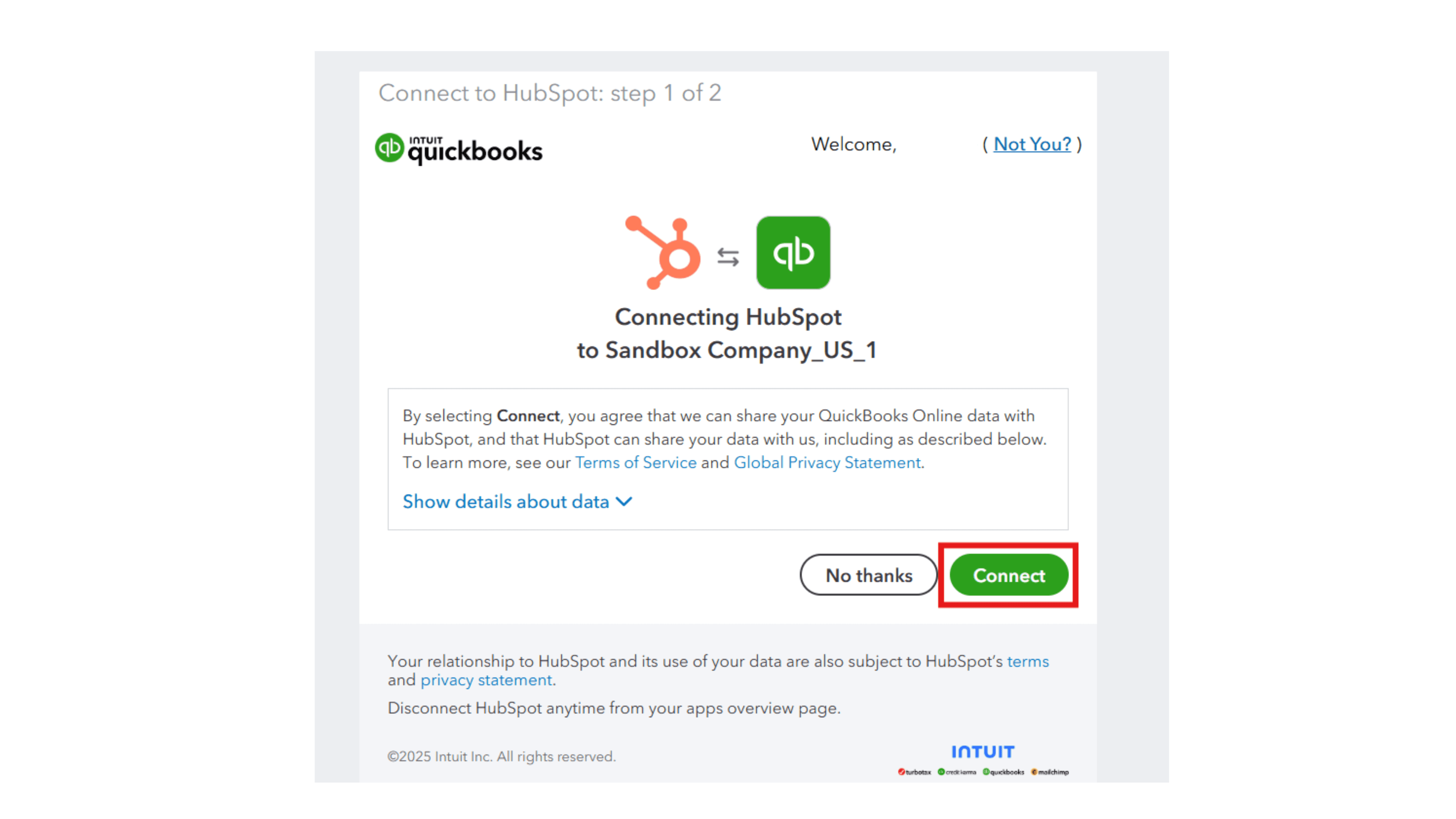
    Enter your QuickBooks registered email address and password, then click **"Continue"**.
    <Frame>
      ![Connect QuickBooks account](https://framerusercontent.com/images/KXSghj7Xpu1lhOdAP2x42dEos.png)
    </Frame>
  </Step>

  <Step>
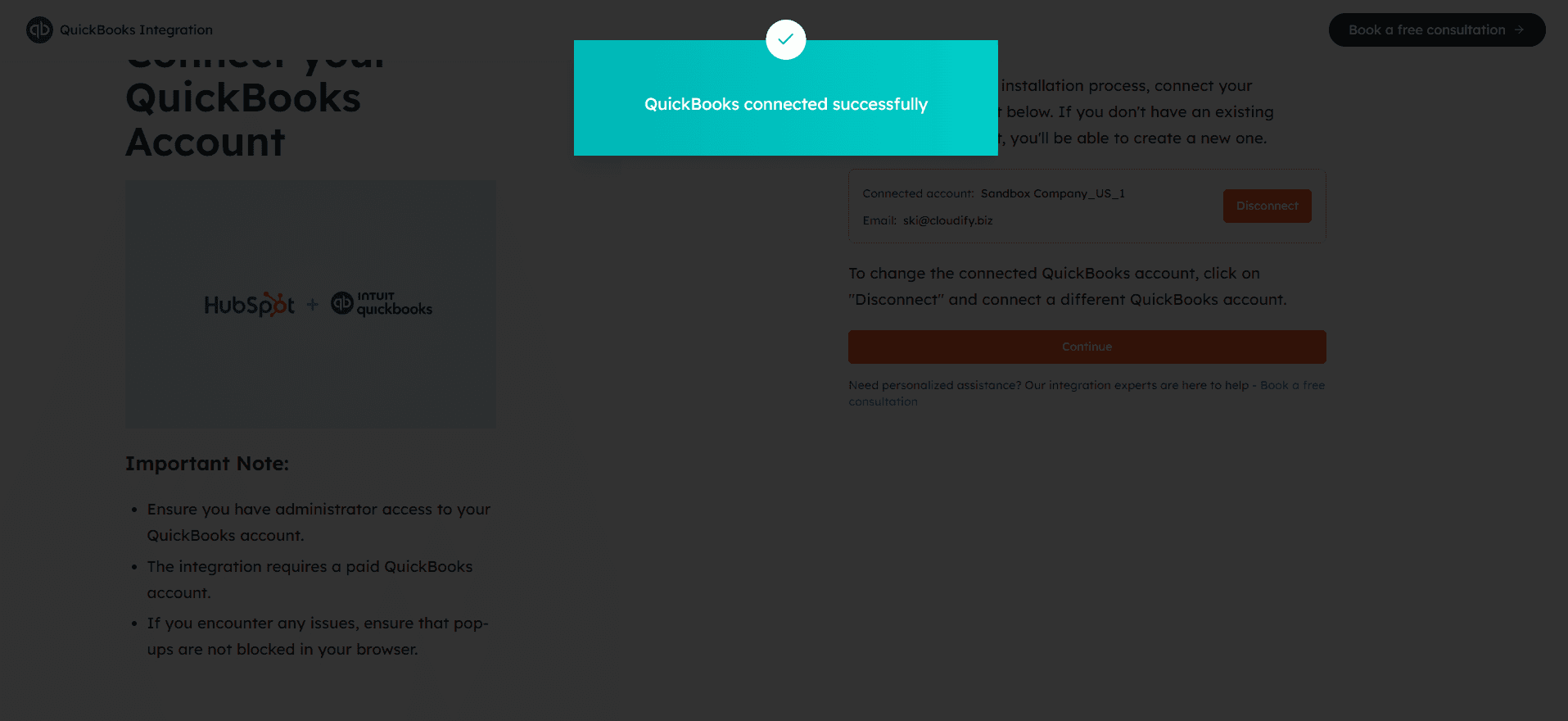
    You will receive a success message. Click anywhere on the screen to move to the next step.
    <Frame>
      ![Connect QuickBooks account](https://framerusercontent.com/images/3NEs3RsSMArhQZepSwFa5Df0Y.png)
    </Frame>
  </Step>

  <Step>
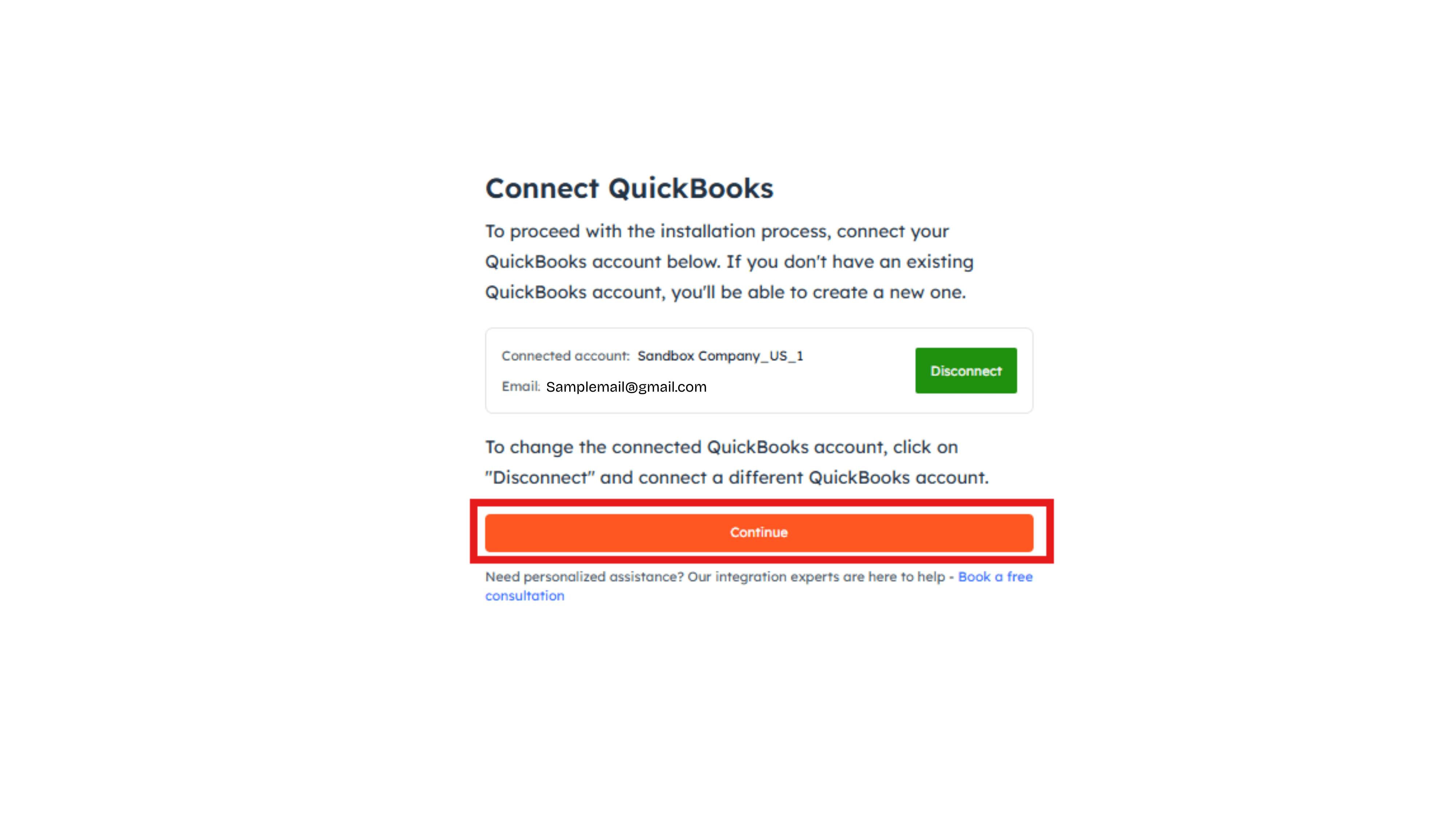
    Click **"Continue"**. Your QuickBooks account is now successfully connected to HubSpot.
    <Frame>
      ![Connect QuickBooks account](https://framerusercontent.com/images/UtYDjOJ7CFueP1U9ZL4HeBbZ4.png)
    </Frame>
  </Step>
</Steps>

<Tip>
  **Got unique integration needs?**\
  Our custom team can build tailored integrations, specialized data mappings, and workflow automations to perfectly match your specific business processes.

  [Advanced integration settings](https://custom.cloudify.biz/)
</Tip>