> ## Documentation Index
> Fetch the complete documentation index at: https://docs.cloudify.biz/llms.txt
> Use this file to discover all available pages before exploring further.
# Product Search Rules
Product Search Rules define how products from HubSpot are matched with those in QuickBooks, enabling simple field-based matching or a direct connection without searching to ensure accurate product syncing and invoicing.
***
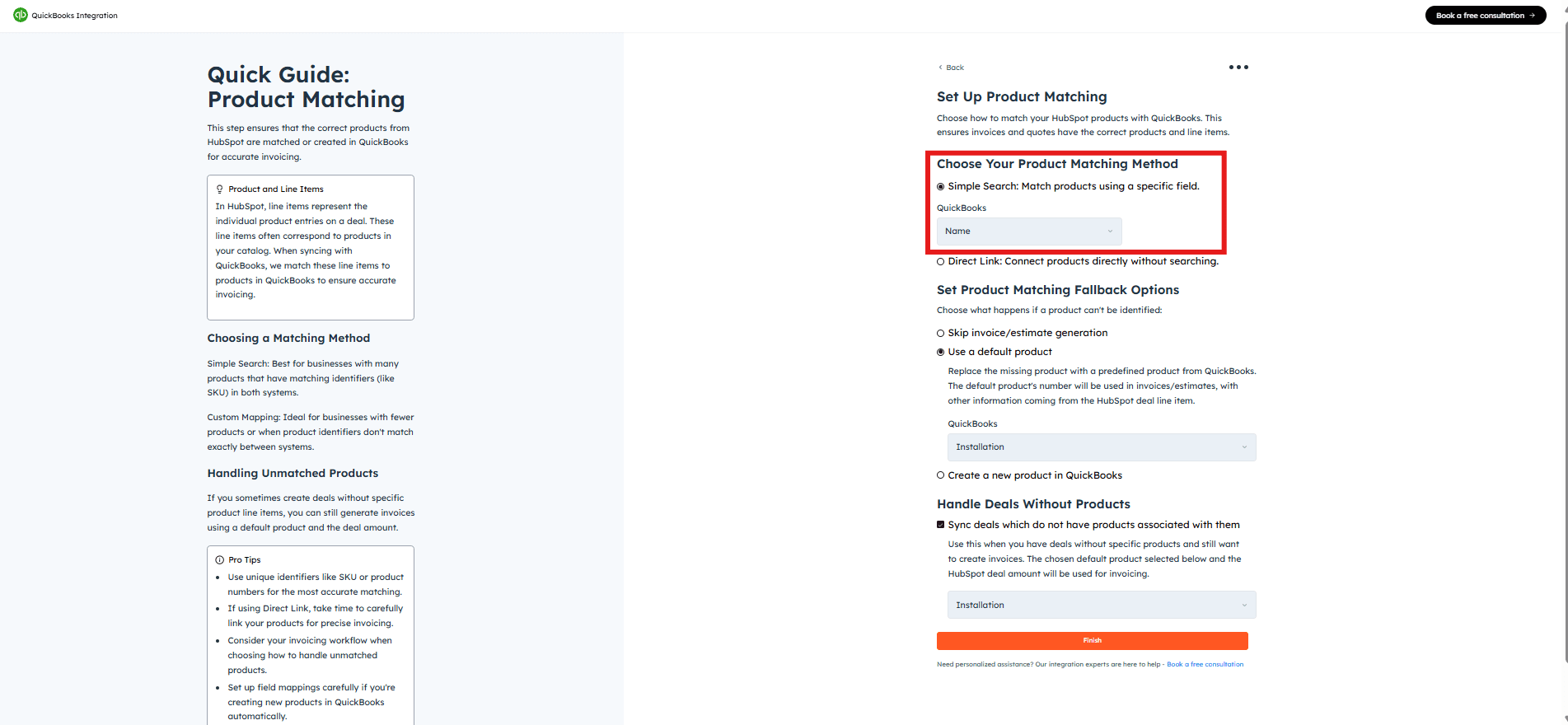
## Option 1: Simple Search
This method matches products between HubSpot and QuickBooks by correlating a specific field such as SKU or product number. It's particularly useful for users with long product lists.
From the **HubSpot** dropdown, select the field you want to use for product matching (e.g., SKU).
From the **QuickBooks** dropdown, select the corresponding field for automatic identification.
***
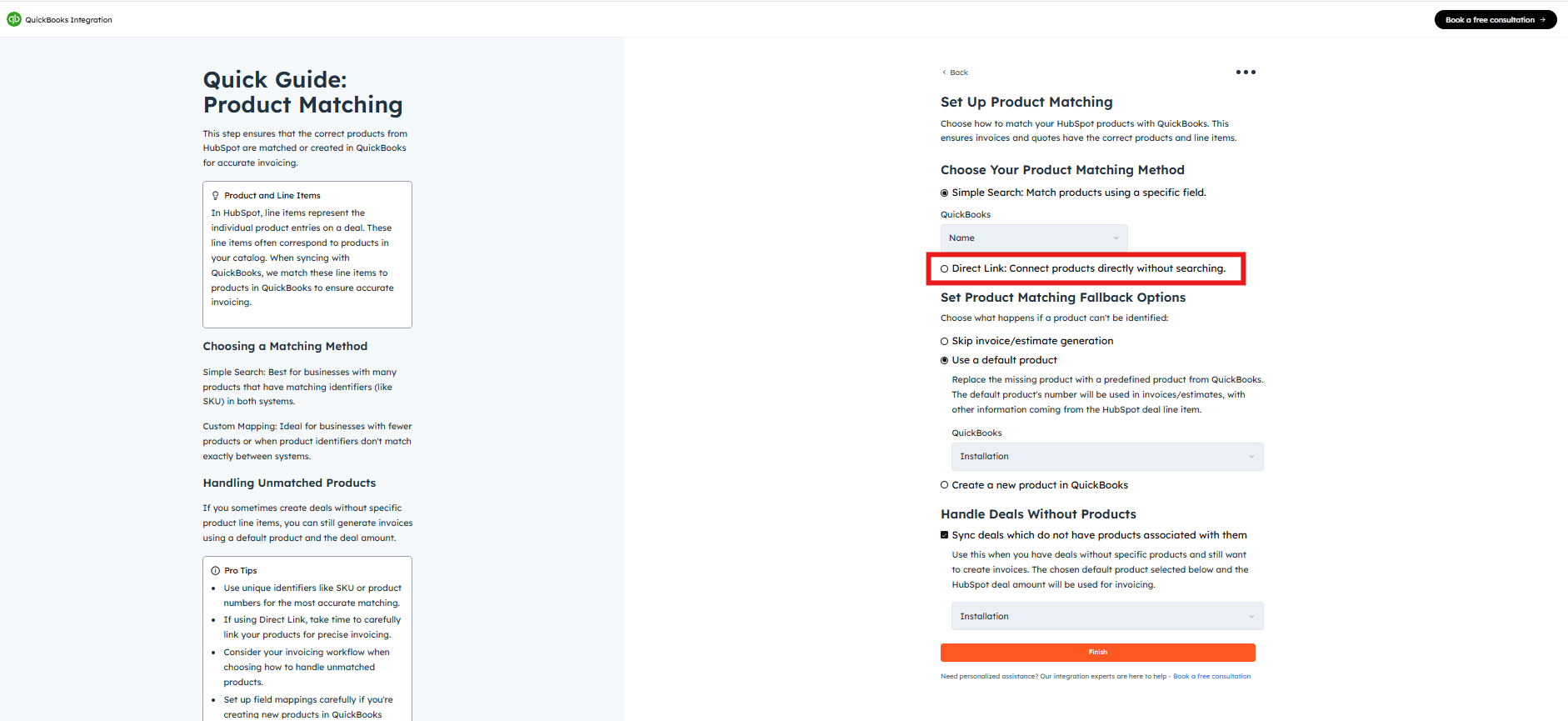
## Option 2: Direct Link
Select this method to link specific products one-to-one between HubSpot and QuickBooks directly. This is particularly useful when the product count is low, allowing for precise manual matching of each product.
***
## Advanced Settings
### Set Product Matching Fallback Option
This option handles cases where a product is not found during the search. Choose one of the three behaviours below:
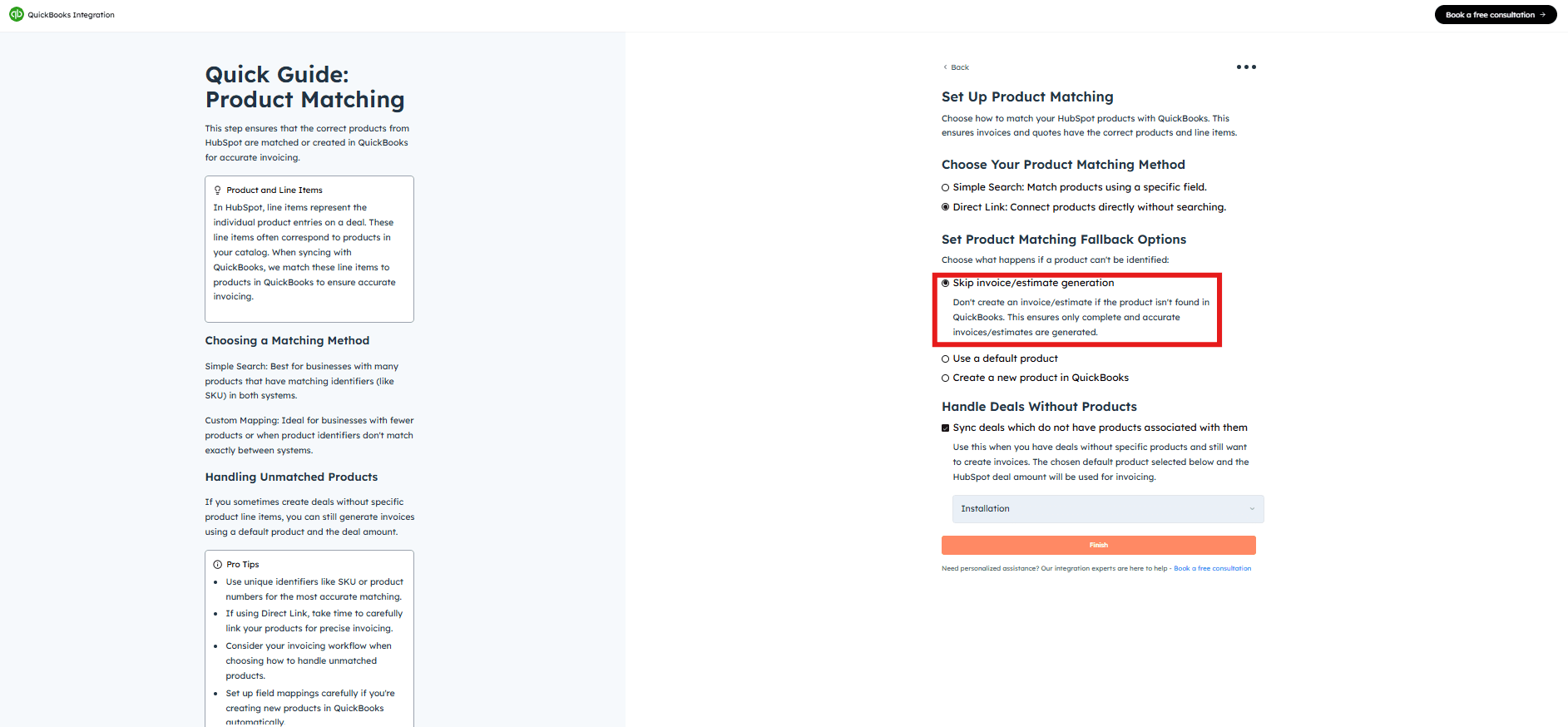
### Skip Invoice Generation
Select this option if you prefer not to create an invoice when a product isn't found in QuickBooks.
### Use a Default Product
When a product is not found in QuickBooks, the integration will fall back to a default item to generate the invoice. If you select this option, you must specify a default product from your QuickBooks item list.

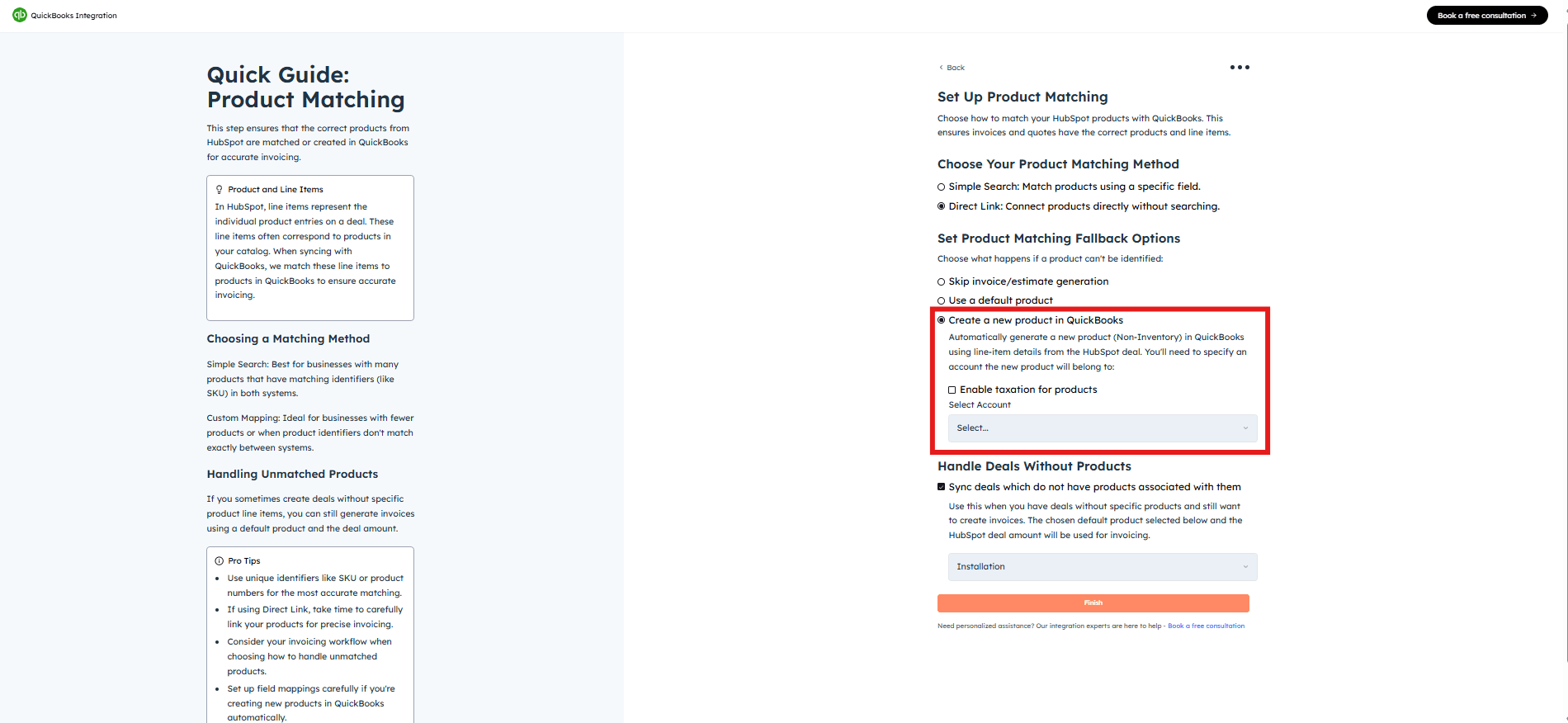
### Create a New Product in QuickBooks
Automatically generates a new item entry in QuickBooks when a matching item isn't found, using the product details from HubSpot. Select the product and click **"Finish"**.
***
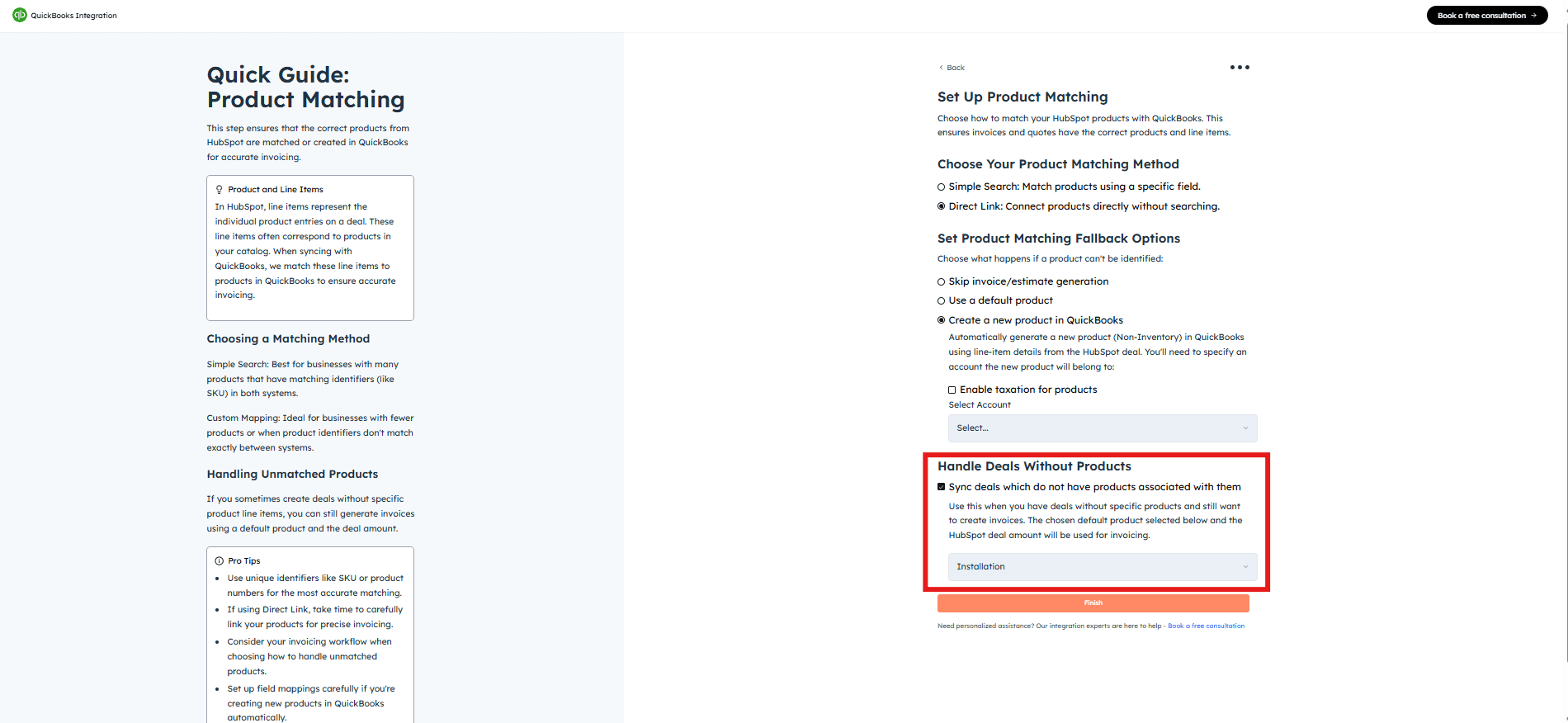
## Sync Deals Without Line Items
This option creates an invoice/estimate using the deal value only — useful if you do not use line items in HubSpot deals.
Check the **"Sync deals which do not have line-items (products) associated with them"** option.
Select a default product from the list to handle this scenario.
Click **"Finish"**.
**Got unique integration needs?**\
Our custom team can build tailored integrations, specialized data mappings, and workflow automations to perfectly match your specific business processes.
[Advanced integration settings](https://custom.cloudify.biz/)