> ## Documentation Index
> Fetch the complete documentation index at: https://docs.cloudify.biz/llms.txt
> Use this file to discover all available pages before exploring further.
# Order/Invoice Rules
> Configure when orders or invoices are created and map HubSpot fields to Tripletex.
Use **Order/Invoice Rules** to define when an order or invoice should be created and which HubSpot fields should be sent from HubSpot to Tripletex.
## Order/Invoice Sync Rules
Choose which pipeline and deal stage should trigger order or invoice creation.
You can add more pipelines if you need different trigger rules for different sales flows.
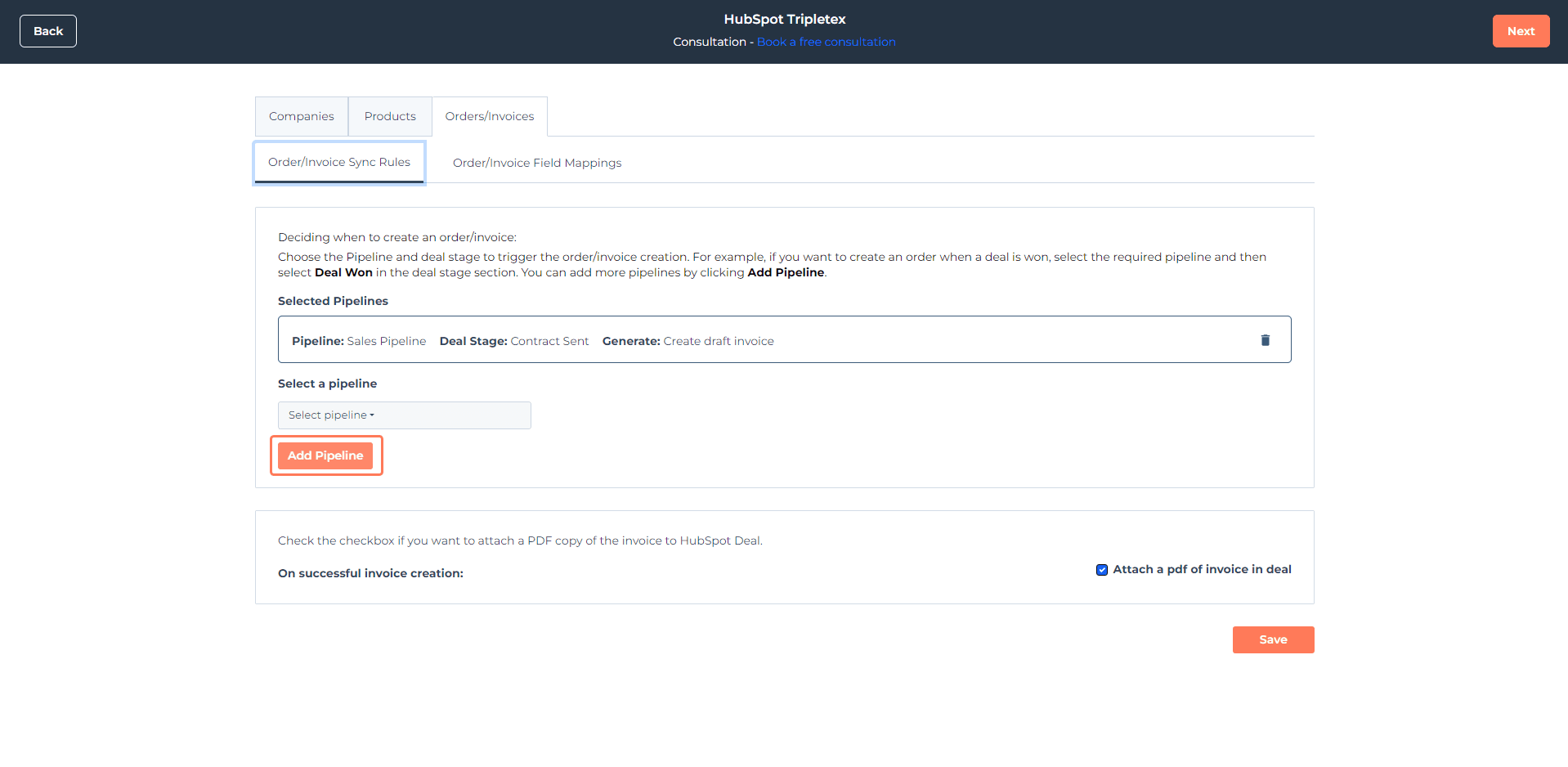
### How it works
1. Select a pipeline from your CRM
2. Choose the deal stage that should trigger the sync
3. Choose what should be generated
4. Click **Add Pipeline** if you want to add more trigger rules
## Order/Invoice Field Mapping
Use field mapping to control which HubSpot properties should populate the corresponding fields in Tripletex.
Some fields are already mapped by default.
To update mappings:
1. Open **Actions** on the right side
2. Click **Edit Mapping**
3. To add a new property, click **Create new HubSpot property**
4. Enter the property name and choose the property type
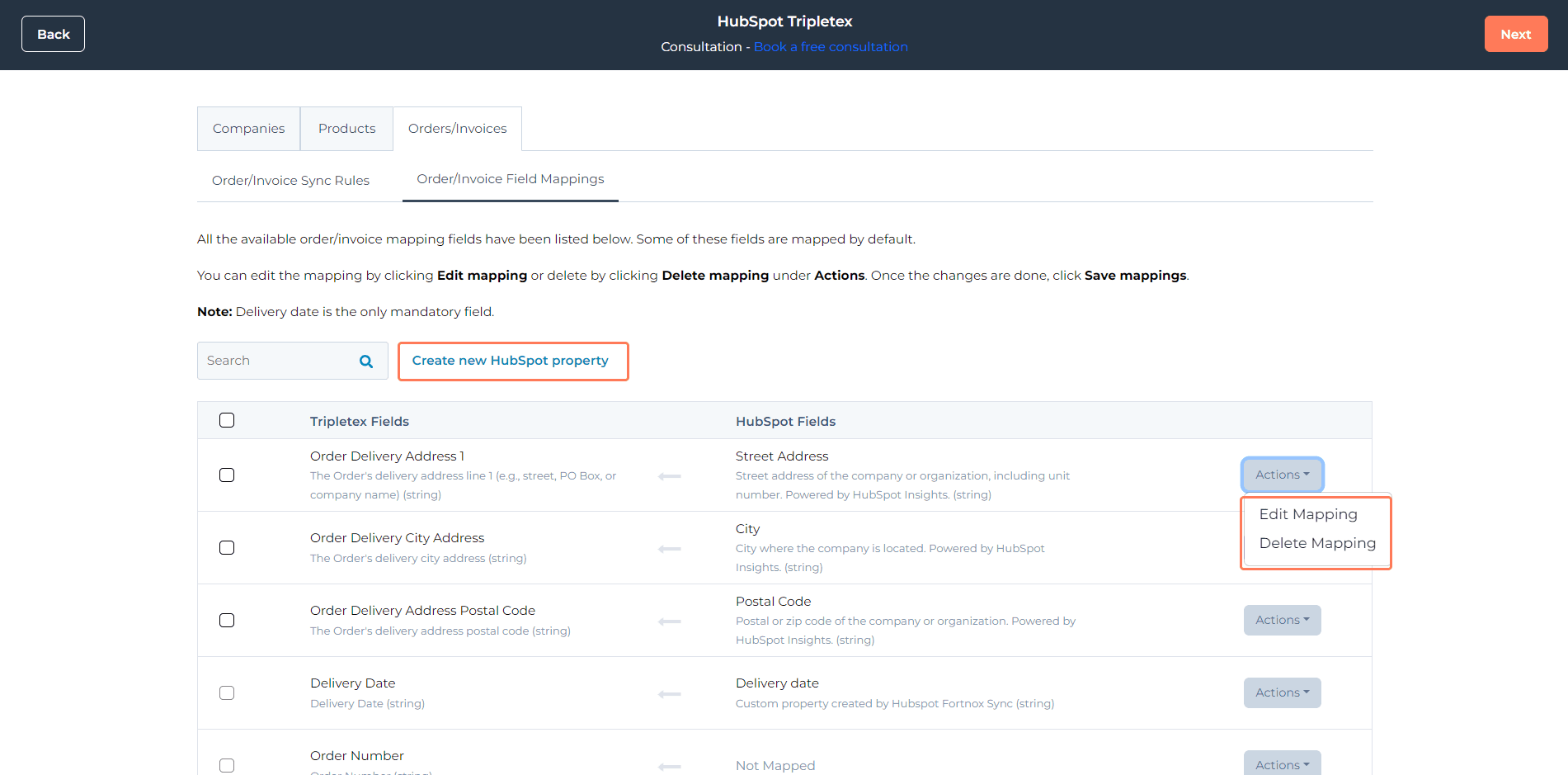
The **Delivery date** field is mandatory. The integration can fail if it is not mapped correctly.
## Completing the installation
After configuring the rules and mappings:
1. Follow the deal-to-order or deal-to-invoice creation steps in the app
2. Click **Finish** to complete the installation