> ## Documentation Index
> Fetch the complete documentation index at: https://docs.cloudify.biz/llms.txt
> Use this file to discover all available pages before exploring further.
# Product Rules
> Configure how products are matched, what happens when products are missing, and how product fields are mapped between HubSpot and Tripletex.
Use **Product Rules** to decide how products should be identified between HubSpot and Tripletex during invoice creation.
## Product search preference
Accurate product matching is important to make sure the correct invoice is created and synced.
You have two options.
### 1. Select search parameters
Choose a matching field in both HubSpot and Tripletex.
The integration will use the selected field to identify the correct product and prevent duplicate products from being added.
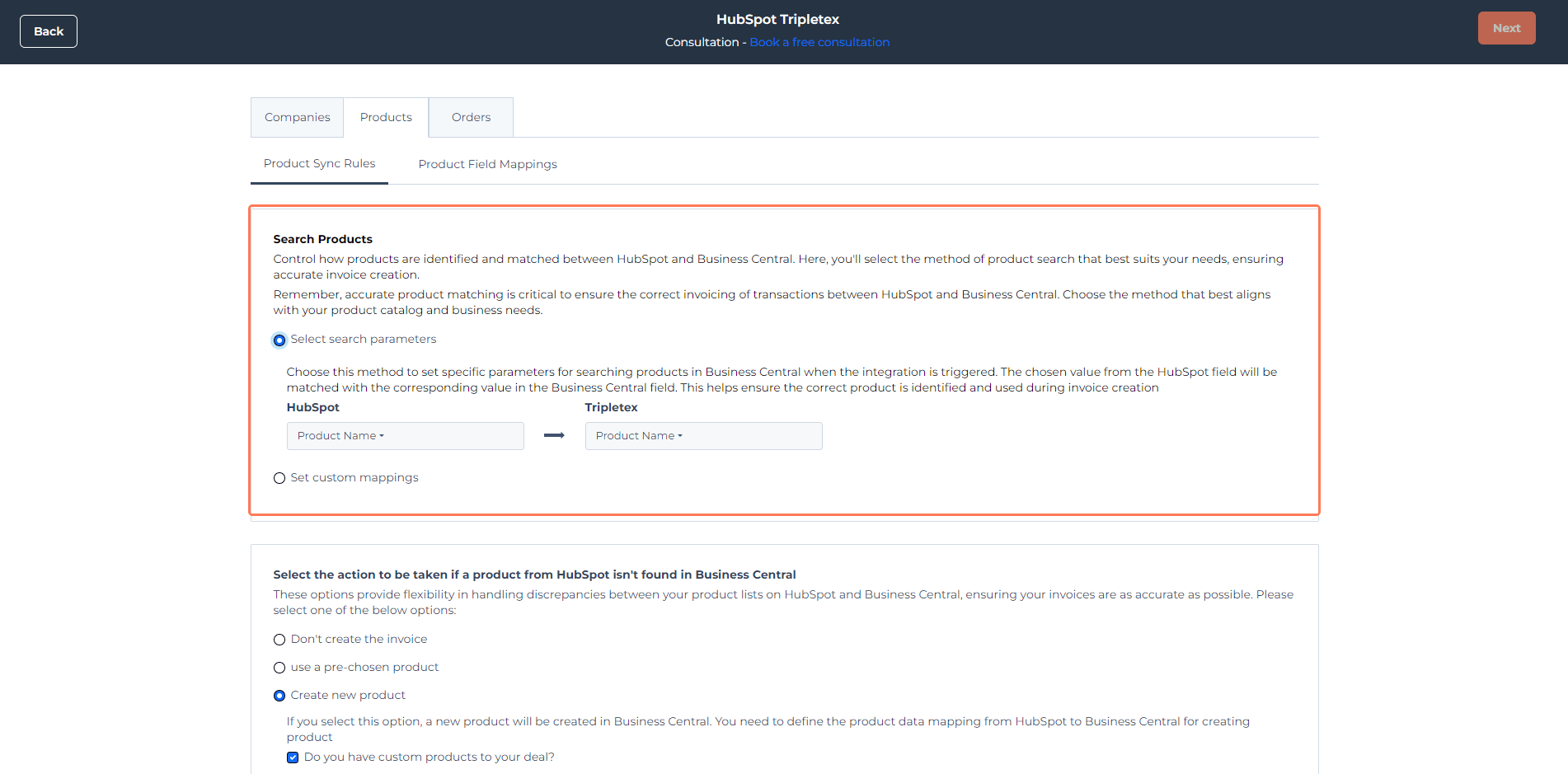
### 2. Set custom mappings
Choose this option if you want to directly map specific HubSpot products to specific Tripletex products.
This is especially useful when your product catalogue is small and you want precise control over product matching.
## Product not found
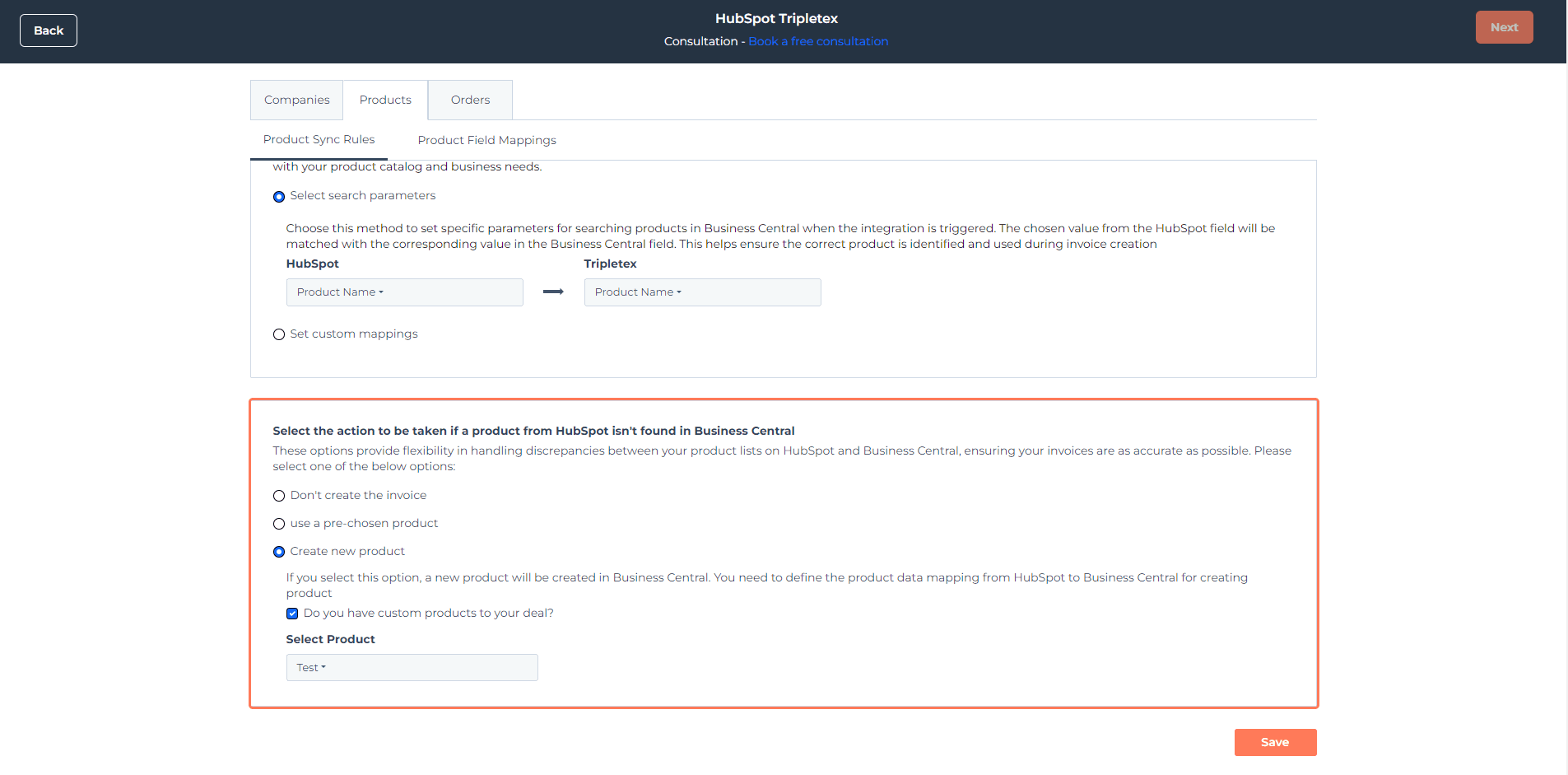
When a product is not found in Tripletex during invoice creation, you have three options:
### Don’t create the invoice
Choose this if you want the integration to stop and not create the invoice when a product is missing.
### Use a pre-chosen product
Choose a default Tripletex product to use when the intended product cannot be found.
In this case:
* the product number comes from the default product in Tripletex
* the remaining product information comes from the HubSpot deal line item
### Create a new product
Enable this option if you want the integration to create a new product in Tripletex based on your product field mappings.
This is useful if you regularly add new or custom products.
## Product field mappings
Use **Product field mappings** to define which HubSpot product fields should populate the corresponding fields in Tripletex when a new product is created.
Some fields may already be mapped by default.
To update mappings:
1. Open **Actions** on the right side
2. Click **Edit Mapping**
3. To add a new property, click **Create new HubSpot property**
4. Enter the property name and select the property type
Product field mappings are only used when **Create a new product** is selected under **Product not found**.