> ## Documentation Index
> Fetch the complete documentation index at: https://docs.cloudify.biz/llms.txt
> Use this file to discover all available pages before exploring further.
# Set Up Customer Matching
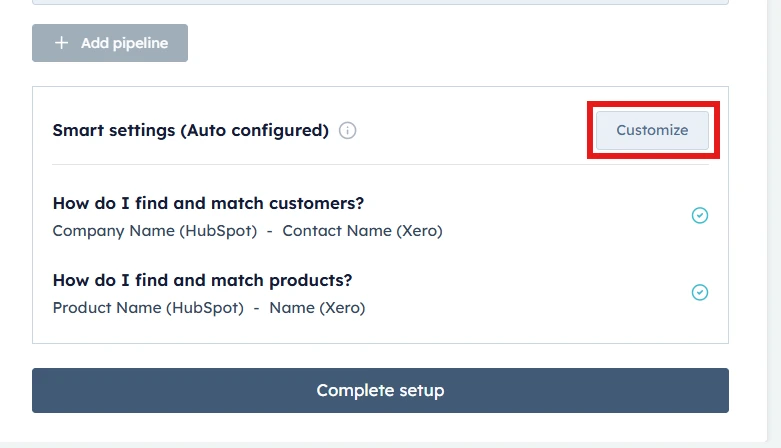
> To begin customizing your customer mappings and preferences, click on the “Customize” button.
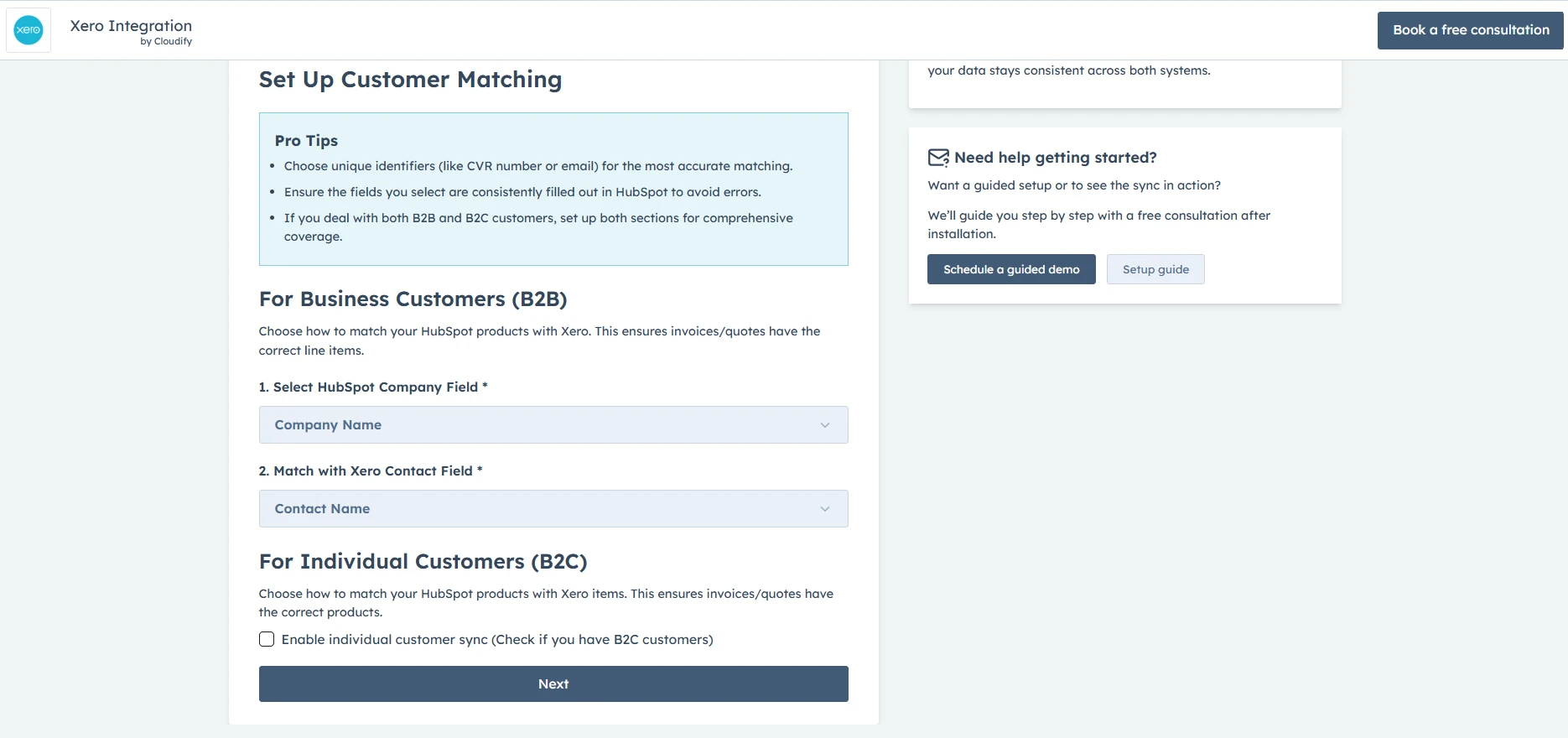
 ## Company Matching Criteria (For Business Customers - B2B)
You can configure company matching criteria by selecting a field in HubSpot (e.g., Company Name, Email) corresponding to the chosen Xero field. This ensures both platforms refer to the same company data when syncing information, maintaining consistency across systems
## Company Matching Criteria (For Business Customers - B2B)
You can configure company matching criteria by selecting a field in HubSpot (e.g., Company Name, Email) corresponding to the chosen Xero field. This ensures both platforms refer to the same company data when syncing information, maintaining consistency across systems
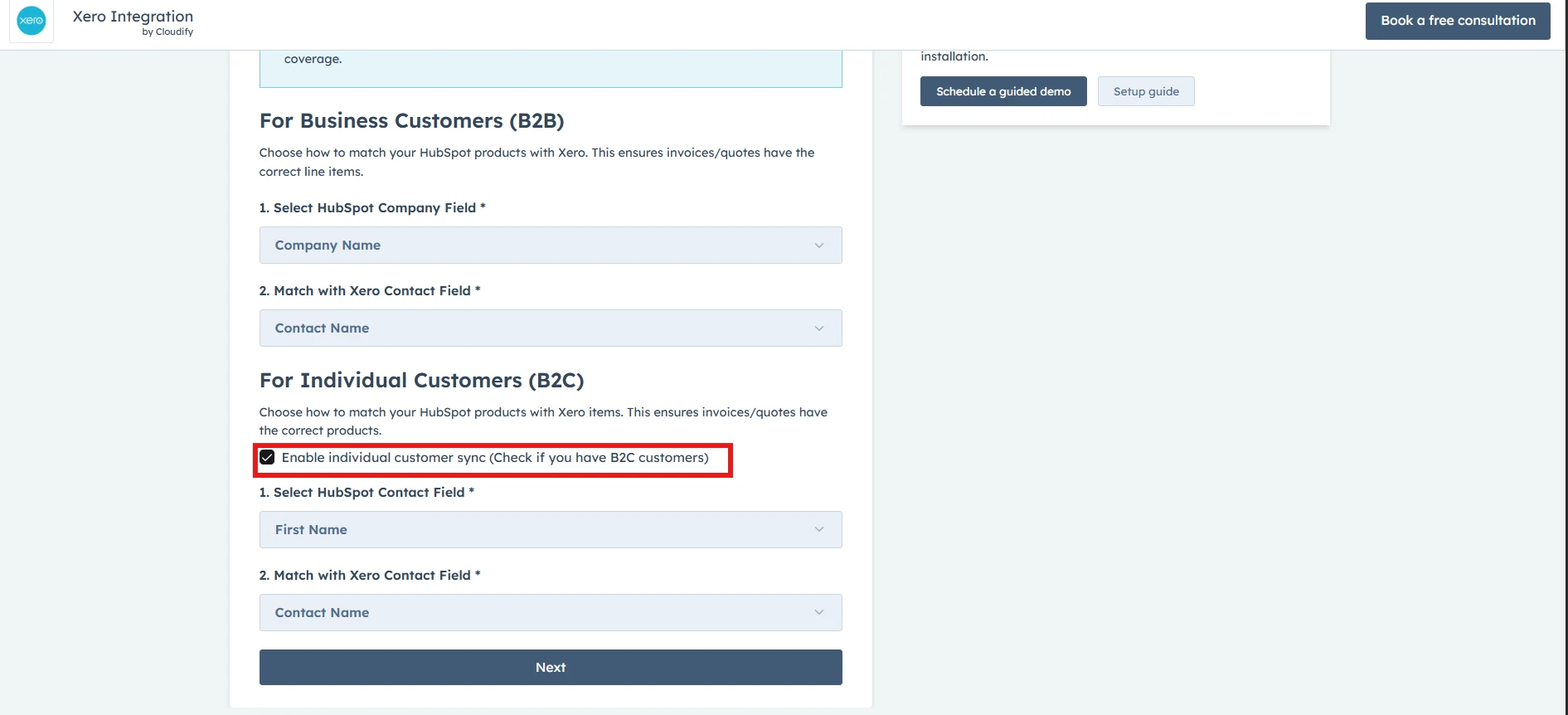
 ## Enable Individual Contact Sync (For Individual Customers - B2C)
**Note**: Enable this only if you deal with individual contacts as well
This feature is essential for businesses dealing directly with consumers. It allows the seamless addition of individual contacts from HubSpot to Xero as customers when there's no associated company. Therefore, if this is the case, tick **“Enable individual customer sync**”.
## Enable Individual Contact Sync (For Individual Customers - B2C)
**Note**: Enable this only if you deal with individual contacts as well
This feature is essential for businesses dealing directly with consumers. It allows the seamless addition of individual contacts from HubSpot to Xero as customers when there's no associated company. Therefore, if this is the case, tick **“Enable individual customer sync**”.
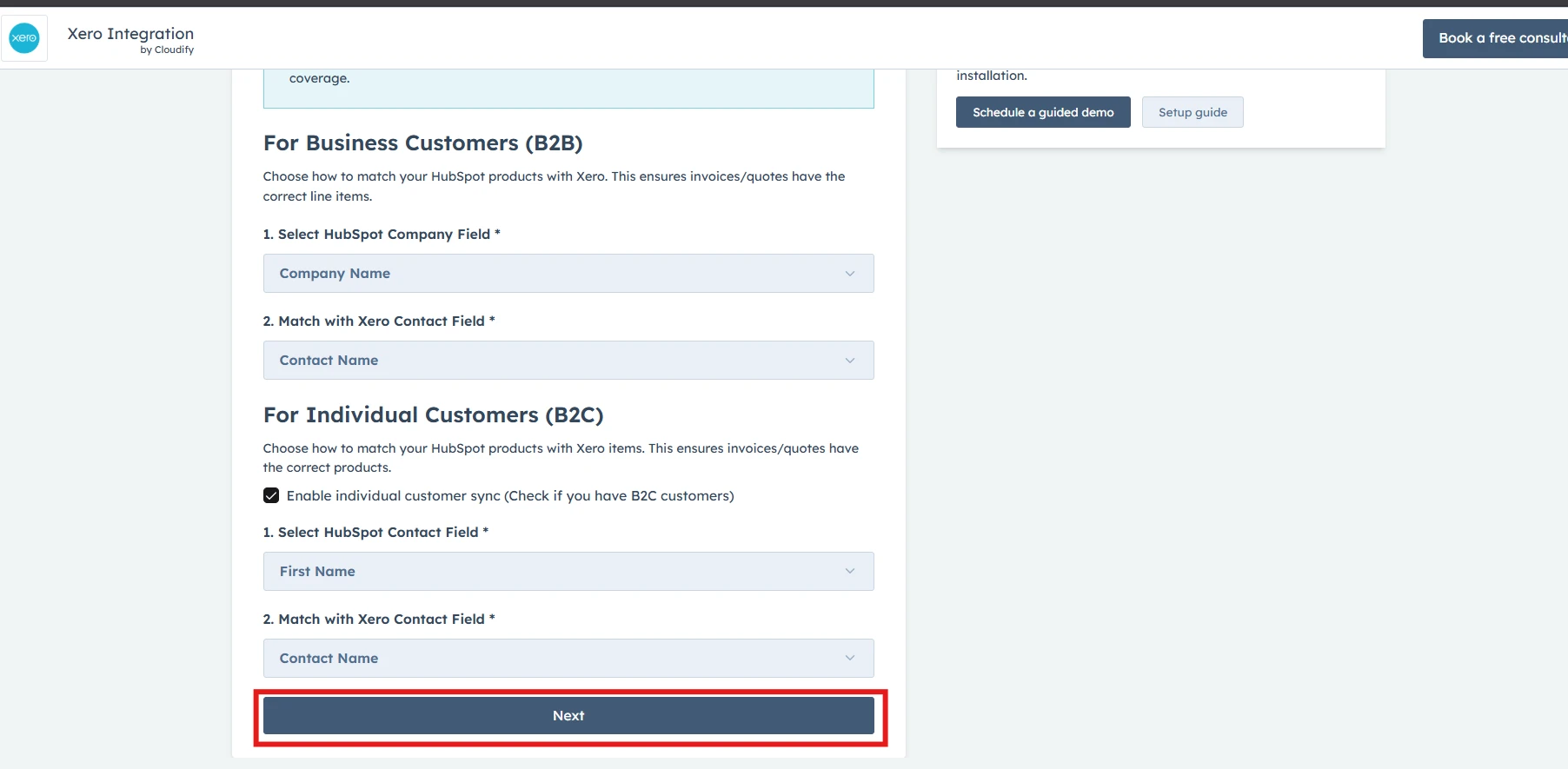
 Once you have selected your preferences, click on the "**Next**" button.
 **Got unique integration needs?**\
Our custom team can build tailored integrations, specialized data mappings, and workflow automations to perfectly match your specific business processes.
[Advanced integration settings](https://custom.cloudify.biz/)
**Got unique integration needs?**\
Our custom team can build tailored integrations, specialized data mappings, and workflow automations to perfectly match your specific business processes.
[Advanced integration settings](https://custom.cloudify.biz/)