> ## Documentation Index
> Fetch the complete documentation index at: https://docs.cloudify.biz/llms.txt
> Use this file to discover all available pages before exploring further.
# Product Sync Rules
> Define how products from Pipedrive are matched with those in e-conomic, enabling field-based matching or direct connection for accurate product syncing and invoicing.
Product Sync Rules define how products from Pipedrive are matched with those in e-conomic, enabling simple field-based matching or a direct connection without searching — ensuring accurate product syncing and invoicing.
***
## Simple Search
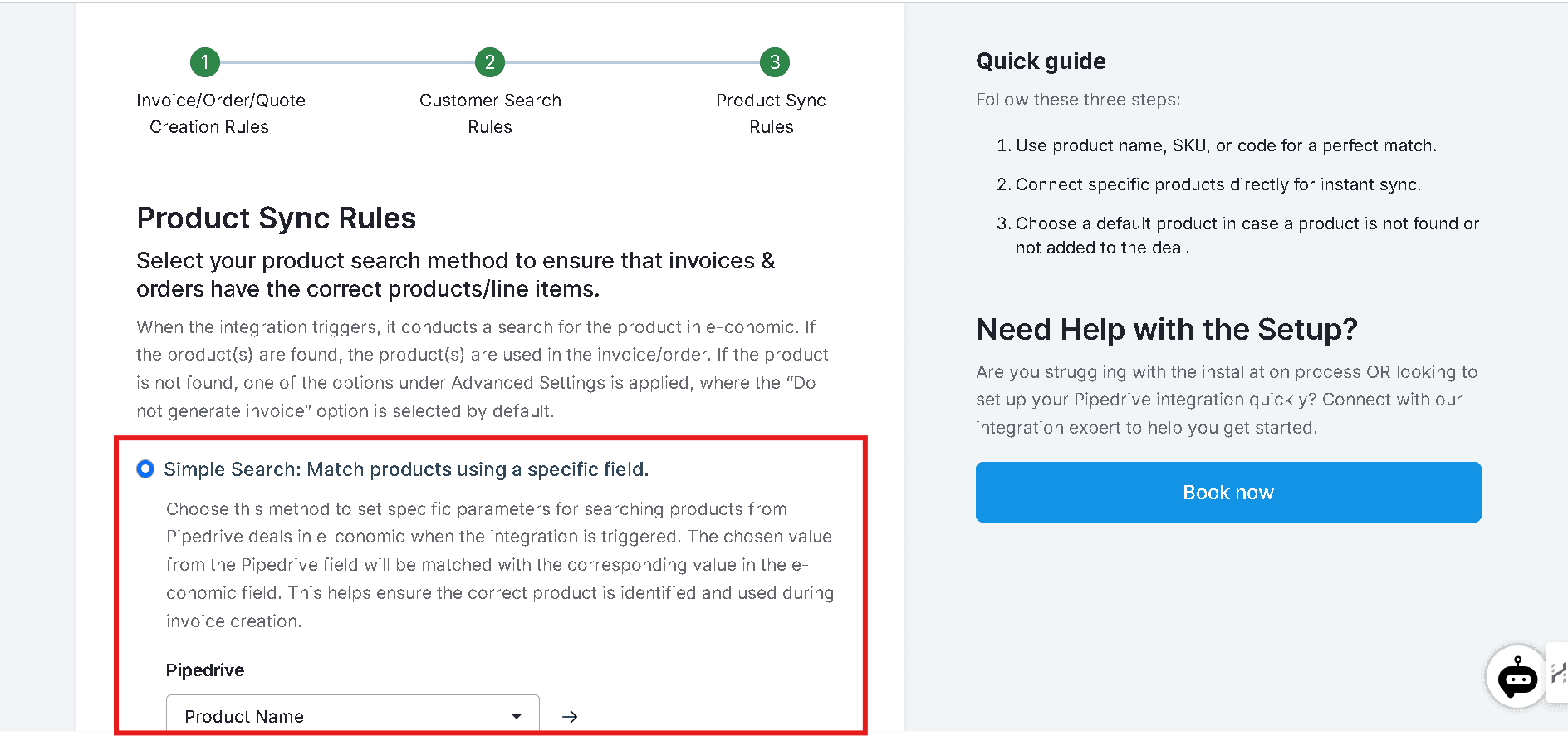
Use this feature to match products between Pipedrive and e-conomic by correlating a specific field, such as SKU or product number. This is particularly useful for users who have long product lists.
Choose the corresponding field in Pipedrive and e-conomic for automatic identification from the respective dropdowns.
***
## Direct Link
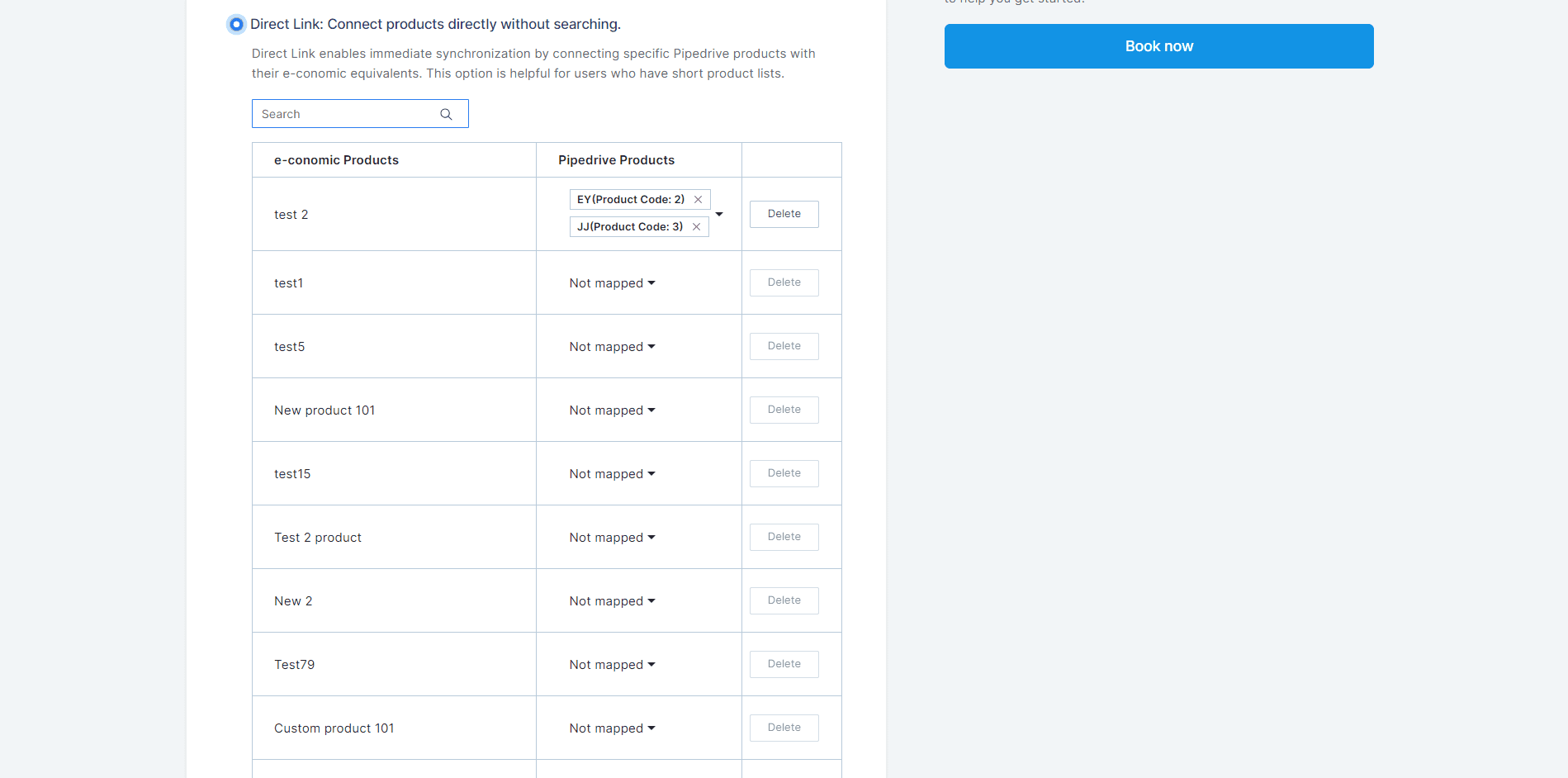
Connect products directly without searching. This option is useful for users who have short product lists. Map the Pipedrive fields with the e-conomic fields and click **Save Mappings**.
***
## Advanced Settings
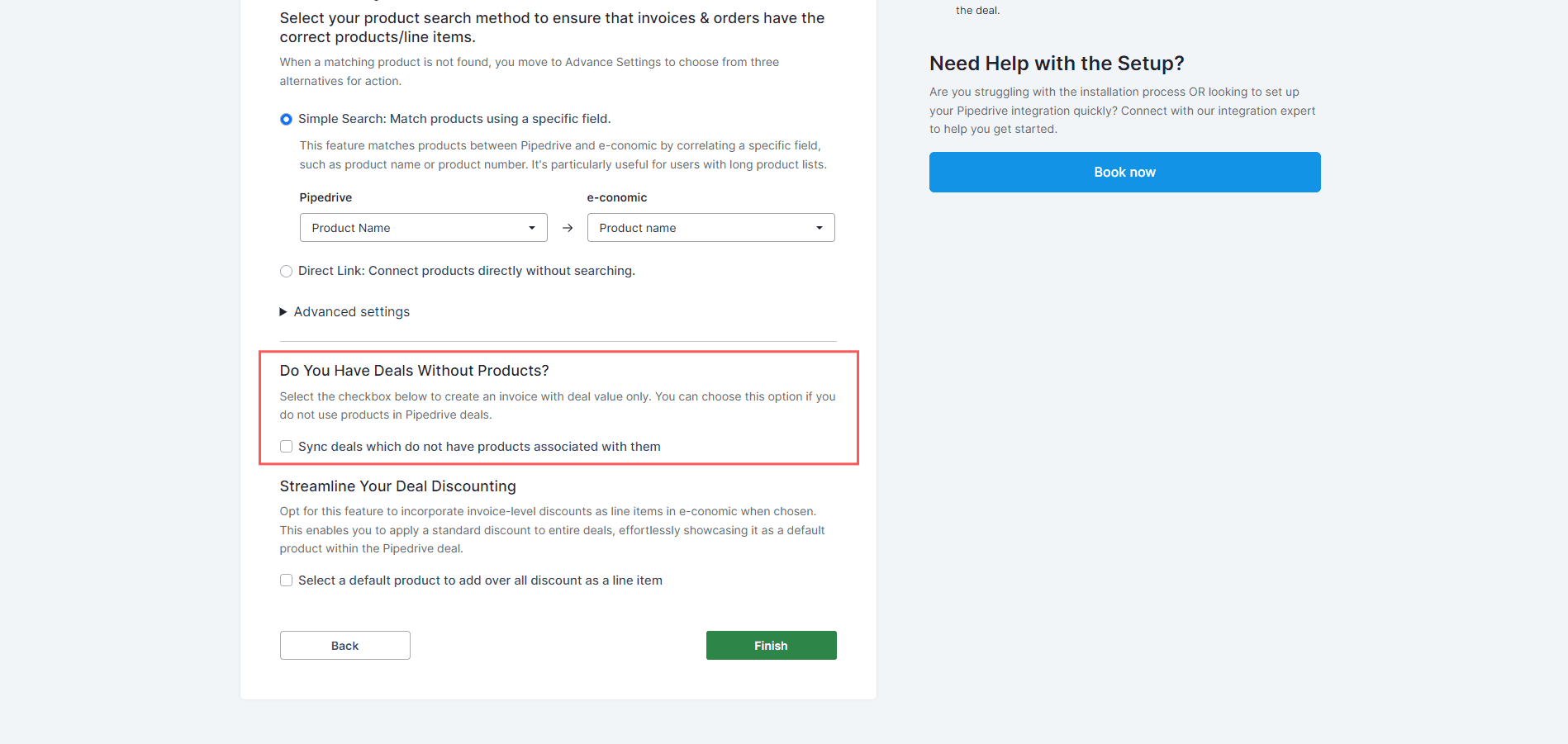
These settings apply when a product is not found during the search. Choose one of the three fallback options below:
Select this option if you prefer **not** to create an invoice when a product isn't found in e-conomic.

When a product is not found in e-conomic, the integration will use a **default product** from e-conomic to generate the invoice. If you select this option, you must specify a default product from your e-conomic product list.

This option automatically generates a new product entry in e-conomic when a matching item isn't found, using product details from Pipedrive. You must specify the **product group** to ensure the new product aligns with the correct category in e-conomic.
Select the product group and click **Finish**.
***
## Sync Deals Without Associated Products
This option applies when a deal has no products attached and you still want to sync it. Enable this option, select a default product, and click **Finish**.

***
## Select a Default Product for Overall Discount as a Line Item
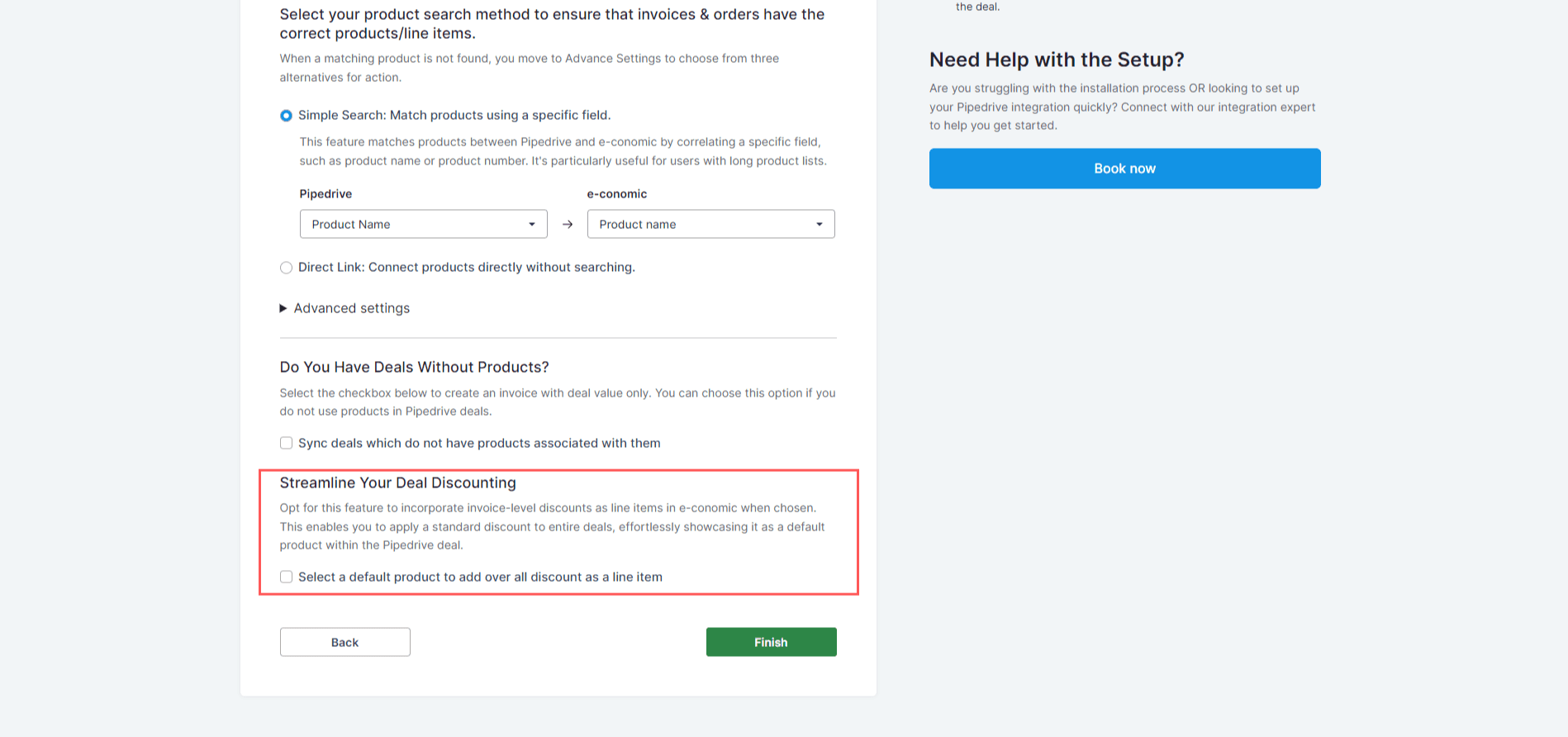
Use this feature to incorporate invoice-level discounts as line items in e-conomic. This lets you apply a standard discount to entire deals, displaying it as a default product within the Pipedrive deal.
***
**Got unique integration needs?** Our custom team can build tailored integrations, specialized data mappings, and workflow automations to perfectly match your specific business processes. [Learn more about Advanced Integration Settings](https://custom.cloudify.biz/)