> ## Documentation Index
> Fetch the complete documentation index at: https://docs.cloudify.biz/llms.txt
> Use this file to discover all available pages before exploring further.
# Product Search Rules
> Define how products from Pipedrive are matched with items in Xero, enabling field-based matching or direct connection for accurate product syncing and invoicing.
Product Sync Rules define how products from Pipedrive are matched with products in Xero, enabling simple field-based matching or a direct connection without searching ensuring accurate product syncing and invoicing.
***
## Simple Search
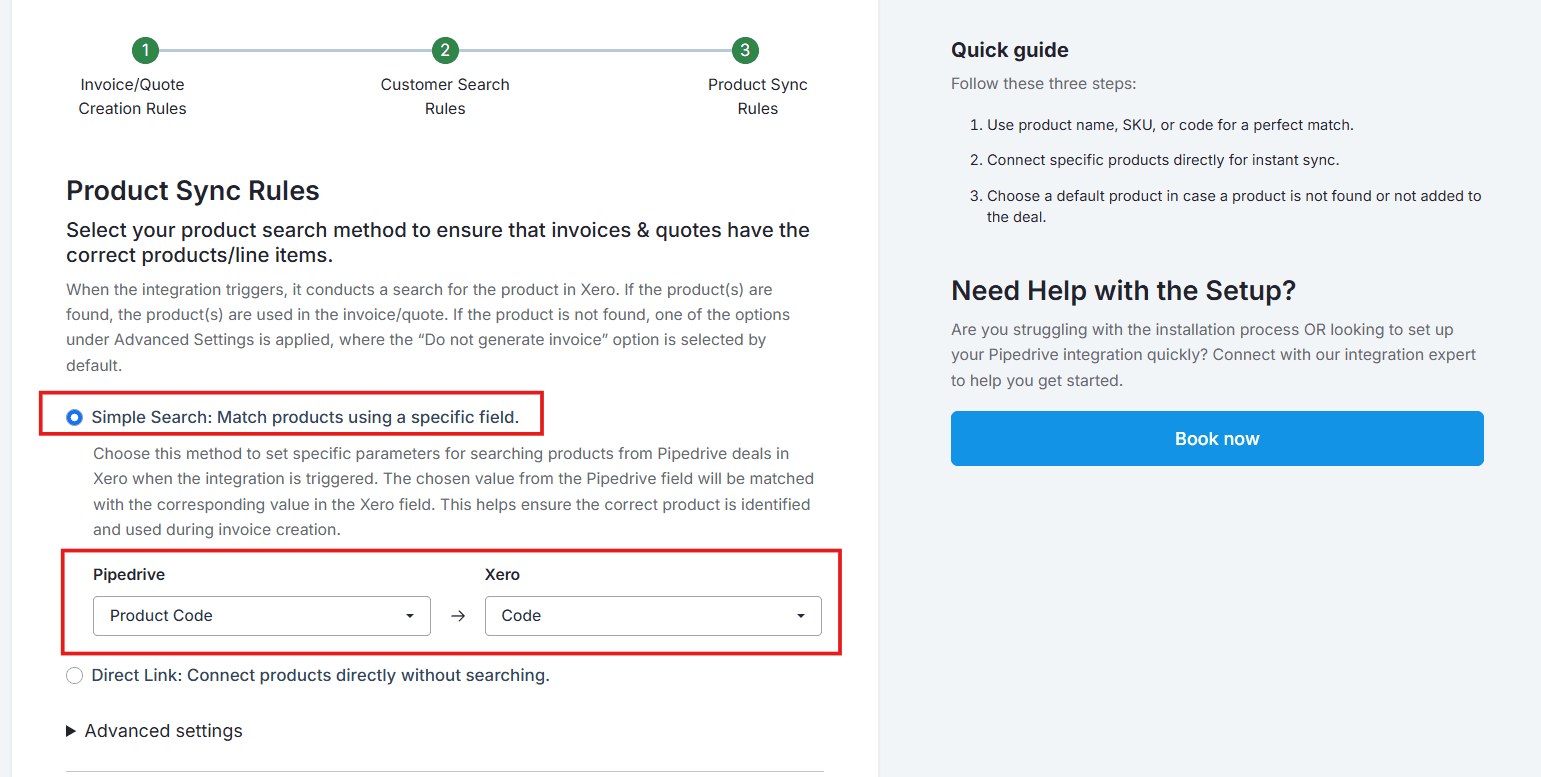
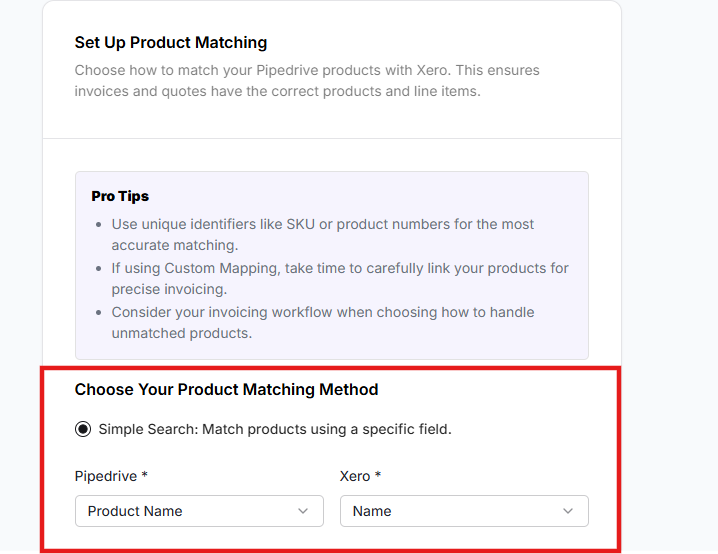
Use this feature to match products between Pipedrive and Xero by correlating a specific field, such as Product Code in Pipedrive and Item Code in Xero. This is particularly useful for users who have long product lists.
Choose the corresponding fields in Pipedrive and Xero for automatic identification from the respective dropdowns.
 ***
## Direct Link
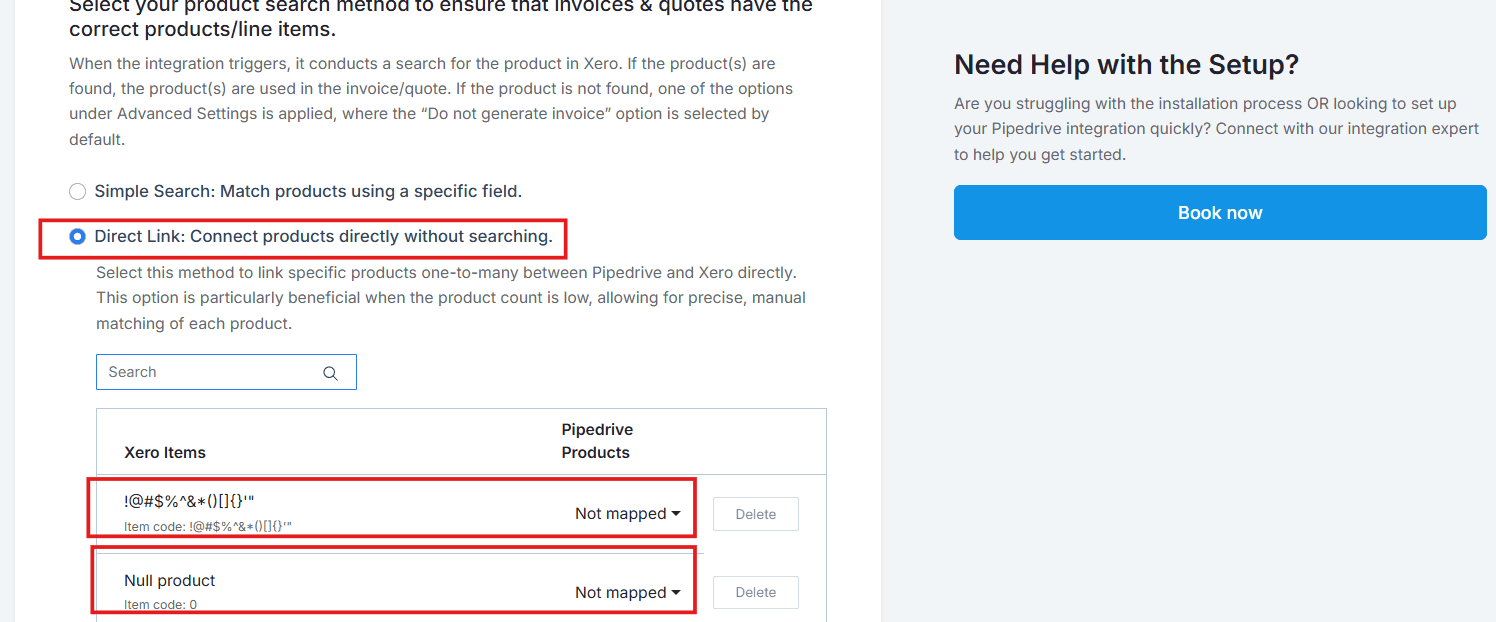
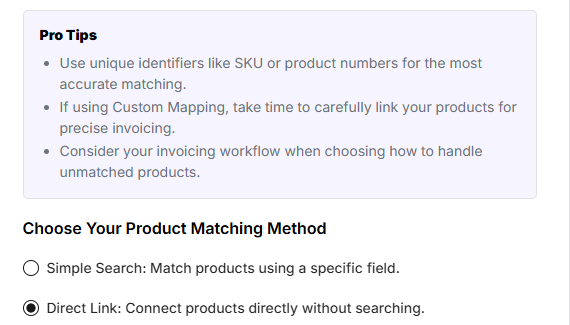
Select this method to link specific products one-to-one between Pipedrive and Xero directly. This option is particularly beneficial when the product count is low, allowing for precise, manual matching of each product.
***
## Direct Link
Select this method to link specific products one-to-one between Pipedrive and Xero directly. This option is particularly beneficial when the product count is low, allowing for precise, manual matching of each product.
 ***
## Advanced Settings
These settings apply when a product is not found during the search. Choose one of the three fallback options below:
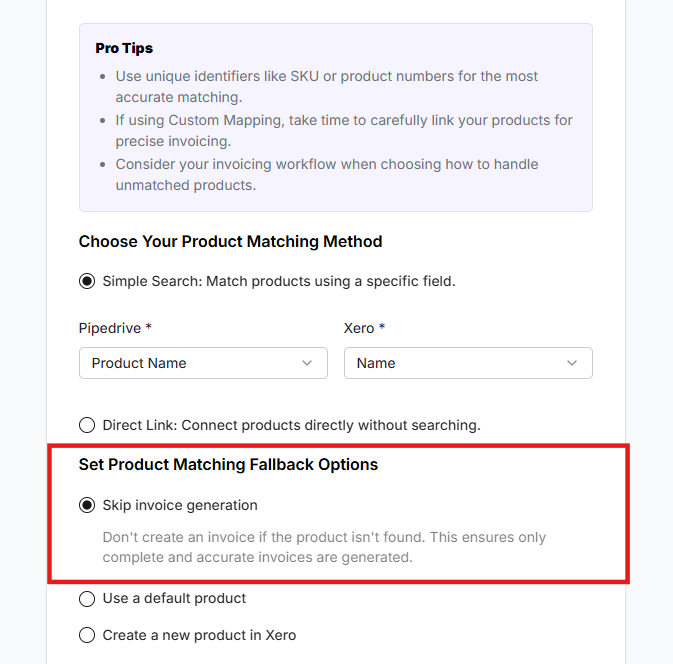
Select this option if you prefer **not** to create an invoice when a product isn't found in Xero.
***
## Advanced Settings
These settings apply when a product is not found during the search. Choose one of the three fallback options below:
Select this option if you prefer **not** to create an invoice when a product isn't found in Xero.

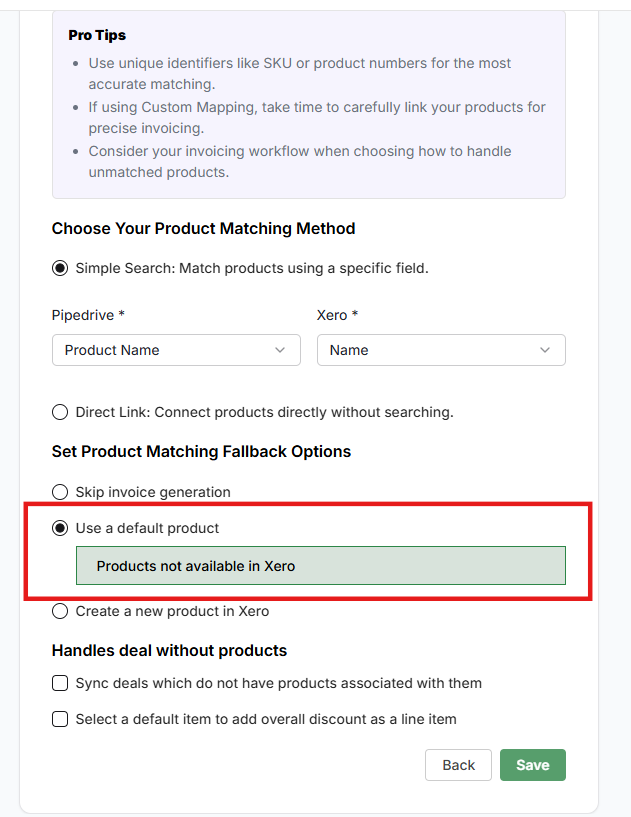
 When an item is not found in Xero, a default item from Xero will be used to generate the invoice. If you select this option, you must specify a default product from your Xero item list.

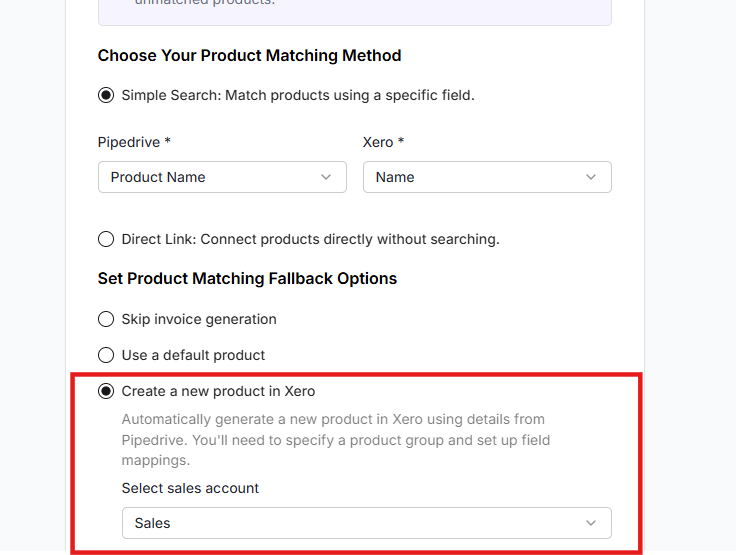
 This option automatically generates a new product entry in Xero when a matching item isn't found, using product details from Pipedrive.

 ***
## Sync Deals Without Associated Products
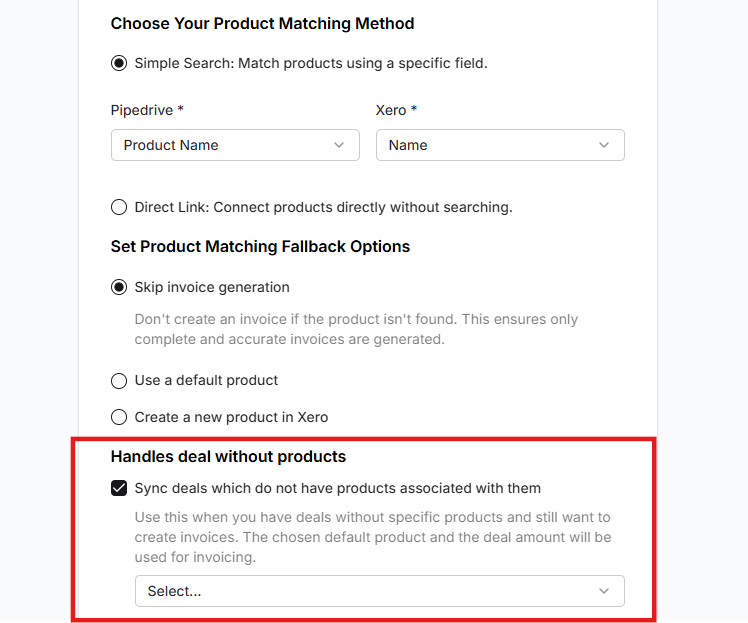
This option lets you create an invoice using just the deal value — useful if you don't use products in your Pipedrive deals. Check the checkbox and select a placeholder product to handle this scenario.
***
## Sync Deals Without Associated Products
This option lets you create an invoice using just the deal value — useful if you don't use products in your Pipedrive deals. Check the checkbox and select a placeholder product to handle this scenario.

 ***
## Streamline Your Deal Discounting
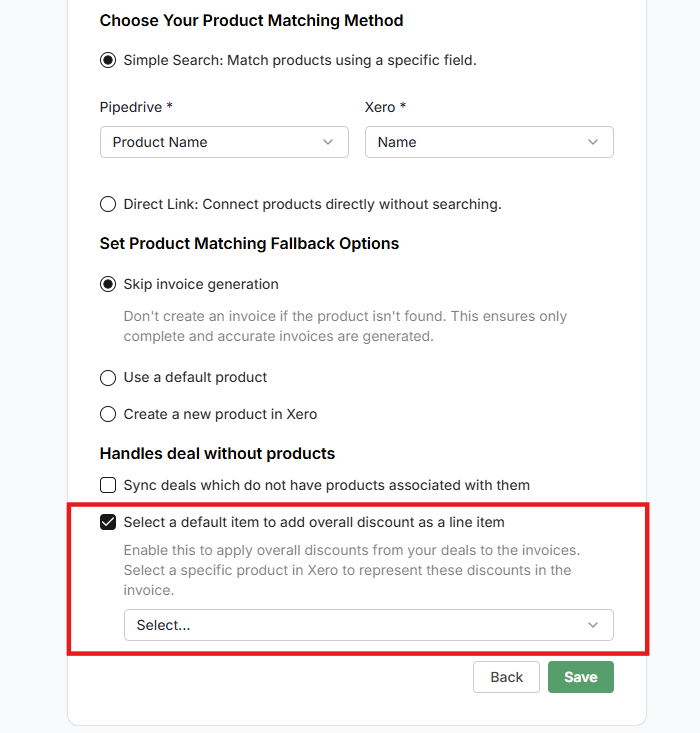
Select an item from Xero to reflect discounts from Pipedrive deals. This selected item will appear as an overall discount line in the invoice or quote.
Once done, click **Save**. Your installation is now complete.
***
## Streamline Your Deal Discounting
Select an item from Xero to reflect discounts from Pipedrive deals. This selected item will appear as an overall discount line in the invoice or quote.
Once done, click **Save**. Your installation is now complete.

 ***
**Got unique integration needs?** Our custom team can build tailored integrations, specialized data mappings, and workflow automations to perfectly match your specific business processes. [Learn more about Advanced Integration Settings](https://custom.cloudify.biz/)
***
**Got unique integration needs?** Our custom team can build tailored integrations, specialized data mappings, and workflow automations to perfectly match your specific business processes. [Learn more about Advanced Integration Settings](https://custom.cloudify.biz/)