> ## Documentation Index
> Fetch the complete documentation index at: https://docs.cloudify.biz/llms.txt
> Use this file to discover all available pages before exploring further.
# Field Mappings
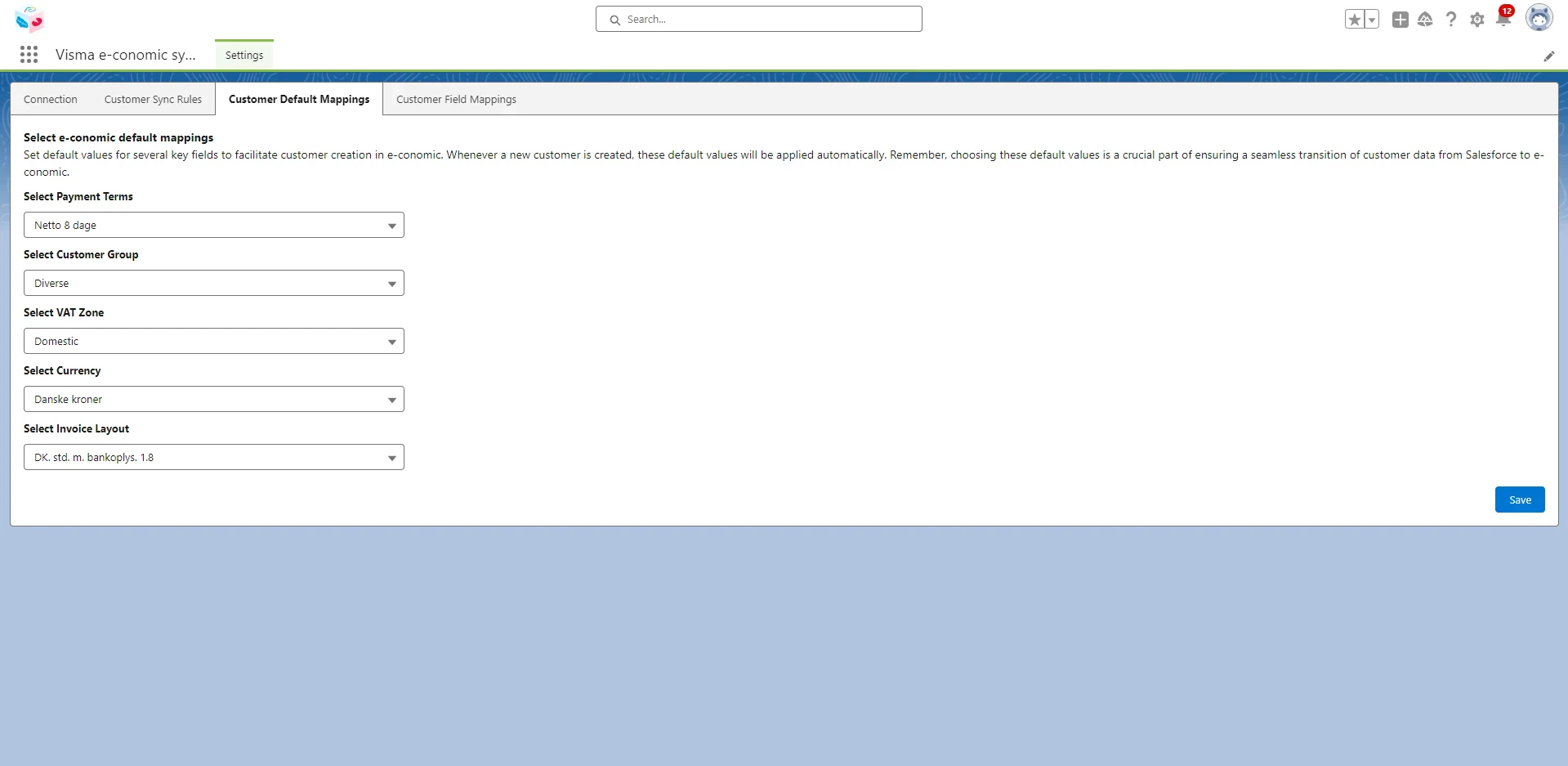
## Customer Default Mappings
Set default values for several key fields to facilitate customer creation in e-conomic. These default values will be applied automatically whenever a new customer is created. Remember, choosing these default values is important to ensure a seamless transition of customer data from Salesforce to e-conomic.
 ## Customer Field Mappings
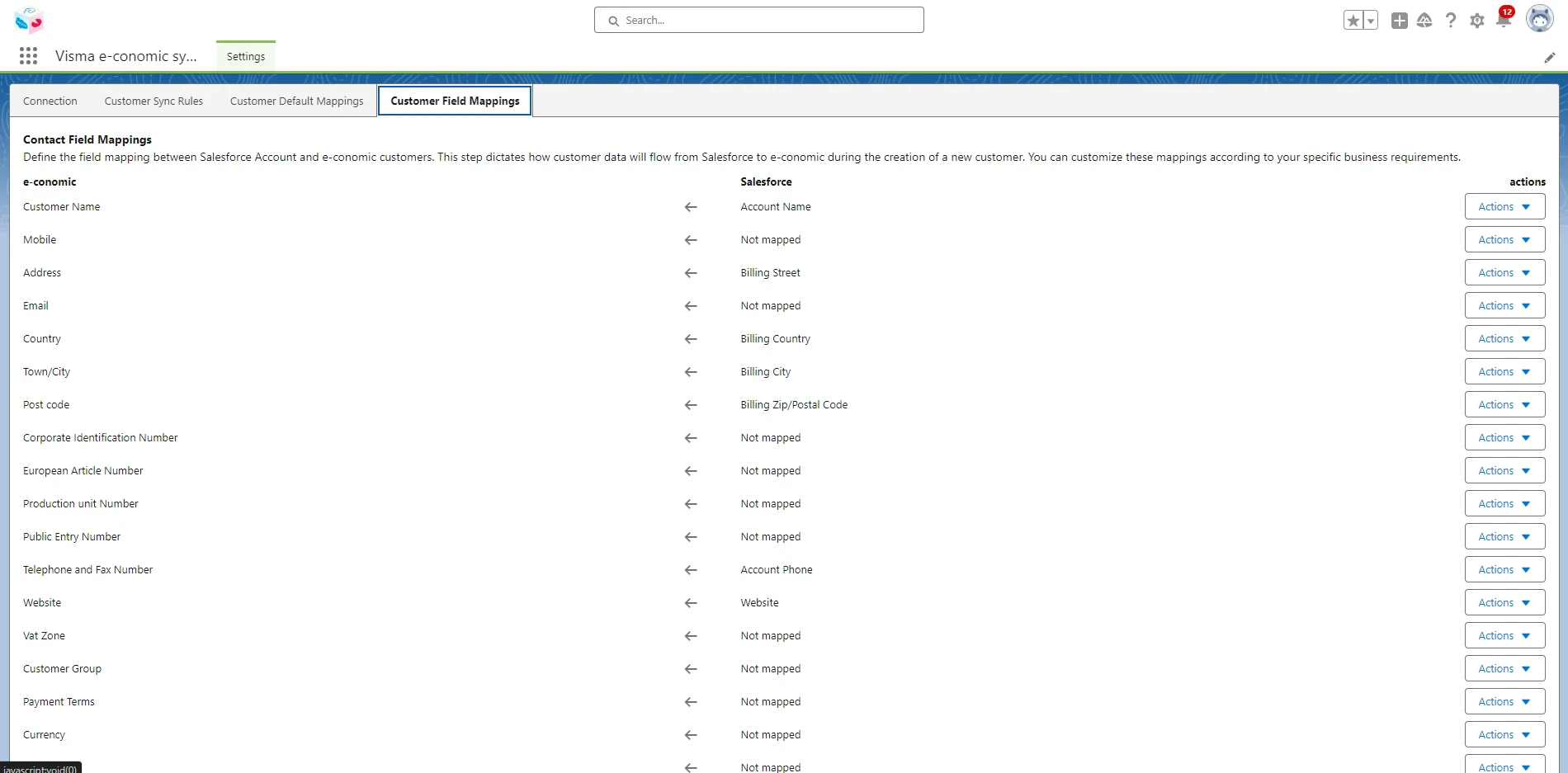
Define the field mapping between Salesforce accounts and e-conomic customers. This step dictates how customer data will flow from Salesforce to e-conomic when a new customer is created. You can customize these mappings according to your specific business requirements.
Click "Action" > Click "Edit" > Select the required field from the drop-down box > Click the “tick” to save the settings > Click "**Save Mappings**".
## Customer Field Mappings
Define the field mapping between Salesforce accounts and e-conomic customers. This step dictates how customer data will flow from Salesforce to e-conomic when a new customer is created. You can customize these mappings according to your specific business requirements.
Click "Action" > Click "Edit" > Select the required field from the drop-down box > Click the “tick” to save the settings > Click "**Save Mappings**".