> ## Documentation Index
> Fetch the complete documentation index at: https://docs.cloudify.biz/llms.txt
> Use this file to discover all available pages before exploring further.
# Connect Salesforce to Visma e-conomic
## How to Connect Salesforce to Visma e-conomic
We recommend you log in to your e-conomic account before starting the steps below.
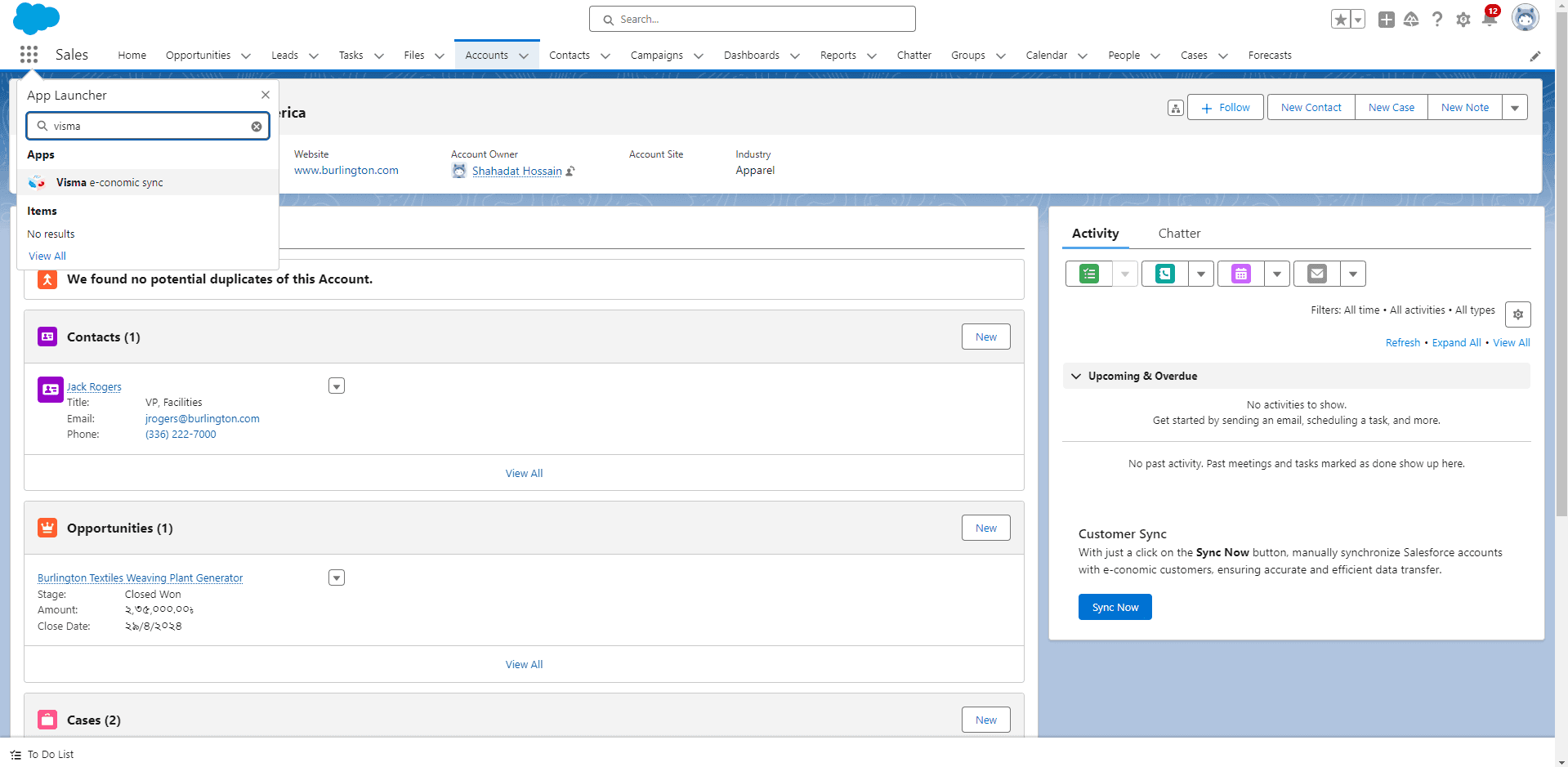
Click **"App Launcher"** and search for **Visma e-conomic**. Click on the app.
A new screen will appear. If you already have a token, paste it in the blank field and click **"Connect"**. You will receive a success message.
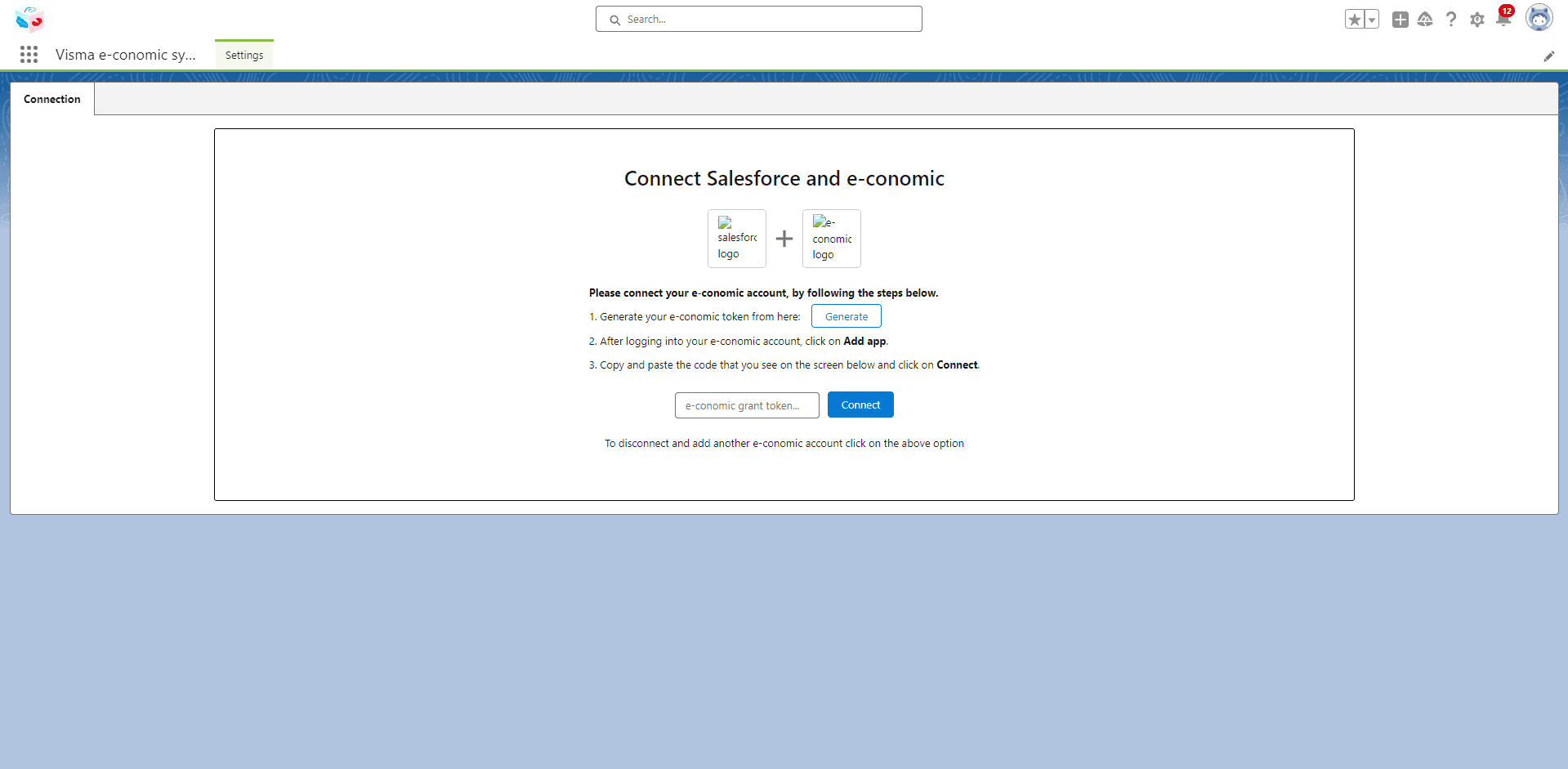
If you don't have a token, click **"Generate"** to create a new one. A new window will open — click **"Add App"** to receive your token.
If you are not already logged into your e-conomic account, you will be prompted to log in with your credentials first.
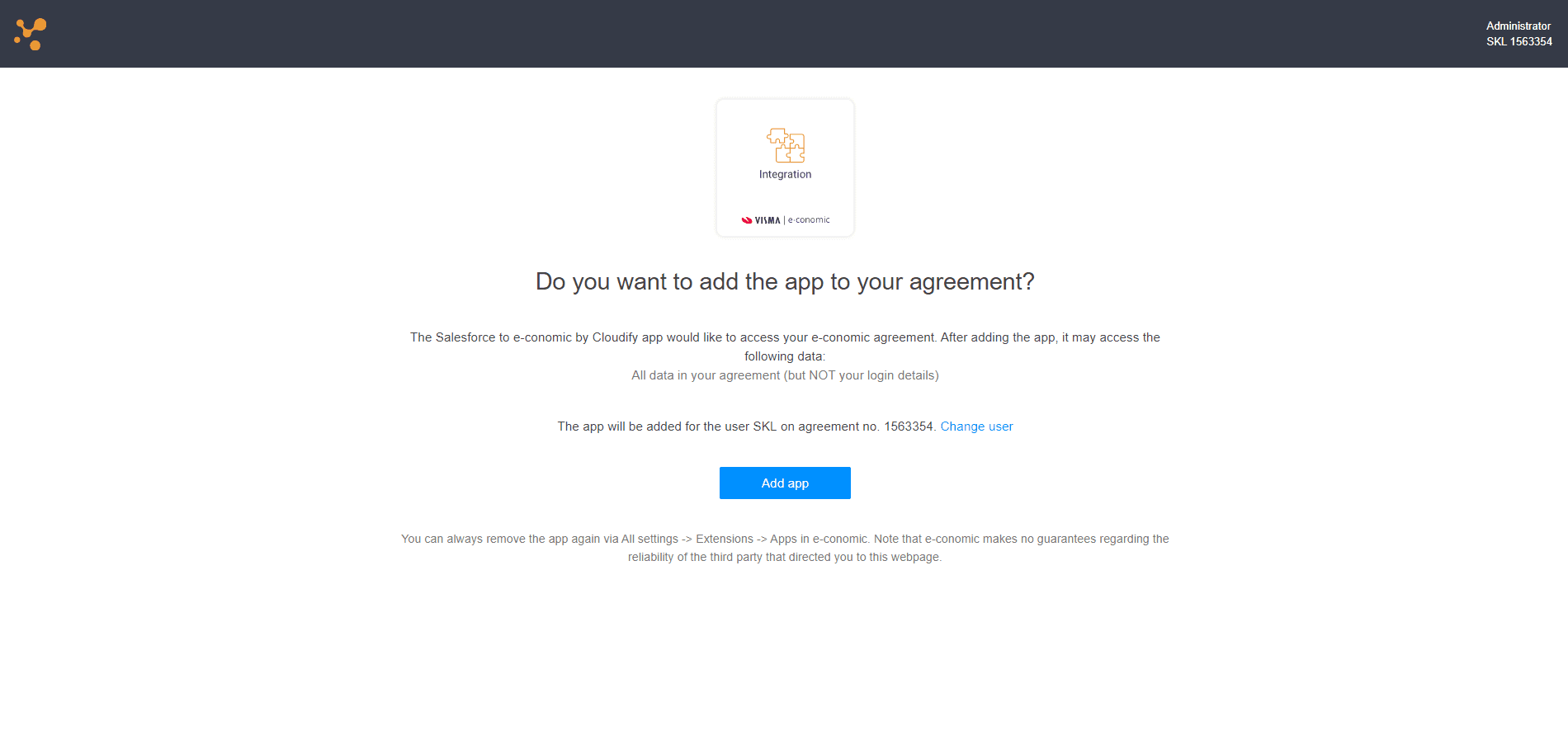
Copy the generated token and go back to the token input screen. Paste the token and click **"Connect"**.

You will receive a success message confirming the connection.

**Got unique integration needs?**\
Our custom team can build tailored integrations, specialized data mappings, and workflow automations to perfectly match your specific business processes.
[Advanced integration settings](https://custom.cloudify.biz/)