> ## Documentation Index
> Fetch the complete documentation index at: https://docs.cloudify.biz/llms.txt
> Use this file to discover all available pages before exploring further.
# Getting Started
## Setting up the Shopify to Visma e-conomic Integration
Now that you've installed the app and connected your accounts, it's time to configure how information flows between Shopify and Visma e-conomic. With this guide, you will be able to customise your app further if needed.
###### **To find the settings page**
Click the **“Settings”** on the left-hand side.
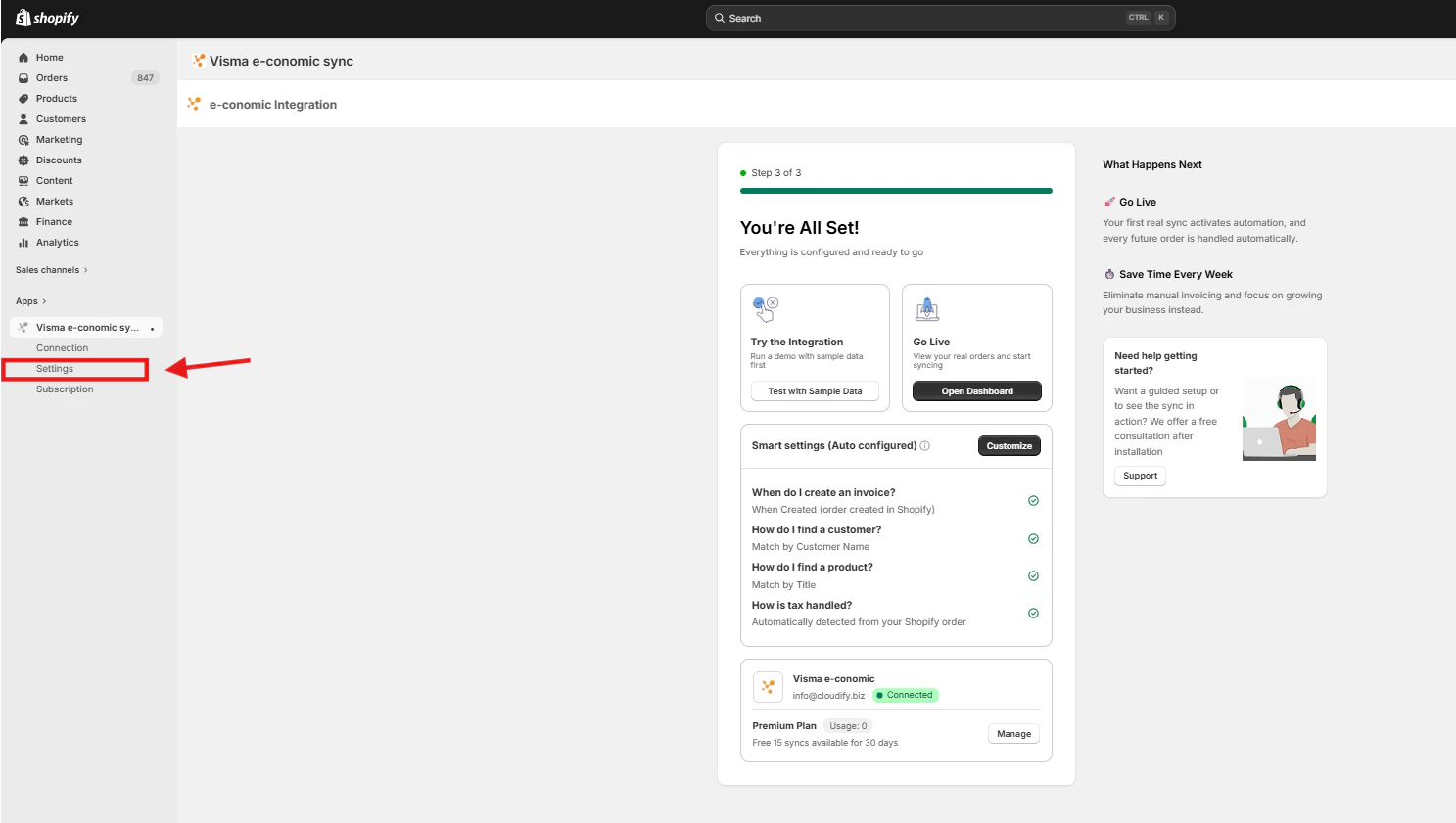 And you have arrived.
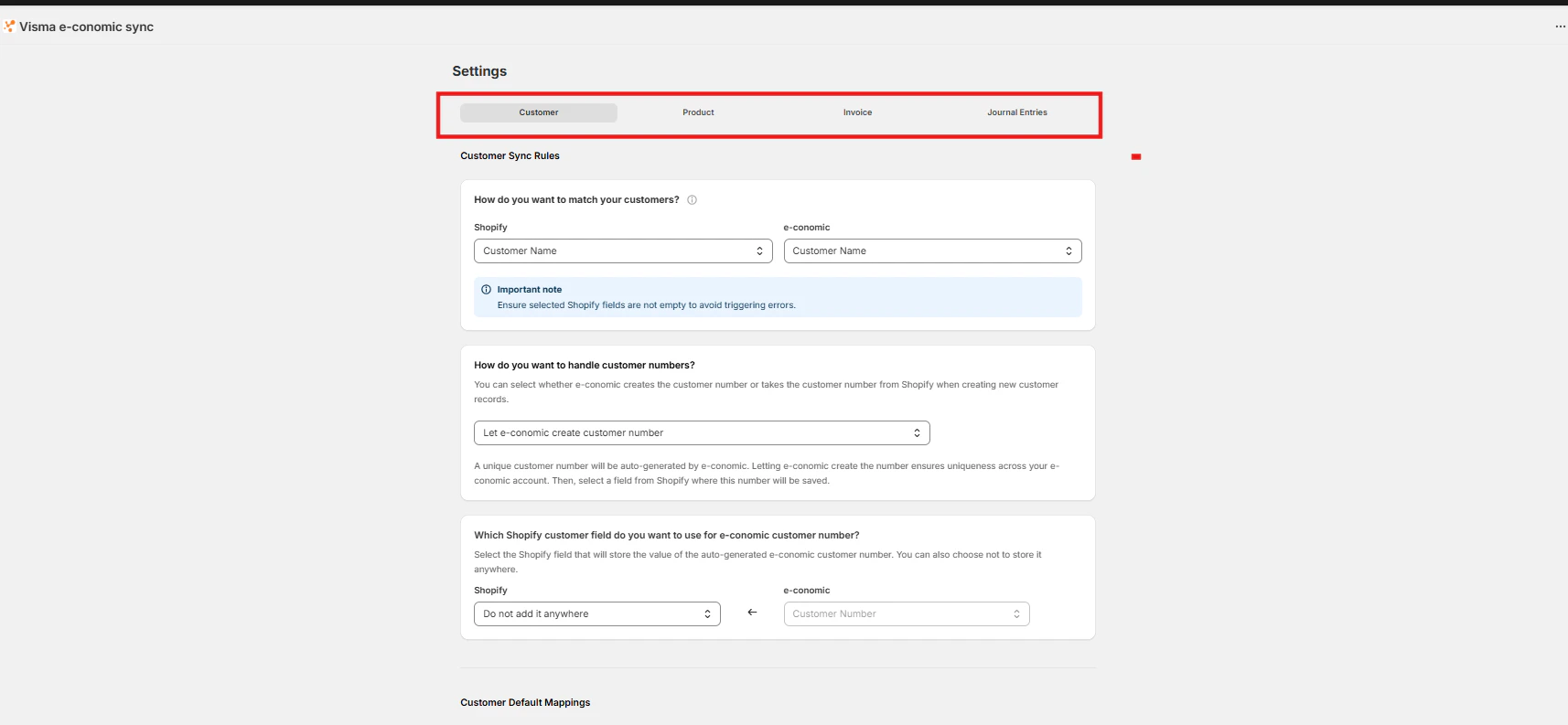 **The setup process is divided into four main areas:**
1. Customer Setting
2. Product Settings
3. Invoice Settings
4. Journal Entries
Each of these areas plays a crucial role in determining how your data is synchronized and how your business processes are automated.
**The setup process is divided into four main areas:**
1. Customer Setting
2. Product Settings
3. Invoice Settings
4. Journal Entries
Each of these areas plays a crucial role in determining how your data is synchronized and how your business processes are automated.