> ## Documentation Index
> Fetch the complete documentation index at: https://docs.cloudify.biz/llms.txt
> Use this file to discover all available pages before exploring further.
# Invoice Sync Settings
## Setting up Invoice Sync Preferences
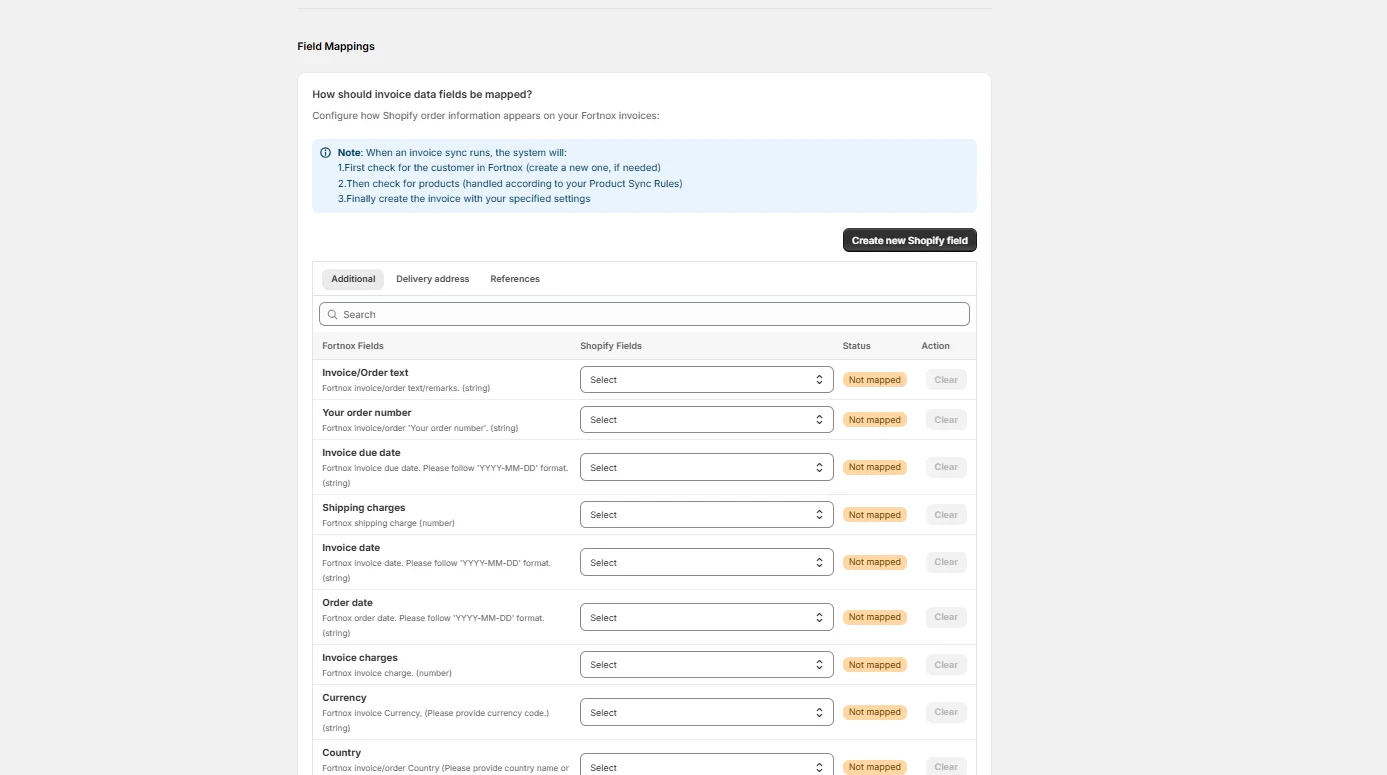
### When to create a Fortnox invoice?
* **Fulfilled-Based Creation**
An invoice will be created in e-conomic when the Shopify order status changes to ‘**Fulfilled**’. This usually means the products have been shipped. Select this option if you want to invoice customers only after their order has been dispatched.
* **When Paid (payment recorded in Shopify)**
An invoice will be automatically created in Fortnox as soon as the Shopify order is marked as ‘**Paid**’. This takes place when the payment is successfully processed in Shopify, even if the products are not shipped yet, helping you maintain quicker and more accurate financial records.
* **When Created (order created in Shopify)**
Perfect for Cash-on-Delivery orders or if you’d like an invoice to be created automatically in Fortnox the moment a new order comes into your Shopify store.
 ## Invoice Types Explained
* **Draft Invoices**
Creates an editable invoice in Fortnox. You'll need to review and manually post it later. Ideal if you often need to make adjustments before finalizing invoices.
* **Draft Orders**
Creates an editable order in Fortnox. You'll need to review and manually post it later. Ideal if you often need to make adjustments before finalizing orders.
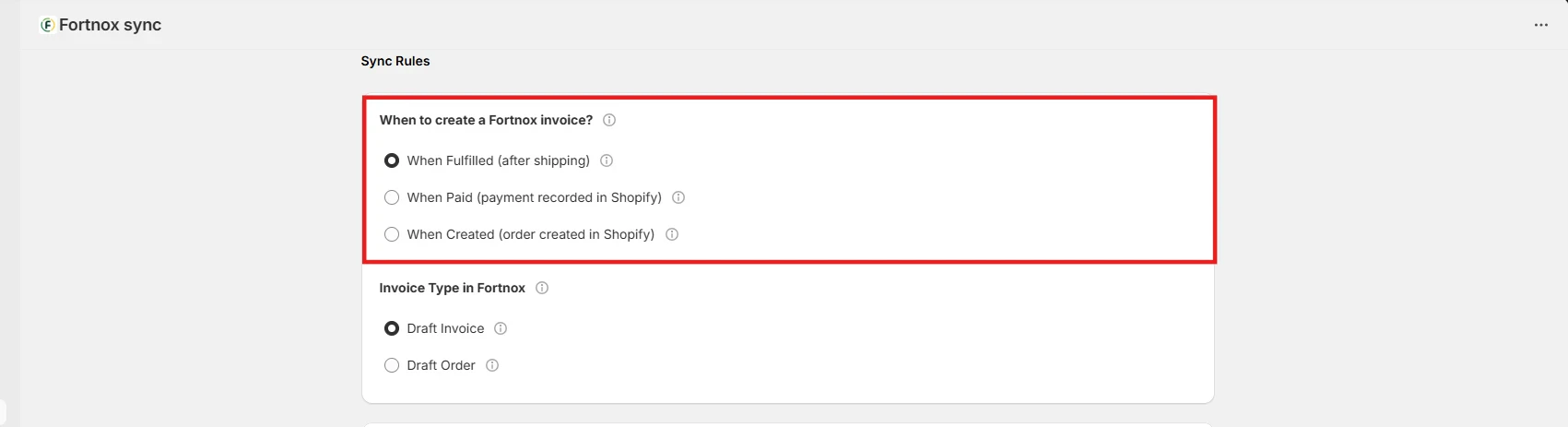
## Additional Options
**Shipping Charges**
You can enable sync for shipping charges and select the corresponding charges from the product list. Fortnox doesn’t support direct sync of shipping charges, so you can add it as a product and then select it from the list to reflect the shipping charges of Shopify invoice in Fortnox.
## Invoice Types Explained
* **Draft Invoices**
Creates an editable invoice in Fortnox. You'll need to review and manually post it later. Ideal if you often need to make adjustments before finalizing invoices.
* **Draft Orders**
Creates an editable order in Fortnox. You'll need to review and manually post it later. Ideal if you often need to make adjustments before finalizing orders.
## Additional Options
**Shipping Charges**
You can enable sync for shipping charges and select the corresponding charges from the product list. Fortnox doesn’t support direct sync of shipping charges, so you can add it as a product and then select it from the list to reflect the shipping charges of Shopify invoice in Fortnox.
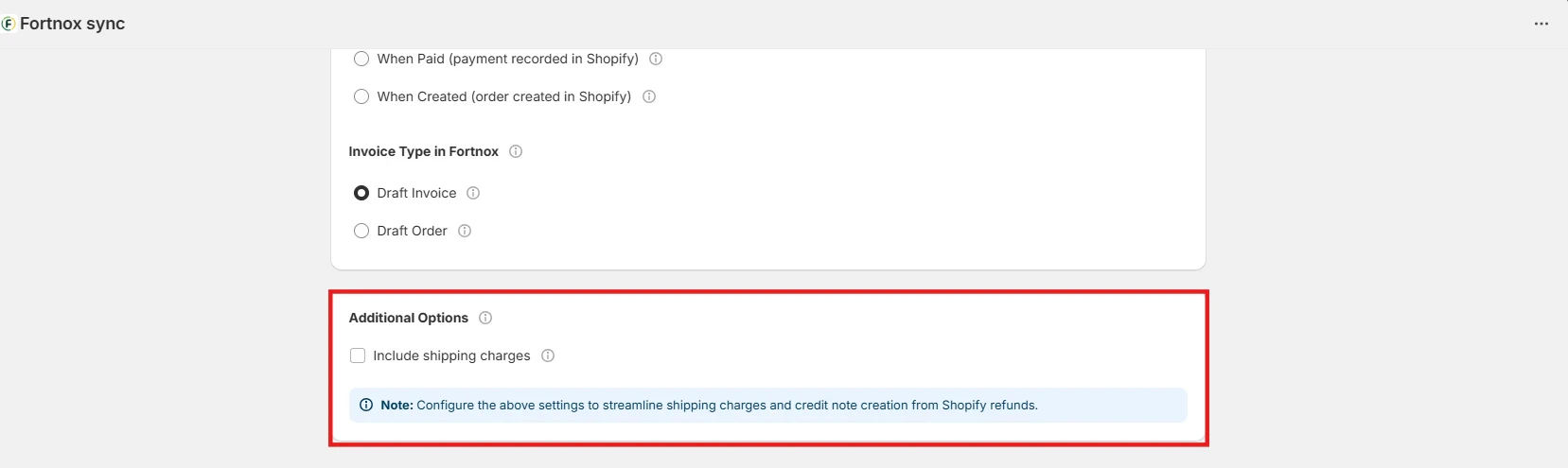 ## How should invoice data fields be mapped?
Map the necessary fields from Shopify to Fortnox for invoice creation. You can create new fields in Shopify by clicking **Create new Shopify field**.
Click "**Save Mappings"** at the end.
## How should invoice data fields be mapped?
Map the necessary fields from Shopify to Fortnox for invoice creation. You can create new fields in Shopify by clicking **Create new Shopify field**.
Click "**Save Mappings"** at the end.