> ## Documentation Index
> Fetch the complete documentation index at: https://docs.cloudify.biz/llms.txt
> Use this file to discover all available pages before exploring further.
# Explore App Features
Discover the new features designed to automate billing and streamline your Shopify to Fortnox integration.
Automatically create Fortnox invoices or orders from Shopify orders . Eliminate manual data entry, speed up order processing, and keep your systems in perfect sync.
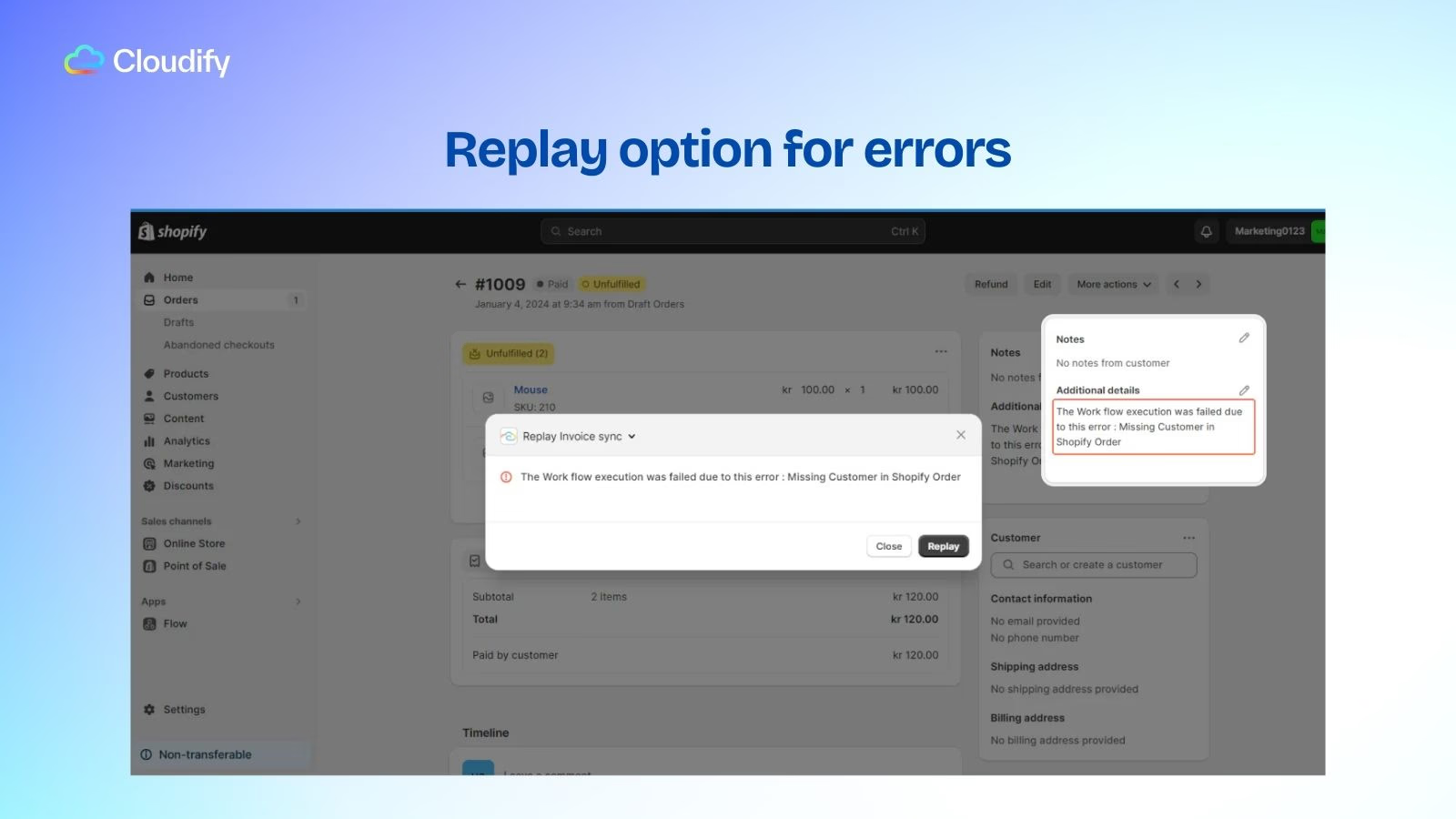
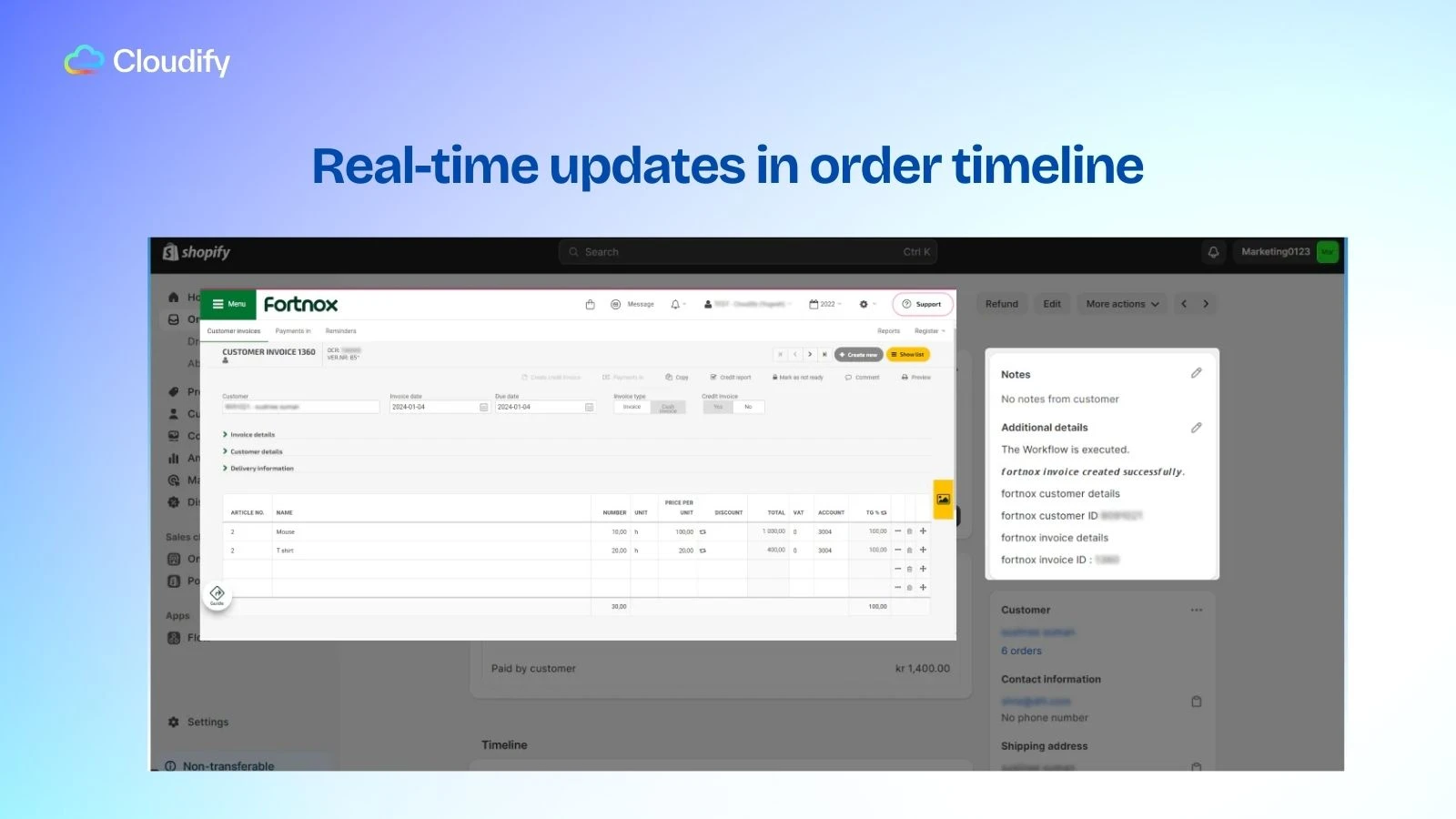 Easily identify and fix sync issues with detailed error messages. Use the replay option to resolve problems quickly and view a complete sync history within the order timeline for full transparency.
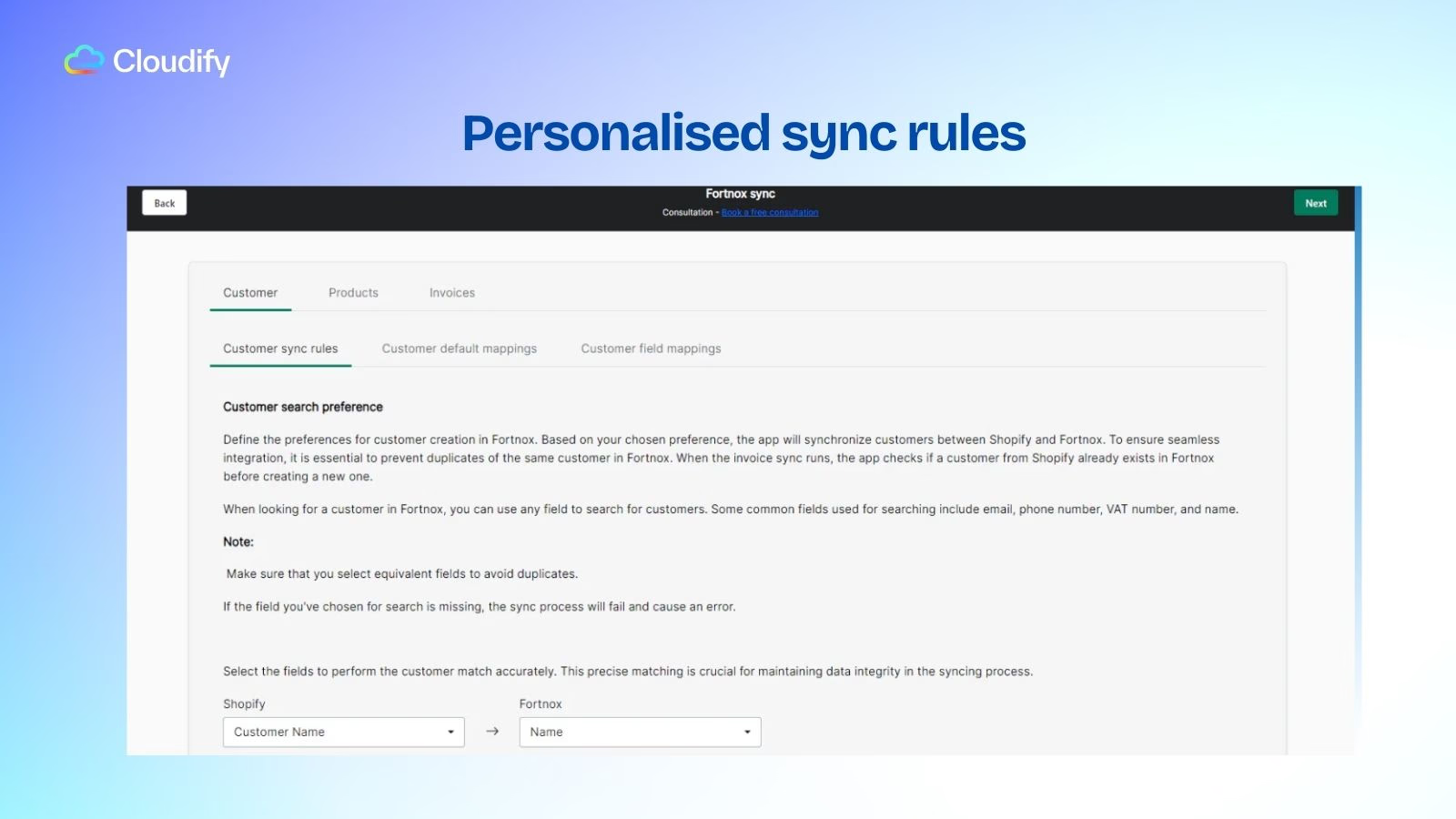
 Automatically sync product and customer information from Shopify to Fortnox. Ensure accuracy, reduce manual work, and keep your records consistent across platforms.
 * **Complete Integration Oversight**\
Control your entire integration from a single, powerful dashboard. Monitor connection status in real time and access all integration settings in one place.
* **Sync & Resync with One-Click**\
Manually trigger or retry Shopify order syncs instantly. Create or update invoices quickly and eliminate the need to search through logs.
* **Resync Historical Orders Effortlessly**\
Access and resync historical orders directly from the dashboard. Retry failed integrations anytime with a single click, no need to open individual orders.
* **Complete Integration Oversight**\
Control your entire integration from a single, powerful dashboard. Monitor connection status in real time and access all integration settings in one place.
* **Sync & Resync with One-Click**\
Manually trigger or retry Shopify order syncs instantly. Create or update invoices quickly and eliminate the need to search through logs.
* **Resync Historical Orders Effortlessly**\
Access and resync historical orders directly from the dashboard. Retry failed integrations anytime with a single click, no need to open individual orders.
(13).png?fit=max&auto=format&n=M6iYYPUU4tQpgWgb&q=85&s=90ca45005320351baf50192d0a3f610a) Run a quick test sync using sample data to see how the integration works before going live. Verify that your invoice rules, customer matching, and product matching are configured correctly. Once everything looks good, you can proceed with confidence.
Run a quick test sync using sample data to see how the integration works before going live. Verify that your invoice rules, customer matching, and product matching are configured correctly. Once everything looks good, you can proceed with confidence.
-1.webp?fit=max&auto=format&n=Ie43f-kQkw_inATF&q=85&s=334fefaba852b857c76d7dc6c554f581)