> ## Documentation Index
> Fetch the complete documentation index at: https://docs.cloudify.biz/llms.txt
> Use this file to discover all available pages before exploring further.
# FAQs Frequently Asked Questions
This integration helps you:
* Turn your Shopify orders into Fortnox invoices/orders automatically
* Keep your Shopify and Fortnox product and customer data in sync
* Monitor sync status through detailed logs within Shopify order notes
* Handle refunds and shipping charges with ease
Fortnox requires a few scopes enabled before you can create an invoice or order:Fa: InvoiceOo: Order & QuoteAr: Asset register
If you are looking to create an invoice, then please ensure that Fa and Ar are enabledIf you are creating an order, then you would need Oo and ArRequired scopes are shown in the image below:
 You can setup automatic invoice/order creation triggers in the **"Invoice/Order Settings**" section of the app which is visible under **"Sync Settings"** on the left panel of your Shopify admin page. You can choose to create a Fortnox invoice or order depending on what trigger you've selected (Paid, Fulfilled or Instant Invoice).
The error comes up when your Fortnox access is limited. Please speak to your Fortnox admin to provide you with privileges to create invoices/orders in Fortnox.
The integration only creates a draft copy of an order/invoice. You can review it before sending it to your customer manually.
Check these locations:
* View the "**Notes**" section in your Shopify order for a successful message
* Check Fortnox for the newly created invoice/order
* Monitor any error messages under the Shopify order's "**Notes**" section
No. You can only connect one Fortnox account to one Shopify store at a time. However, you can switch to a different Fortnox account later by disconnecting the existing one first.
The integration will automatically create a new customer record in Fortnox using:
* Customer information from Shopify
* Your configured default settings
* Mapped customer fields
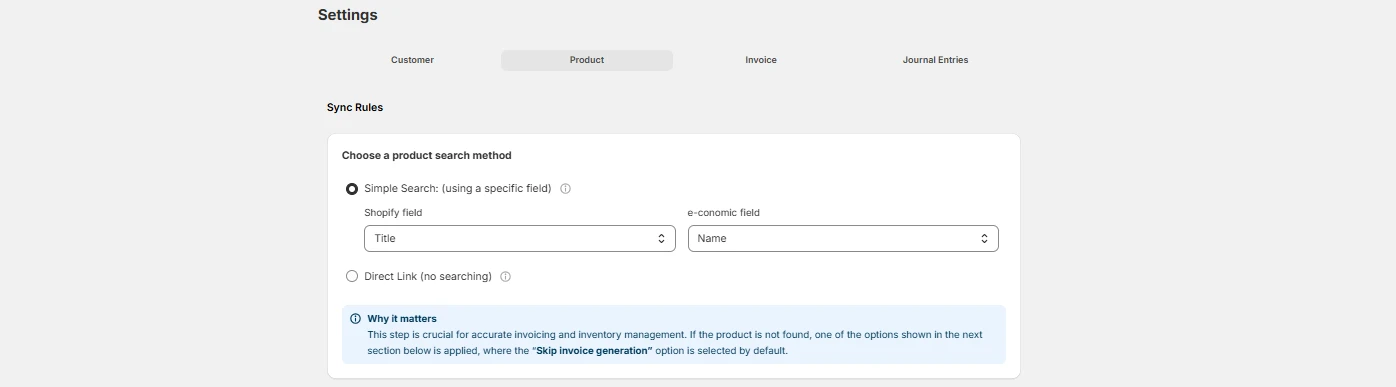
You have three options that can be handled via the integration:
* Halt the invoice/order creation (for manual review)
* Use a default product as a placeholder
* Automatically create new articles in Fortnox from your Shopify order
The integration is unidirectional and syncs customer & product data from Shopify to Fortnox only, not the other way around.
Verify these points:
* Check the Shopify order notes for any errors
* Verify your Fortnox connection status
* Confirm if it's a draft invoice or draft order that you created
If you ran into any errors, use the replay feature after making any changes (Go to your Shopify order > More actions > Replay invoice sync)
Verify these points:
* Ensure field types match between systems (e.g., name to name, email to email, ID to ID)
* Check required fields are properly mapped
Check these settings in the Cloudify app:
1. Tax inclusion/exclusion settings
2. Shipping charge configuration
3. Currency settings and conversions in Shopify
You can bring additional customer, product and order information from Shopify to Fortnox by visiting the "Field Mapping" section available under Customer, Product and Invoice/Order sections of the app.
Go to Sync Settings > Invoices/Orders > Invoice/Order Field Mappings > Notes and References and select the Order Number from Shopfiy drowdown against the Notes Headline in Fortnox.
For any persistent issues or questions not covered here, please contact [support@cloudify.biz](mailto:support@cloudify.biz) for assistance.
You can setup automatic invoice/order creation triggers in the **"Invoice/Order Settings**" section of the app which is visible under **"Sync Settings"** on the left panel of your Shopify admin page. You can choose to create a Fortnox invoice or order depending on what trigger you've selected (Paid, Fulfilled or Instant Invoice).
The error comes up when your Fortnox access is limited. Please speak to your Fortnox admin to provide you with privileges to create invoices/orders in Fortnox.
The integration only creates a draft copy of an order/invoice. You can review it before sending it to your customer manually.
Check these locations:
* View the "**Notes**" section in your Shopify order for a successful message
* Check Fortnox for the newly created invoice/order
* Monitor any error messages under the Shopify order's "**Notes**" section
No. You can only connect one Fortnox account to one Shopify store at a time. However, you can switch to a different Fortnox account later by disconnecting the existing one first.
The integration will automatically create a new customer record in Fortnox using:
* Customer information from Shopify
* Your configured default settings
* Mapped customer fields
You have three options that can be handled via the integration:
* Halt the invoice/order creation (for manual review)
* Use a default product as a placeholder
* Automatically create new articles in Fortnox from your Shopify order
The integration is unidirectional and syncs customer & product data from Shopify to Fortnox only, not the other way around.
Verify these points:
* Check the Shopify order notes for any errors
* Verify your Fortnox connection status
* Confirm if it's a draft invoice or draft order that you created
If you ran into any errors, use the replay feature after making any changes (Go to your Shopify order > More actions > Replay invoice sync)
Verify these points:
* Ensure field types match between systems (e.g., name to name, email to email, ID to ID)
* Check required fields are properly mapped
Check these settings in the Cloudify app:
1. Tax inclusion/exclusion settings
2. Shipping charge configuration
3. Currency settings and conversions in Shopify
You can bring additional customer, product and order information from Shopify to Fortnox by visiting the "Field Mapping" section available under Customer, Product and Invoice/Order sections of the app.
Go to Sync Settings > Invoices/Orders > Invoice/Order Field Mappings > Notes and References and select the Order Number from Shopfiy drowdown against the Notes Headline in Fortnox.
For any persistent issues or questions not covered here, please contact [support@cloudify.biz](mailto:support@cloudify.biz) for assistance.