> ## Documentation Index
> Fetch the complete documentation index at: https://docs.cloudify.biz/llms.txt
> Use this file to discover all available pages before exploring further.
# Choose Your Subscription Plans
## Choose Your Subscription Plans
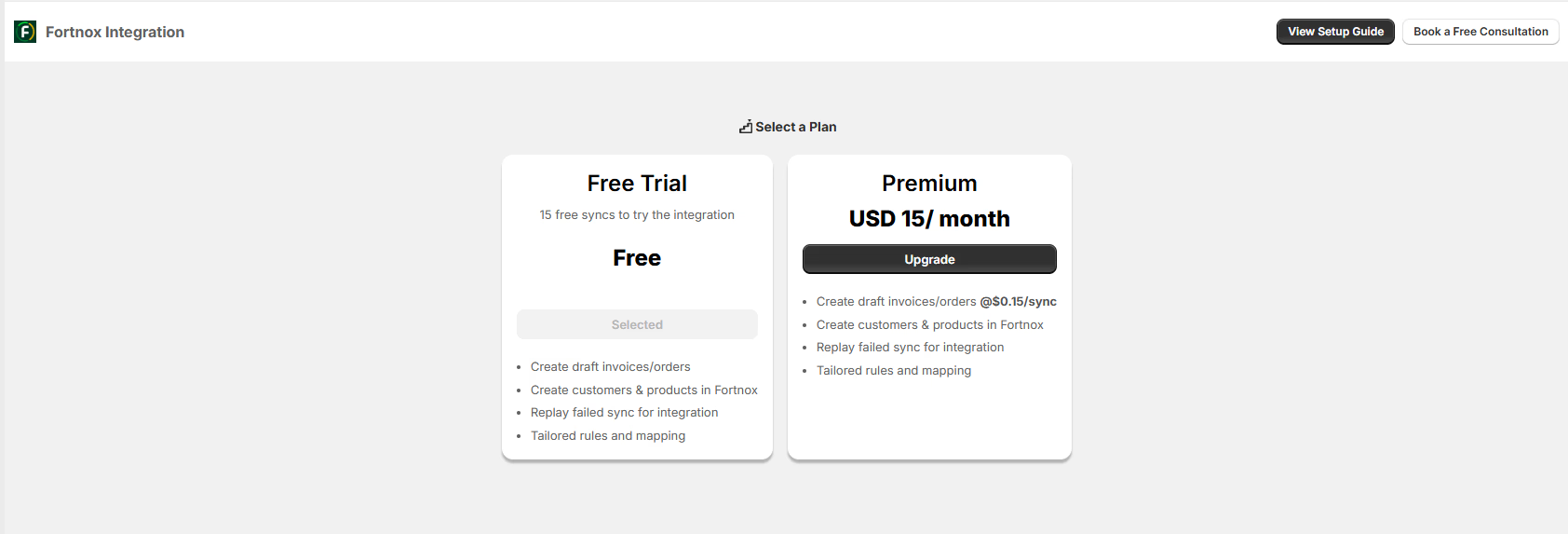
Select the subscription plan according to your requirements and click "**Next**". There are three plans:
* **Free Trial**: 15 free syncs to try the integration with basic data sync features between Shopify and Fortnox.
* **Premium**: At US \$ 15/month, this plan includes comprehensive sync for customers, products, and invoices/orders, along with financial updates and replay functionality for Shopify activity logs.
* **Custom**: This plan is tailored to individual business needs and provides a bespoke integration solution with dedicated support, priced on a quote basis.
 ## How to Upgrade plan
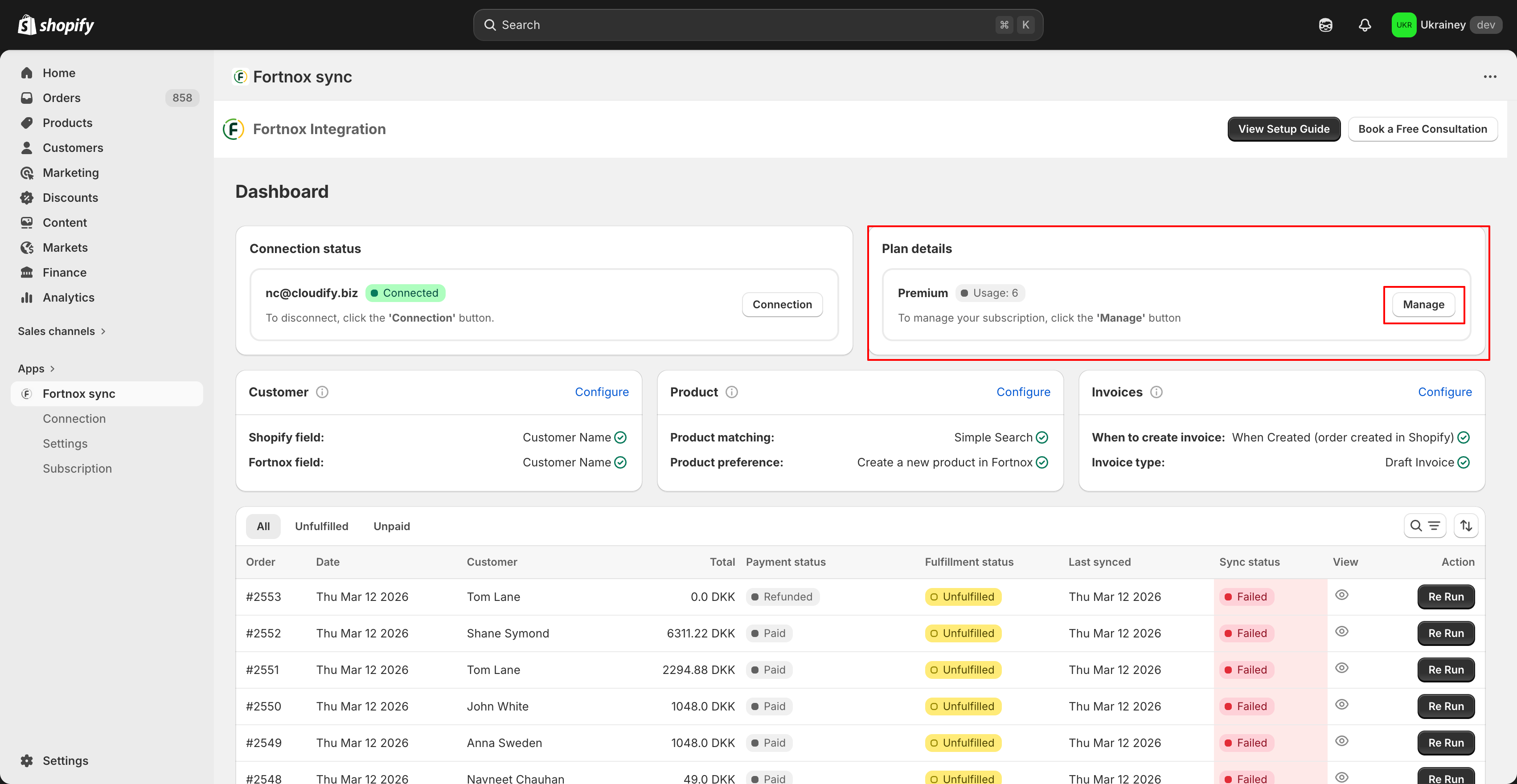
Go to the Cloudify Integration Dashboard in your Shopify admin.
* In the Plan Details section, click the Manage button.
## How to Upgrade plan
Go to the Cloudify Integration Dashboard in your Shopify admin.
* In the Plan Details section, click the Manage button.
 * Alternatively, you can open the **Subscription** tab from the left sidebar.
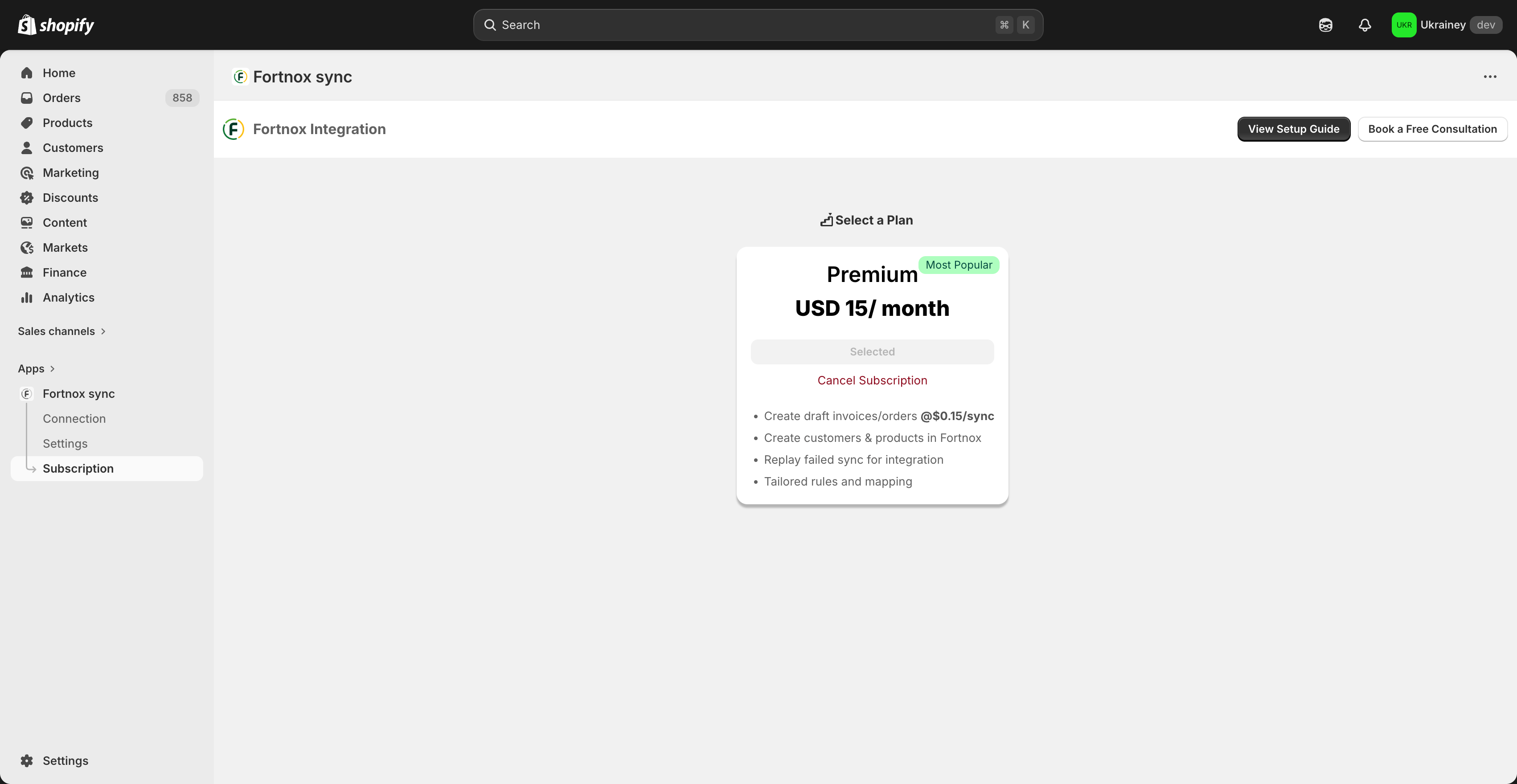 * This will take you to the **Select a Plan** page.
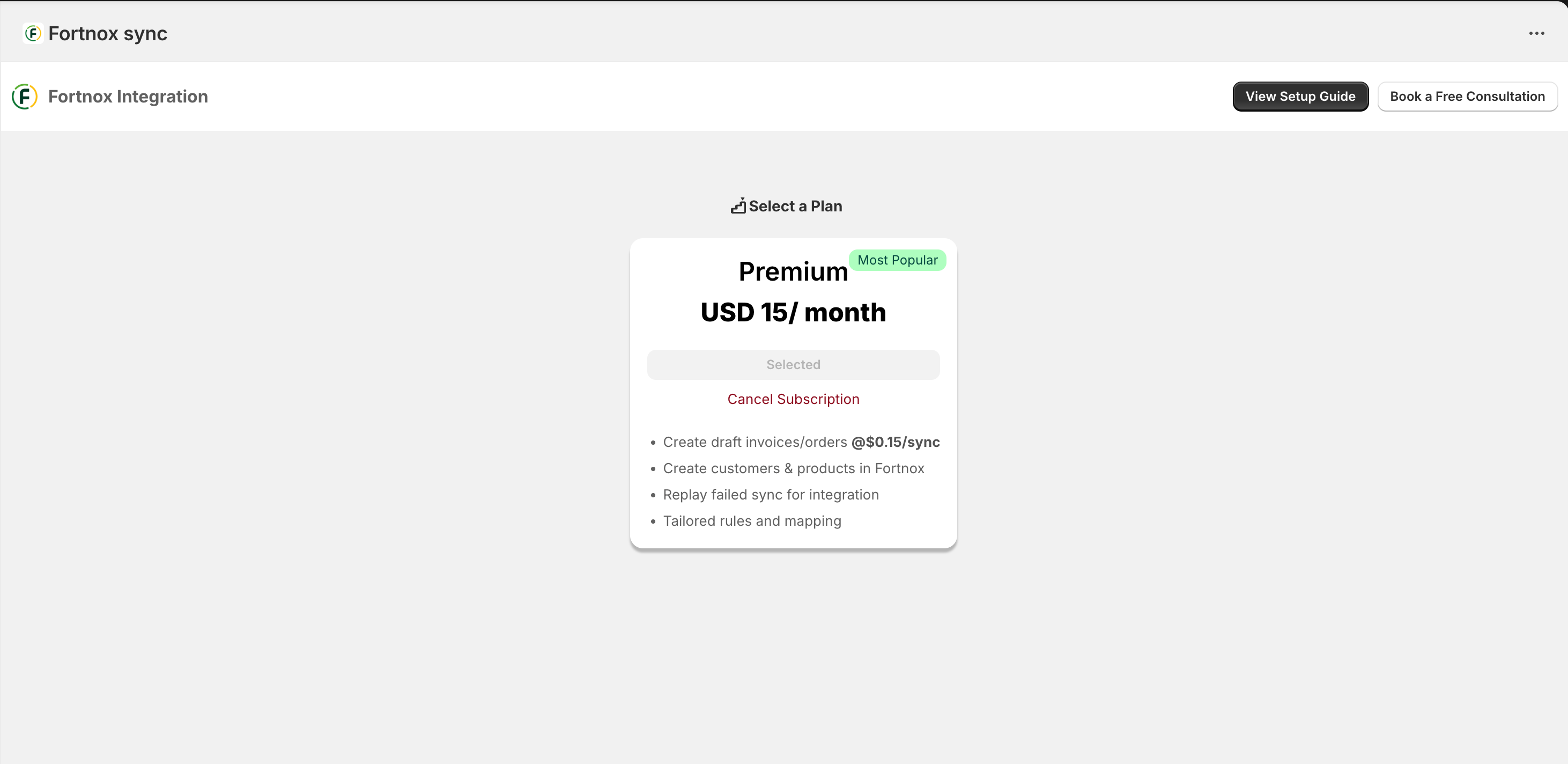 * Click **Upgrade** or **Downgrade** under the plan you want.
* Confirm the subscription change to activate the selected plan.
Once completed, your selected plan will be activated and the new features will be available in the integration.
* Click **Upgrade** or **Downgrade** under the plan you want.
* Confirm the subscription change to activate the selected plan.
Once completed, your selected plan will be activated and the new features will be available in the integration.