> ## Documentation Index
> Fetch the complete documentation index at: https://docs.cloudify.biz/llms.txt
> Use this file to discover all available pages before exploring further.
# Product Sync Settings
## Setting Up Product Sync Preferences
These settings control how the integration matches Shopify products to products in Tripletex when building an invoice, and what happens when no match is found.
***
### Choose a Product Search Method
When a Shopify order syncs, the integration needs to find the matching product in Tripletex before it can add it to an invoice. Pick how that lookup works:
* **Simple Search (using a specific field)** — Match on a single field. Choose the **Shopify field** (e.g. Title) and the **Tripletex field** it should be matched against (e.g. Name). The integration looks for a Tripletex product where that field matches.
* **Direct Link (no searching)** — Manually link each Shopify product to a specific Tripletex product. No lookup runs — the integration uses the link you set. Best for smaller catalogs where you want exact control over which product maps to which.
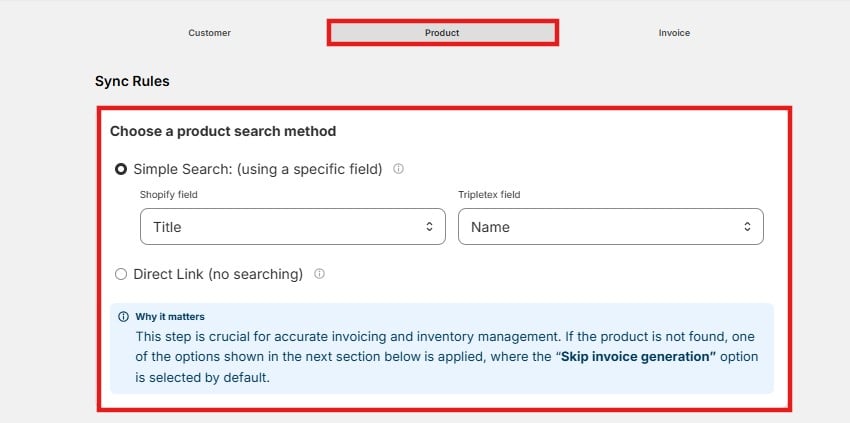 Why it matters: this step drives accurate invoicing and inventory. If a product can't be found, the integration falls back to your setting in **If product not found in Tripletex** below — where **Skip invoice generation** is applied by default.
***
### If Product Not Found in Tripletex
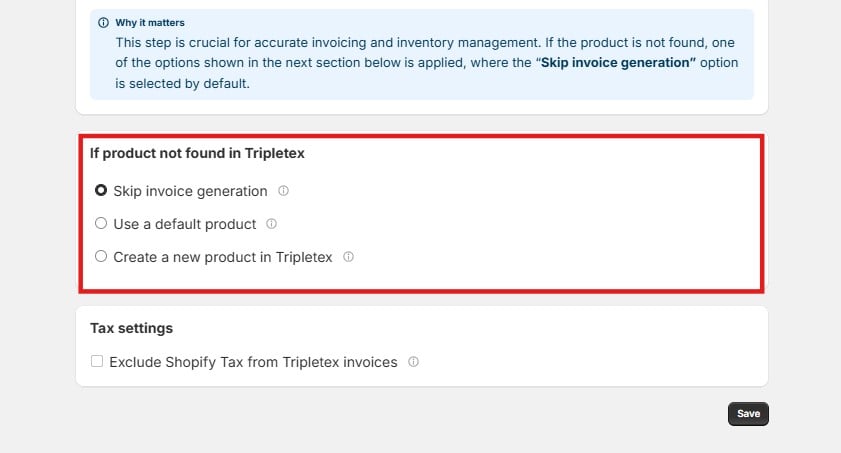
This decides what happens when the search above returns no match. Pick one:
* **Skip invoice generation** *(default)* — The invoice is not created. Use this when you'd rather catch and fix a missing product than let an incomplete invoice through.
* **Use a default product** — The order still invoices, but the unmatched line uses an existing Tripletex product you nominate as the fallback.
* **Create a new product in Tripletex** — A new product is created from your product field mappings and added to the invoice. You'll need to select a sales account for the new products.
Why it matters: this step drives accurate invoicing and inventory. If a product can't be found, the integration falls back to your setting in **If product not found in Tripletex** below — where **Skip invoice generation** is applied by default.
***
### If Product Not Found in Tripletex
This decides what happens when the search above returns no match. Pick one:
* **Skip invoice generation** *(default)* — The invoice is not created. Use this when you'd rather catch and fix a missing product than let an incomplete invoice through.
* **Use a default product** — The order still invoices, but the unmatched line uses an existing Tripletex product you nominate as the fallback.
* **Create a new product in Tripletex** — A new product is created from your product field mappings and added to the invoice. You'll need to select a sales account for the new products.
 ***
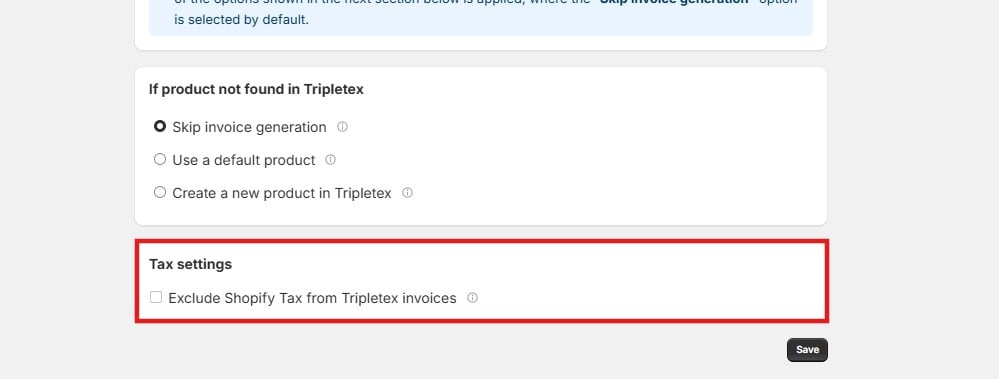
### Tax Settings
Enable **Exclude Shopify Tax from Tripletex invoices** to drop the tax that came in on the Shopify order. When enabled, only the relevant Tripletex tax is applied to the invoice.
Cloudify does not calculate tax itself — the amount applied depends entirely on your existing tax configuration in Tripletex.
***
### Tax Settings
Enable **Exclude Shopify Tax from Tripletex invoices** to drop the tax that came in on the Shopify order. When enabled, only the relevant Tripletex tax is applied to the invoice.
Cloudify does not calculate tax itself — the amount applied depends entirely on your existing tax configuration in Tripletex.