> ## Documentation Index
> Fetch the complete documentation index at: https://docs.cloudify.biz/llms.txt
> Use this file to discover all available pages before exploring further.
# Customer Sync Settings
## Setting Up Customer Sync Preferences
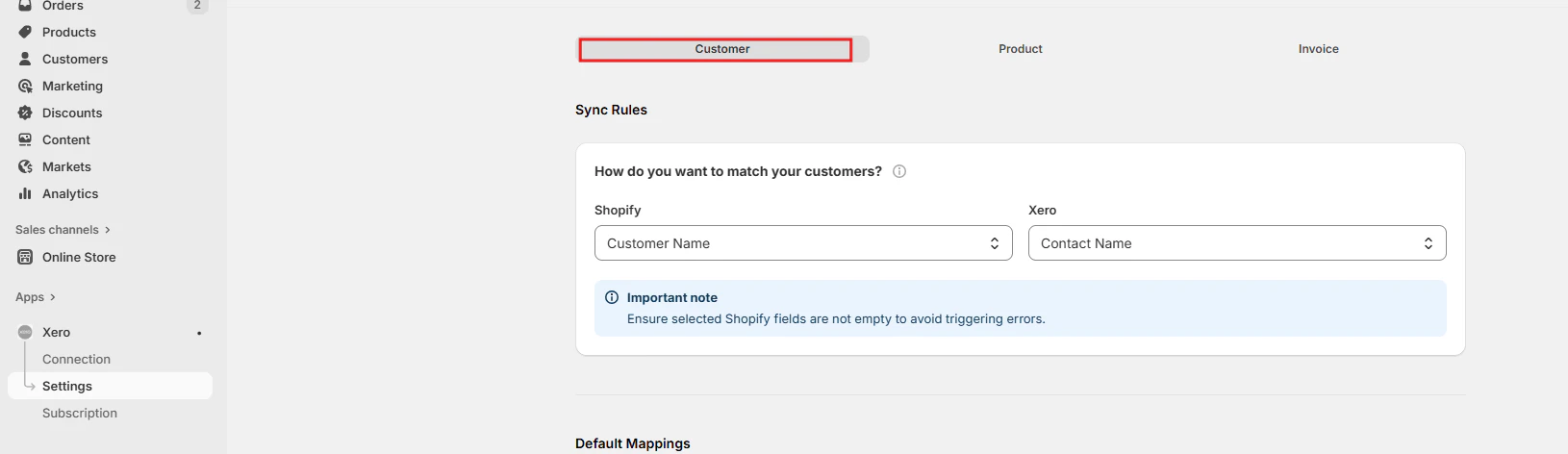
### Customer Search Field
Define how customer data is synchronized between Shopify and Xero. Choose a unique field, like email or VAT number, to prevent duplicates. A new customer is created only when the customer is not found in Xero by the defined search parameter.
 ### Customer Default Mappings
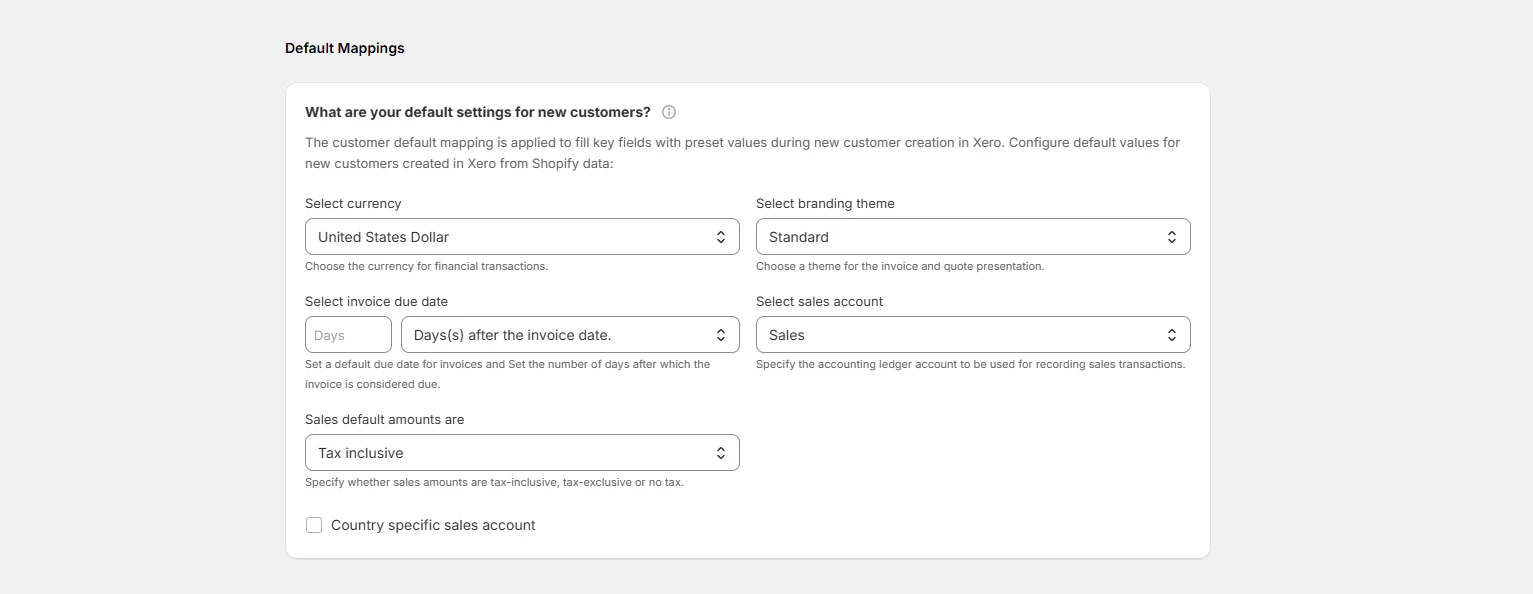
Set default **values** for Currency, Branding theme Invoice due date, Sales account, Invoice due date and Sales default amounts. These default values apply when new customers are created in Xero.
### Customer Default Mappings
Set default **values** for Currency, Branding theme Invoice due date, Sales account, Invoice due date and Sales default amounts. These default values apply when new customers are created in Xero.
 ### How should customer data fields be mapped?
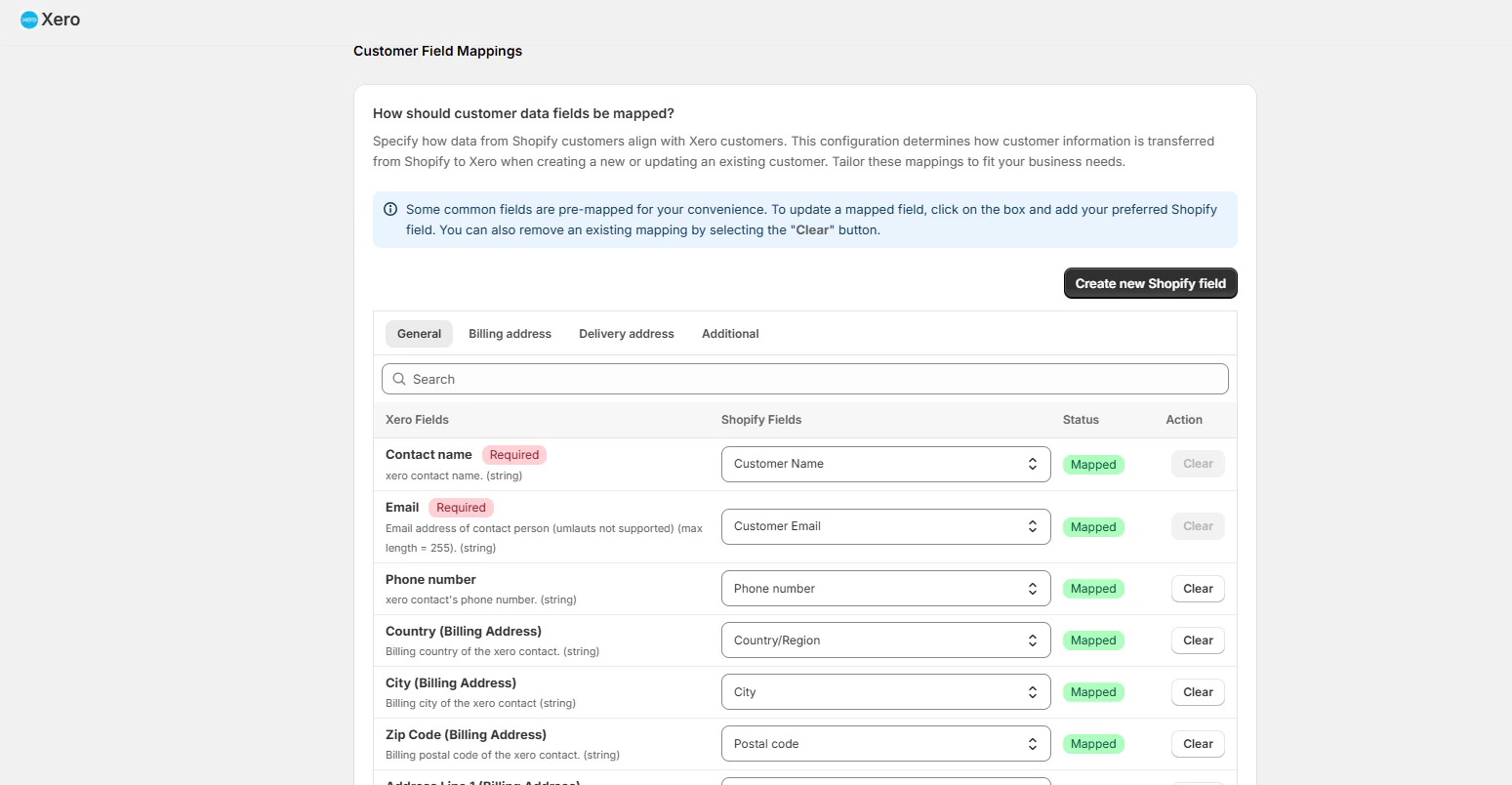
Customize the data transfer from Shopify to Xero to ensure accurate synchronization when a new customer is being created in Xero from Shopify. Some fields are mapped by default.
Click "**Create new Shopify field"** if you want to add any new mapping fields to the window.
### How should customer data fields be mapped?
Customize the data transfer from Shopify to Xero to ensure accurate synchronization when a new customer is being created in Xero from Shopify. Some fields are mapped by default.
Click "**Create new Shopify field"** if you want to add any new mapping fields to the window.