> ## Documentation Index
> Fetch the complete documentation index at: https://docs.cloudify.biz/llms.txt
> Use this file to discover all available pages before exploring further.
# Customer Synchronization Rules
## Configure Customer Matching
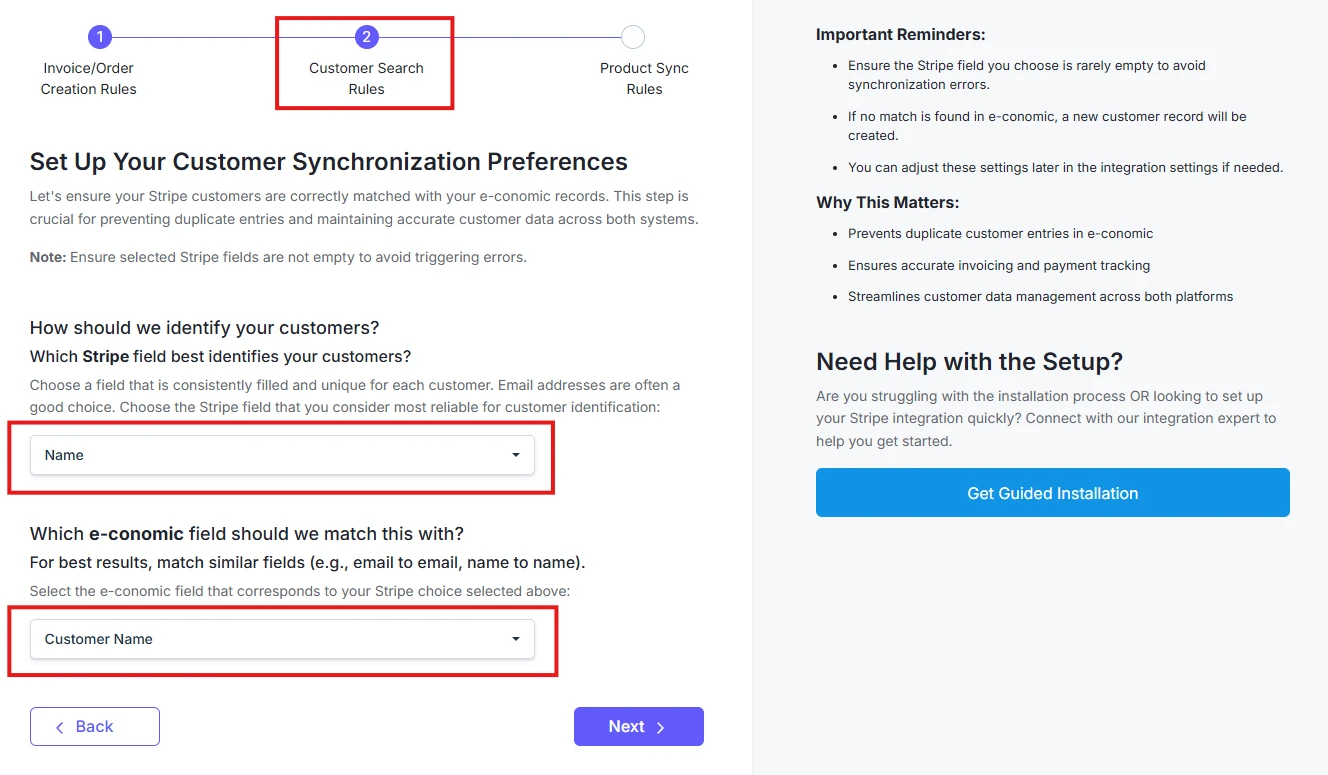
**Choose how customers should be matched between Stripe and e-conomic:**
**1. Select your primary identifier in Stripe:**
* Customer Name
* Email Address
* Phone Number, or any
* Custom Field
**2. Configure matching fields:**
* Select corresponding e-conomic field
* Click on "**Next**" once done
**Tip**: Choose the fields which are consistently filled and unique for each customer