> ## Documentation Index
> Fetch the complete documentation index at: https://docs.cloudify.biz/llms.txt
> Use this file to discover all available pages before exploring further.
# Contact Rules
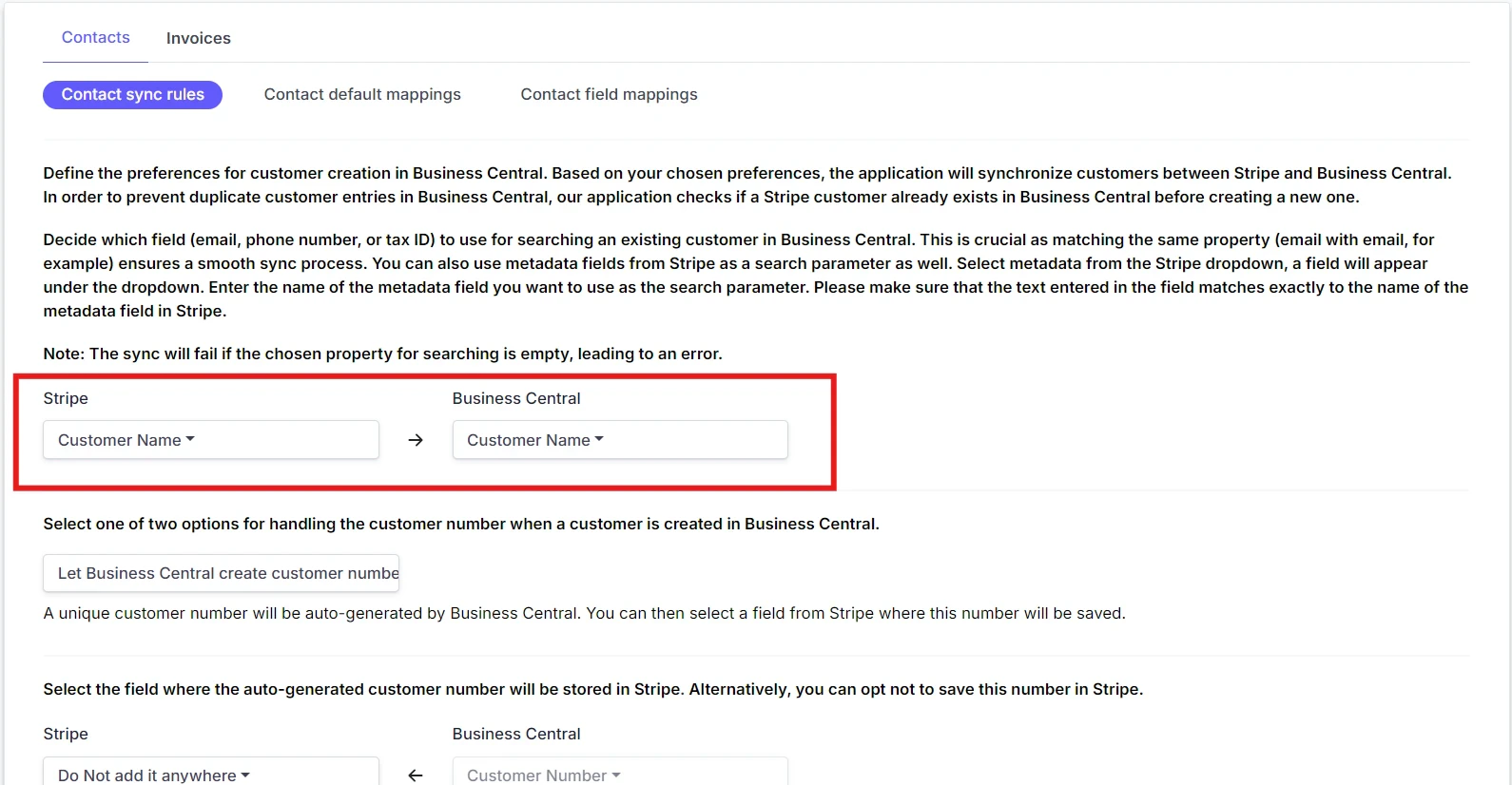
**Customer Sync Preferences**
Define how customer data is synchronized. Choose the unique property (email, phone number, VAT number, etc.) to search for a customer in Business Central to avoid duplicates.
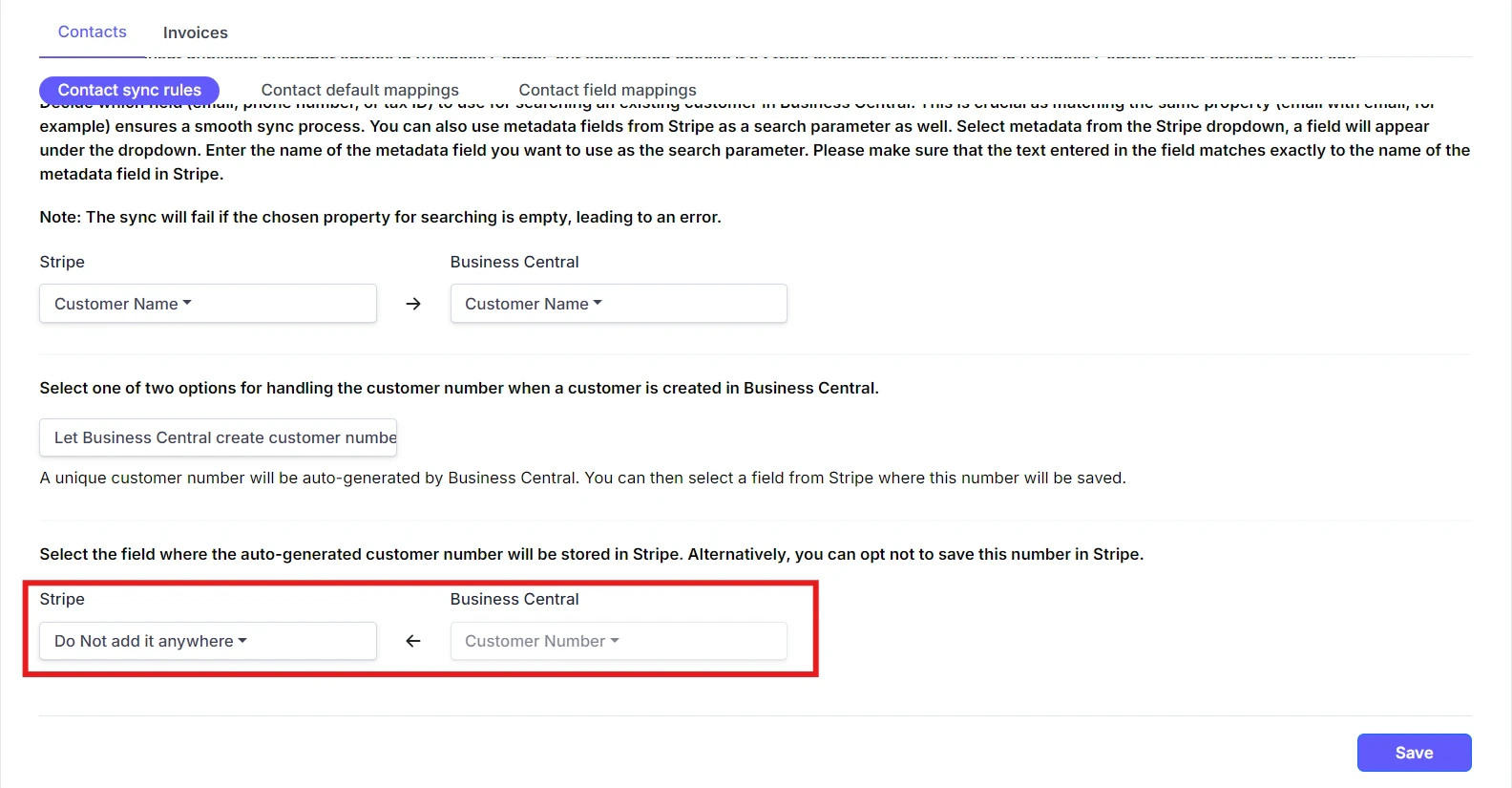 **Business Central Customer Number Sync**
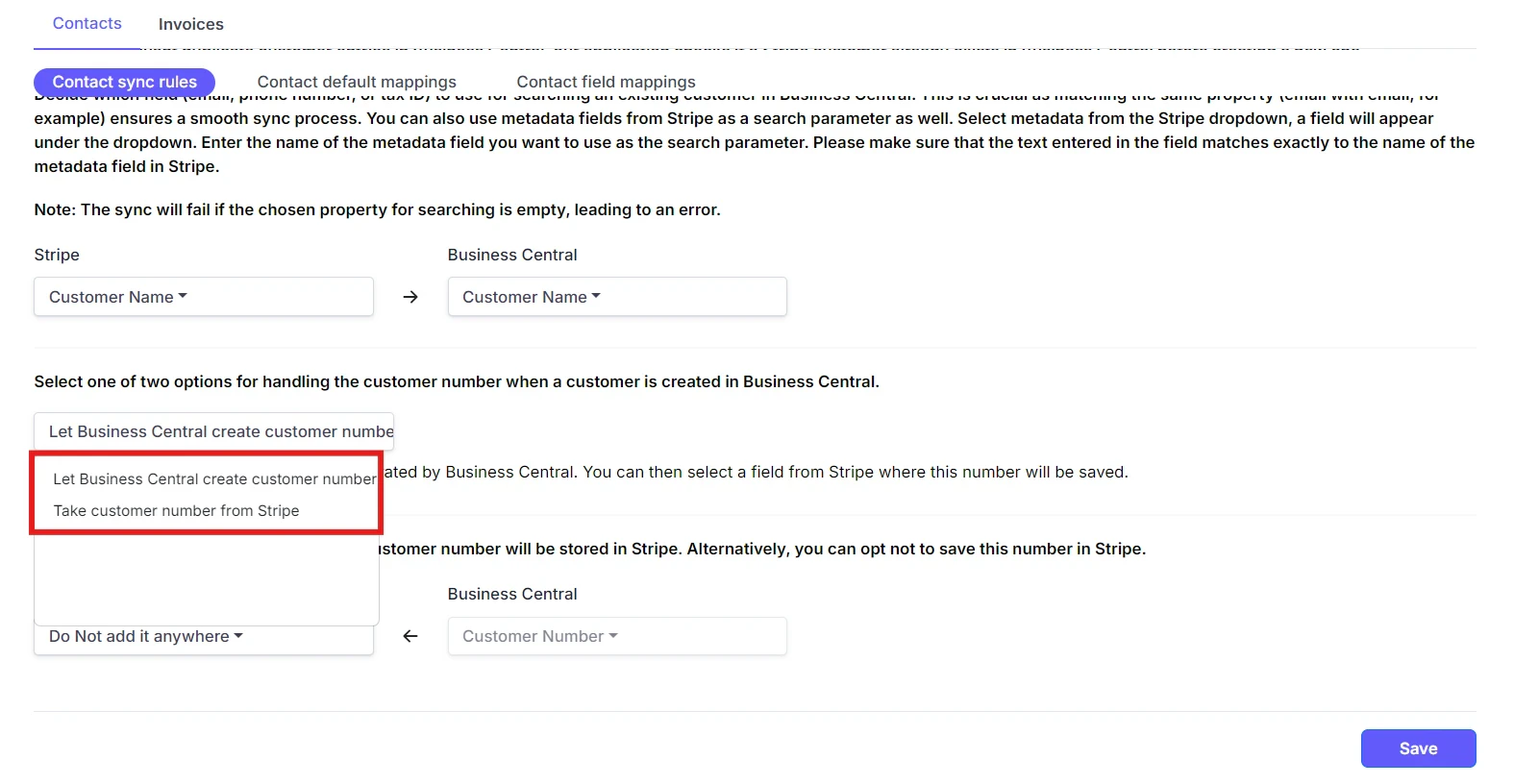
Decide how to add the Business Central customer number when creating a customer. You can either let Business Central create the customer number or take it from Stripe.
**Business Central Customer Number Sync**
Decide how to add the Business Central customer number when creating a customer. You can either let Business Central create the customer number or take it from Stripe.
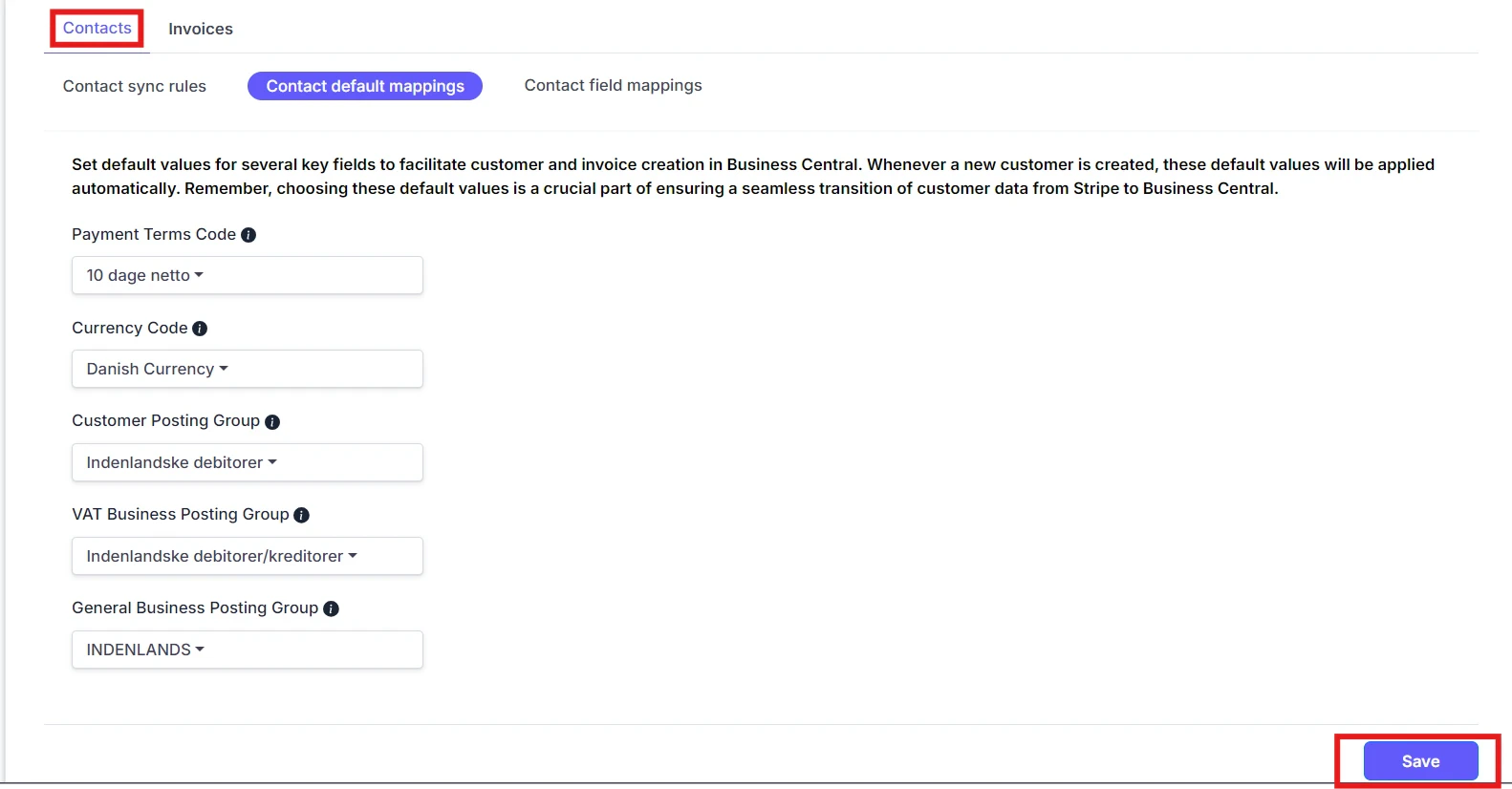
 ## Customer Default Mappings
**Default Fields Selection**
Select default values for Payment Terms Code, Currency Code, Customer Posting Group, VAT Business Posting Group, and General Business Posting Group. This info will be used as defaults when creating new customers.
## Customer Default Mappings
**Default Fields Selection**
Select default values for Payment Terms Code, Currency Code, Customer Posting Group, VAT Business Posting Group, and General Business Posting Group. This info will be used as defaults when creating new customers.
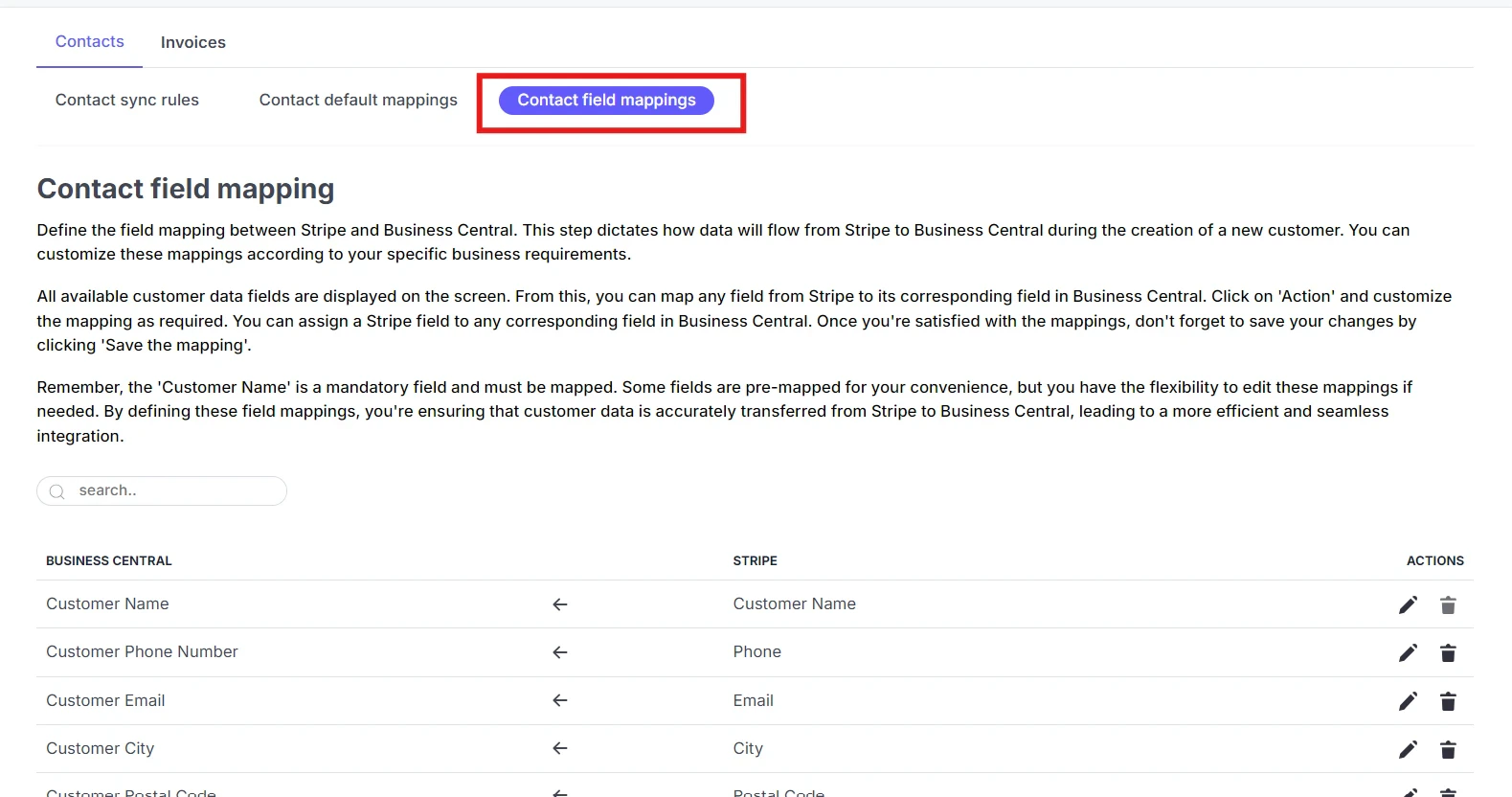
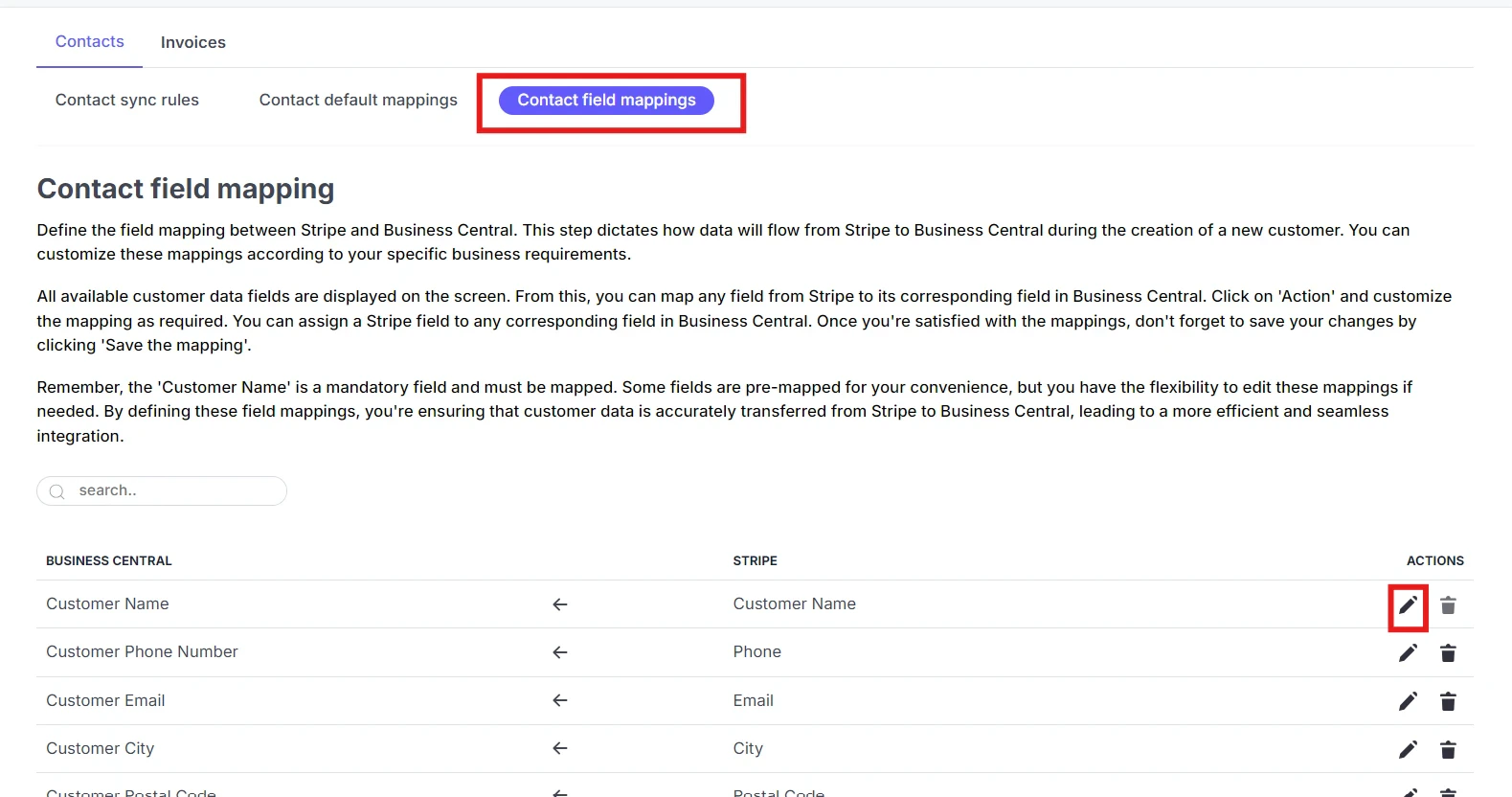
 ## Contact Field Mappings
**Field Mapping**
Customize how specific fields of data are transferred from Stripe to Business Central. This ensures that the right data goes to the right places.
**Product Search Parameter**
Select the parameter to be used when searching for products in Business Central during invoice creation.
**Product Action**
Decide the action to be taken when a product is not found in Business Central during invoice creation.
## Contact Field Mappings
**Field Mapping**
Customize how specific fields of data are transferred from Stripe to Business Central. This ensures that the right data goes to the right places.
**Product Search Parameter**
Select the parameter to be used when searching for products in Business Central during invoice creation.
**Product Action**
Decide the action to be taken when a product is not found in Business Central during invoice creation.