> ## Documentation Index
> Fetch the complete documentation index at: https://docs.cloudify.biz/llms.txt
> Use this file to discover all available pages before exploring further.

# Invoice Rules

## Invoice Sync Settings

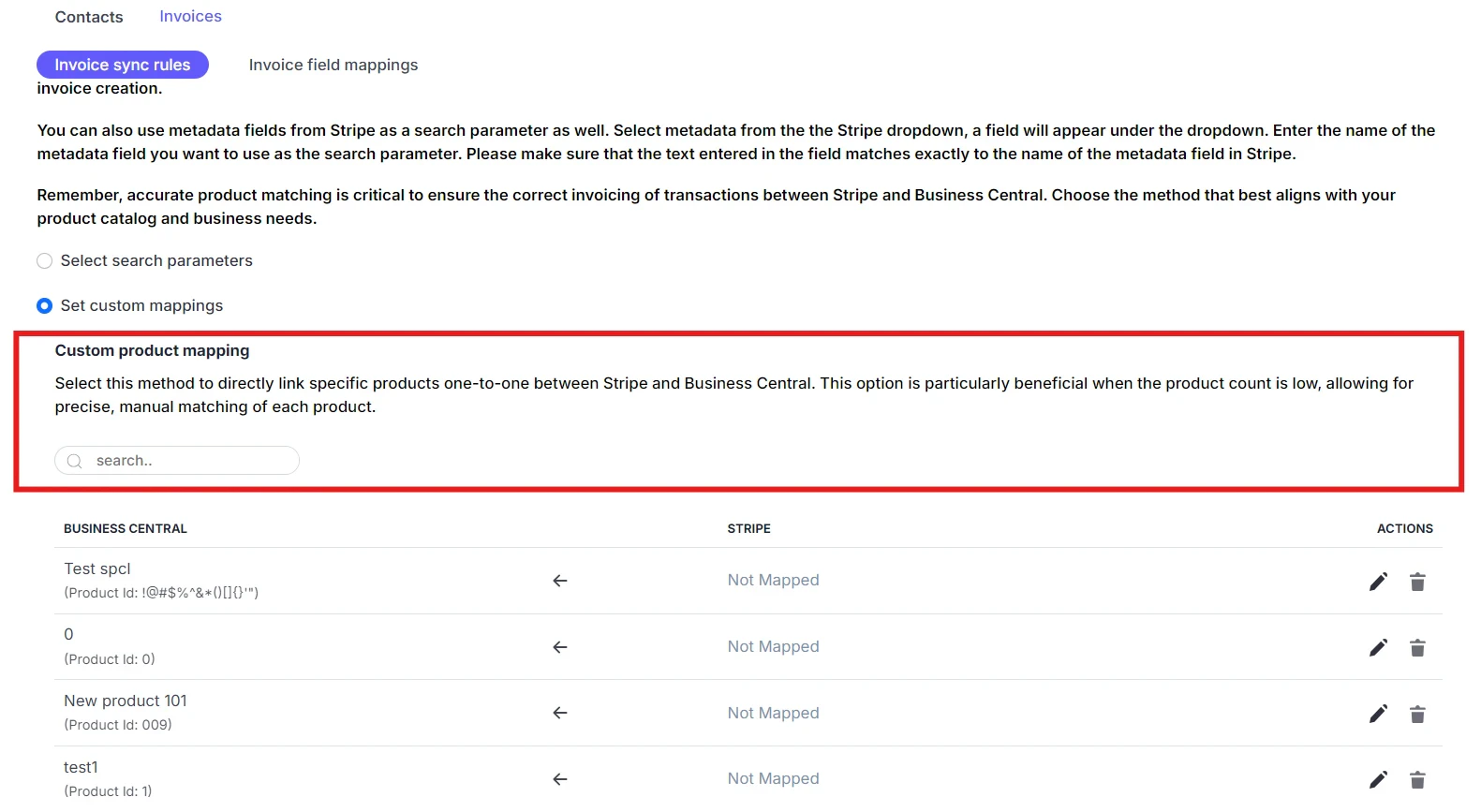
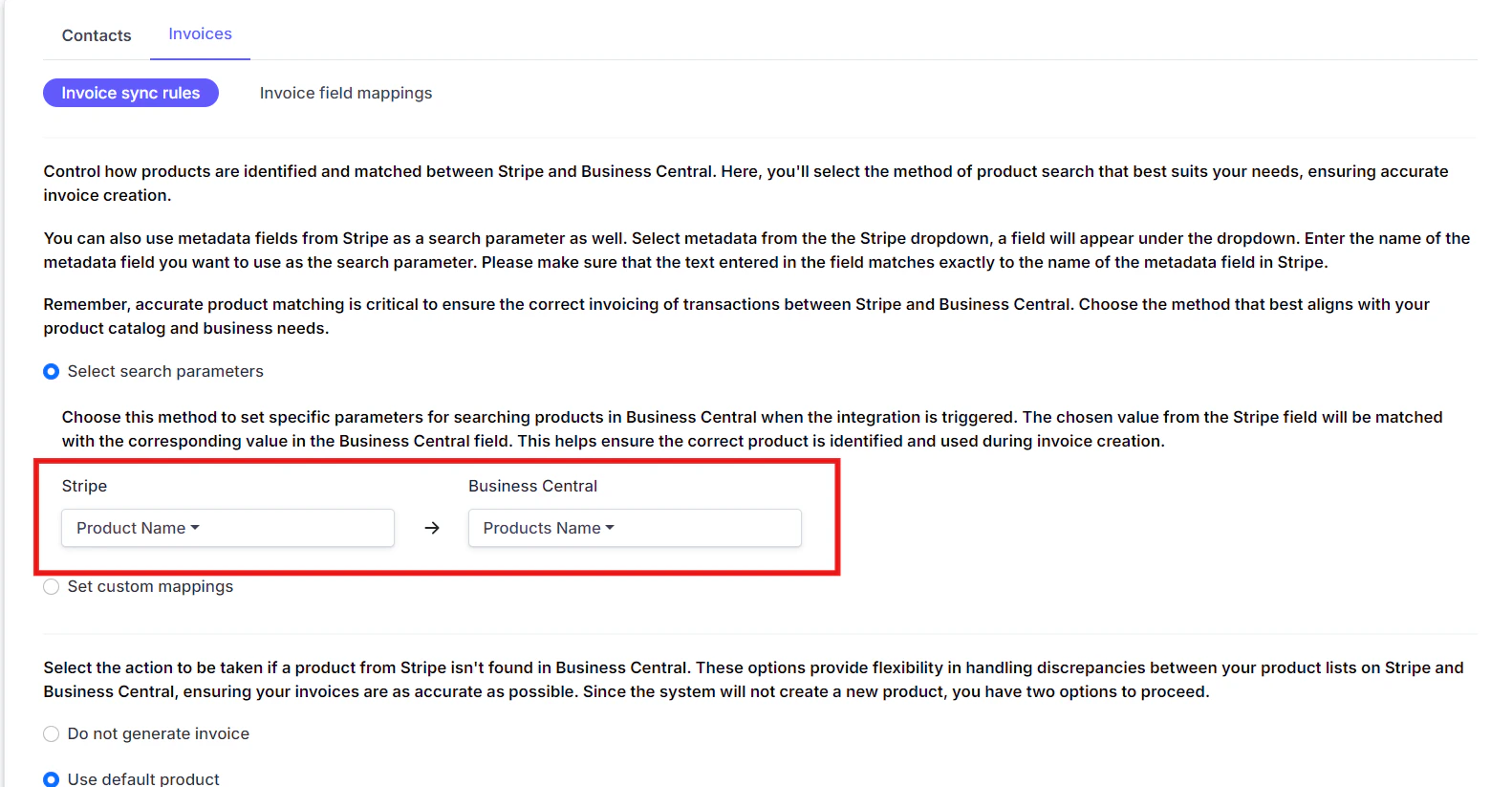
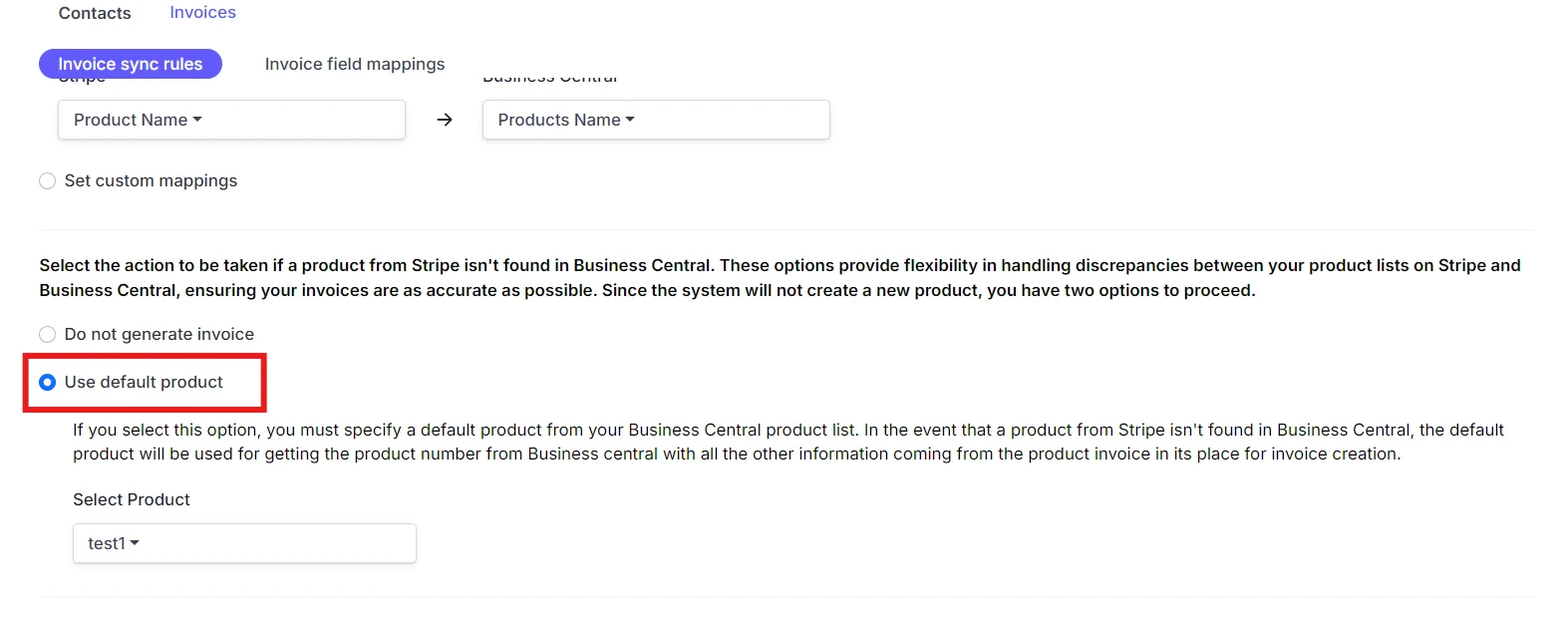
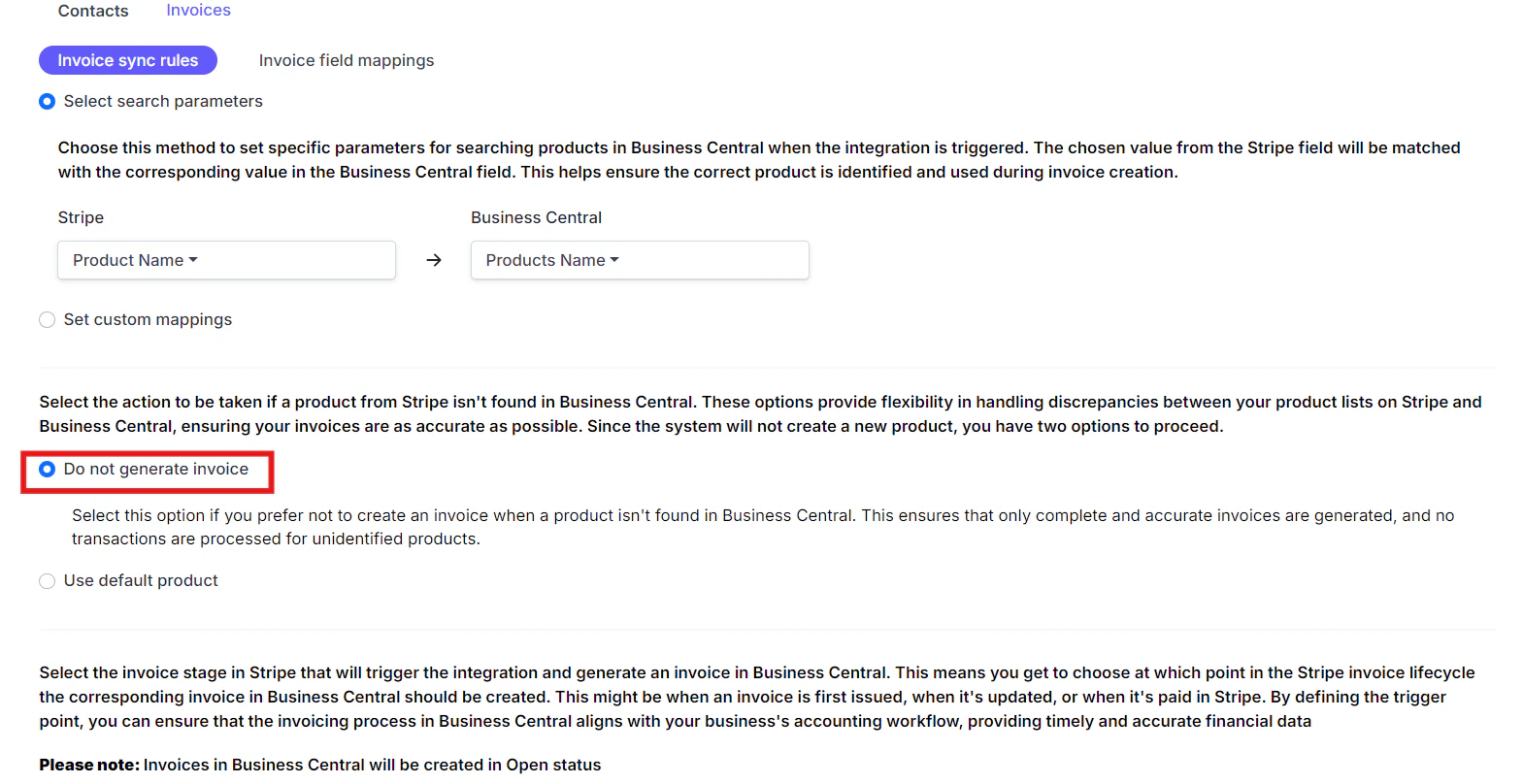
### **Search Parameters**

**Invoice Stage**

Select the Stripe invoice stage at which the invoice creation in Business Central should be triggered.
<Frame>
  <img src="https://mintcdn.com/cloudify-c7720744/lGXfg-sRr29fzWtD/images/image-490.png?fit=max&auto=format&n=lGXfg-sRr29fzWtD&q=85&s=1fb1da3d5d2ec77b1f007449f5cb2121" alt="Image" width="1573" height="619" data-path="images/image-490.png" />
</Frame>

<Frame>
  <img src="https://mintcdn.com/cloudify-c7720744/lGXfg-sRr29fzWtD/images/image-489.png?fit=max&auto=format&n=lGXfg-sRr29fzWtD&q=85&s=fe8979540cf38e10560eaf256fcf0968" alt="Image" width="1569" height="808" data-path="images/image-489.png" />
</Frame>

<Frame>
  <img src="https://mintcdn.com/cloudify-c7720744/lGXfg-sRr29fzWtD/images/image-488.png?fit=max&auto=format&n=lGXfg-sRr29fzWtD&q=85&s=85c696a75ec10918f47d0e6d0f3688b1" alt="Image" width="1581" height="867" data-path="images/image-488.png" />
</Frame>

<Frame>
  <img src="https://mintcdn.com/cloudify-c7720744/lGXfg-sRr29fzWtD/images/image-487.png?fit=max&auto=format&n=lGXfg-sRr29fzWtD&q=85&s=0d13175c6d7e5b4beb990059c7334b6b" alt="Image" width="1582" height="823" data-path="images/image-487.png" />
</Frame>

## Invoice Field Mapping

Set the field mapping from Stripe to Business Central for invoice creation.

On the final screen, click on '**Finish**' to complete the installation. You're now ready to start using the Stripe Invoice Sync App!
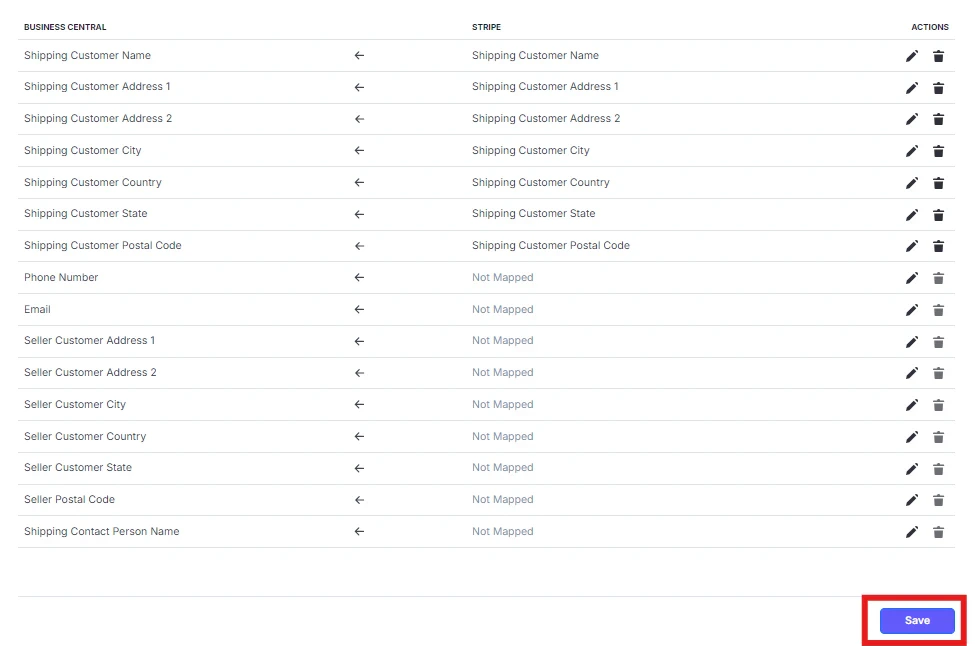
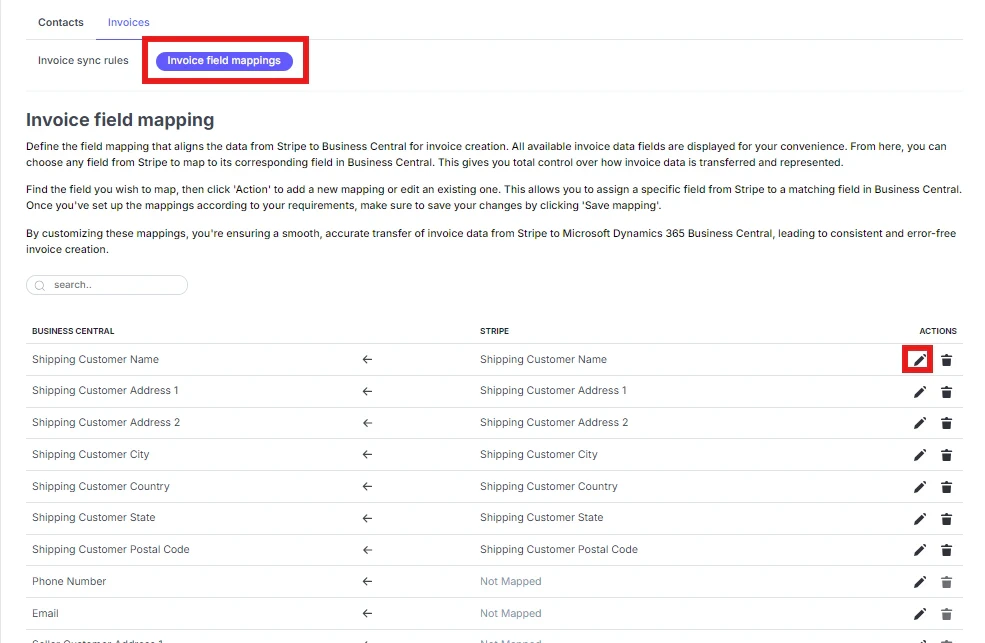
<Frame>
  <img src="https://mintcdn.com/cloudify-c7720744/lGXfg-sRr29fzWtD/images/image-492.png?fit=max&auto=format&n=lGXfg-sRr29fzWtD&q=85&s=f598cdf1c1e22afb3b3b483e7cb18a56" alt="Image" width="975" height="647" data-path="images/image-492.png" />
</Frame>

<Frame>
  <img src="https://mintcdn.com/cloudify-c7720744/lGXfg-sRr29fzWtD/images/image-491.png?fit=max&auto=format&n=lGXfg-sRr29fzWtD&q=85&s=40d8d70a18b0dcfe7aa6f2918b94e546" alt="Image" width="985" height="643" data-path="images/image-491.png" />
</Frame>

Click "**Next**".

In the next page you can get step by step process for Invoice sync in Business Central from Stripe.