

What is FourgentFourgent?
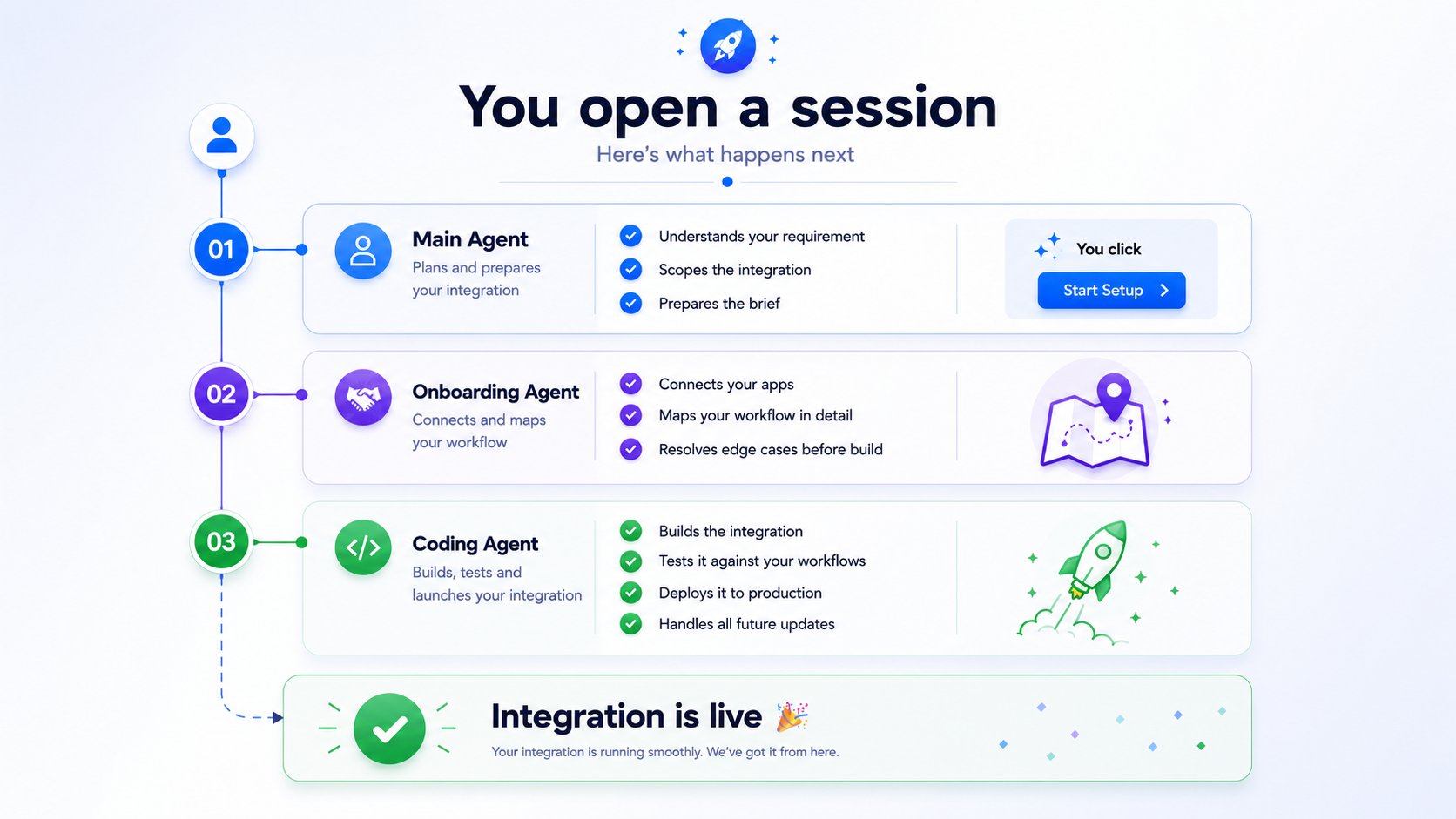
The Four AgentsThe Four Agents
Every integration in Fourgent passes through the same four stages — one agent per stage, no gaps.1 — Onboarding Agent
Connects to your apps, discovers API endpoints, maps your data fields, and resolves edge cases before anything is built. Nothing is assumed. Nothing is left open.
2 — Coding Agent
Writes the integration code — typed TypeScript shaped to your exact workflow. Not a template. Not a drag-and-drop config. Actual code your team can read and modify.
3 — Testing Agent
Runs a full test suite built from your actual workflow — not generic unit tests. Every trigger, condition, and edge case gets validated before deployment is allowed.
4 — Deployment Agent
Ships the tested integration to production. Handles infrastructure, secrets management, CI/CD setup, and generates a handoff report for your team.
How It Works
Every integration in Fourgent passes through the same four stages — one agent per stage, no gaps.1 — Onboarding Agent
Connects to your apps, discovers API endpoints, maps your data fields, and resolves edge cases before anything is built. Nothing is assumed. Nothing is left open.
2 — Coding Agent
Writes the integration code — typed TypeScript shaped to your exact workflow. Not a template. Not a drag-and-drop config. Actual code your team can read and modify.
3 — Testing Agent
Runs a full test suite built from your actual workflow — not generic unit tests. Every trigger, condition, and edge case gets validated before deployment is allowed.
4 — Deployment Agent
Ships the tested integration to production. Handles infrastructure, secrets management, CI/CD setup, and generates a handoff report for your team.
How It Works
You interact with Fourgent through a single chat interface. Describe your integration — the agents take it from thereYou interact with Fourgent through a single chat interface. Describe your integration — the agents take it from there.1
Describe your integration
Type what you need in plain language. A few examples:
- “When a deal closes in HubSpot, send a message to #sales in Slack.”
- “Sync new Shopify orders to our warehouse system every hour.”
- “Create a Jira ticket when a Zendesk ticket is marked high priority.”
2
Watch the agents work
The Onboarding Agent connects to your apps and maps the workflow. You’ll see it surface questions only when it genuinely needs your input — things like field mapping decisions or edge case rules that only you can define.As it progresses, the right panel updates in real time across four views:
- Progress — live status of each agent stage and test results
- Files — the code files being generated
- Flow — a visual map of your integration logic
- Mapping — field-by-field data mapping between your systems
3
Approve and go live
Once the Testing Agent signs off, review the results and approve. The Deployment Agent handles everything from there — your integration is live and running.
What You Can Build
1
Describe your integration
Type what you need in plain language. A few examples:
- “When a deal closes in HubSpot, send a message to #sales in Slack.”
- “Sync new Shopify orders to our warehouse system every hour.”
- “Create a Jira ticket when a Zendesk ticket is marked high priority.”
2
Watch the agents work
The Onboarding Agent connects to your apps and maps the workflow. You’ll see it surface questions only when it genuinely needs your input — things like field mapping decisions or edge case rules that only you can define.As it progresses, the right panel updates in real time across four views:
- Progress — live status of each agent stage and test results
- Files — the code files being generated
- Flow — a visual map of your integration logic
- Mapping — field-by-field data mapping between your systems
3
Approve and go live
Once the Testing Agent signs off, review the results and approve. The Deployment Agent handles everything from there — your integration is live and running.
What You Can Build
If it involves two systems exchanging data or triggering actions, Fourgent can build itf it involves two systems exchanging data or triggering actions, Fourgent can build it.Who It’s For
Operations Teams
Get systems talking to each other — without waiting on engineering.
Developers
Ship reliable integrations faster. Skip the boilerplate, keep the code.
Enterprises
Run complex, multi-app workflows that need to hold up in production.
Tips for Best Results
Who It’s For
Operations Teams
Get systems talking to each other — without waiting on engineering.
Developers
Ship reliable integrations faster. Skip the boilerplate, keep the code.
Enterprises
Run complex, multi-app workflows that need to hold up in production.
Tips for Best Results
1
Open Lighthouse AI and start a new session
The Onboarding Agent will greet you and guide you from there.
2
Describe your integration in plain language
A few examples of how to start:
- “When a deal is marked Closed Won in HubSpot, create an invoice in QuickBooks.”
- “Sync new customer records from Salesforce to our PostgreSQL database every hour.”
- “Send a Slack alert to #finance whenever an invoice in QuickBooks is overdue by 7 days.”
3
Review as it builds
Watch the Onboarding Agent gather requirements, the Coding Agent write your integration, and the Testing Agent validate it — all in one view.
4
Approve and deploy
Review the test results, approve, and the Deployment Agent handles the rest. Your integration is live.
5
Open Lighthouse AI and start a new session
The Onboarding Agent will greet you and guide you from there.
6
Describe your integration in plain language
A few examples of how to start:
- “When a deal is marked Closed Won in HubSpot, create an invoice in QuickBooks.”
- “Sync new customer records from Salesforce to our PostgreSQL database every hour.”
- “Send a Slack alert to #finance whenever an invoice in QuickBooks is overdue by 7 days.”
7
Review as it builds
Watch the Onboarding Agent gather requirements, the Coding Agent write your integration, and the Testing Agent validate it — all in one view.
8
Approve and deploy
Review the test results, approve, and the Deployment Agent handles the rest. Your integration is live.
Next Steps
Quickstart
Build and deploy your first integration step by stepstep by step.
How It WorkHow It Works
A deeper look at what each agent does and how they hand offA deeper look at what each agent does and how they hand off.
Supported Connectors
Every app and API FourgentFourgent can connect to out of the box.
Talk to the Team
CComplex use case? We’ll help you scope it.