

Option 1: Simple Search
This method matches products between Pipedrive and Fortnox by correlating a specific field such as SKU or product number. It’s particularly useful for users with long product lists.1
From the Pipedrive dropdown, select the field you want to use for product matching (e.g., SKU).
2
From the Fortnox dropdown, select the corresponding field for automatic identification.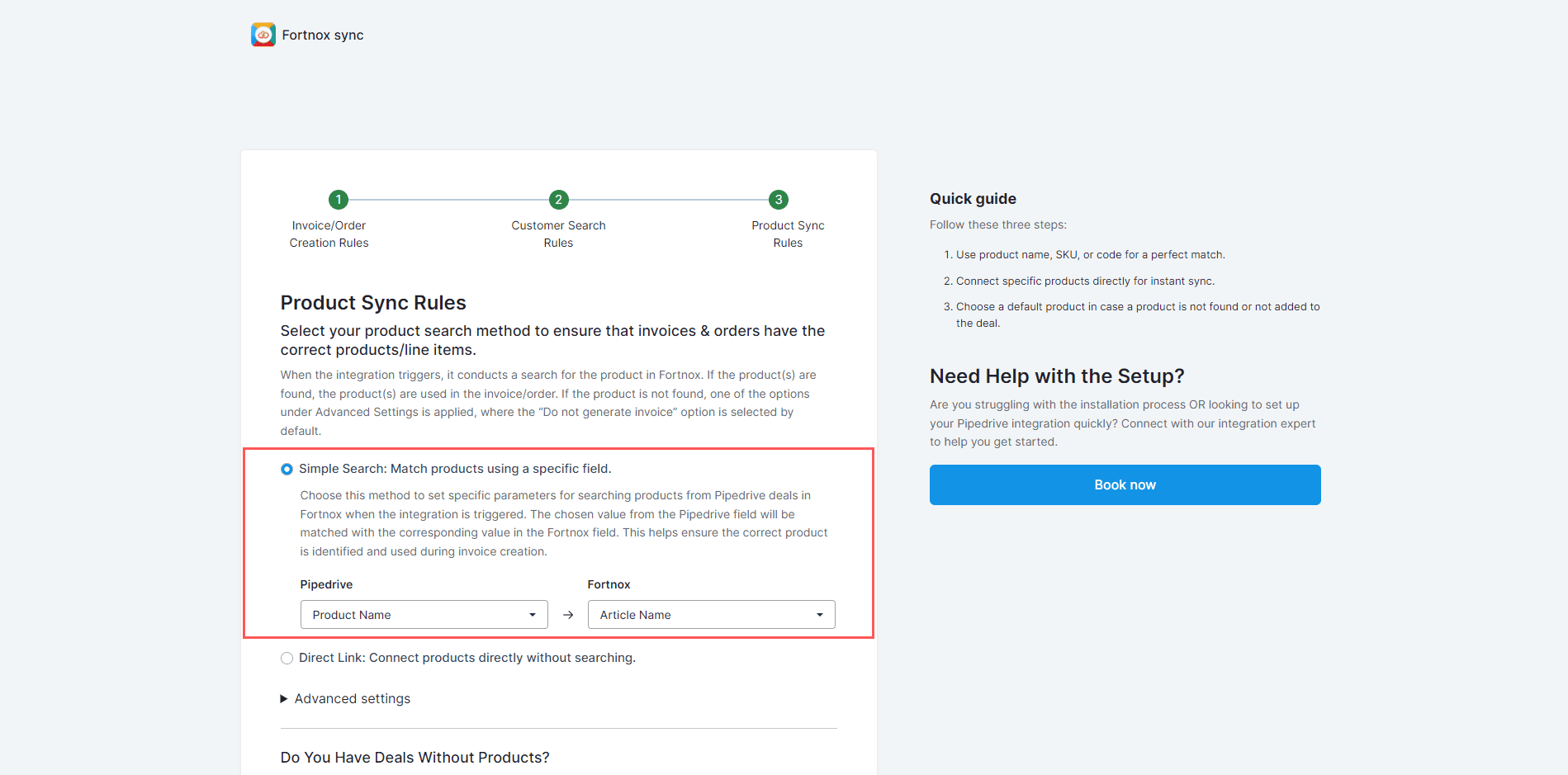
Option 2: Direct Link
This method connects products directly without searching. It’s ideal for users with short product lists.1
Map the Pipedrive fields with the corresponding Fortnox fields.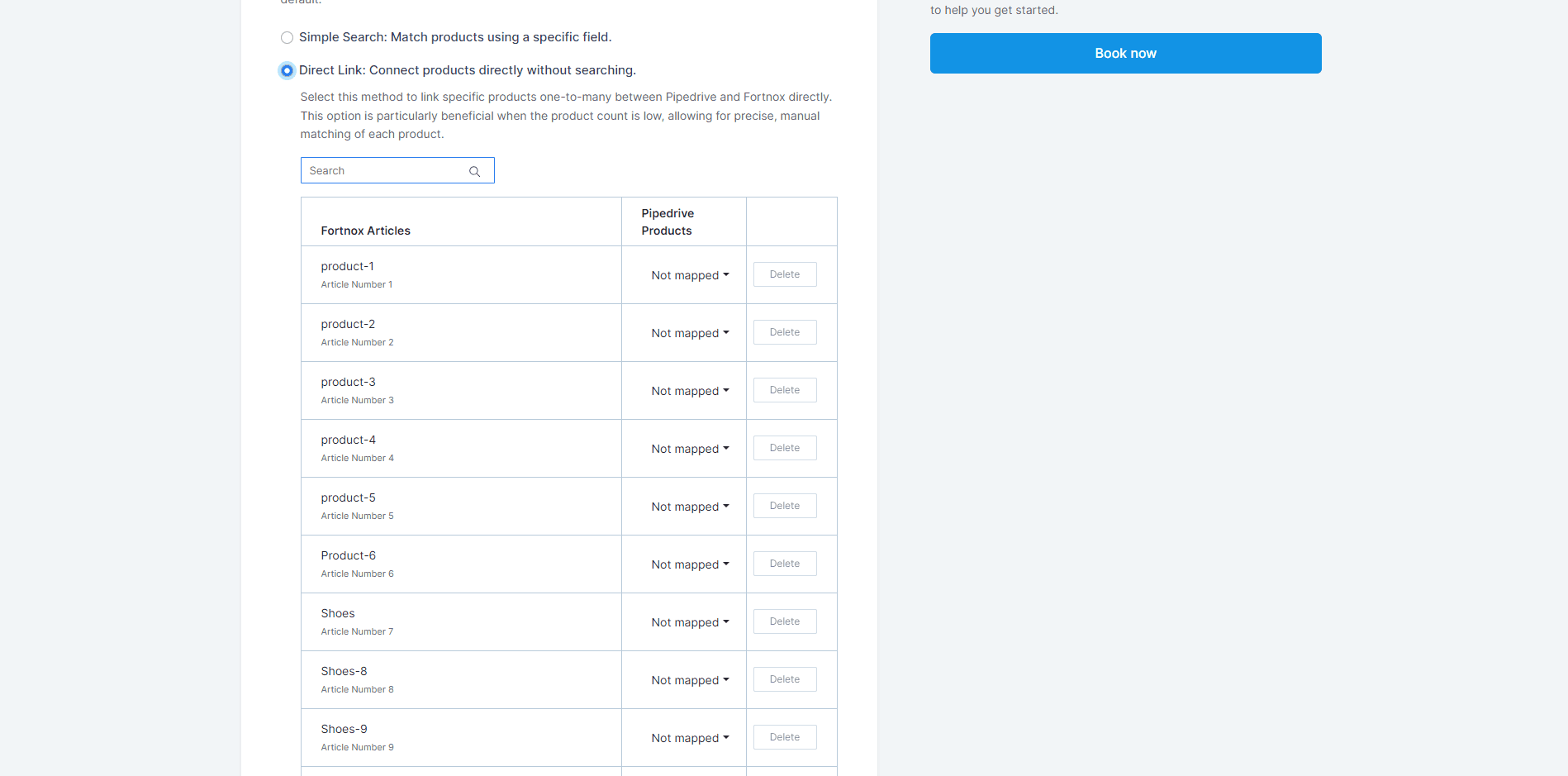
2
Click “Save Mappings”.