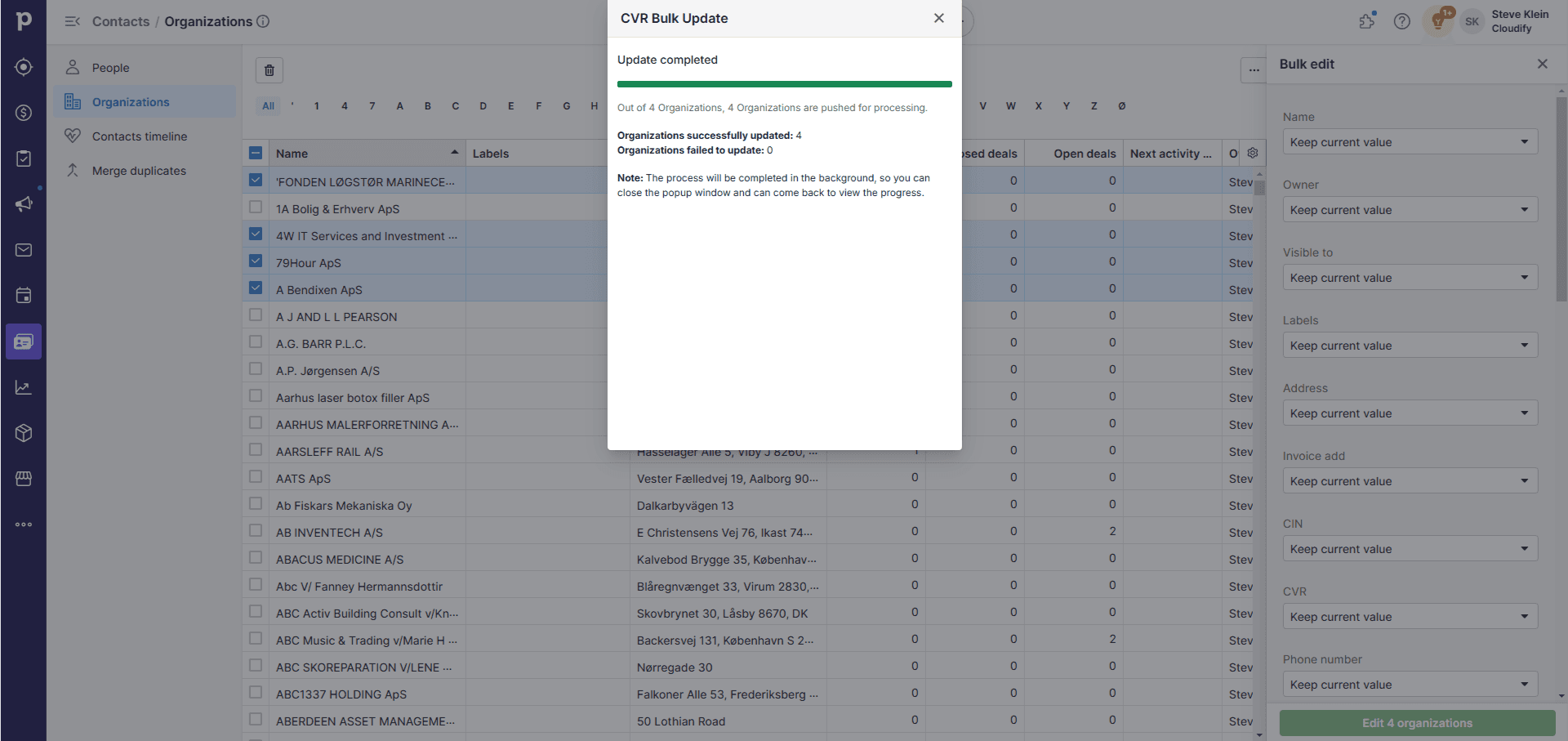
- Efficiency: Update multiple company records simultaneously, saving significant time and effort.
- Data Accuracy: Ensure your CRM data matches the latest official VAT information, reducing errors in your business processes.
- Compliance: Keep your records aligned with current VAT registrations, supporting regulatory compliance.
- Scalability: Easily manage large volumes of company data, especially useful as your business grows.
- Data Integrity: Automatic exclusion of invalid entries helps maintain the overall quality of your database.
How Does It Work?
1
Navigate to the Bulk Update screen in the Company VAT Lookup app.
2
You’ll see a table displaying company information including Name, Number, Domain, Country, and Create Date.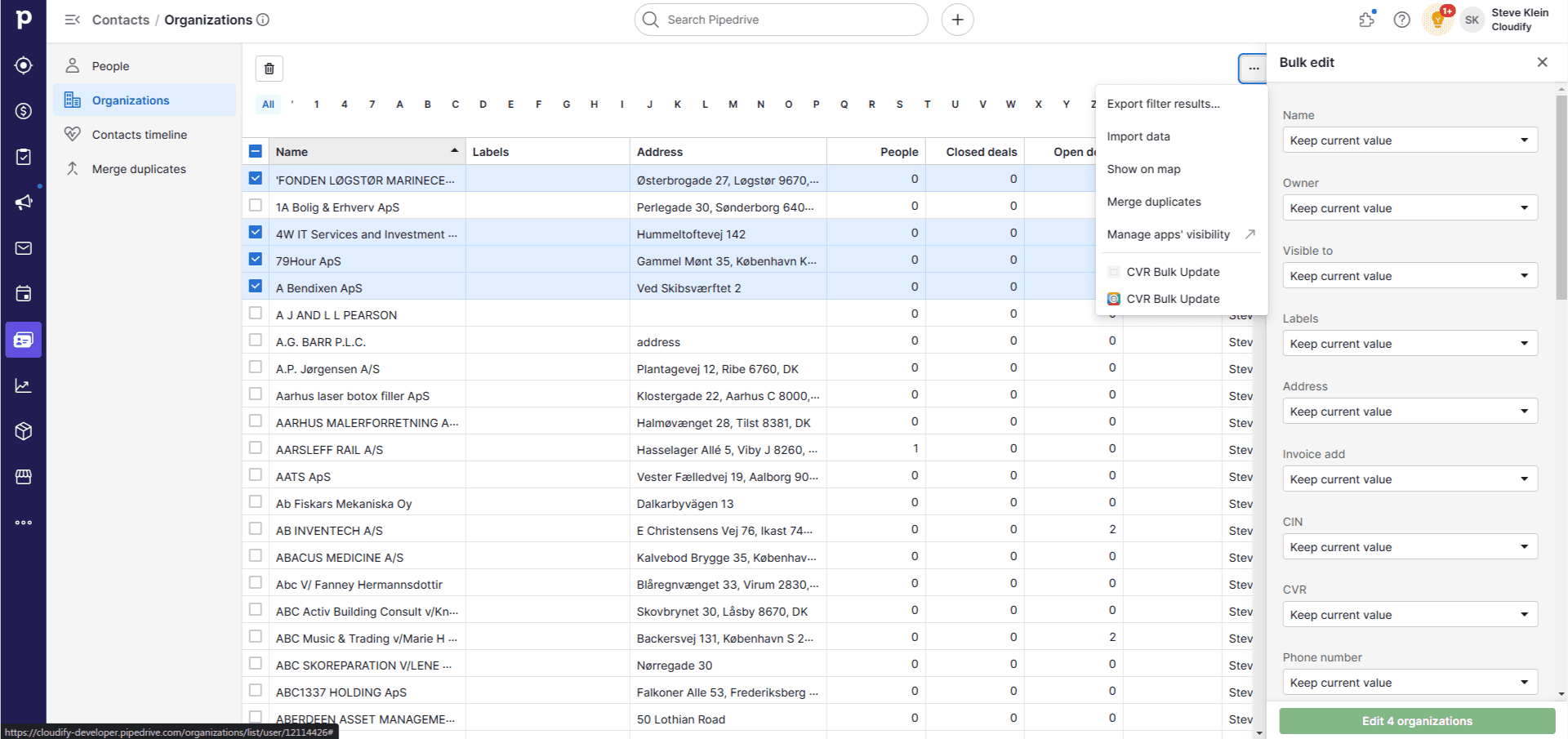
3
Use the Search bar at the top to find specific companies if needed.
4
Select the companies you wish to update by ticking the checkbox next to their names.
5
Once you’ve selected all desired companies, click the “CVR Bulk Update” button in the top right corner, then click “Update”.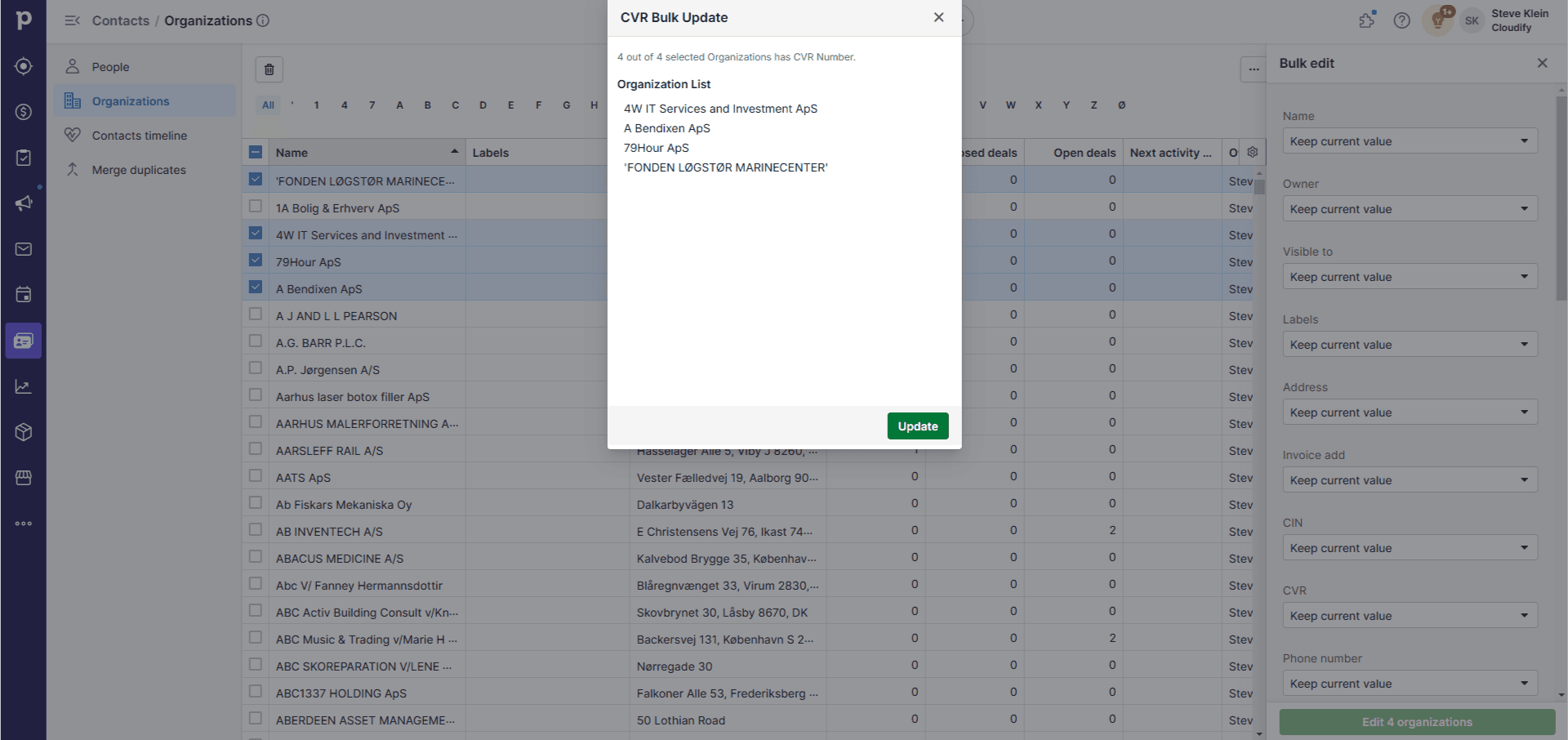
6
The app will update the selected companies’ information in your Pipedrive CRM based on the latest data from official VAT databases.