Steps to cancel
1
Open Manage Apps
In Pipedrive, click the marketplace icon in the top navigation bar, then click Manage apps.-1.png?fit=max&auto=format&n=ewJOHd-xAVvB2Asj&q=85&s=12d6500d73ba0e8b7462fcfe45bb4e6e)
2
Find Visma e-conomic integration and open Settings
Search for Visma e-conomic Integration in your installed apps, click the on it, and select Settings.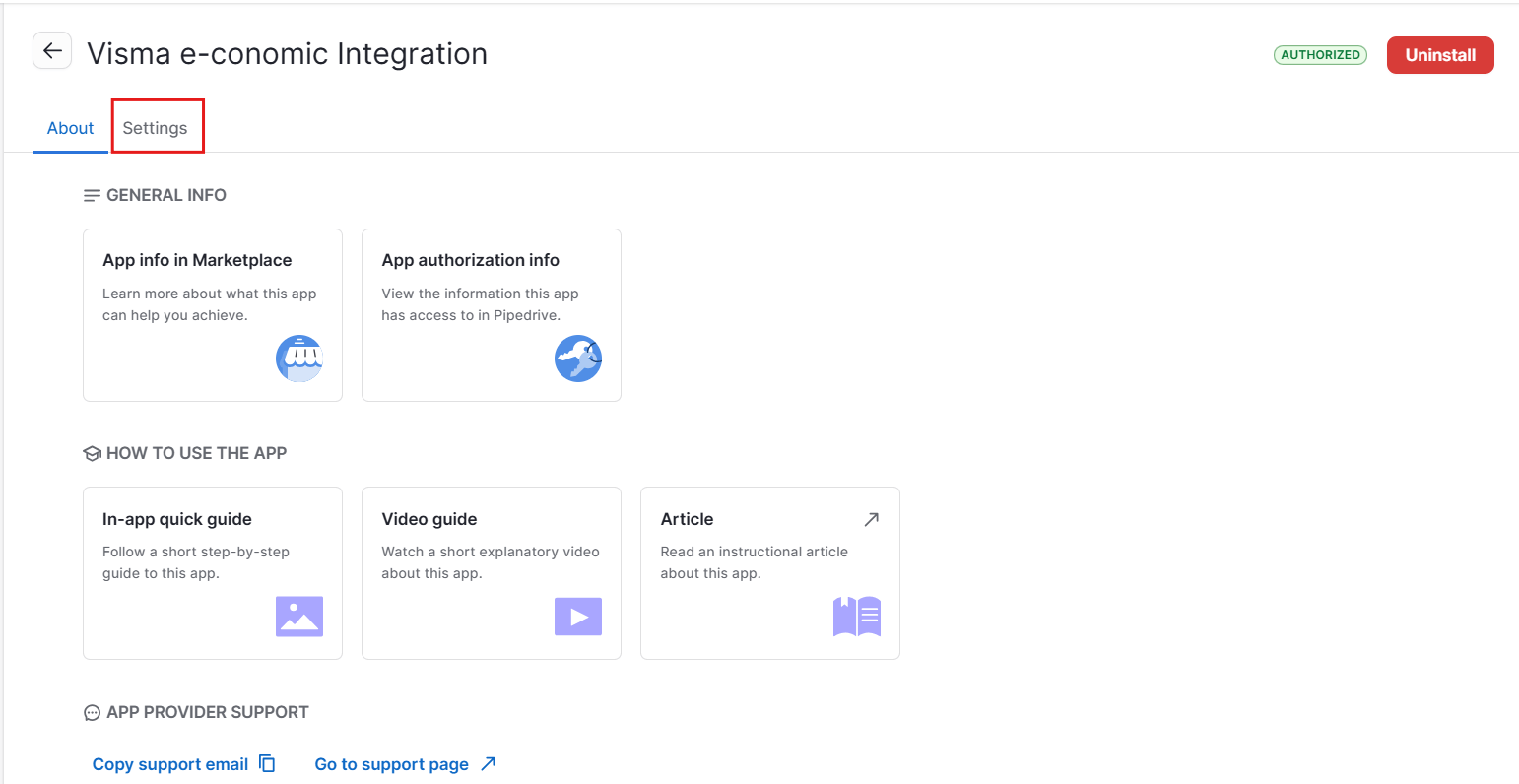
3
Go to Manage Plan
Inside the app settings, click the Manage plan tab in the top navigation.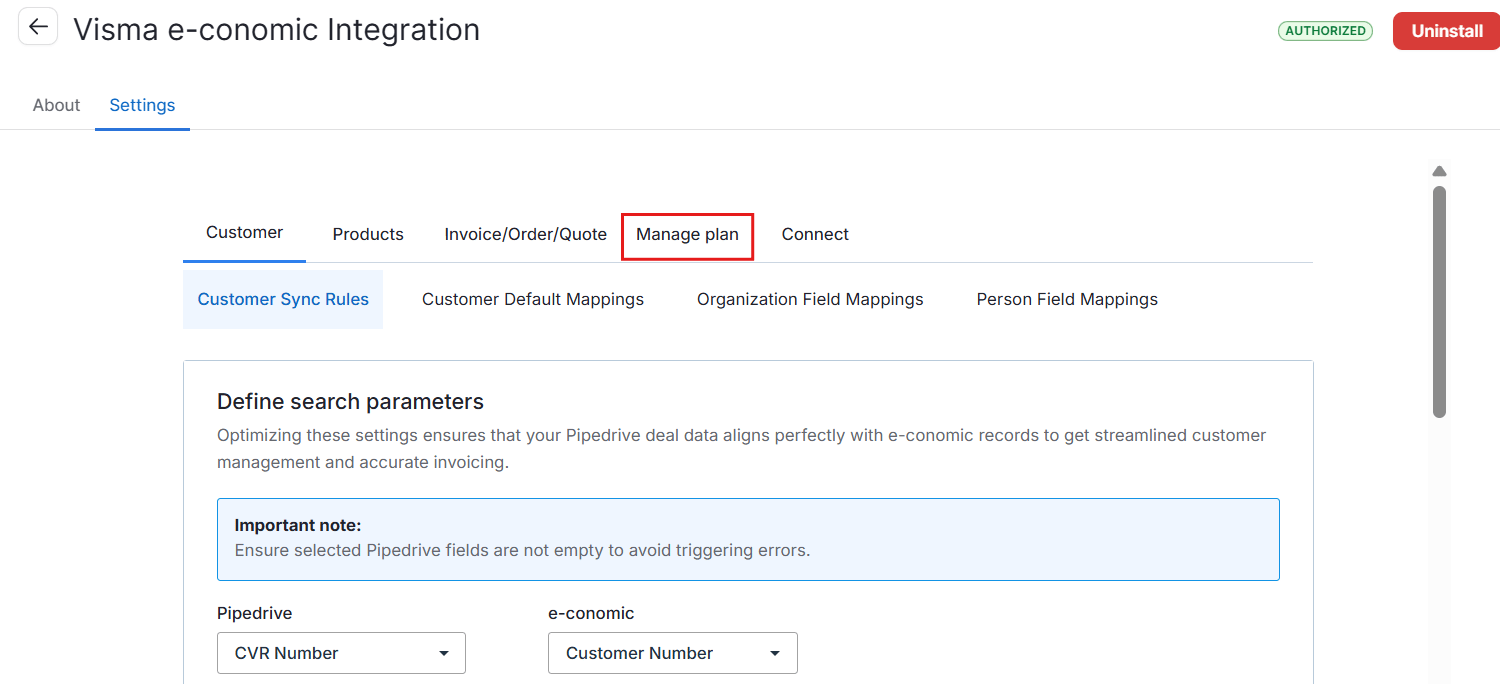
4
Cancel your plan
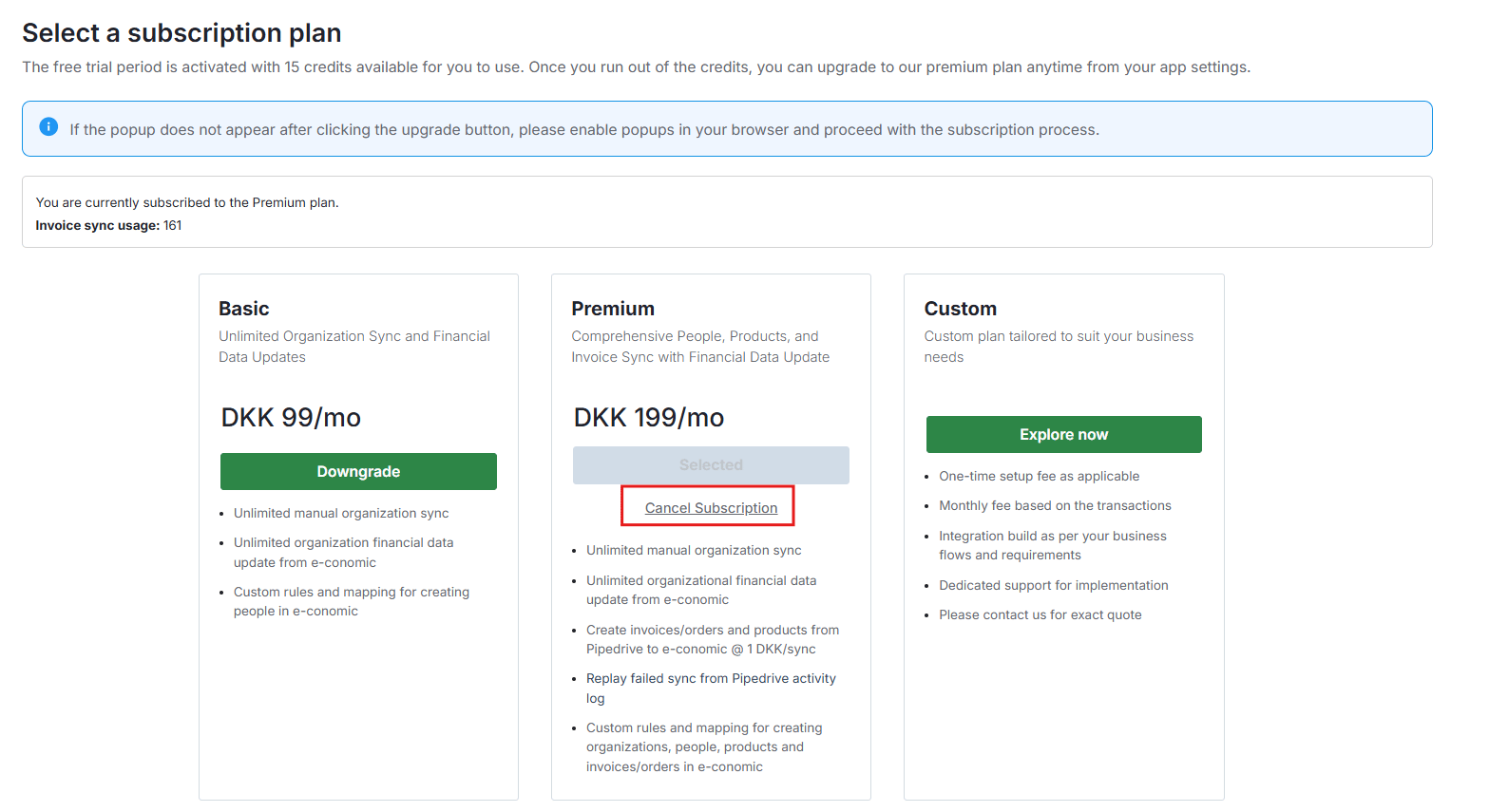
On the subscription page, click Cancel Subscription under your current plan.