Setting Up Customer Sync Preferences
Customer Search Field
Define how customer data is synchronised between Shopify and Tripletex. Choose a unique field, like email or VAT number, to prevent duplicates. A new customer is created in Tripletex only when the customer is not found using the defined search parameter.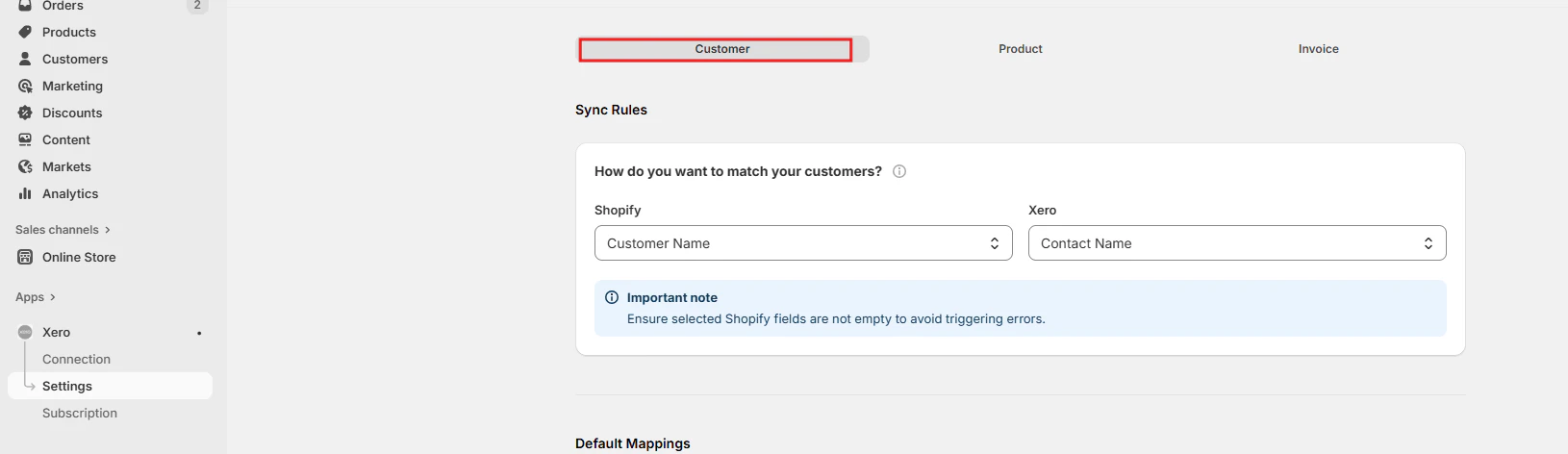
Customer Default Mappings
Set default values for Currency, Branding theme, Invoice due date, Sales account, and Sales default amounts. These default values apply when new customers are created in Tripletex.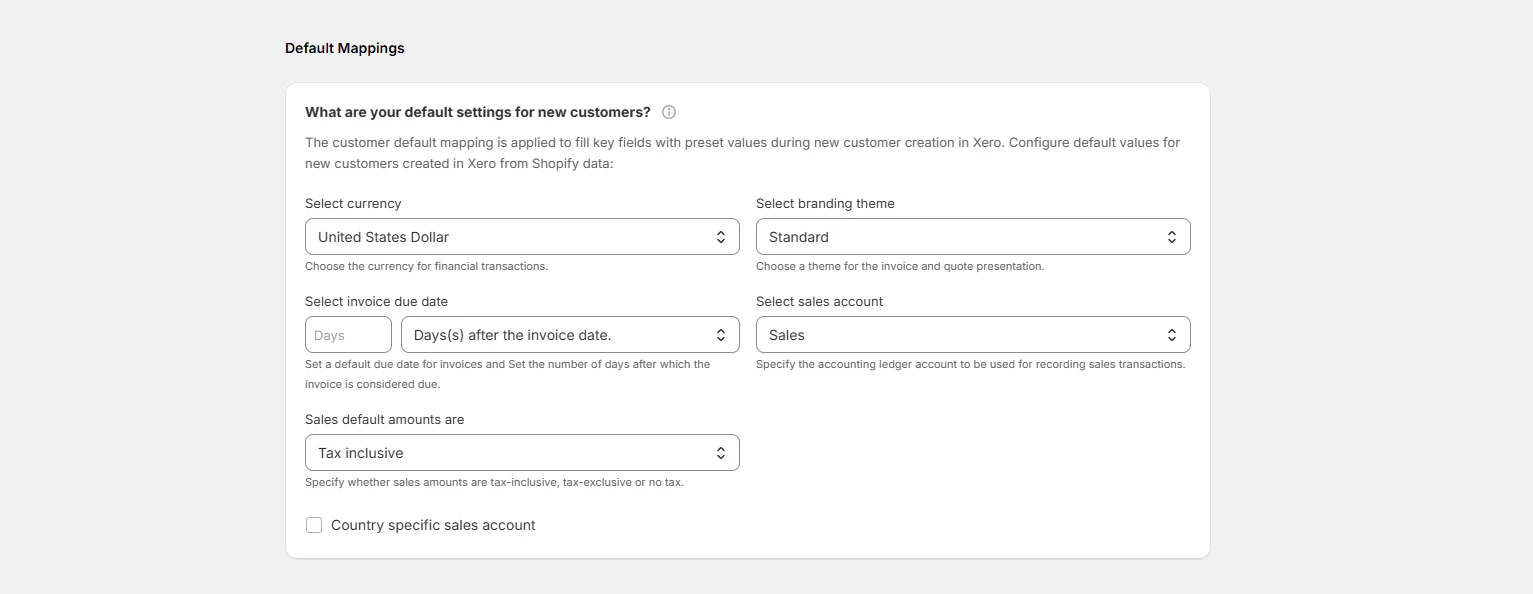
Default values set here will be applied automatically whenever a new customer is created in Tripletex from a Shopify order.
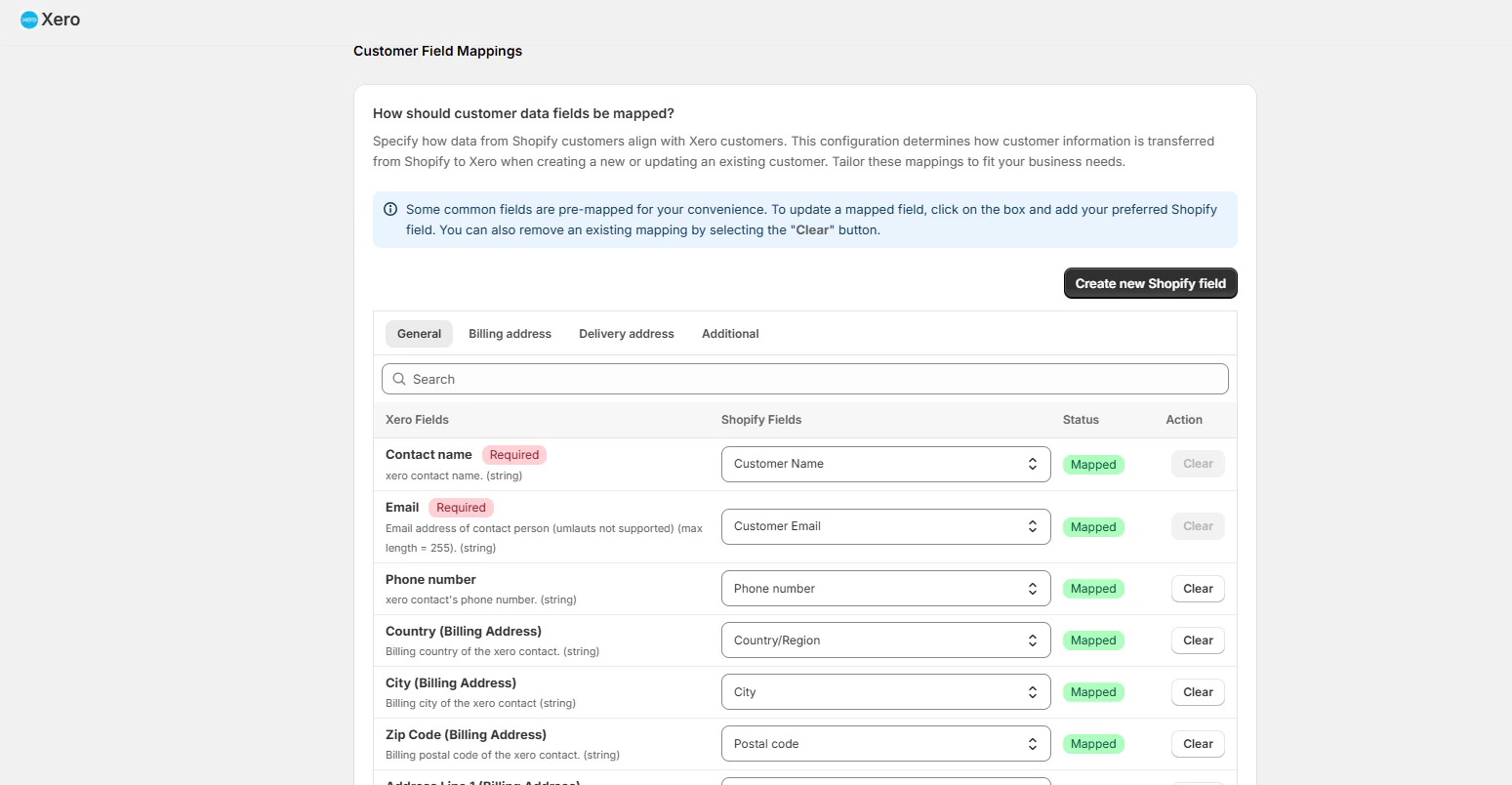
How Should Customer Data Fields Be Mapped?
Customise the data transfer from Shopify to Tripletex to ensure accurate synchronisation when a new customer is being created. Some fields are mapped by default. Click “Create new Shopify field” to add any additional mapping fields as needed.