Setting Up Product Sync Preferences
These settings control how the integration matches Shopify products to products in Tripletex when building an invoice, and what happens when no match is found.Choose a Product Search Method
When a Shopify order syncs, the integration needs to find the matching product in Tripletex before it can add it to an invoice. Pick how that lookup works:- Simple Search (using a specific field) — Match on a single field. Choose the Shopify field (e.g. Title) and the Tripletex field it should be matched against (e.g. Name). The integration looks for a Tripletex product where that field matches.
- Direct Link (no searching) — Manually link each Shopify product to a specific Tripletex product. No lookup runs — the integration uses the link you set. Best for smaller catalogs where you want exact control over which product maps to which.
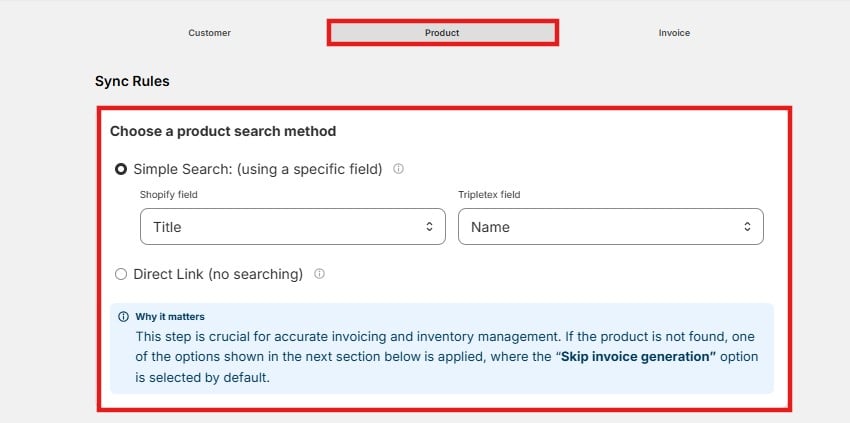
Why it matters: this step drives accurate invoicing and inventory. If a product can’t be found, the integration falls back to your setting in If product not found in Tripletex below — where Skip invoice generation is applied by default.
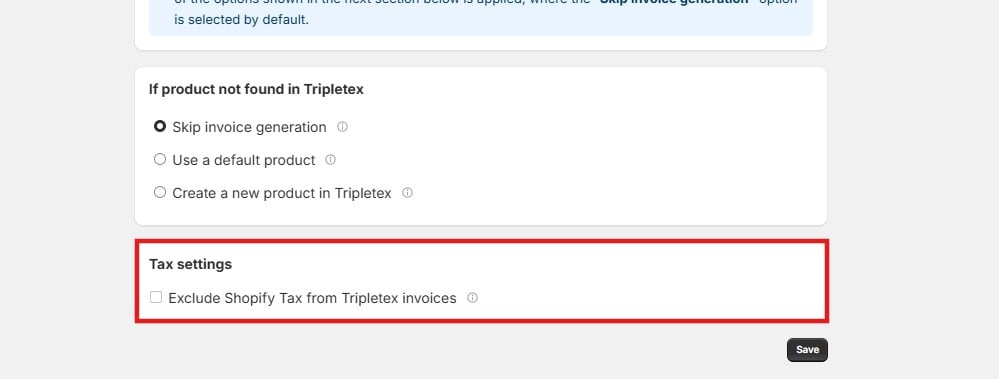
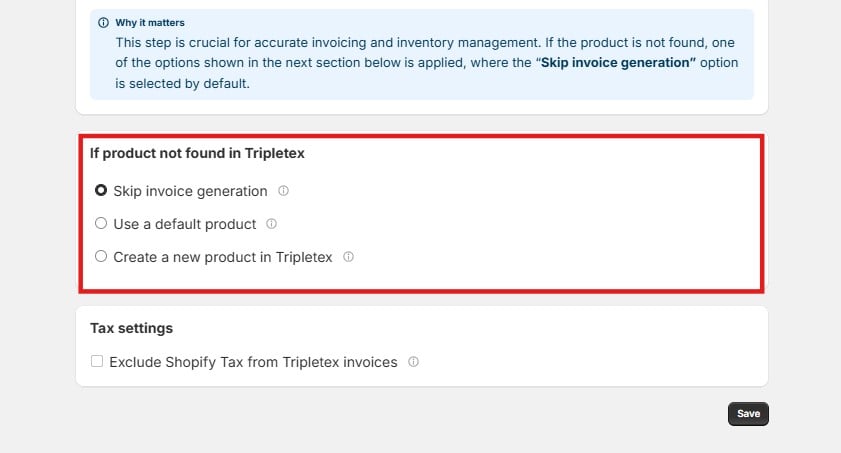
If Product Not Found in Tripletex
This decides what happens when the search above returns no match. Pick one:- Skip invoice generation (default) — The invoice is not created. Use this when you’d rather catch and fix a missing product than let an incomplete invoice through.
- Use a default product — The order still invoices, but the unmatched line uses an existing Tripletex product you nominate as the fallback.
- Create a new product in Tripletex — A new product is created from your product field mappings and added to the invoice. You’ll need to select a sales account for the new products.
Tax Settings
Enable Exclude Shopify Tax from Tripletex invoices to drop the tax that came in on the Shopify order. When enabled, only the relevant Tripletex tax is applied to the invoice. Cloudify does not calculate tax itself — the amount applied depends entirely on your existing tax configuration in Tripletex.