

What This Feature Helps You Do
- Update Multiple Company Records With The Latest Official Danish Data
- Reduce The Time And Effort Needed To Maintain CRM Accuracy
- Support Compliance And Better Decision-Making With Current Information
- Prepare Faster For Campaigns And Strategic Initiatives
- Scale Company Data Maintenance More Efficiently As Your Business Grows
How It Works
1
Select one or more companies by checking the box beside each company.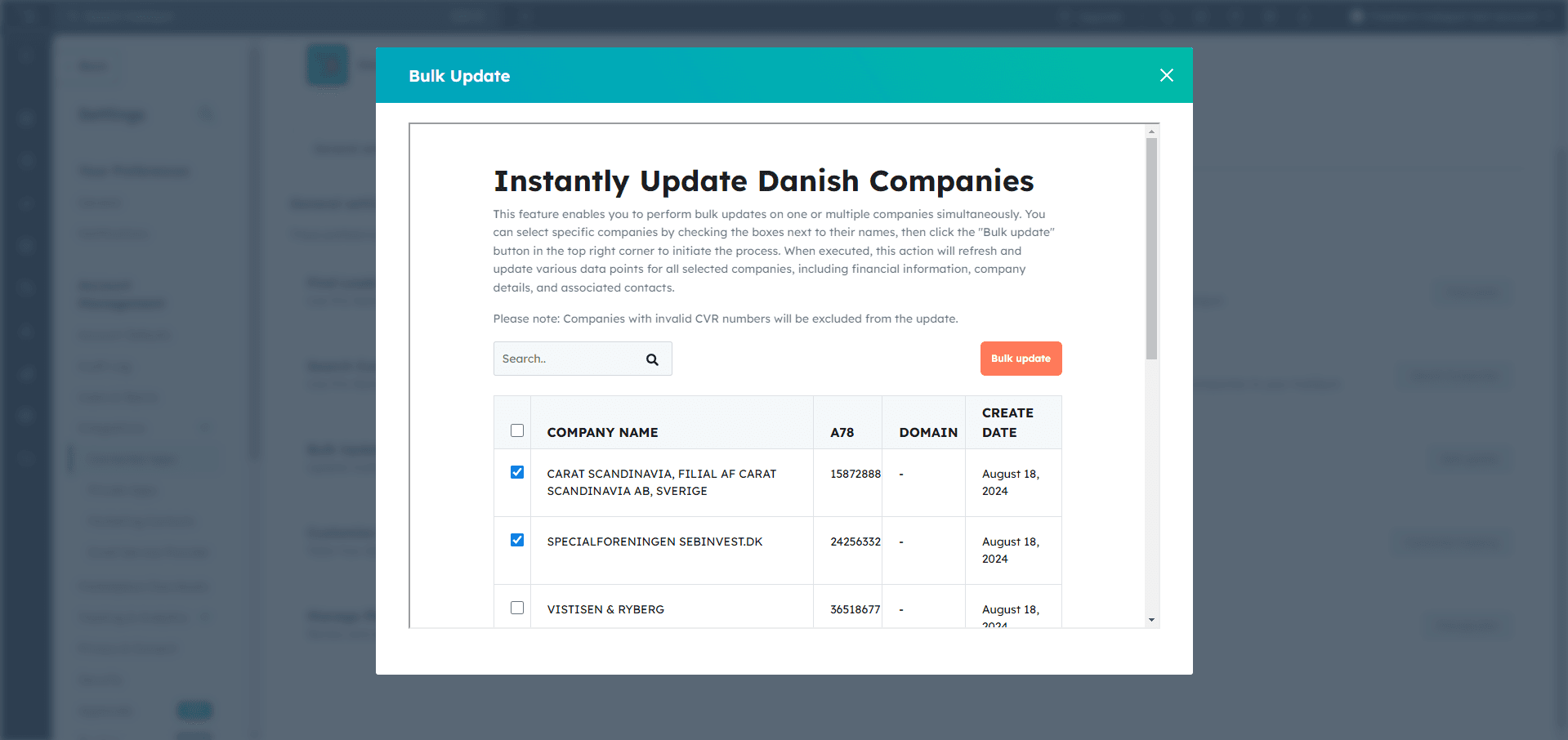
2
Click Bulk update to begin the update flow.
3
A new confirmation screen will appear.Review the company names, then click Update.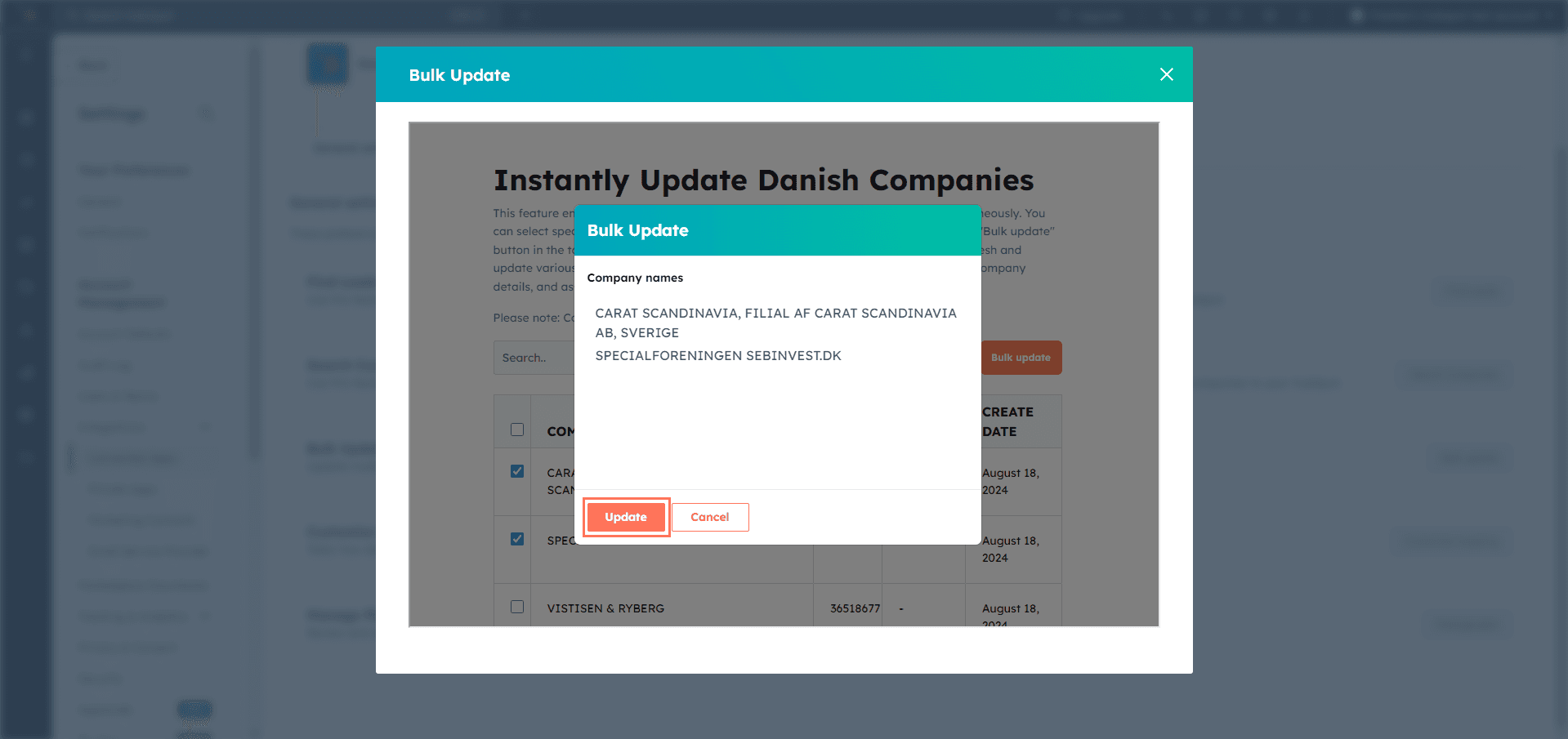
4
The app will begin updating the selected companies and show the progress in a status window.
Companies with invalid CVR numbers will be excluded from the bulk update.
Got Unique Integration Needs?
Our custom team can build tailored integrations, specialised data mappings, and workflow automations to match your business processes.