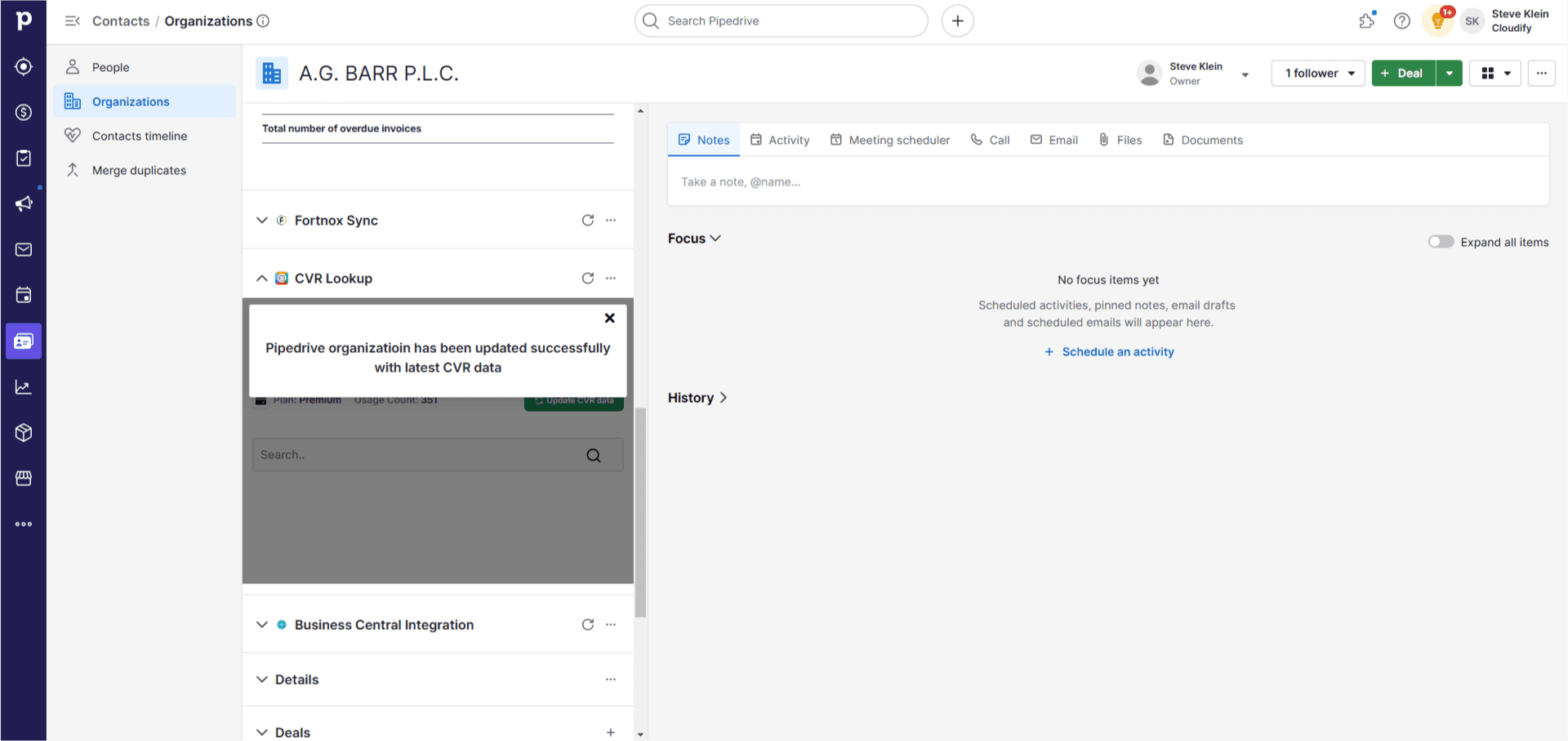
- Allows instant access to up-to-date Danish company data and financials without leaving Pipedrive
- Enables quick verification and updating of CVR data for existing records
- Facilitates easy addition of new Danish companies to the CRM with comprehensive information
- Provides financial insights directly in the dashboard, supporting informed decision-making
- Streamlines the process of maintaining accurate and current Danish company records
How Does It Work?
1
Click on “Contacts” and select the “Organisation” option.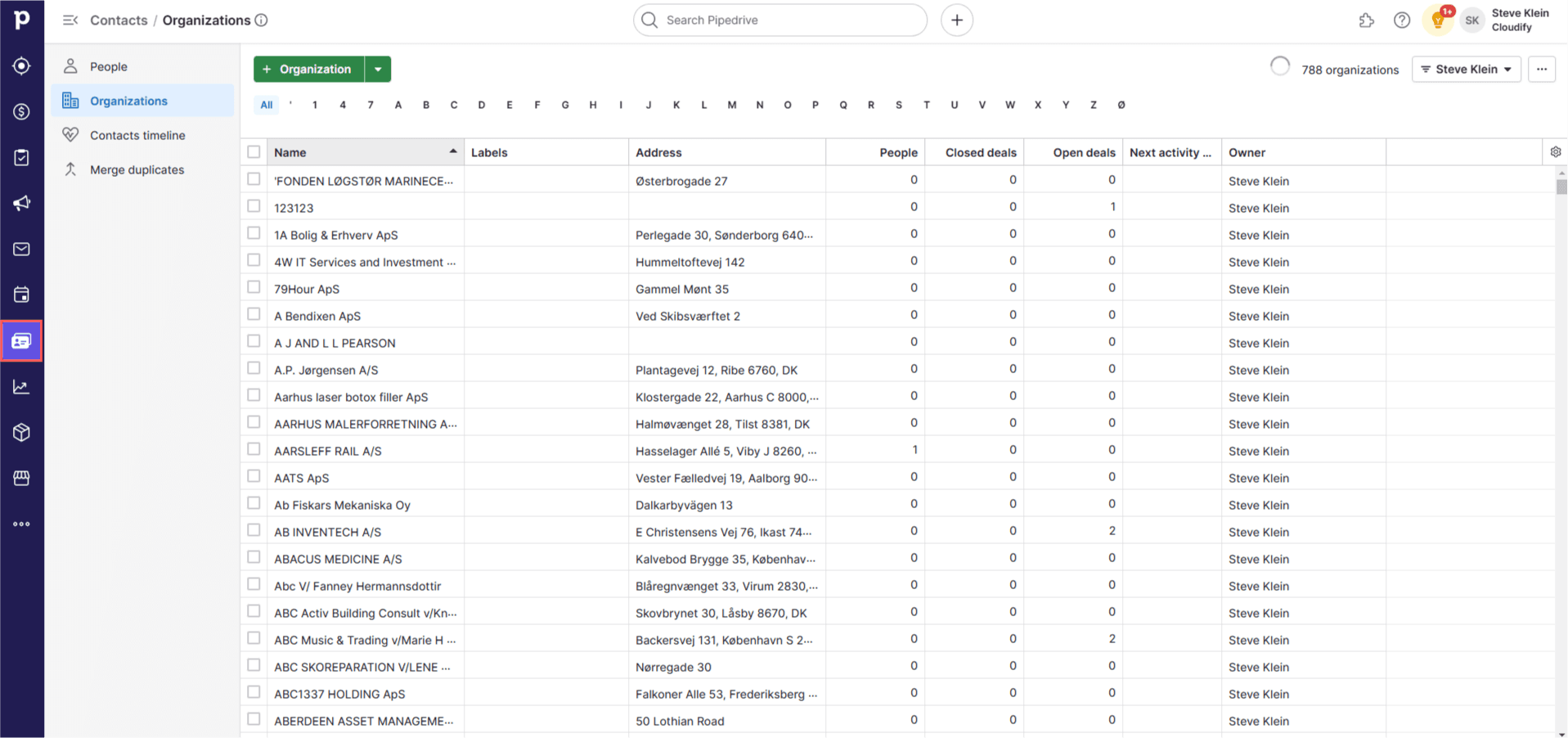
2
Click on an organisation. On the left side of the window, you will see a panel named “Danish CVR Lookup”.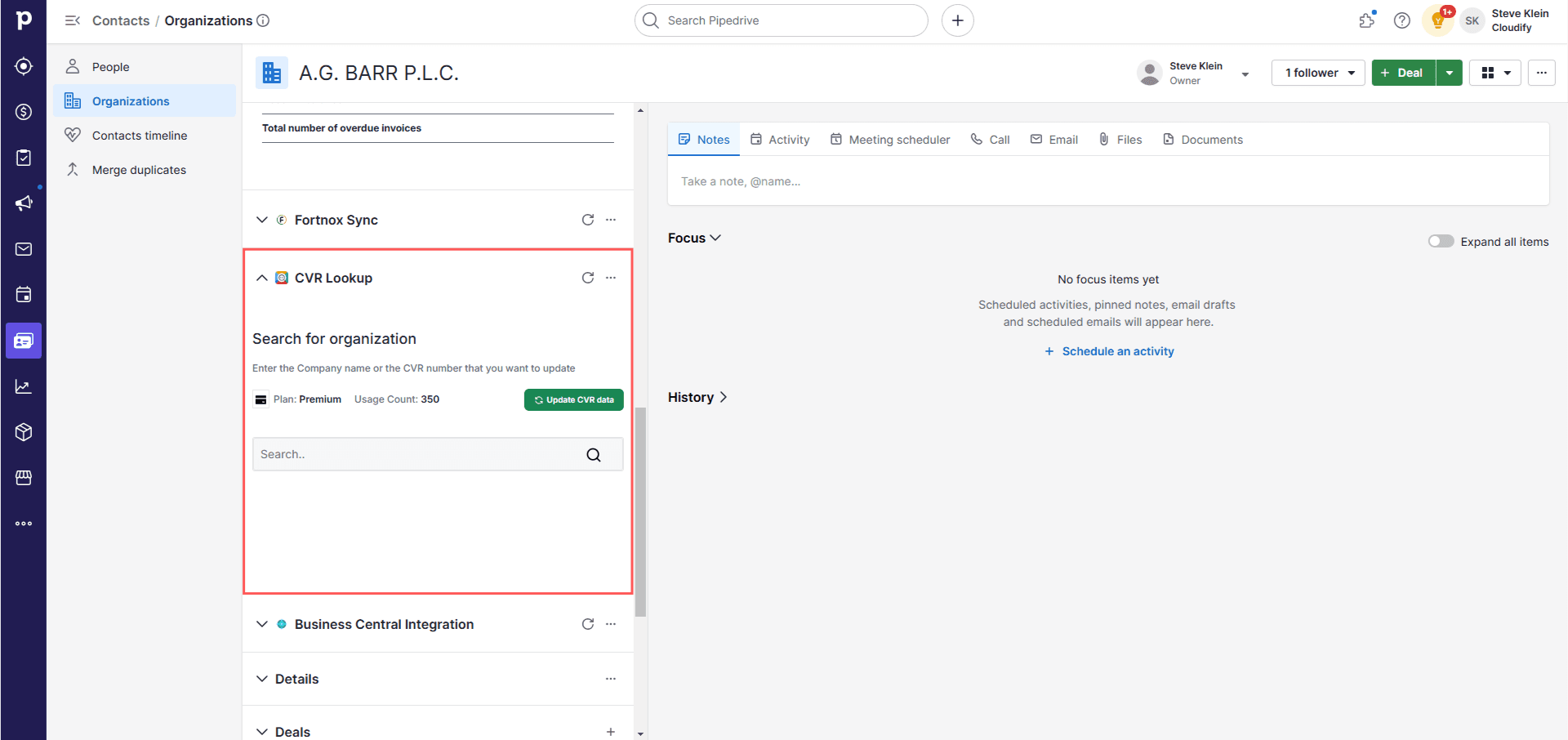
3
You will find two options: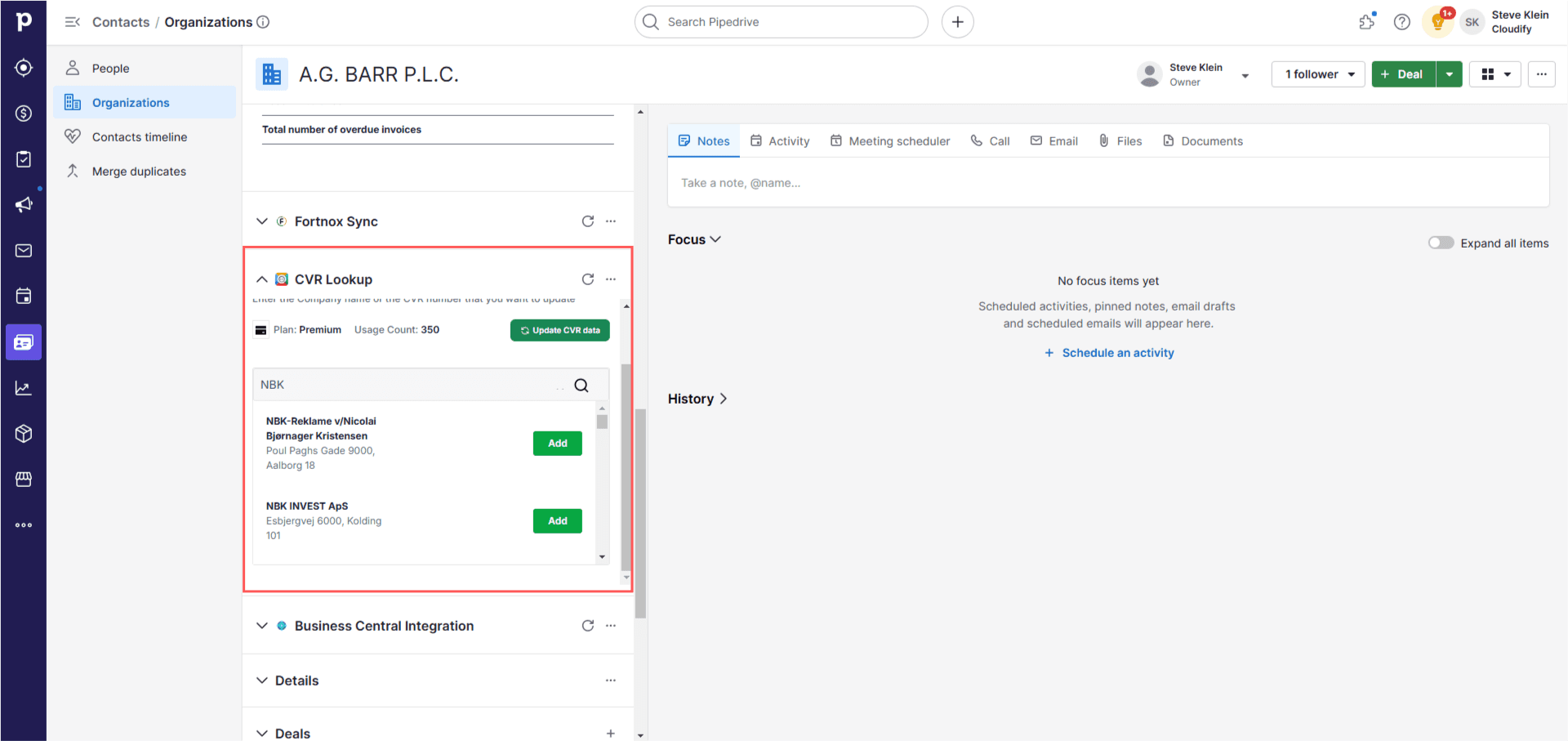
- Update CVR Data — updates only the CVR data for the current organisation
- Search Organisation — view the financials or add a new organisation
4
Once the data is updated, you will be able to see the financial data table in the dashboard.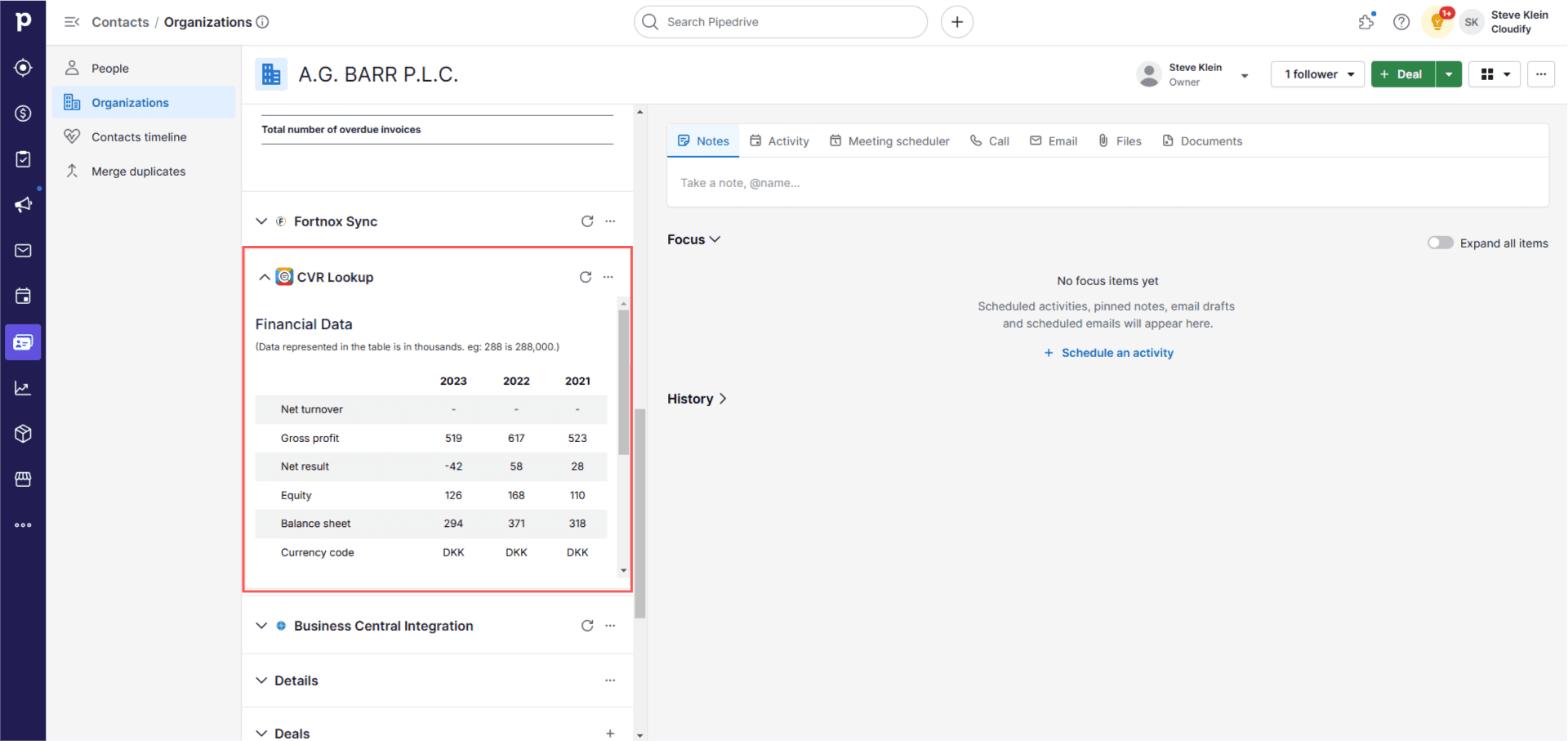
5
Clicking “Search Organisation” opens a search window. Enter any Danish organisation name or a valid CVR number to search.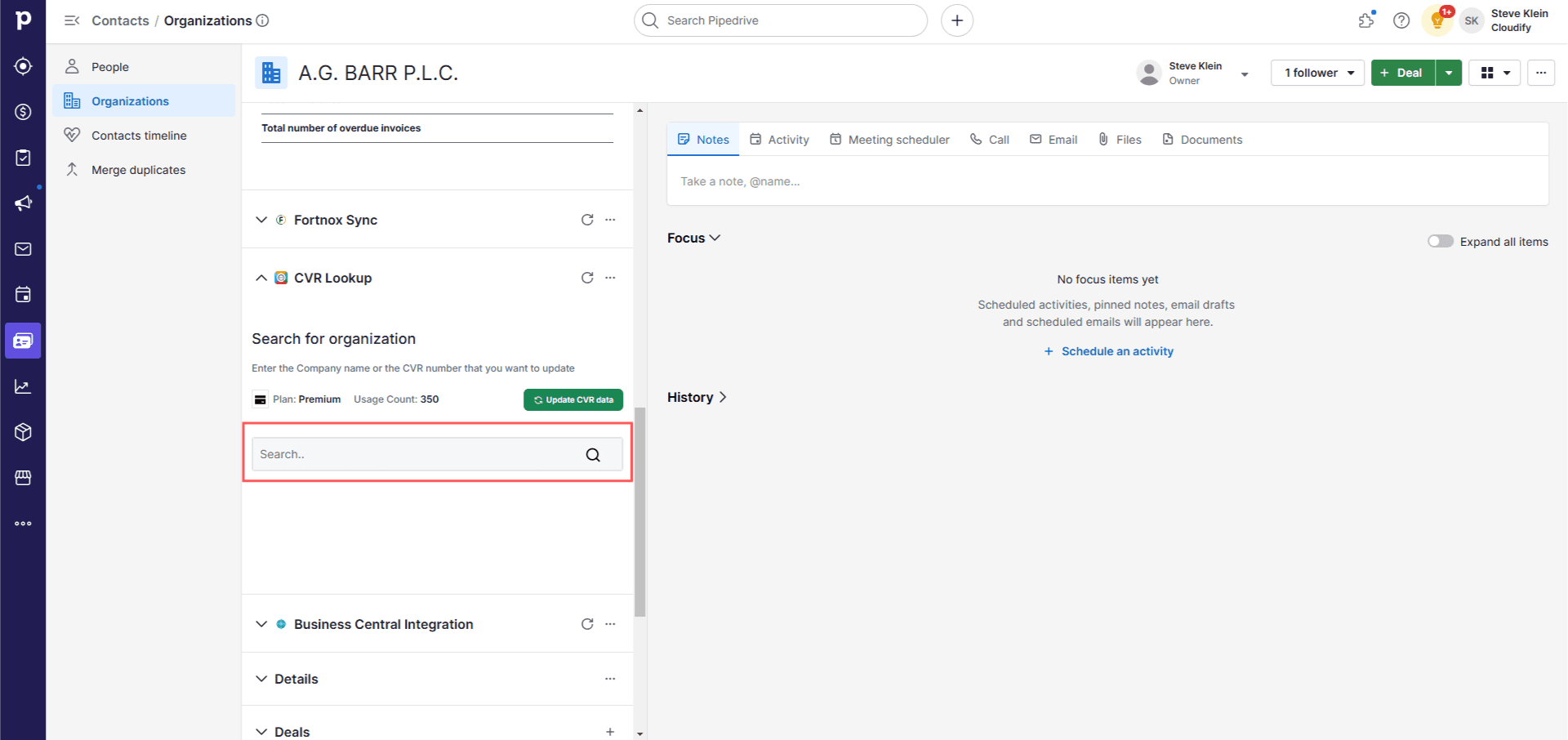
6
Click “Add” for the company you want to add. This will add all that organisation’s data and financial data to the company currently open in your Pipedrive CRM.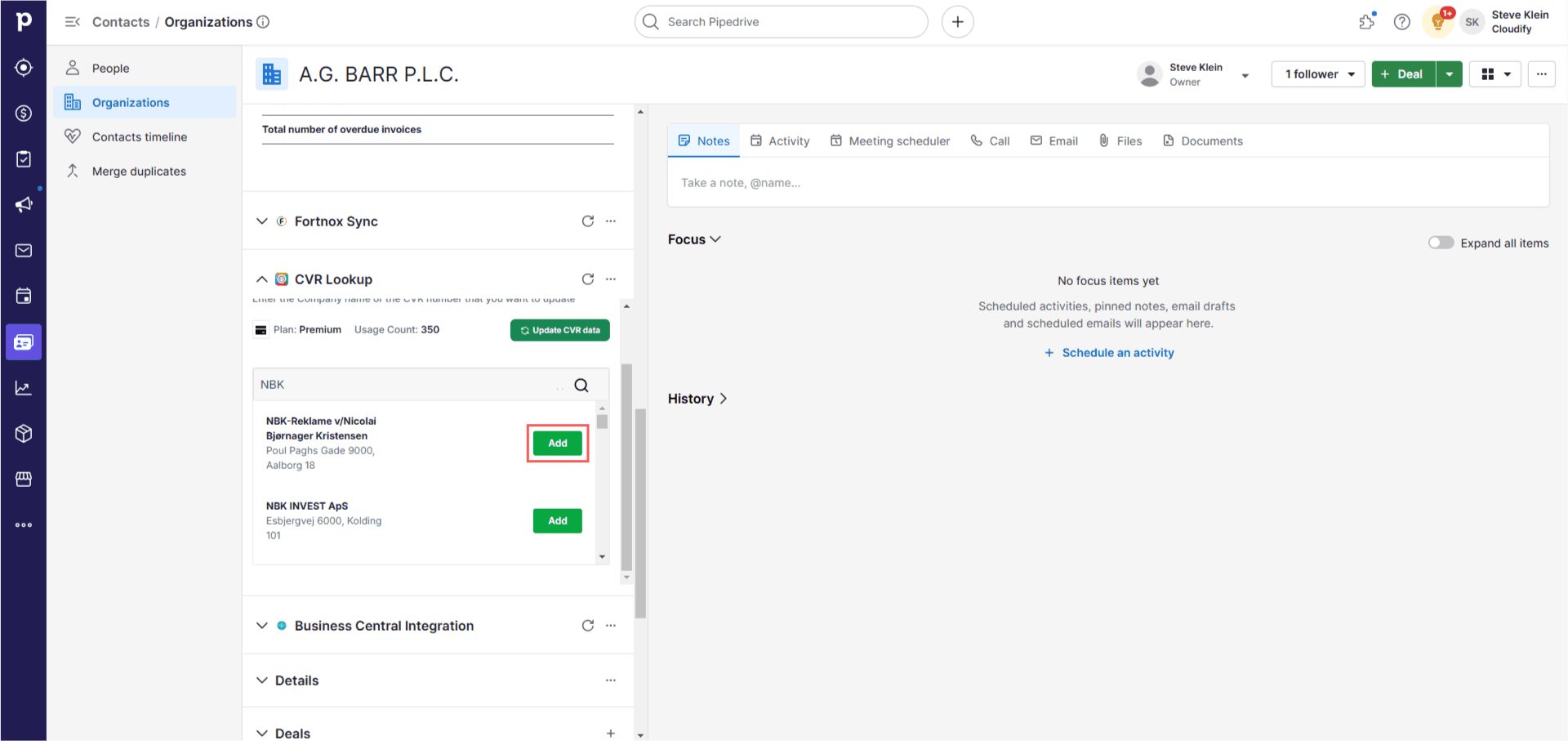
7
After successful addition, a success window will pop up. Refresh the page to see the newly inserted data.