

- Quickly access and verify official Danish company data
- Effortlessly enrich Pipedrive CRM with accurate, up-to-date information
- Conduct targeted research for sales, partnerships, or competitive analysis
- Support compliance, due diligence, and supply chain management efforts
- Facilitate efficient market entry and expansion strategies
How Does It Work?
1
In the Global Search bar, enter the name or CVR number of the company you are looking for.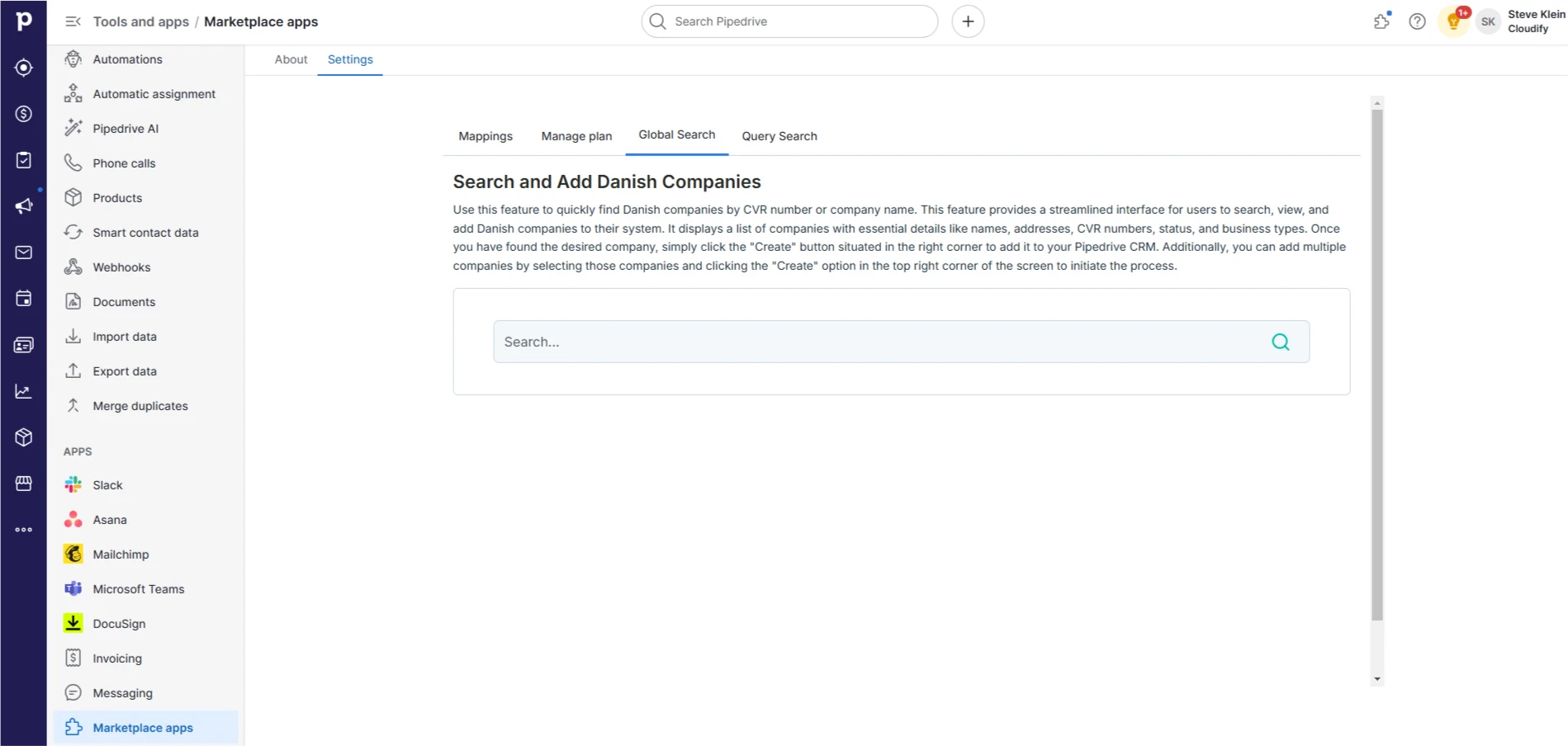
2
Click the “search” icon or press Enter to find the company.
3
Once you find the desired company, click the “Create” option on the right to add the company to your Pipedrive CRM. You will receive a successful message once the company is added.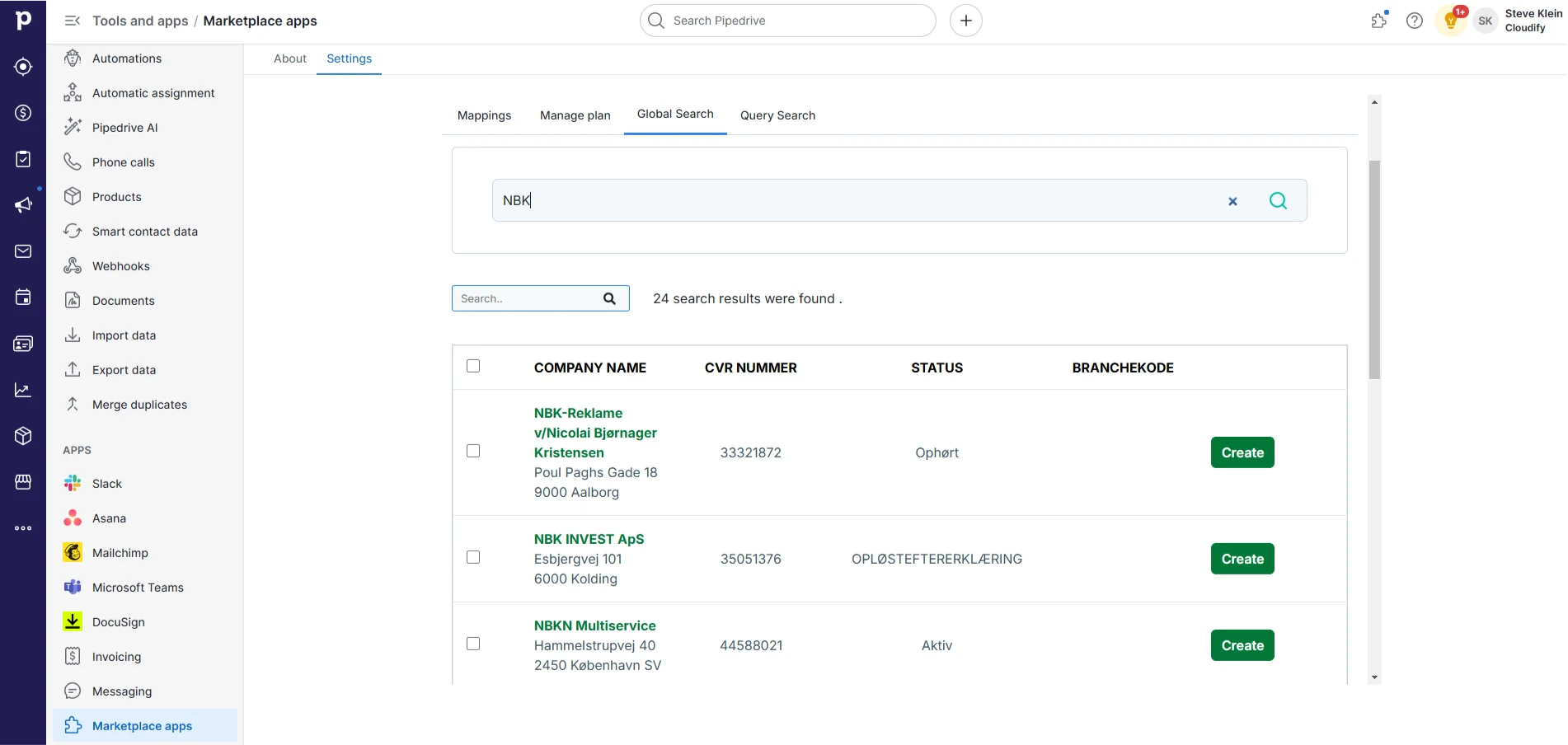
4
If you have selected multiple companies, tick the checkbox and click the “Create” option on the top. A new screen will appear. Again, click “Create”. You will receive a successful message. 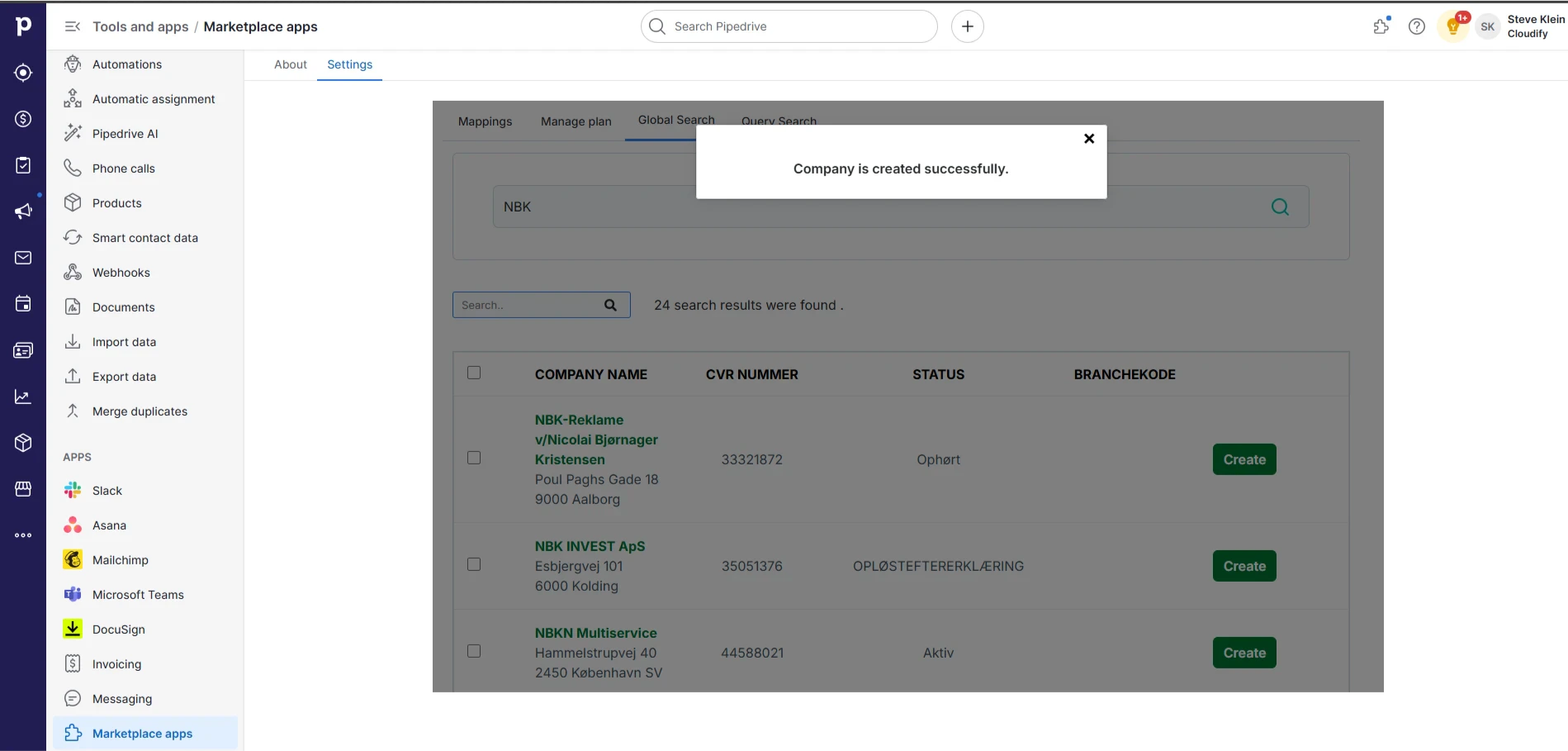
5
Close the window.