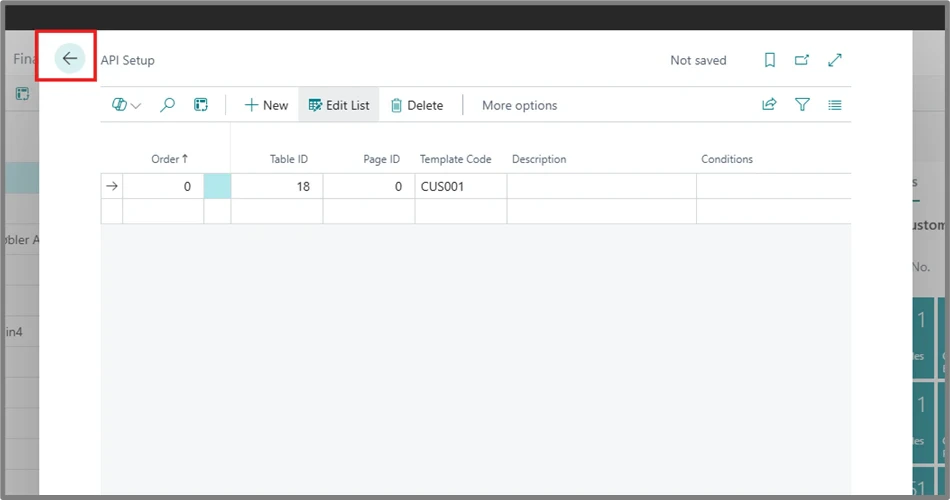
Note: Setting these default values are mandatory for the integration to run. If these default values are already set, then there is no need to set them again. If not already set, please follow the steps shared below
Step-by-Step Instructions:
1
Click on the search bar and type “API”. Select “API Setup” from the search result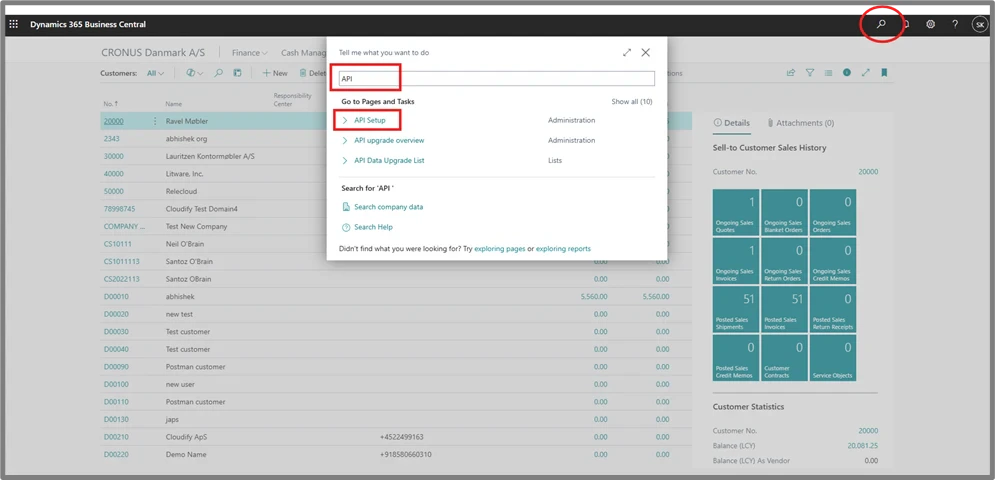
2
Click on the drop-down button next to “Table ID” and select “Customer” from the list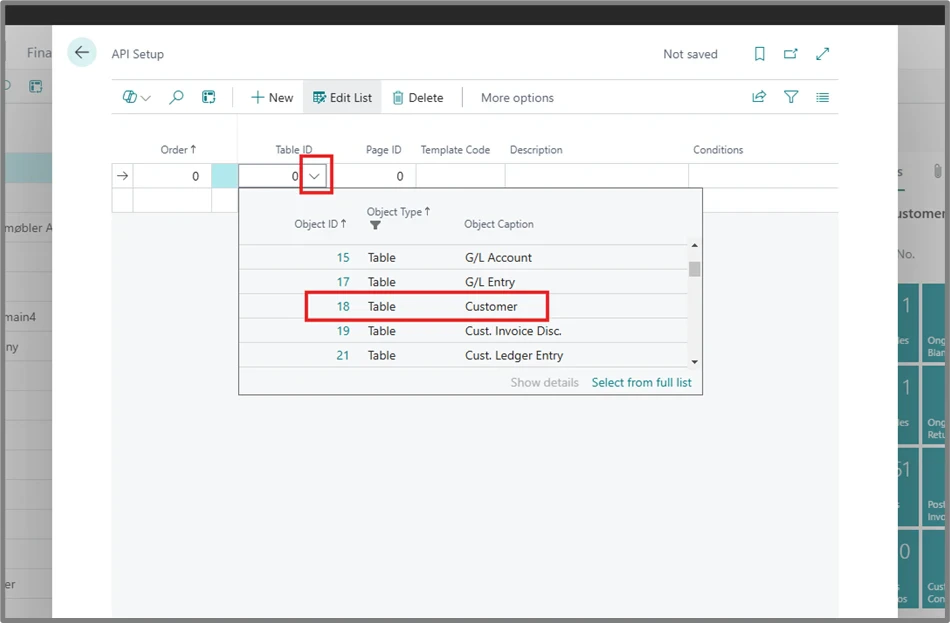
3
Click on the drop-down in the “Template Code” field. Click on “+ New” button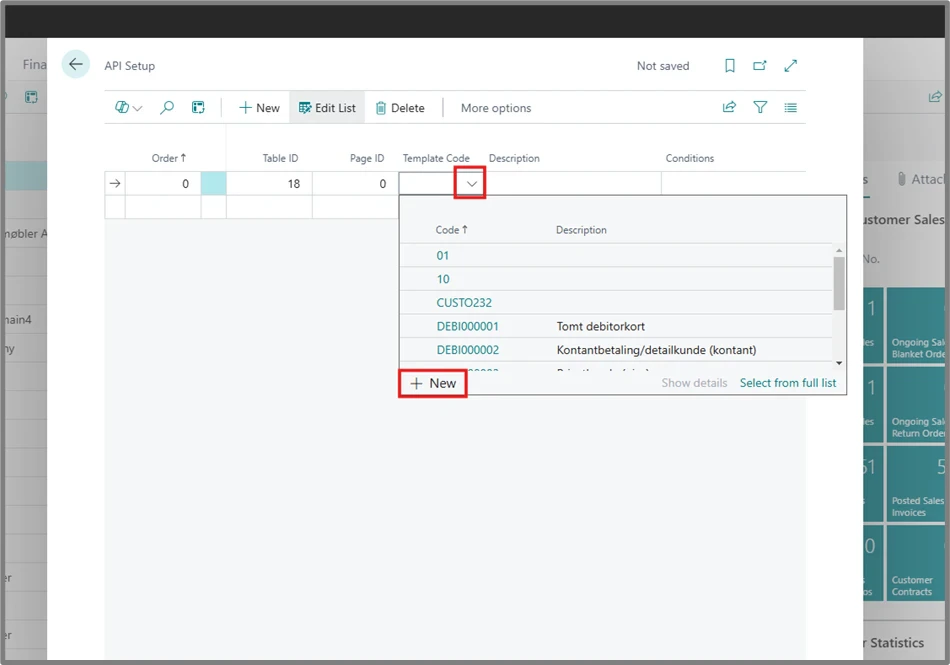
4
In the “Code” section, enter any default code. For example, “CUS001”. In the “Description” section, enter a short description. For example, “for posting group fields”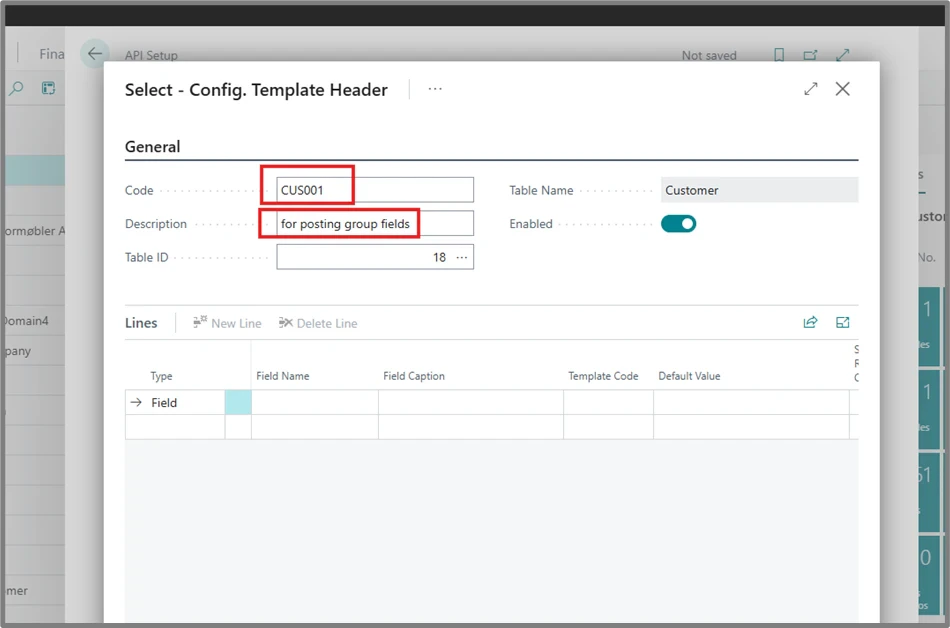
5
Click on the empty space under “Field Name”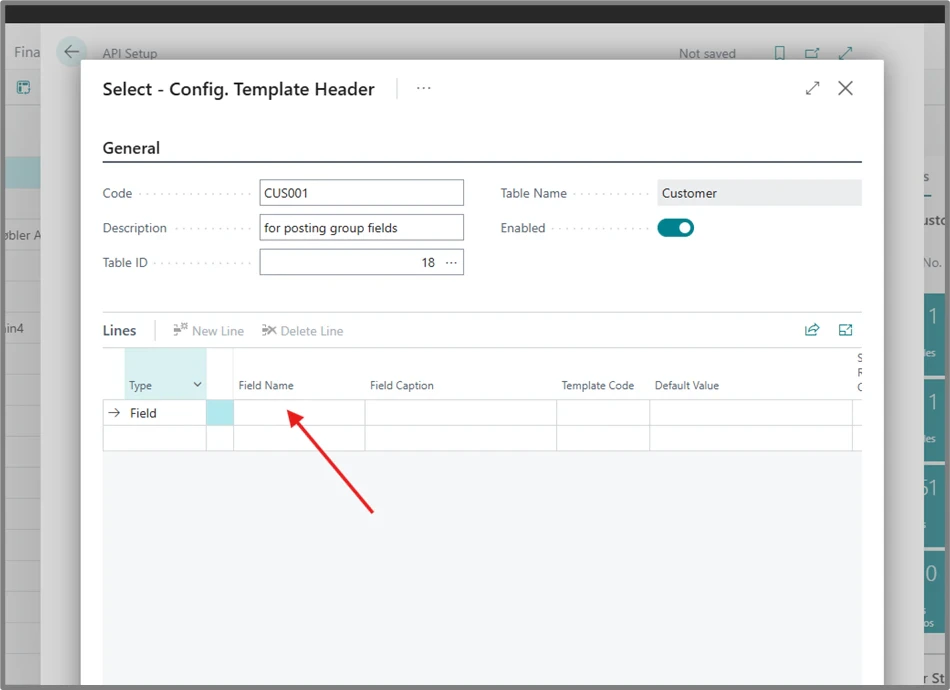
6
Click on the search button and enter “post”. This will show all posting-group fields. Click on “Customer Posting Group” and press “OK”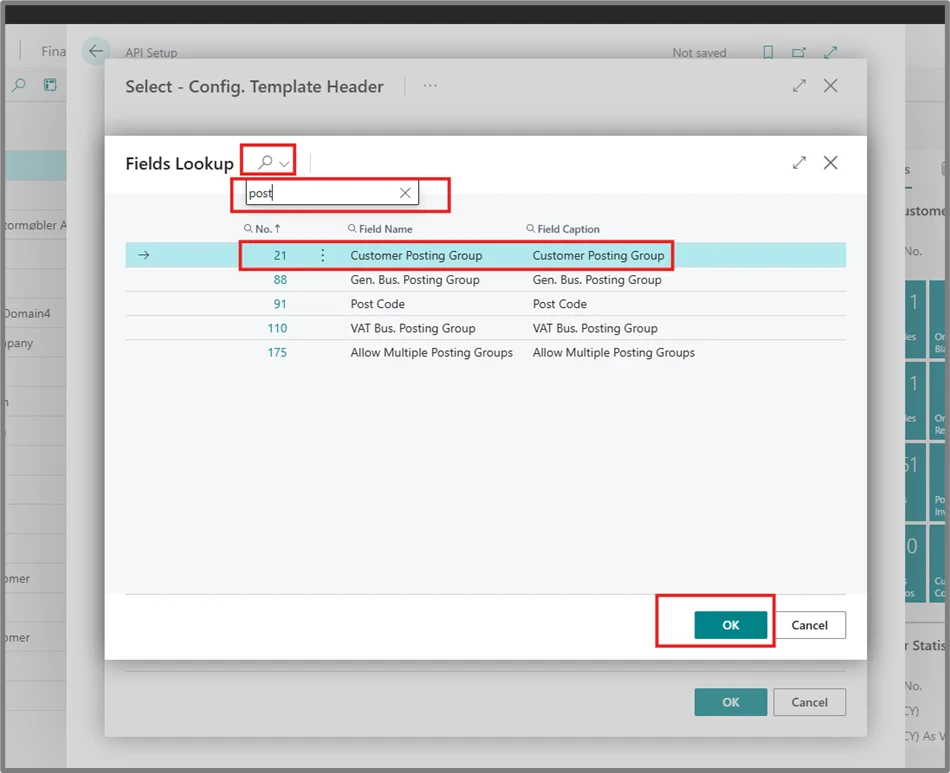
7
Enter the Code and Description as shown below. Then click on the three-dots under “Default Value”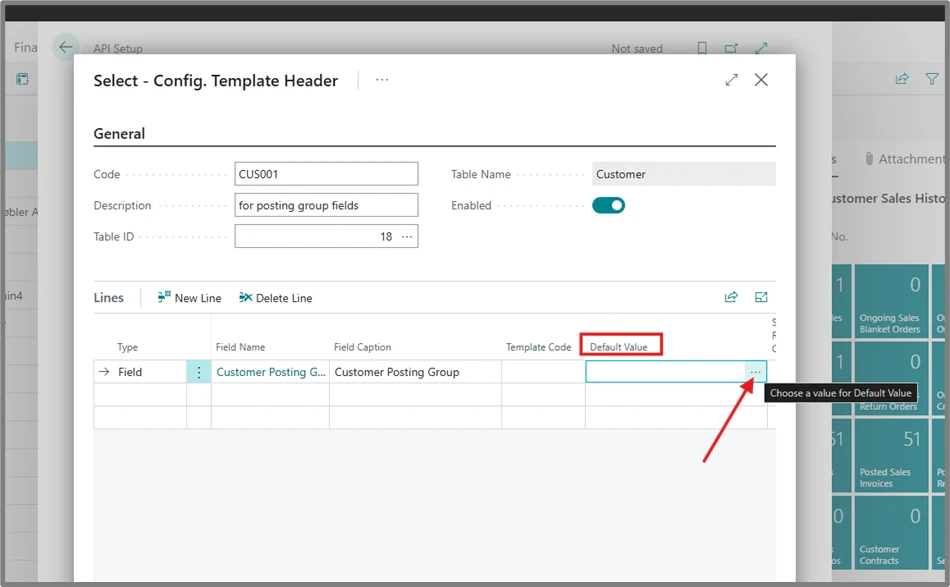
8
Select a code from this list.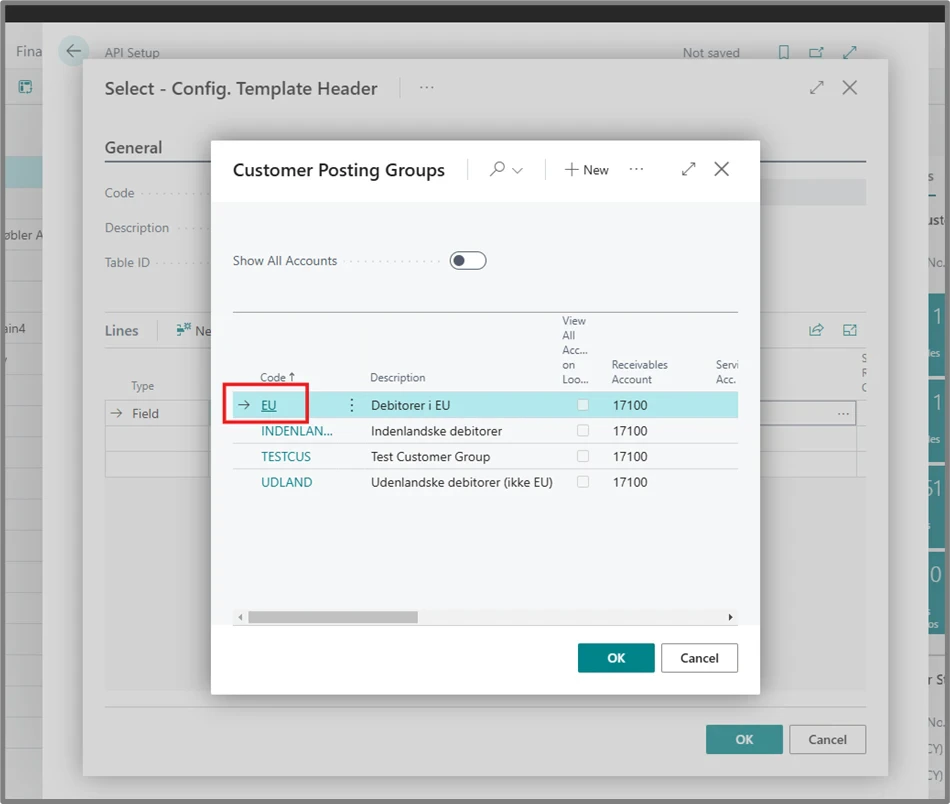
9
Repeat the steps for the remaining posting-group fields. Click again on the empty space under the Customer Posting Group field name.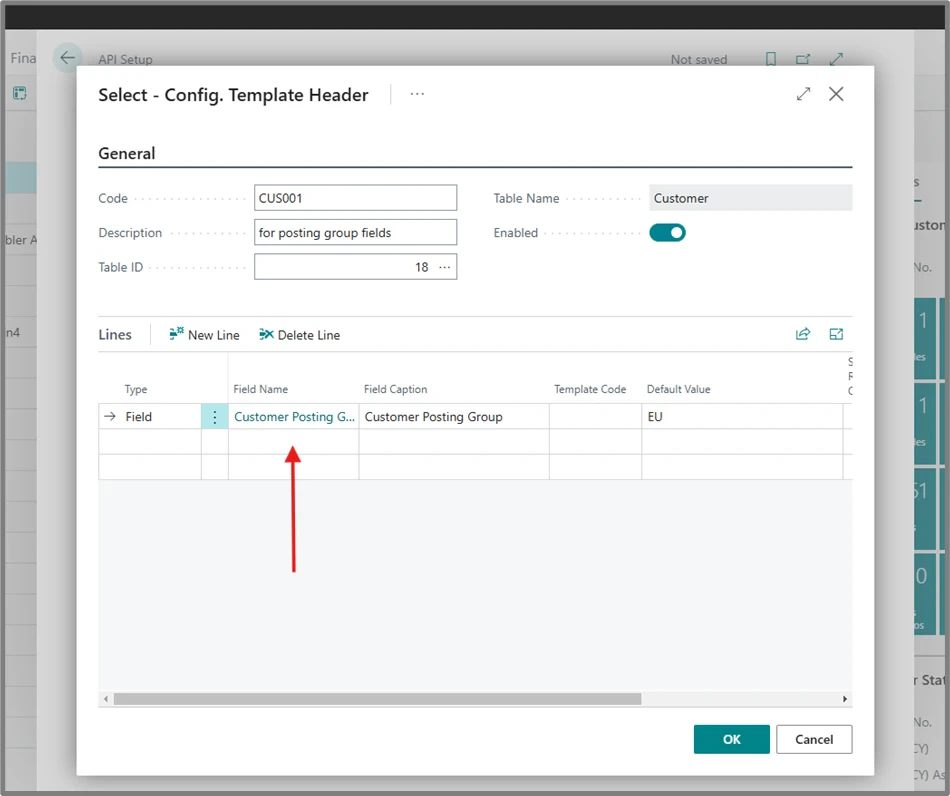
10
Click on the search icon and type “post” again. Now add “Gen. Bus. Posting Group” first, followed by “VAT Bus. Posting Group”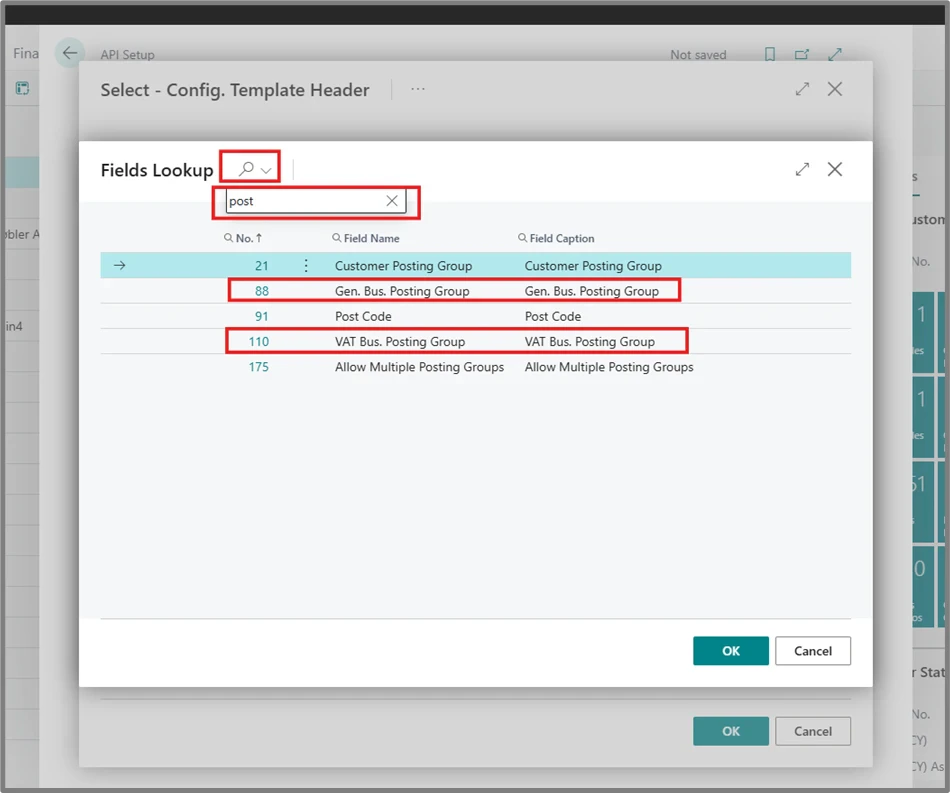
11
Click on the back button or somewhere outside to close this window.