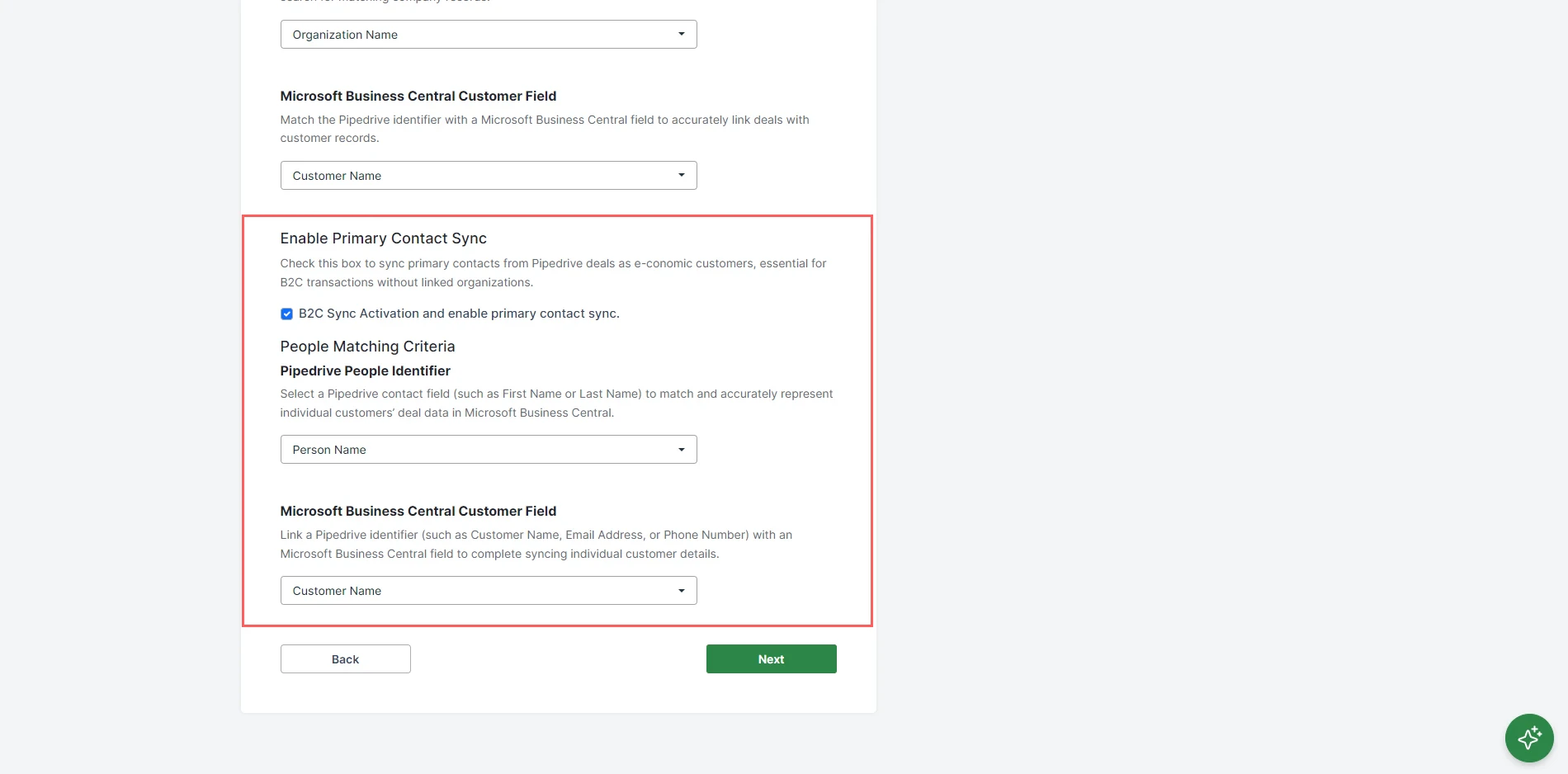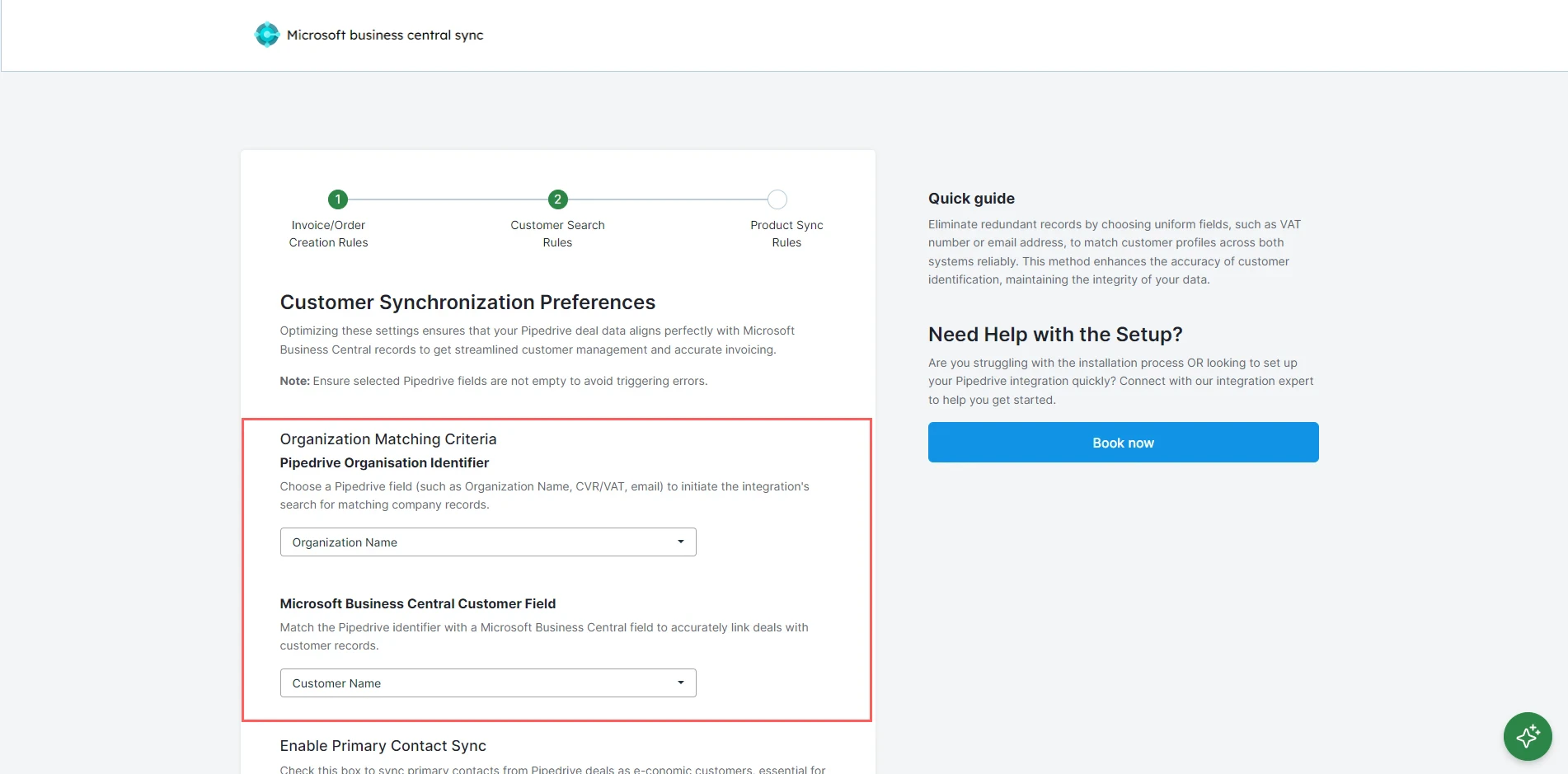
This feature is essential for businesses dealing directly with consumers, allowing the seamless addition of individual contacts from Pipedrive to Microsoft Business Central as customers when there’s no associated company. Therefore, if this is the case, check “Enable Primary Contact Sync.” From the “Pipedrive Contact Identifier” dropdown menu, select the Pipedrive field that uniquely identifies your contacts, such as person name and email.
From the “Microsoft Business Central Contact Field” dropdown menu, select the corresponding field in Microsoft Business Central that should be used to match and identify the same contact. This should also be a unique identifier like an email address or customer number in Microsoft Business Central. Click “Next”.