

What This Feature Helps You Do
- Reduce Manual Data Entry
- Improve Data Accuracy
- Work More Efficiently Inside HubSpot
- Verify Company Details In Real Time
- Support Better VAT Compliance
How It Works
1
Open a company inside your HubSpot CRM.
2
On the right side of the record, find the Company VAT Lookup CRM card.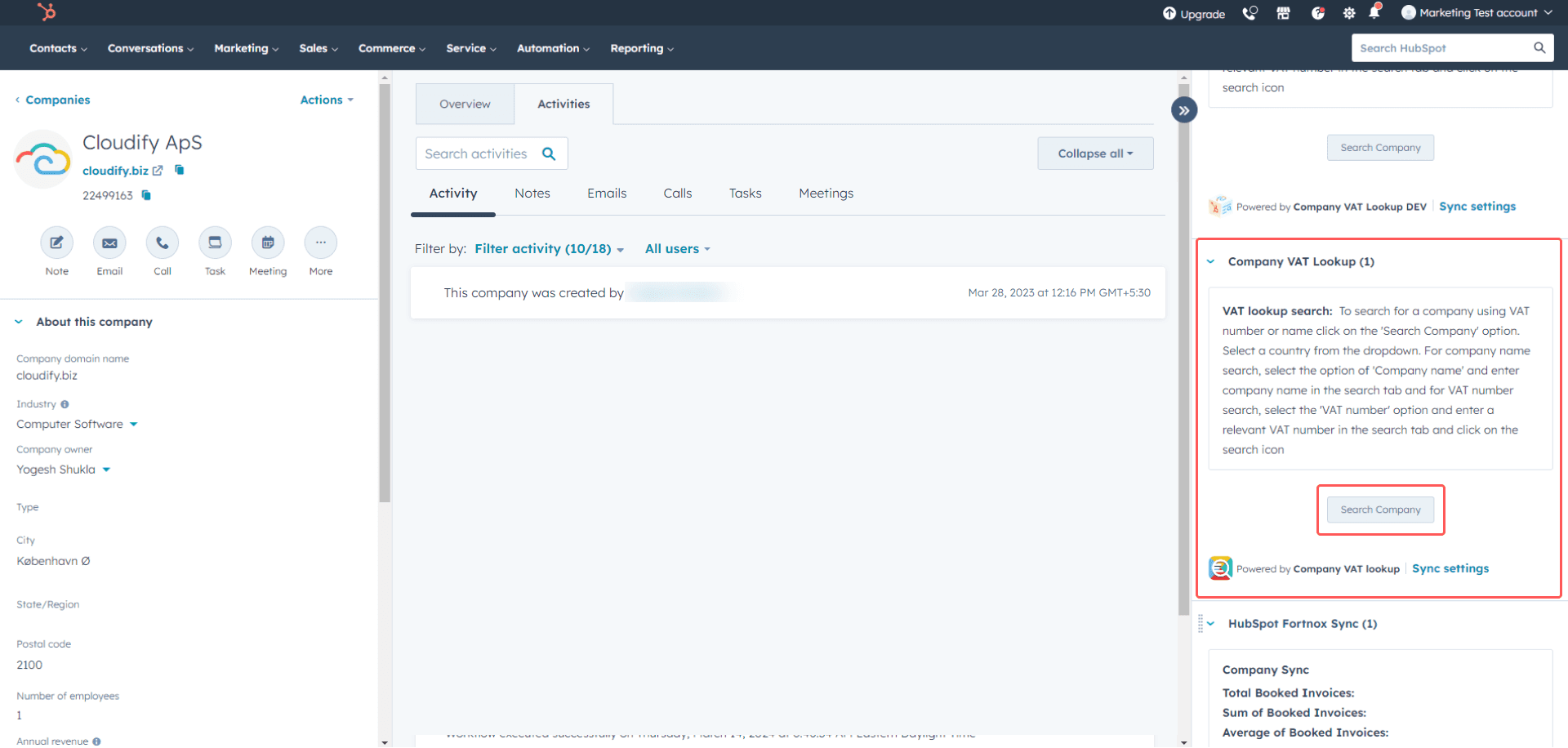
3
Click Search Company.
4
Select a country, then search by VAT number or company name.For Denmark, use the CVR number when searching by VAT number.
5
Click Add for the company you want to apply to the current HubSpot company record.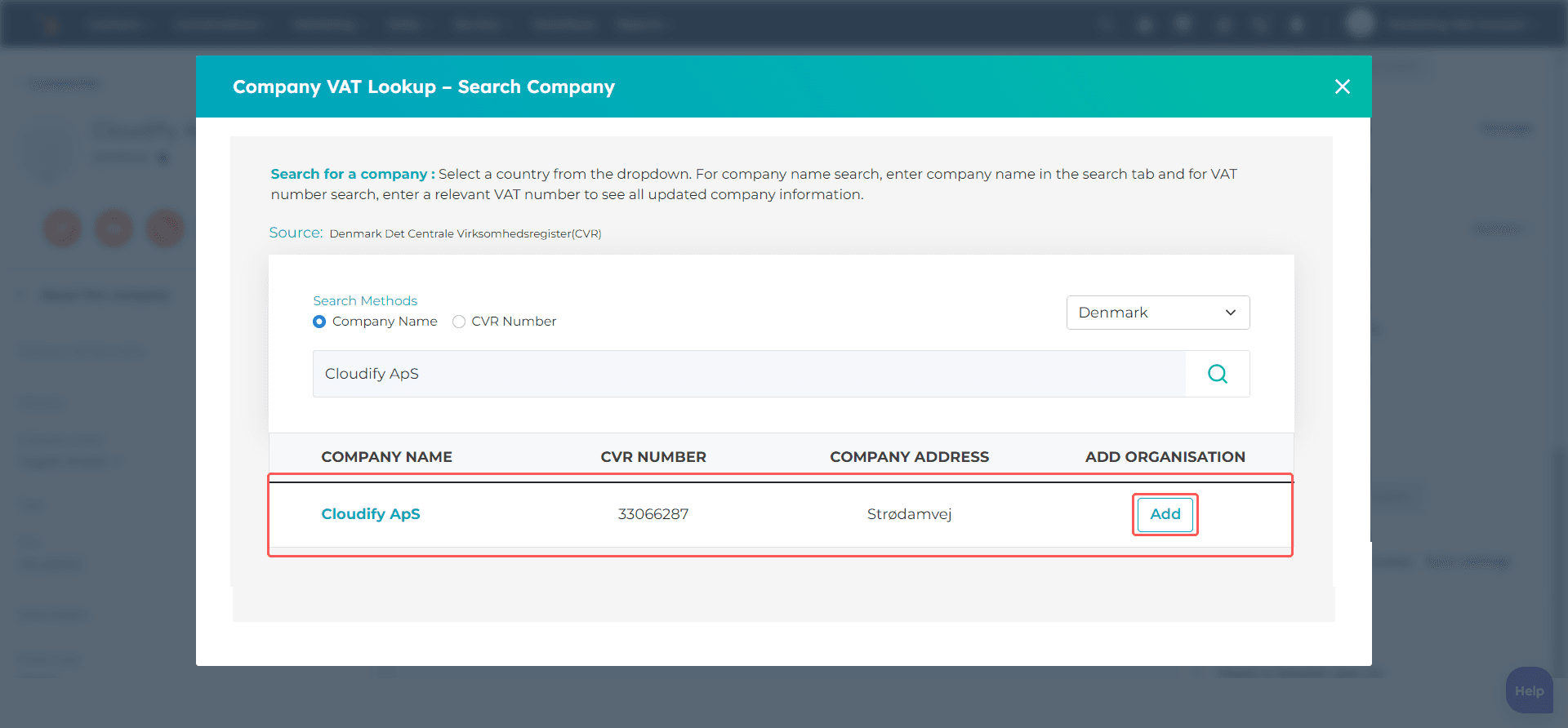
6
After the company is added successfully, close the window and refresh the page to view the inserted data.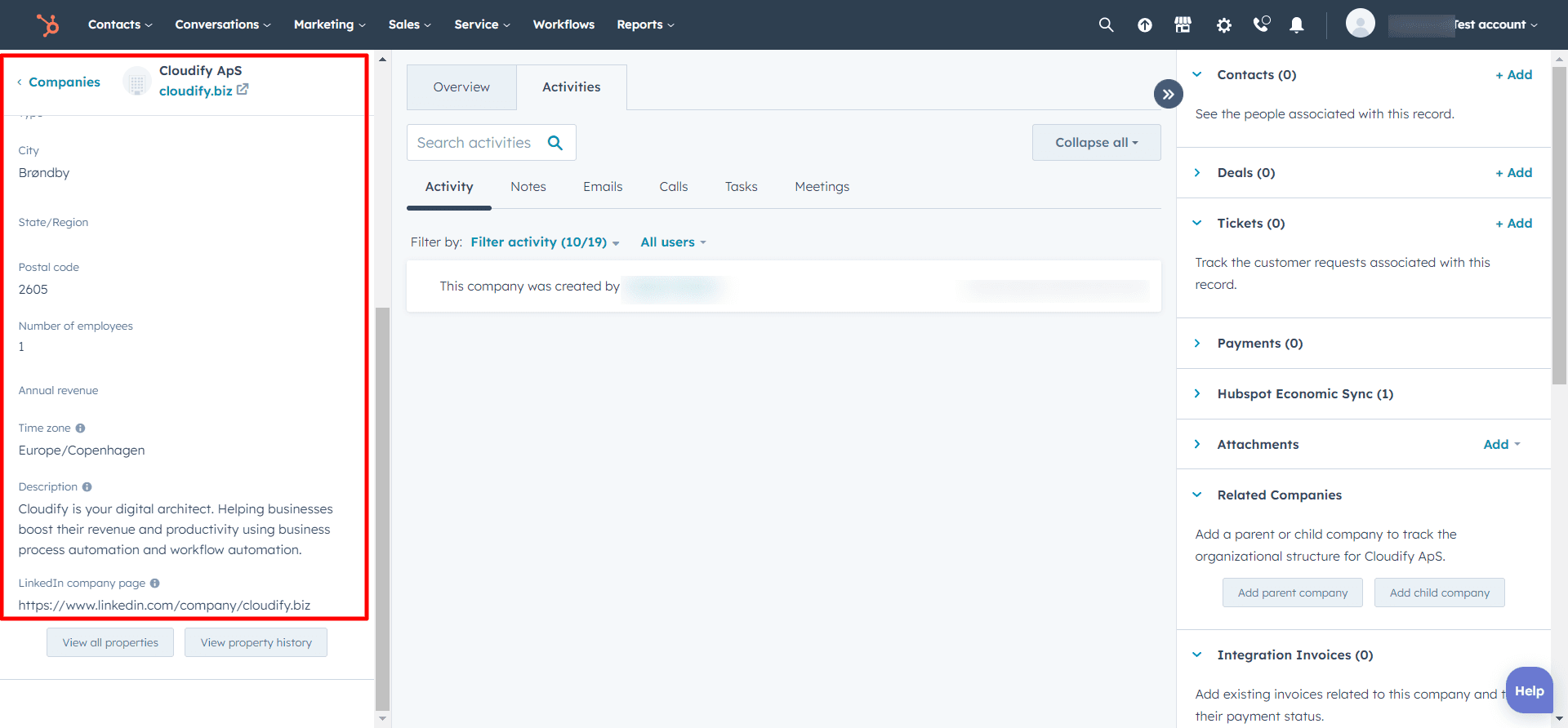
Need Something More Advanced?
Cloudify can help with tailored workflows, mappings, and specialised integration requirements.