

Why This Matters
- Compliance With Country-Specific VAT Rules
- Better Data Integrity Between VAT Data And HubSpot
- More Efficient Workflows
- Flexibility For Unique Business Requirements
- More Accurate Reporting
- Easier Scaling Across Countries
Supported Countries
The source page lists support for these country mappings:- Denmark
- United Kingdom
- Sweden
- Australia
- Norway
- Switzerland
- Finland
Country-Specific Fields
Some data fields vary by country:- Australia: State, Zip Code
- Finland: City, Language
- Denmark: Registration Number, Phone, Email
- Norway: Municipality, Industry Description, State, Zip Code, Extra Information
- Sweden: Industry Description
- Switzerland: State, Zip Code, Capital Nominal
- United Kingdom: Capital Nominal
How It Works
1
Choose the country from the dropdown.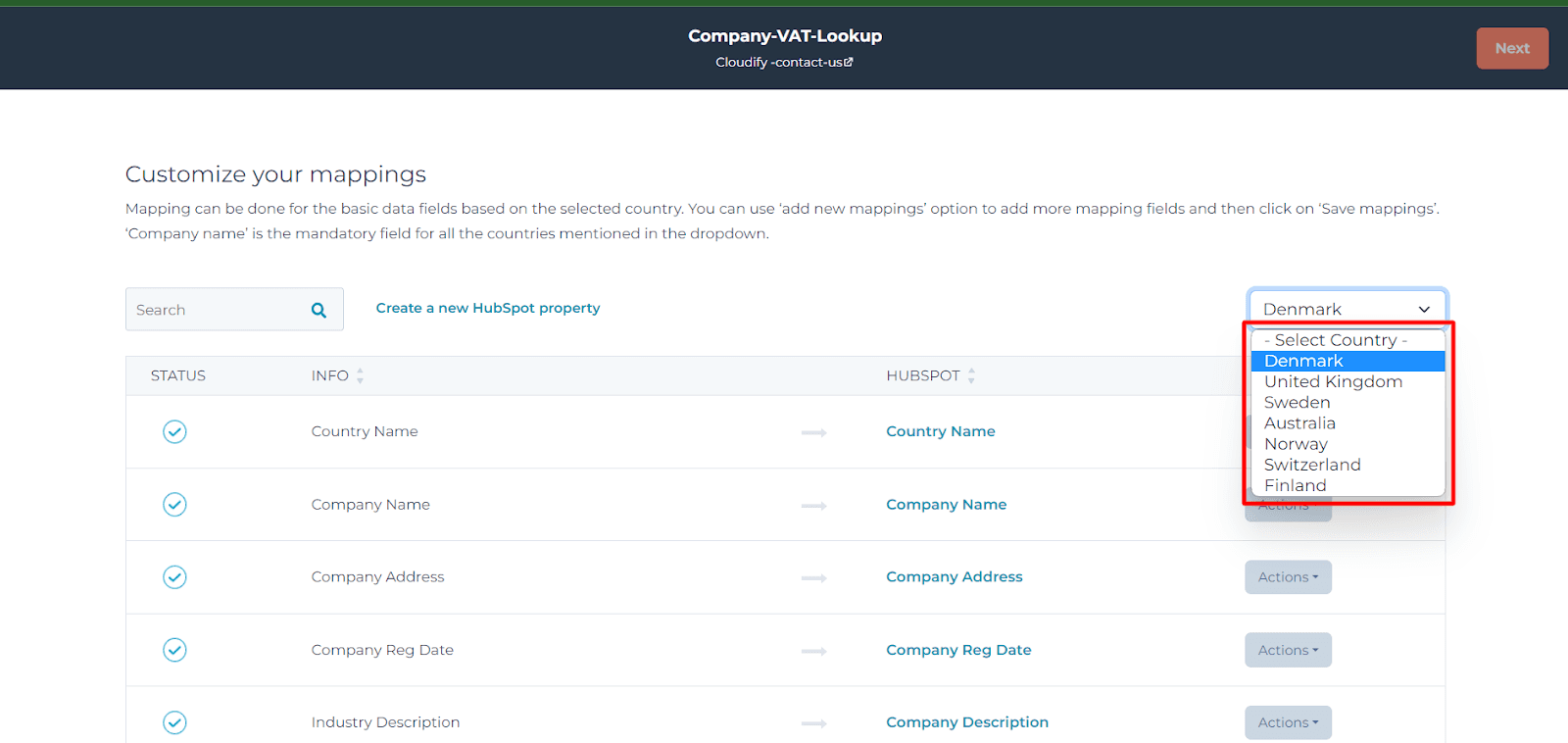
2
Review the VAT fields shown for the selected country and make sure they map to the correct HubSpot properties.
3
Use Actions to update any field mapping.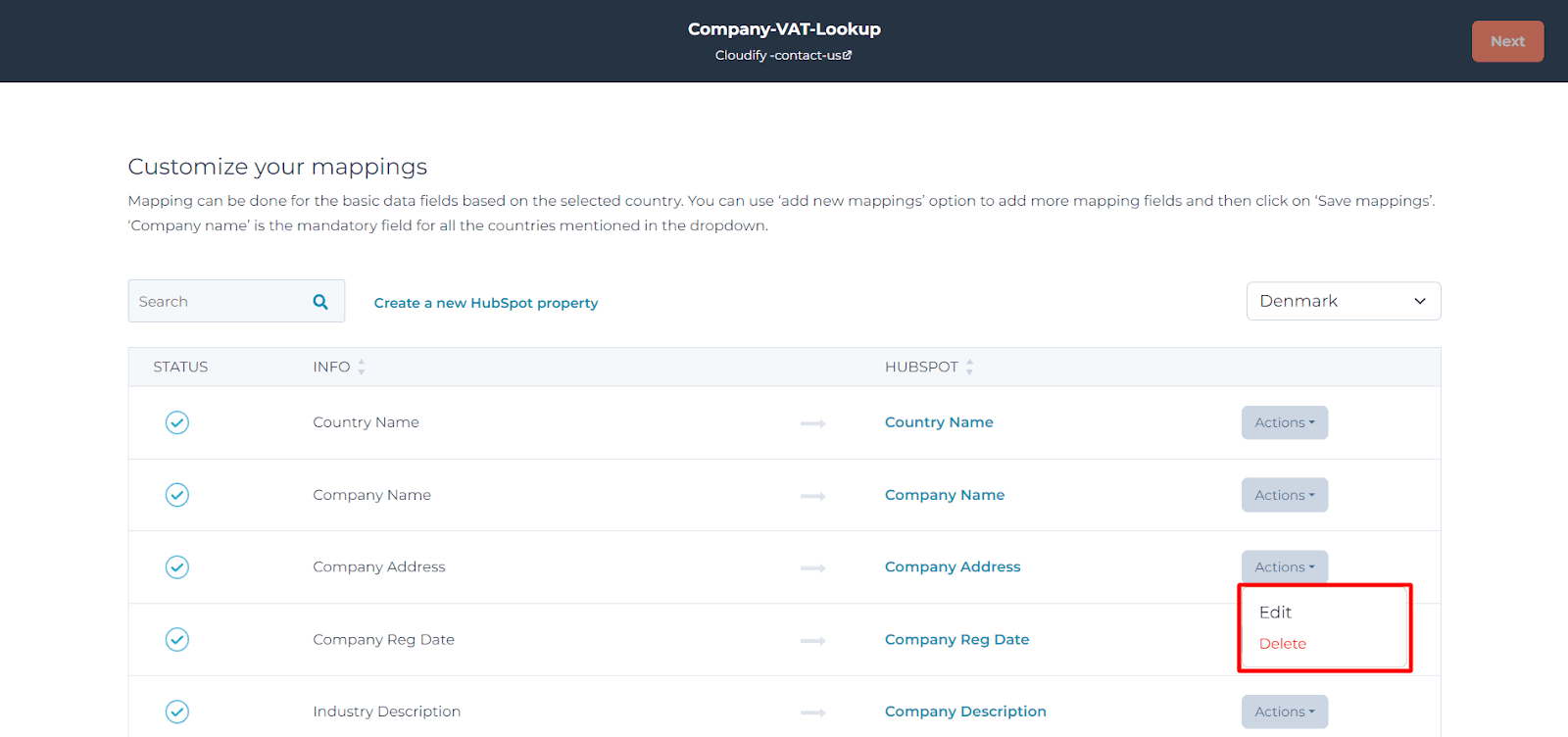
4
If a required field does not exist in HubSpot yet, click Create a new HubSpot property.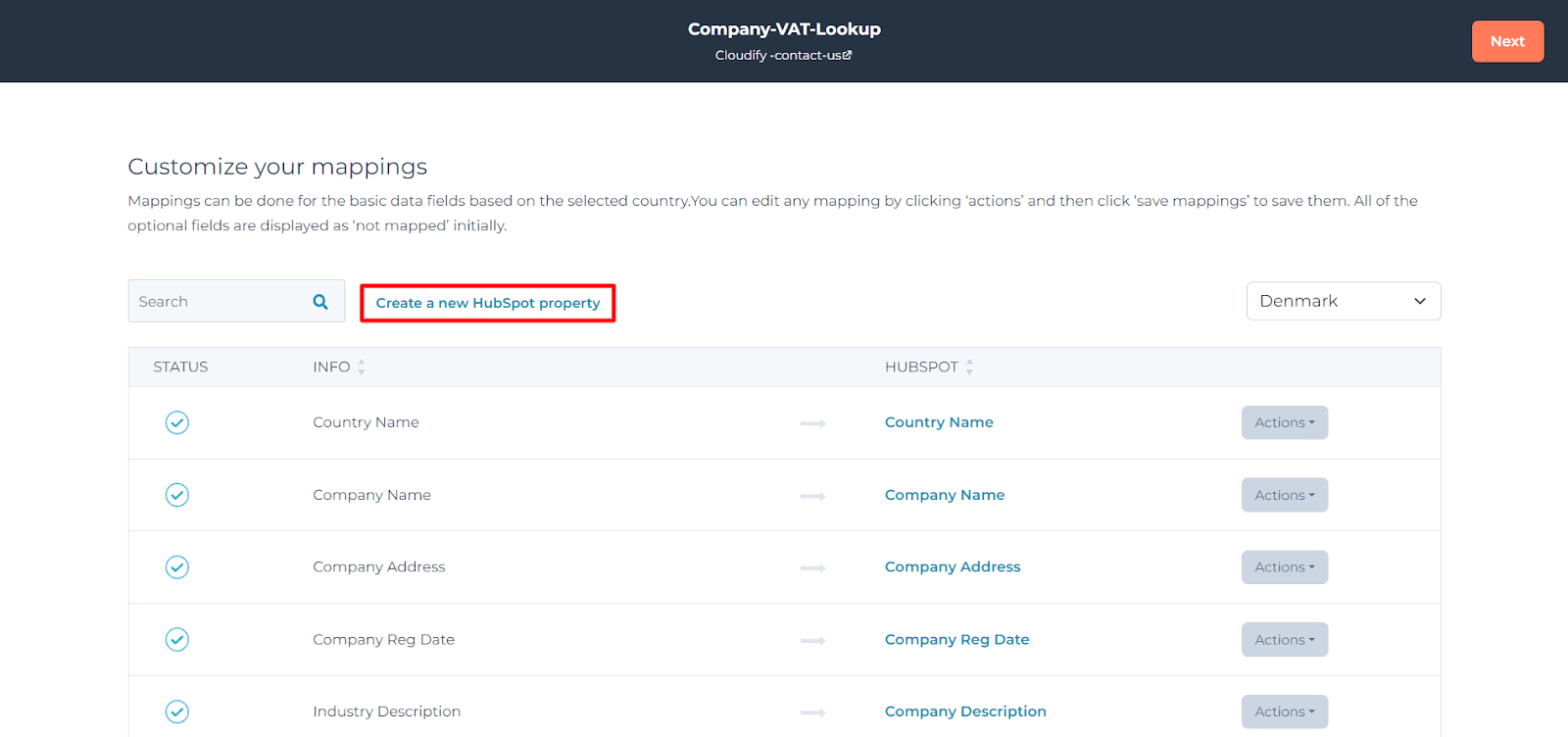
5
If you have many fields to review, use the search bar to find them more quickly.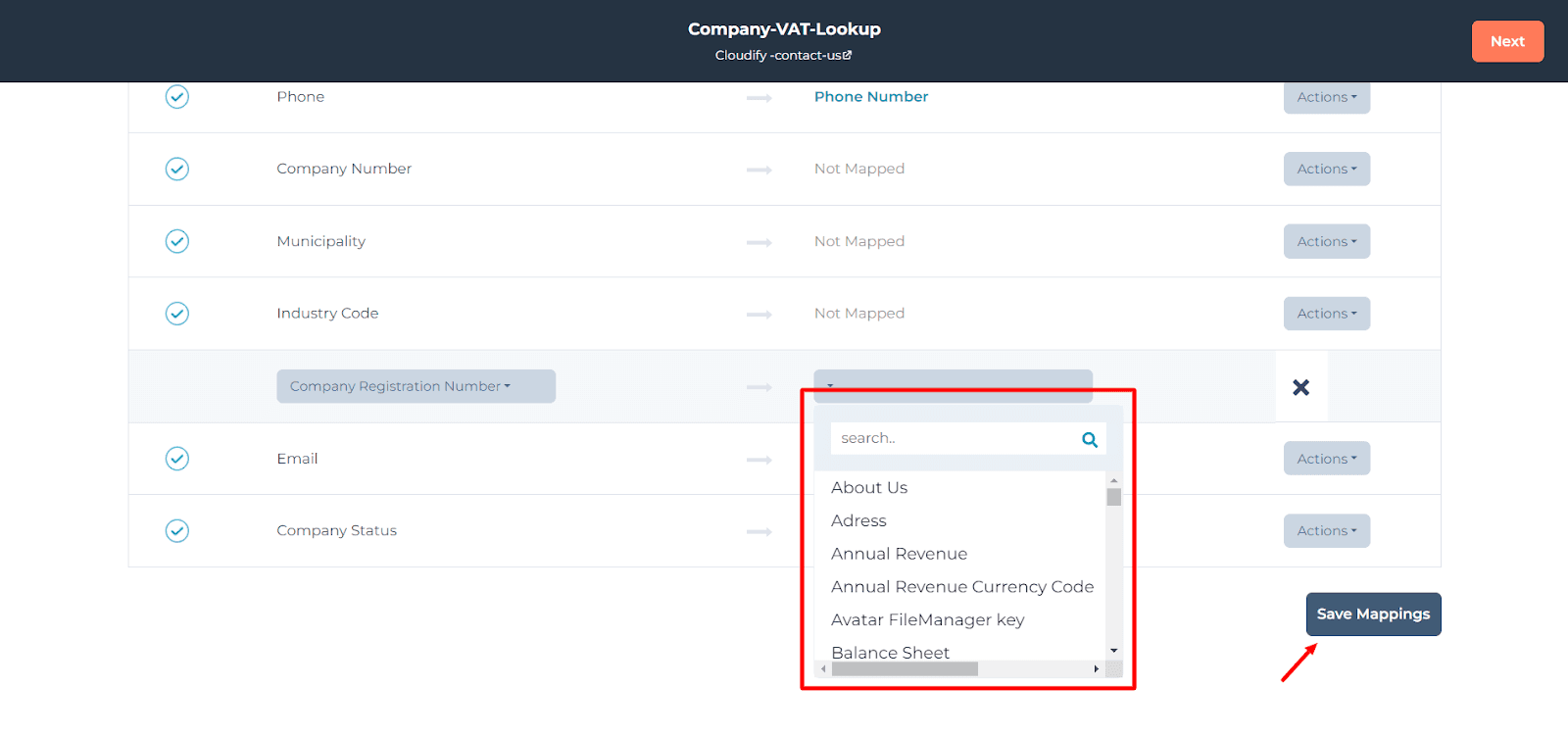
6
Click Save Mappings when you are done.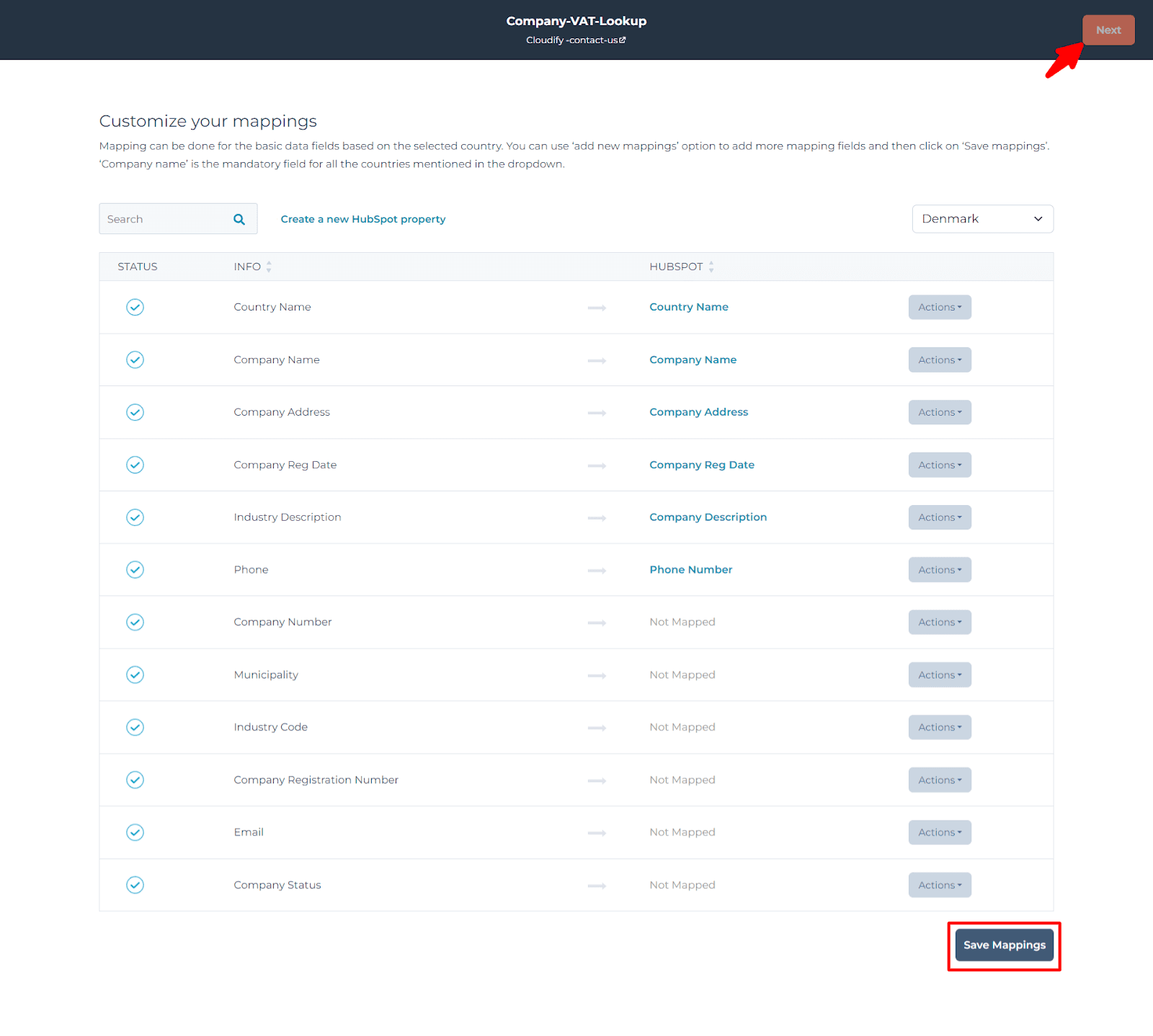
You can configure mappings for only one country at a time from this screen.
Next Step
Continue to the guide for updating a HubSpot company using Company VAT Lookup.