

What This Feature Helps You Do
- Update Multiple Company Records At Once
- Improve CRM Data Accuracy
- Support Compliance With Current VAT Registrations
- Scale Better As Your Data Volume Grows
- Exclude Invalid Entries Automatically
How It Works
1
Navigate to the Bulk Update screen in the Company VAT Lookup app.
2
You will see a table with company information such as Name, Number, Domain, Country, and Create Date.Use the search bar if you need to find specific companies.
3
Tick the checkbox next to each company you want to update.
4
Once the correct companies are selected, click Bulk update.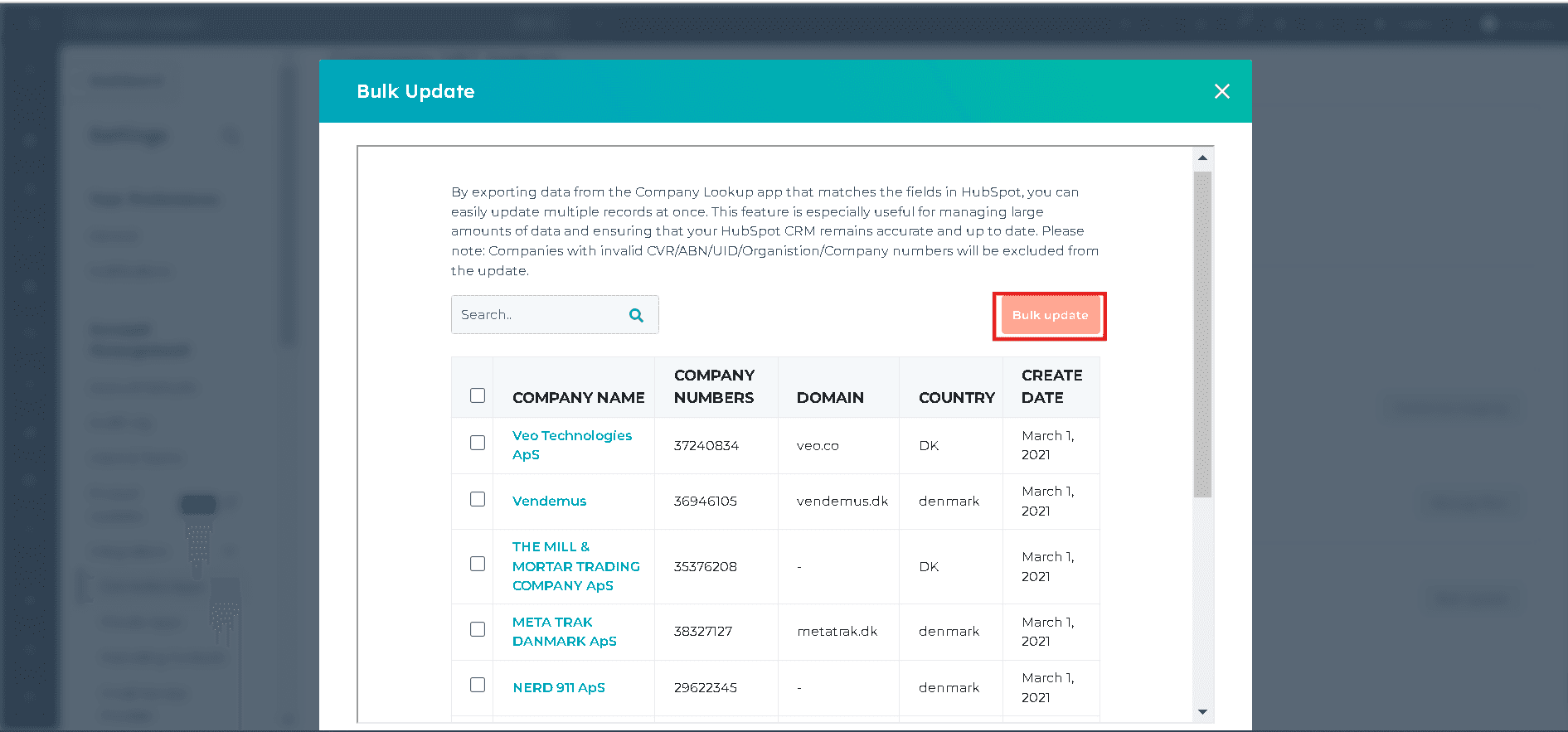
5
Confirm the selected companies and let the app run the update.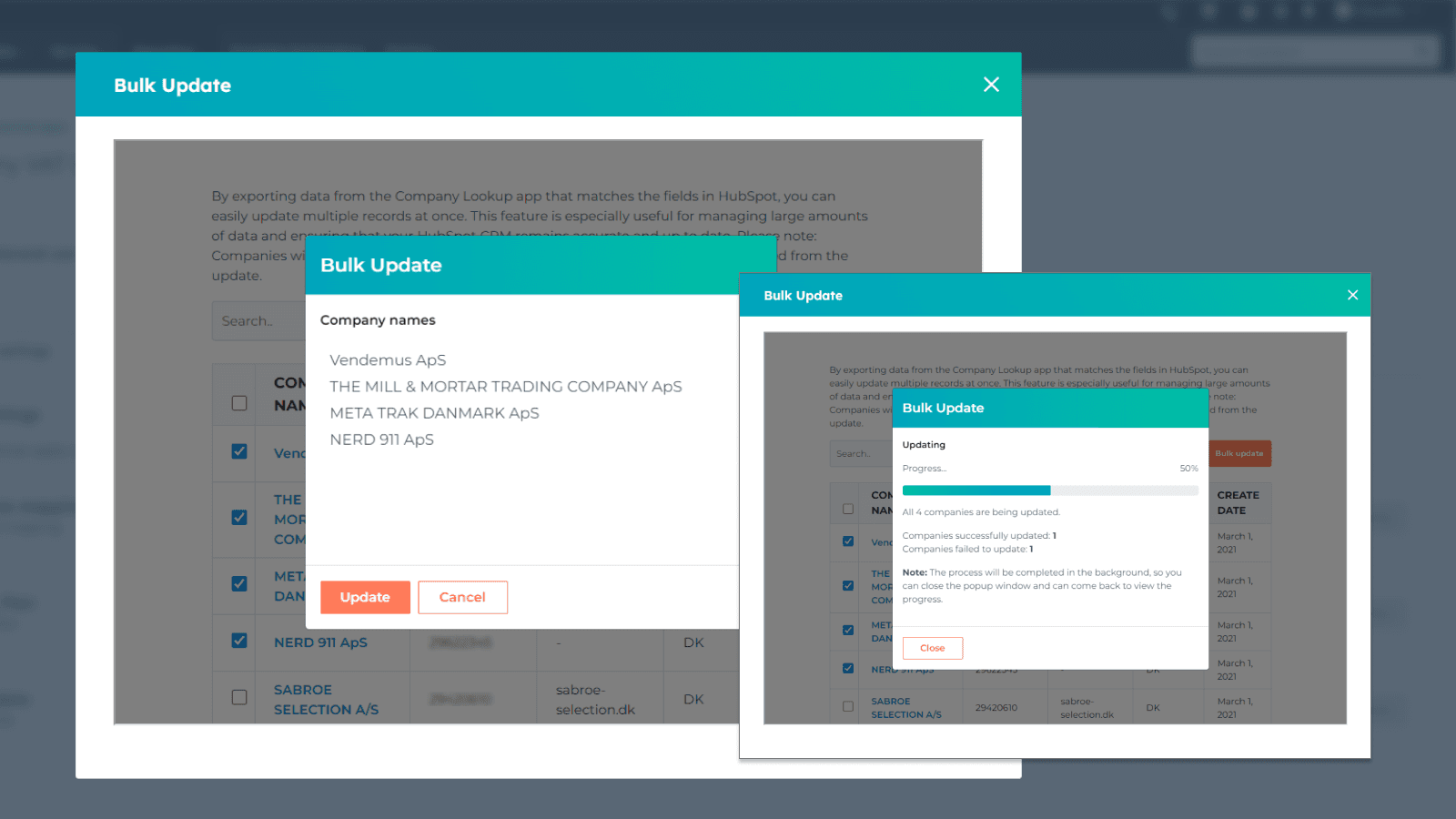
Companies with invalid CVR, ABN, UID, Organisation, or Company numbers are excluded from the update.
Got Unique Integration Needs?
Our custom team can build tailored integrations, specialised data mappings, and workflow automations to match your business processes.