

1
Select a Pipeline from the drop-down menu. This links the creation of invoices or estimates to a specific sales pipeline in HubSpot, ensuring they are generated at the right time in your sales process.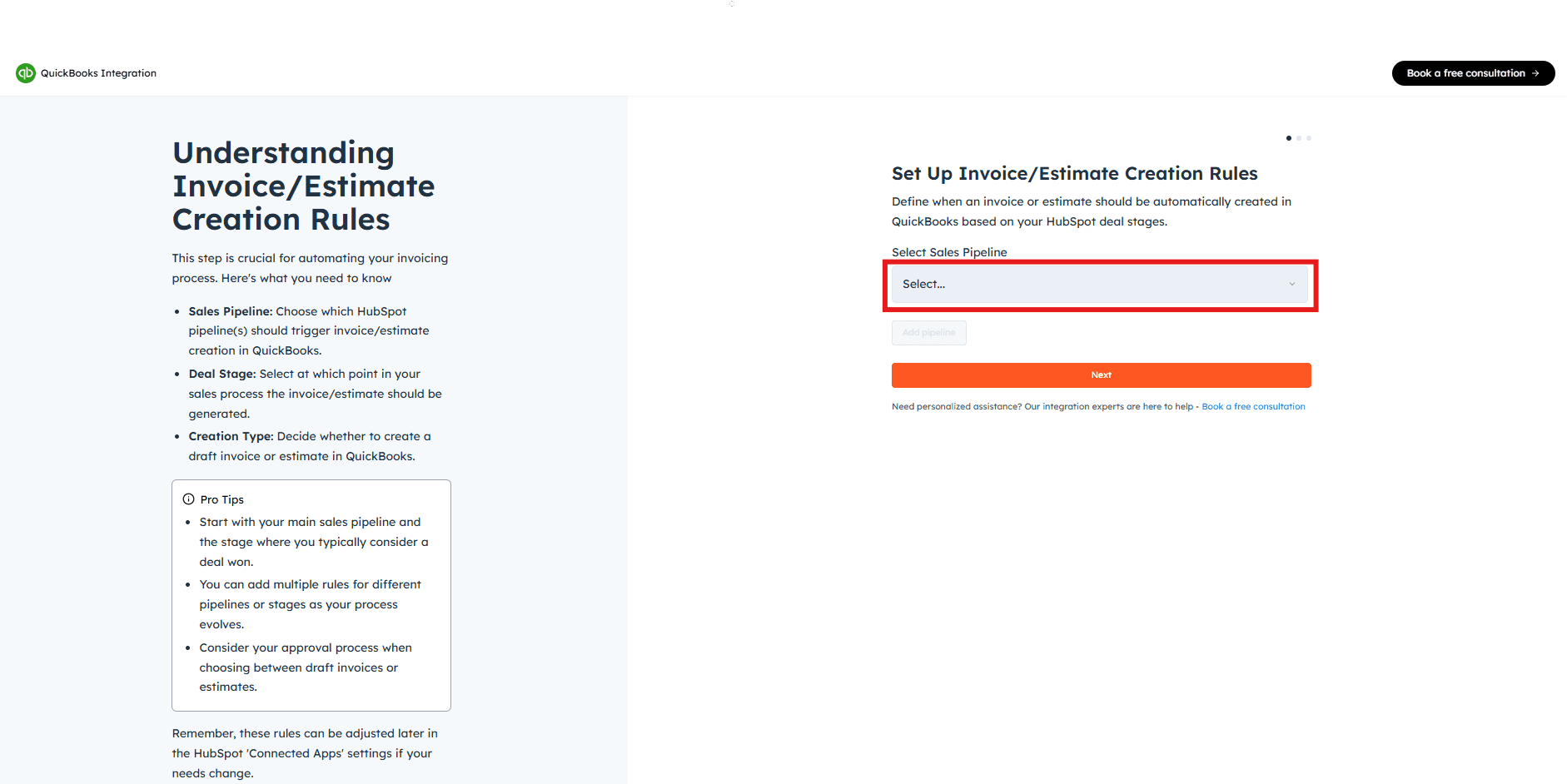
If you require assistance from Cloudify experts, feel free to book a Guided Installation.
2
Select the Deal Stage from the drop-down menu. This is the specific stage within the pipeline that will trigger the creation of an invoice or estimate in QuickBooks, ensuring the invoicing process aligns with your sales flow.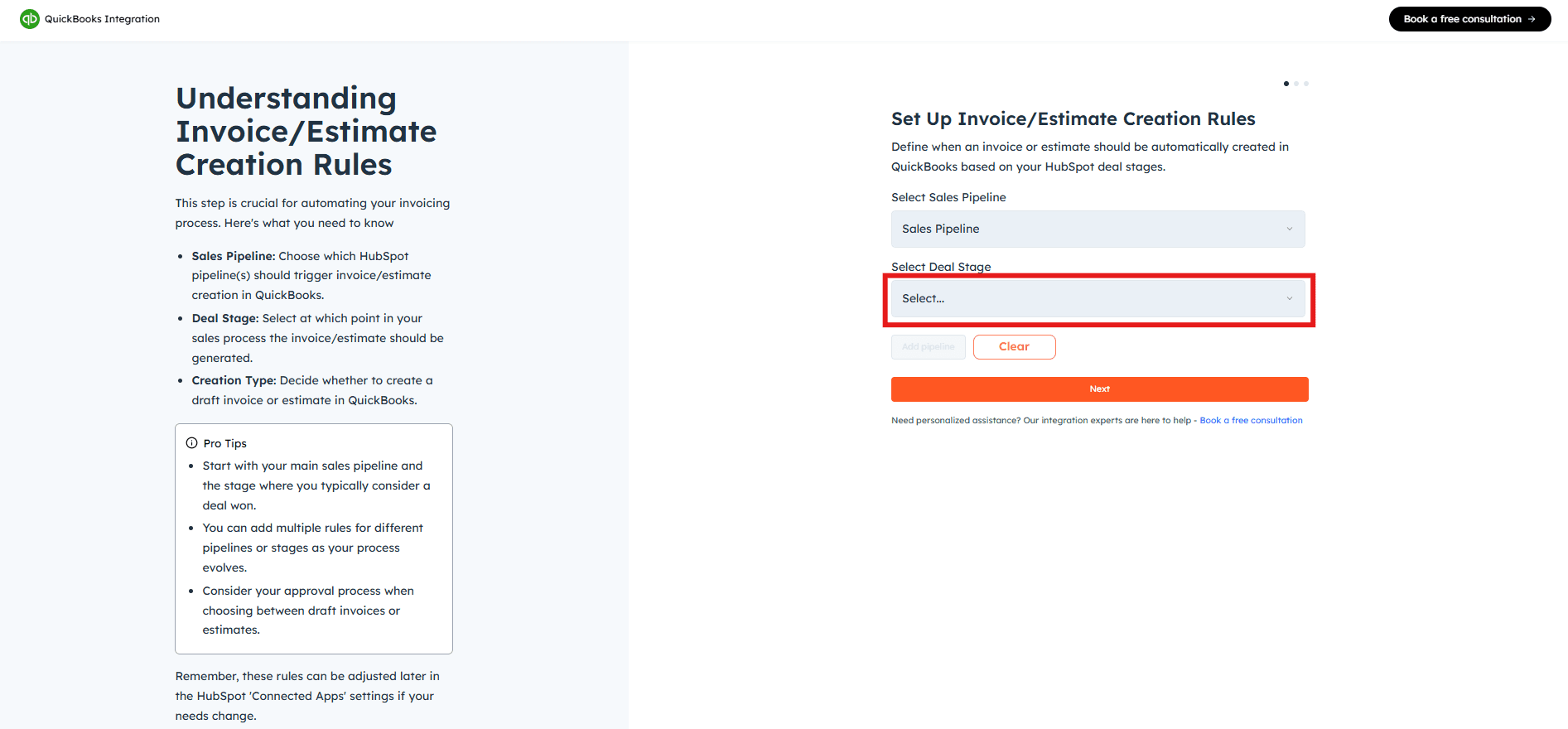
3
Choose Invoice or Estimate from the next drop-down menu to decide what type of draft document is created in QuickBooks.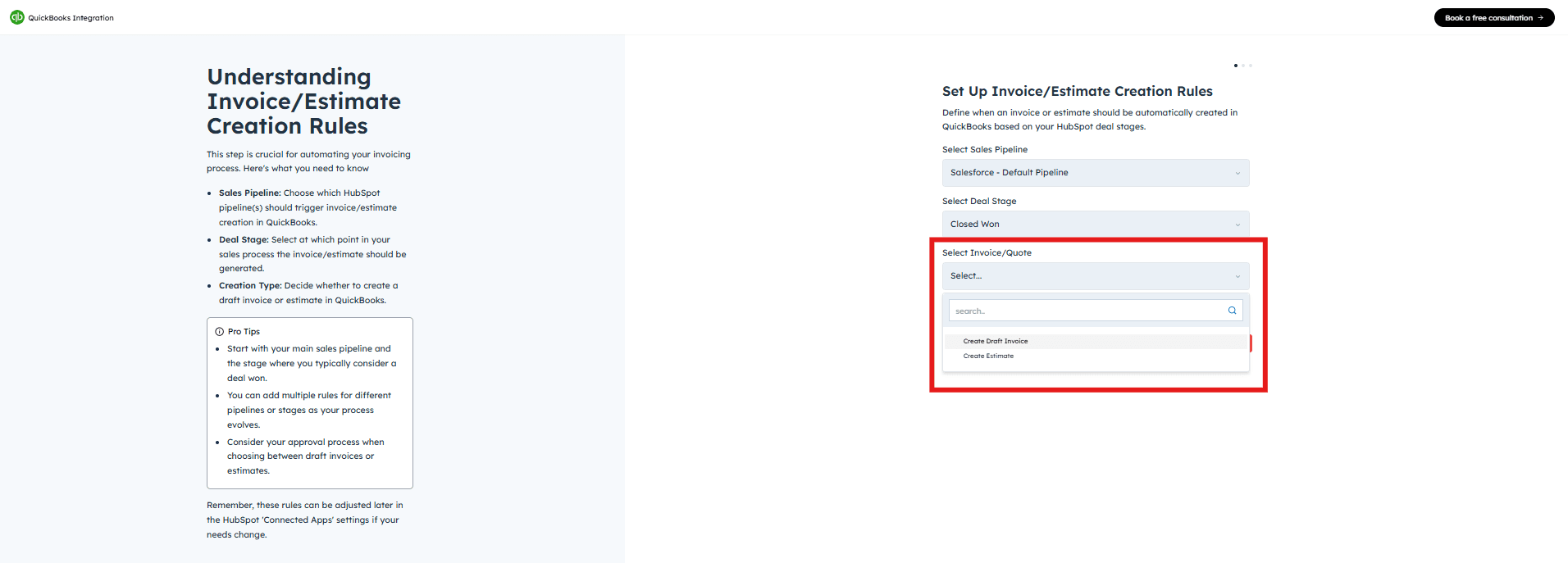
4
Click “Add Pipeline” to save the rule.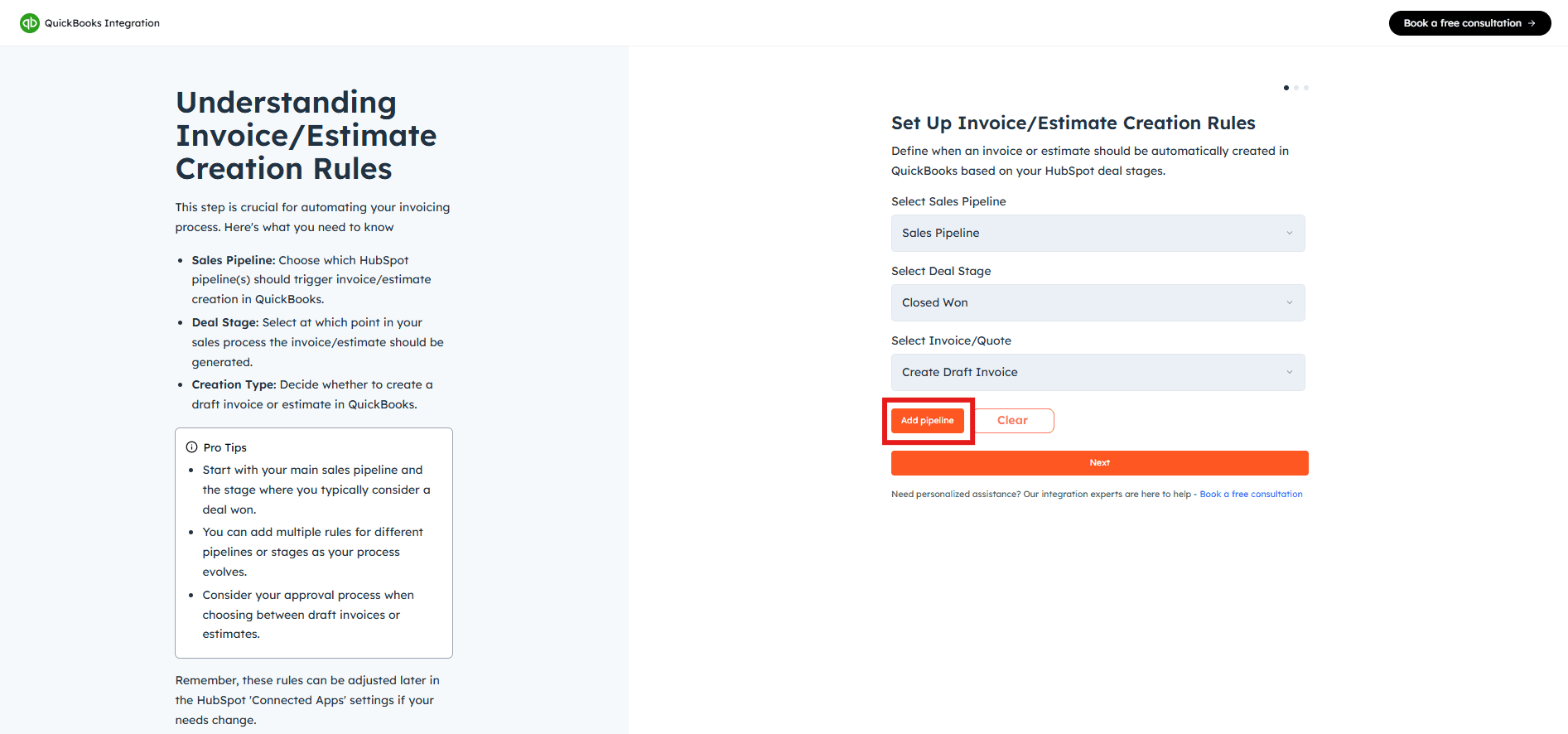
5
The pipeline will be added. Click “Next” to continue.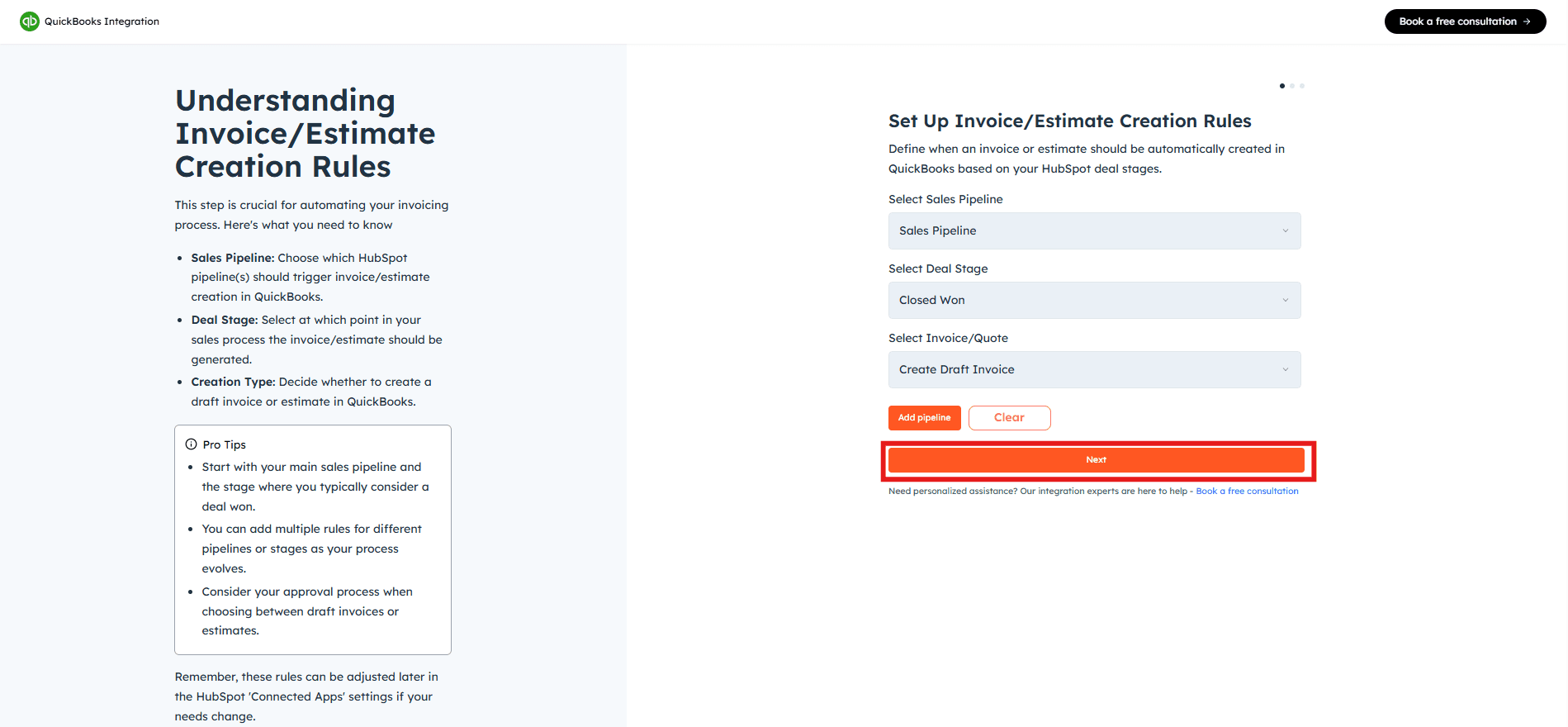
You can add more pipelines as needed by clicking “Add Pipeline” again. If you need assistance, feel free to book a Guided Installation with Cloudify experts.