Setting Up Invoice Sync Preferences
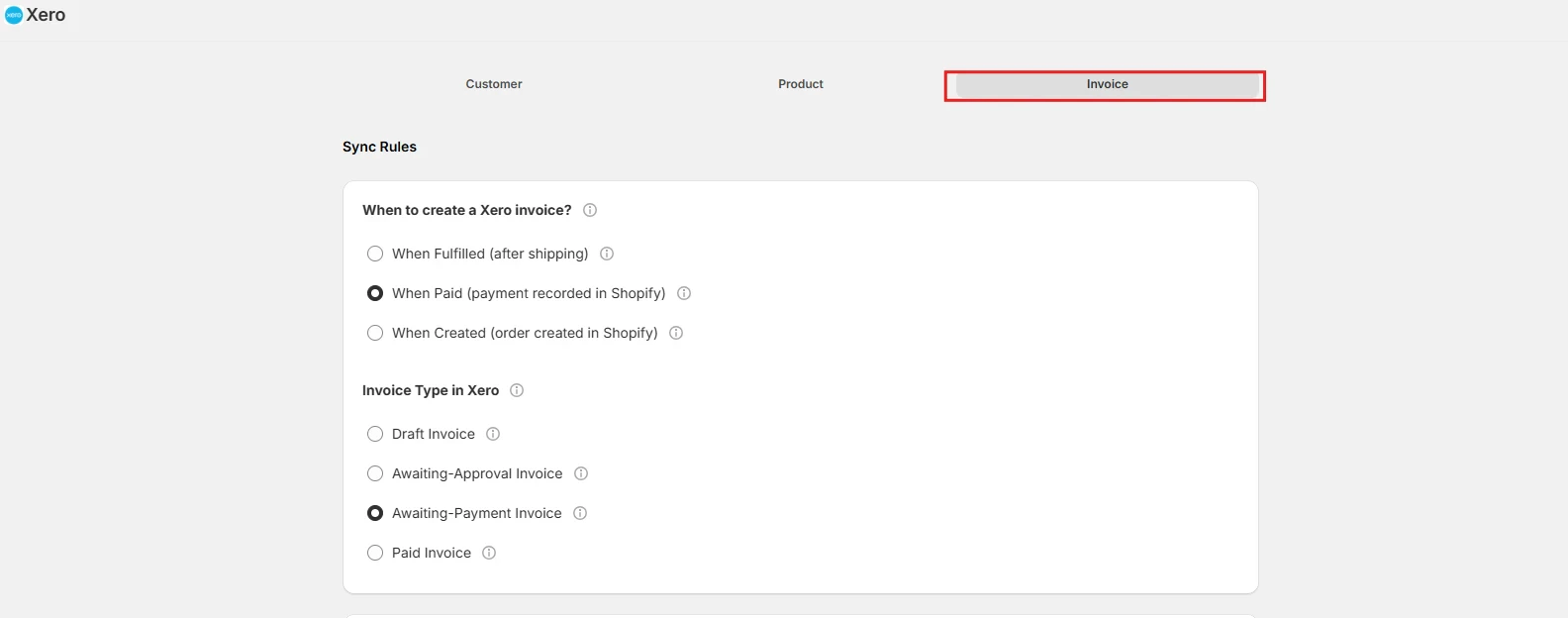
When to Create a Tripletex Invoice
This setting determines when the integration will create an invoice in Tripletex based on the status of your Shopify order.- When Fulfilled (after shipping) — An invoice will be created in Tripletex when the Shopify order status changes to Fulfilled. This typically happens when you’ve shipped the products. Choose this if you prefer to invoice customers only after their order has been sent.
- When Paid (payment recorded in Shopify) — An invoice will be created in Tripletex as soon as the Shopify order is marked as Paid. This happens when a payment is successfully processed in Shopify, regardless of whether you’ve shipped the products yet. Select this for quicker financial record-keeping.
- When Created (order created in Shopify) — Suitable for COD (Cash-on-Delivery) orders or if you want an invoice created in Tripletex as soon as a new order is received in your Shopify store.
Invoice Type in Tripletex
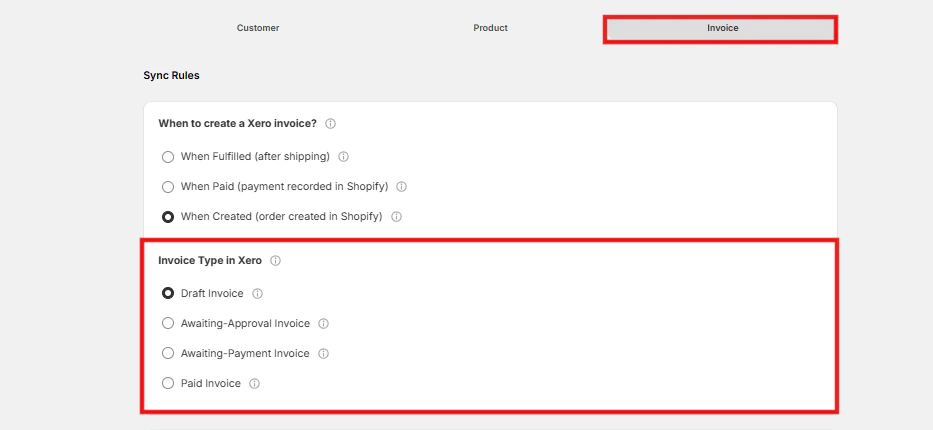
This setting determines the type of invoice that will be created in Tripletex.- Draft Invoice — Creates an editable invoice in Tripletex. You’ll need to review and manually post it later. Ideal if you often need to make adjustments before finalizing invoices.
- Awaiting-Approval Invoice — Creates an invoice that needs your approval before it’s sent to the customer. Useful when you want to double-check details before making it official.
- Awaiting-Payment Invoice — The invoice has been sent and is waiting for the customer to pay. Helps you track outstanding amounts and follow up when needed.
- Paid Invoice — Marks the invoice as fully paid and complete. Keeps your records up-to-date and reflects received payments.
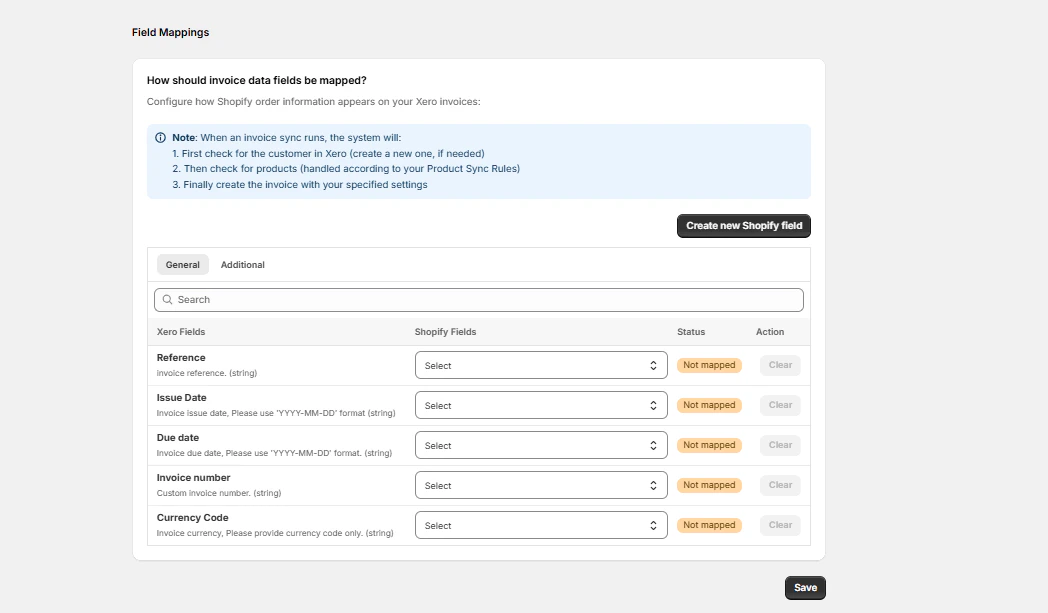
How Should Invoice Data Fields Be Mapped?
Map the necessary fields from Shopify to Tripletex for invoice creation. You can create new fields by clicking “Create new Shopify field”. Click “Save Mappings” when done.