Setting Up Product Sync Preferences
Here, you can define your preferences based on which product sync is performed between Shopify and Tripletex.Product Search
You have two choices when performing product sync in Tripletex:- Choose which product fields can be used to perform a search during invoice creation in Tripletex.
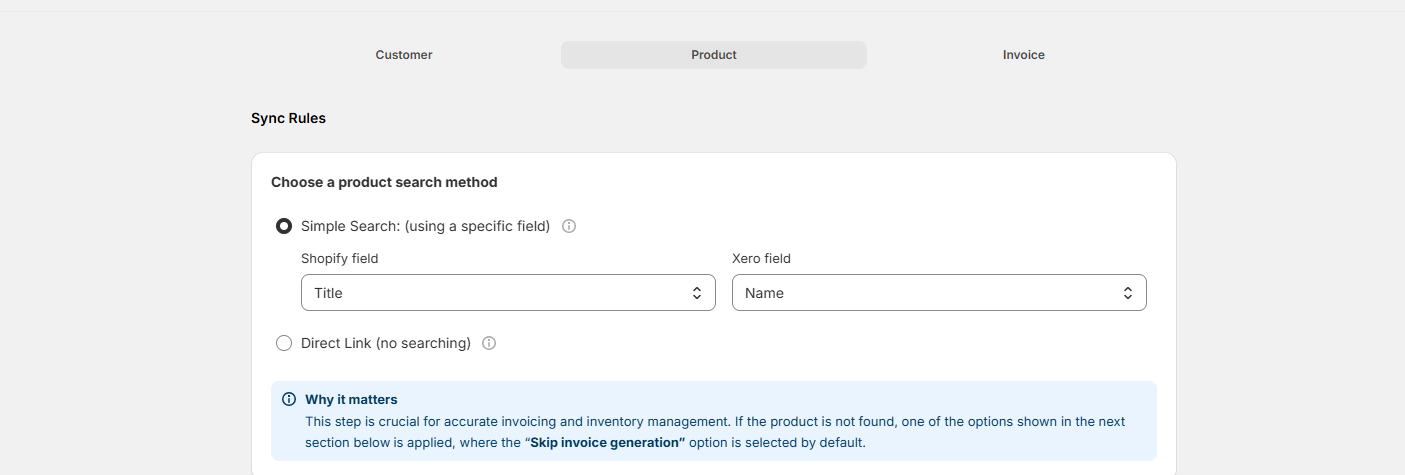
- Direct Link for syncing product information. Here you can manually link a product from Shopify to a specific product in Tripletex. Best for smaller product catalogs where you want precise control.

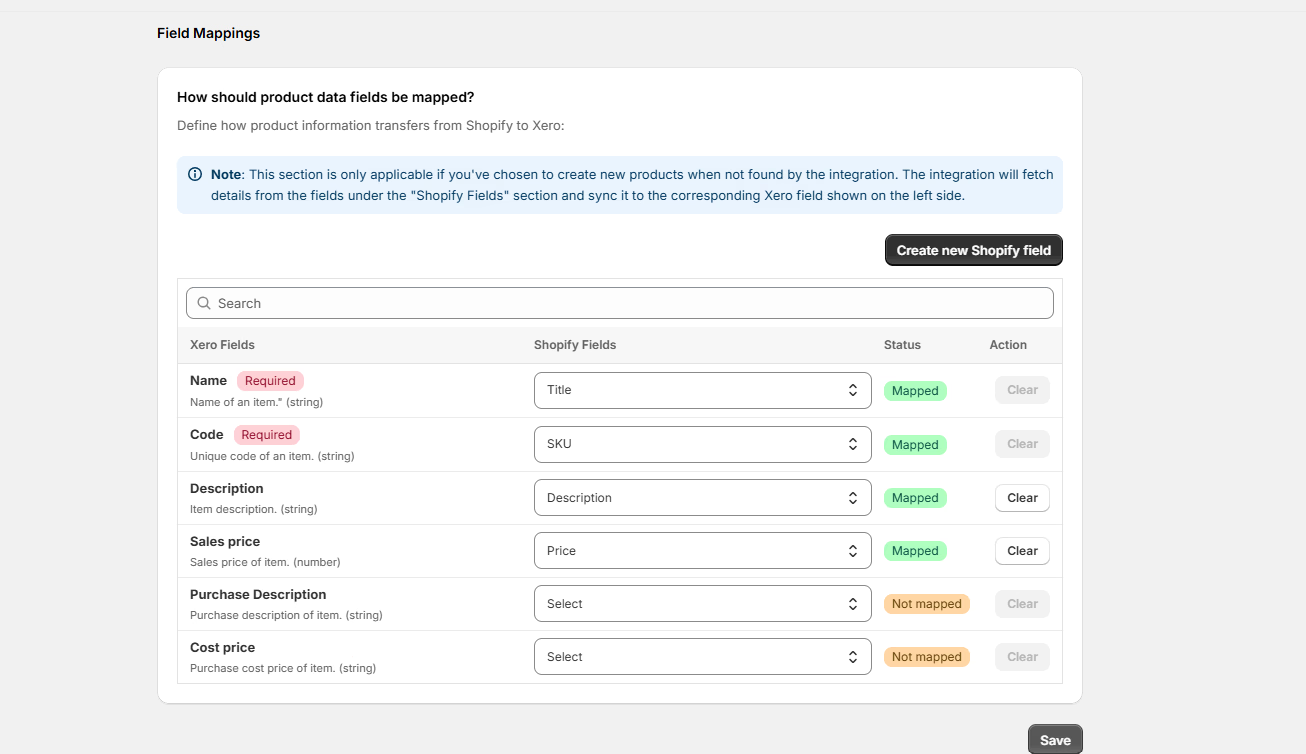
This section is only applicable if you’ve chosen to create new products when not found.
Product Not Found in Tripletex
- If you select “Skip Invoice Generation”, no invoice will be generated.
- If you select “Use Default Product”, you can select an existing product to be used for invoice generation.
- If you select “Create a new product in Tripletex”, a new product will be created based on the product field mapping and added to the invoice. Select a sales account for new products.

Tax Settings
Enable this checkbox to remove taxes applied on the Shopify order while creating a Tripletex invoice. Only the relevant Tripletex tax will be applied on the invoice if the checkbox is enabled. Cloudify does not perform any tax calculations. It depends on your existing tax settings in Tripletex.How Should Product Data Fields Be Mapped?
Define the field mappings from Shopify to Tripletex for invoice creation. The selected fields will be mapped. Some fields are mapped by default.