How to Install the App
You can install the Cloudify Xero Integration from two places — the Xero App Store or the Pipedrive Marketplace. Follow the path that suits you.- From the Xero App Store
- From the Pipedrive Marketplace
1
Find the app in the Xero App Store
Log in to your Xero account and search for Cloudify Xero Integration. Select the application and click Get this app.
2
Select Pipedrive and install
On the next screen, select Pipedrive and click Install.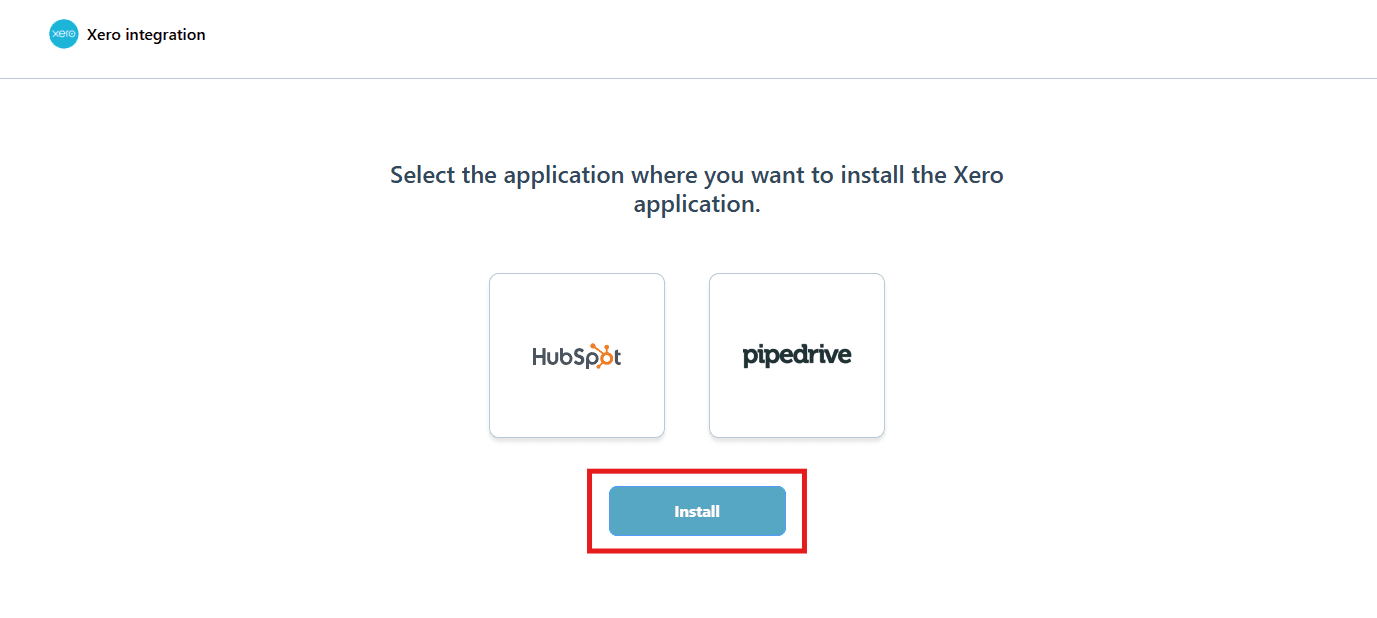
3
Continue to connecting your Xero account
Skip to the Connecting Xero Account section below to complete the setup.


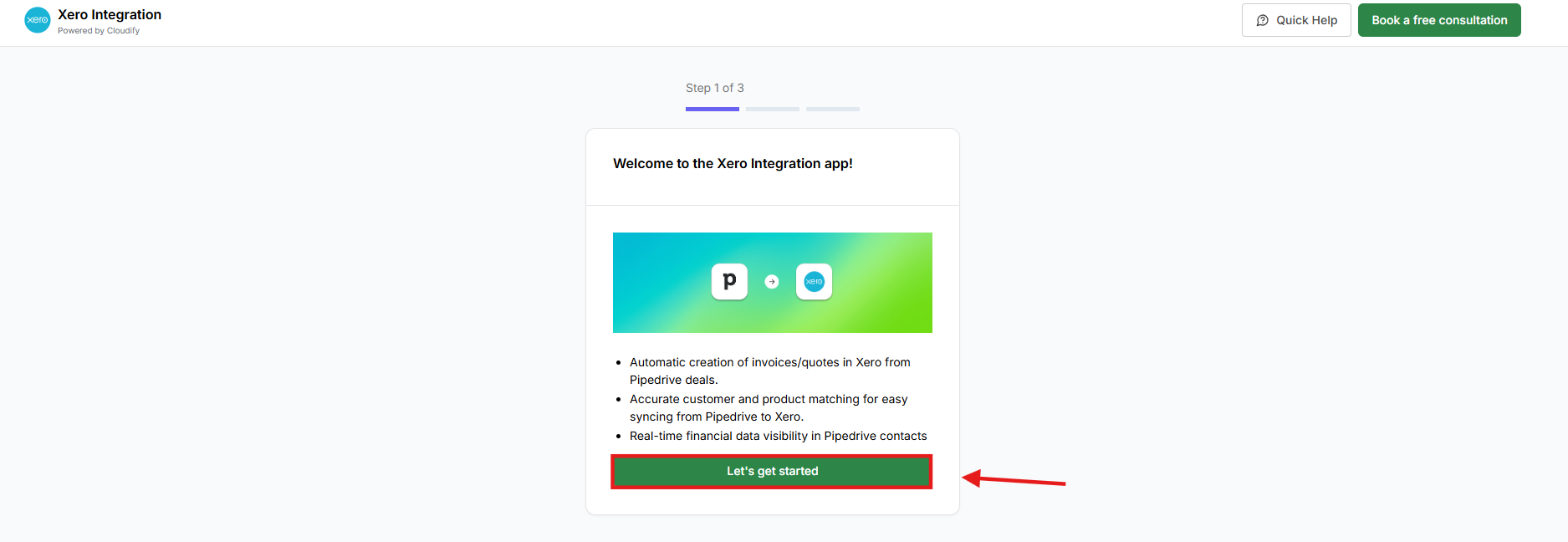
Connecting Your Xero Account
1
Connect Xero Account
Click Connect to Xero to begin connecting your Xero account.
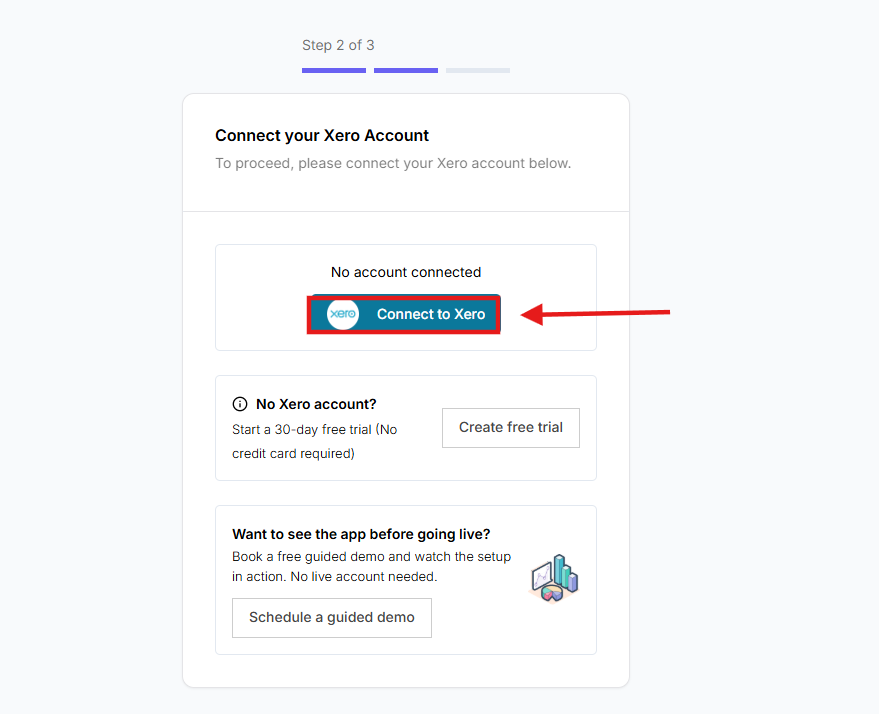
No Xero Account:
If you don’t have a Xero account, you can start a free trial and come back to connect it once your account is set up.Want to See the App Before Going Live:
If you’d like to explore the app first, you can schedule a guided demo to see how it works before connecting your account.
If you don’t have a Xero account, you can start a free trial and come back to connect it once your account is set up.Want to See the App Before Going Live:
If you’d like to explore the app first, you can schedule a guided demo to see how it works before connecting your account.
2
Enter your Xero credentials
Input your Xero registered email address and password, then click Log In.
3
Select your organisation
If prompted, select your Organisation and click Allow access.
4
Confirmation
You will receive a success message once the Xero account is connected.
5
Choose Your Setup Method
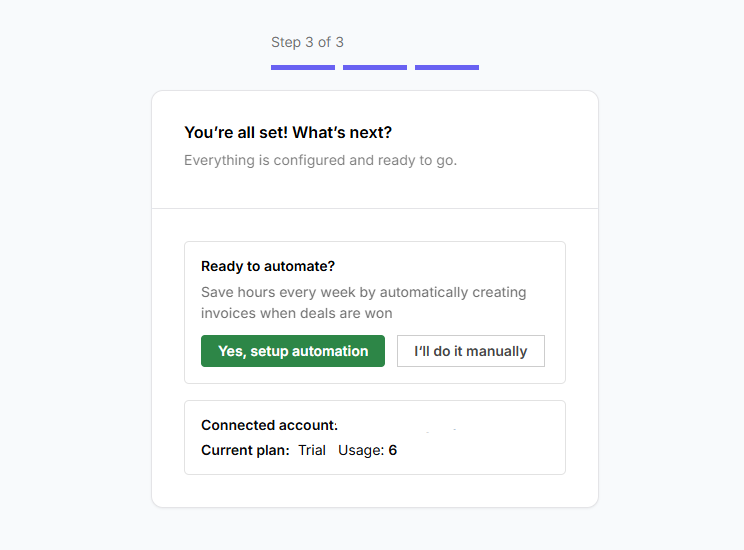
Click on “Yes, setup automation” or “I’ll do it manually” to proceed. Choose the option that best fits your workflow.