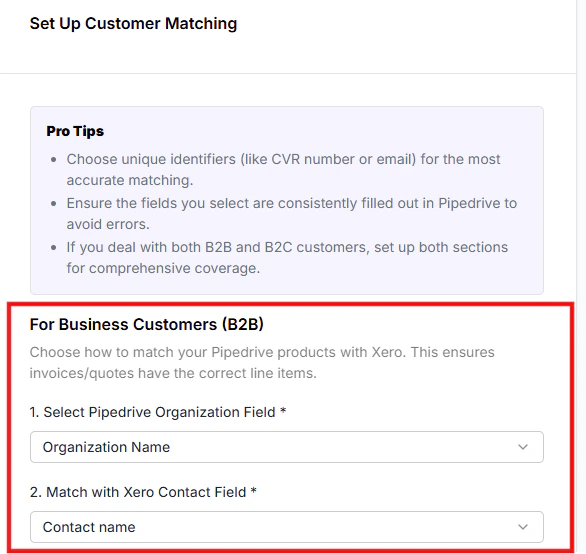
Set up Customer Sync Preferences to seamlessly synchronize customer information between Pipedrive and Xero, ensuring data consistency and avoiding duplicate entries. The integration actively searches for customers based on your defined parameters — if a match is found, that record is used; otherwise, a new customer profile is created to maintain a comprehensive database.
Organization Matching Criteria (B2B)
Configure organization matching criteria by selecting a field in Pipedrive (e.g., Organization Name, ID, Email) that corresponds to the chosen Xero field. This ensures both platforms refer to the same organization data when syncing, maintaining consistency across systems.
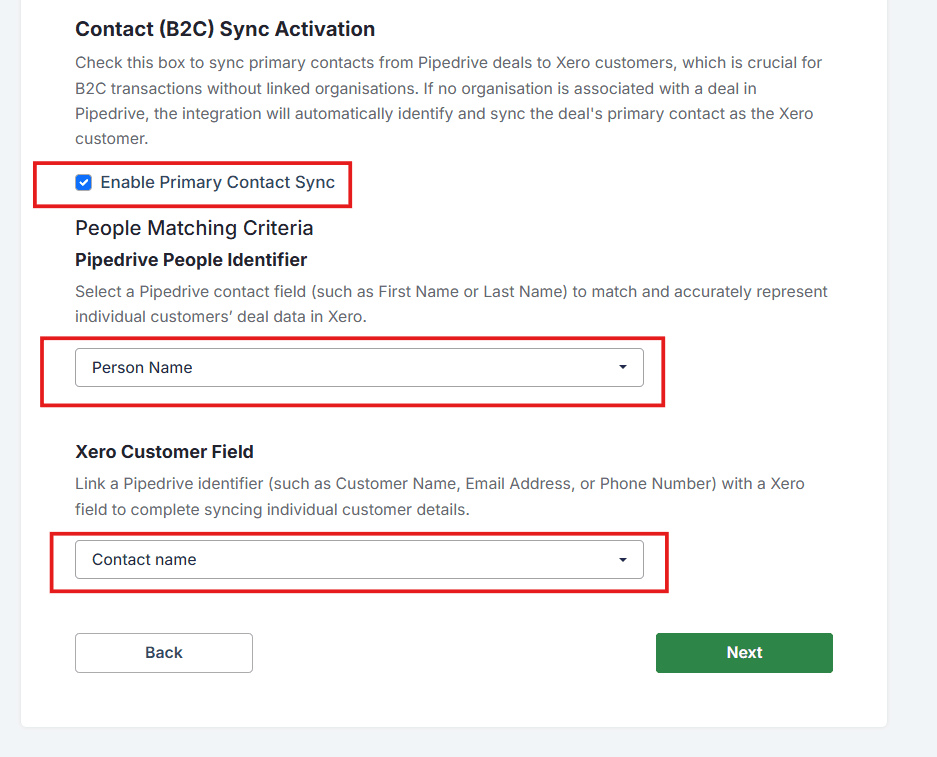
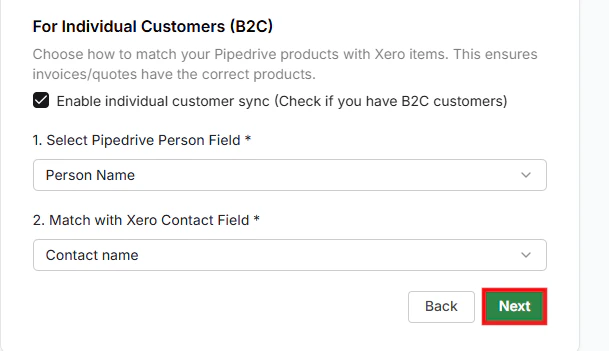
People Matching Criteria — B2C Sync Activation (For Individual Customers)
Enable this only if you deal with individual contacts as well as organizations.
Once you have selected your preferences, click Next to continue.
Got unique integration needs? Our custom team can build tailored integrations, specialized data mappings, and workflow automations to perfectly match your specific business processes. Learn more about Advanced Integration Settings