

Invoice / Quote Sync Rules
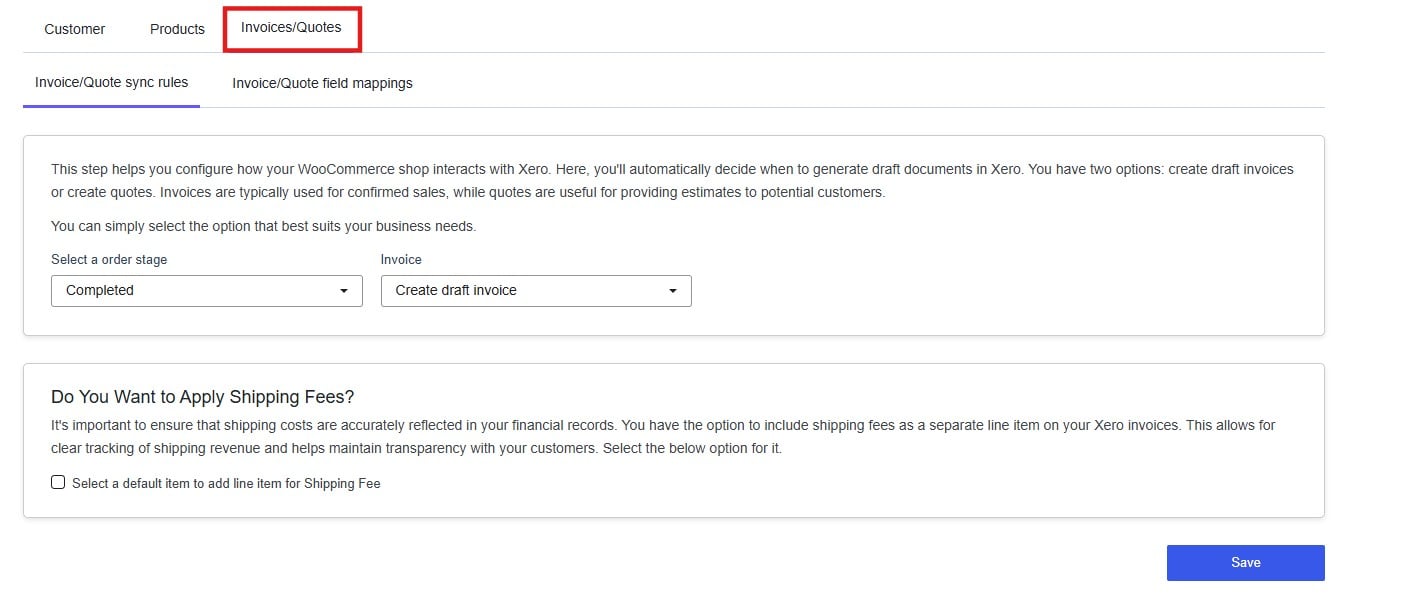
Order Stage
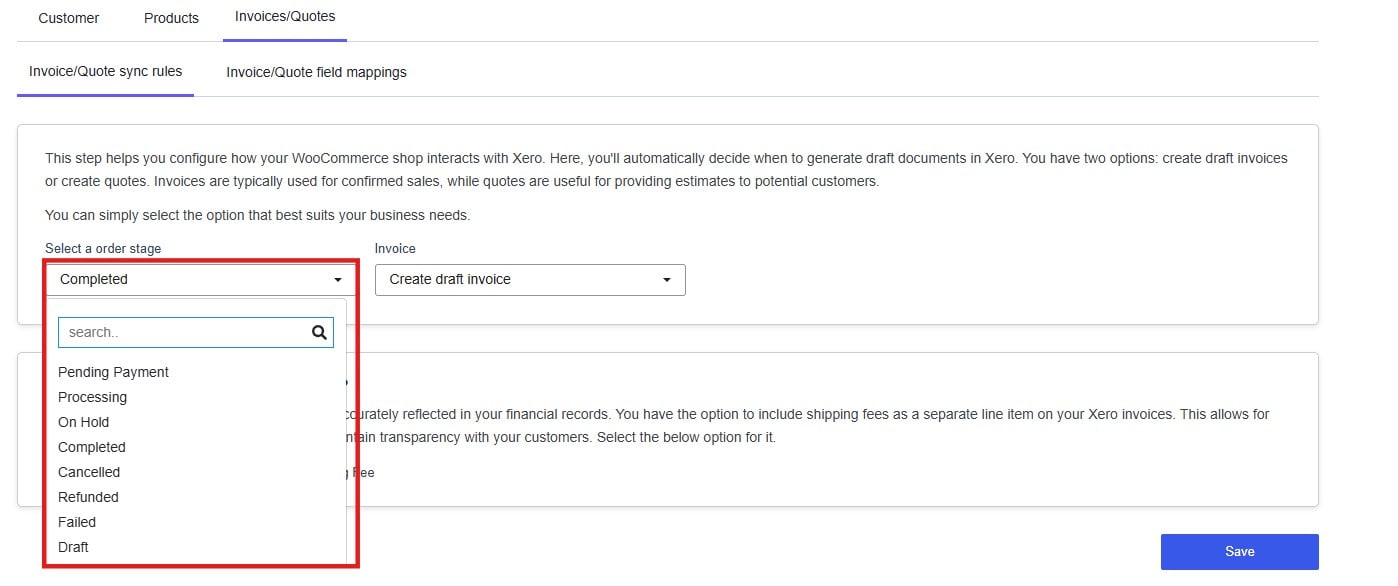
Completed is the recommended default for most stores — it ensures an invoice is only created once the order is fully fulfilled, keeping your accounts clean and avoiding invoices for orders that may still be cancelled or refunded.
If your accounting process requires earlier visibility — for example, recording revenue at the point of payment — Processing may be more appropriate.
Document Type
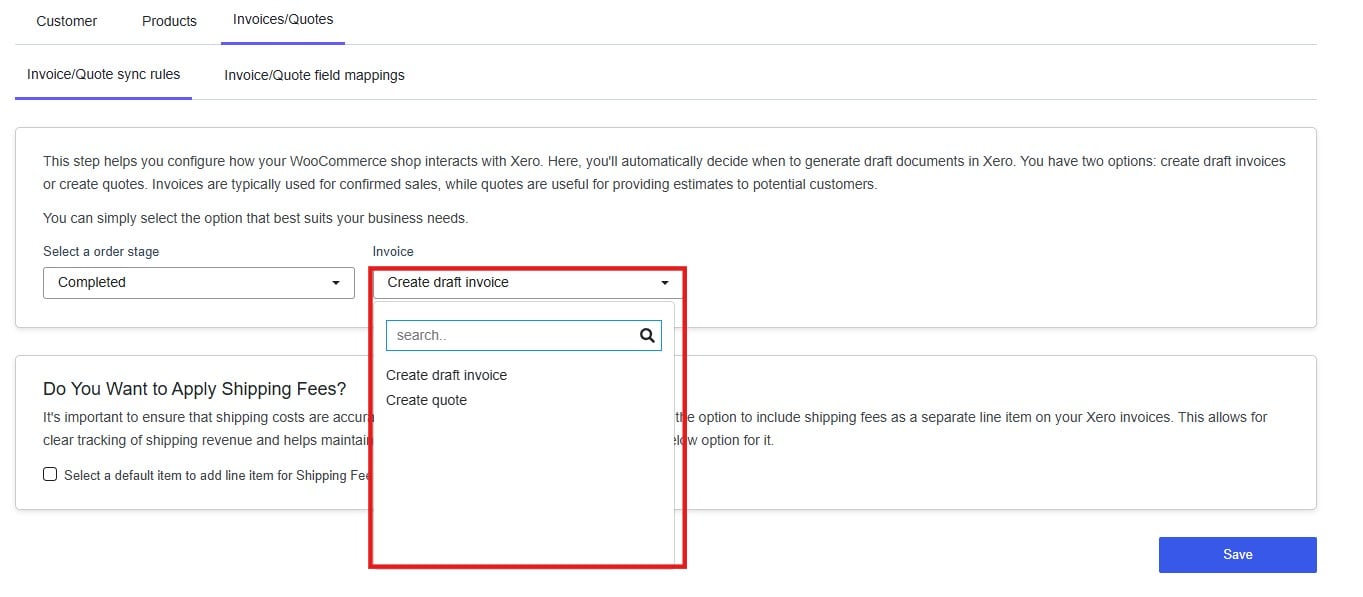
- Draft invoice — Use for confirmed sales. A draft invoice records the transaction as a receivable in Xero and can be approved and sent to the customer directly from Xero.
- Quote — Use when an order is not yet confirmed or when you need to send an estimate before committing to the sale.
Shipping Fees
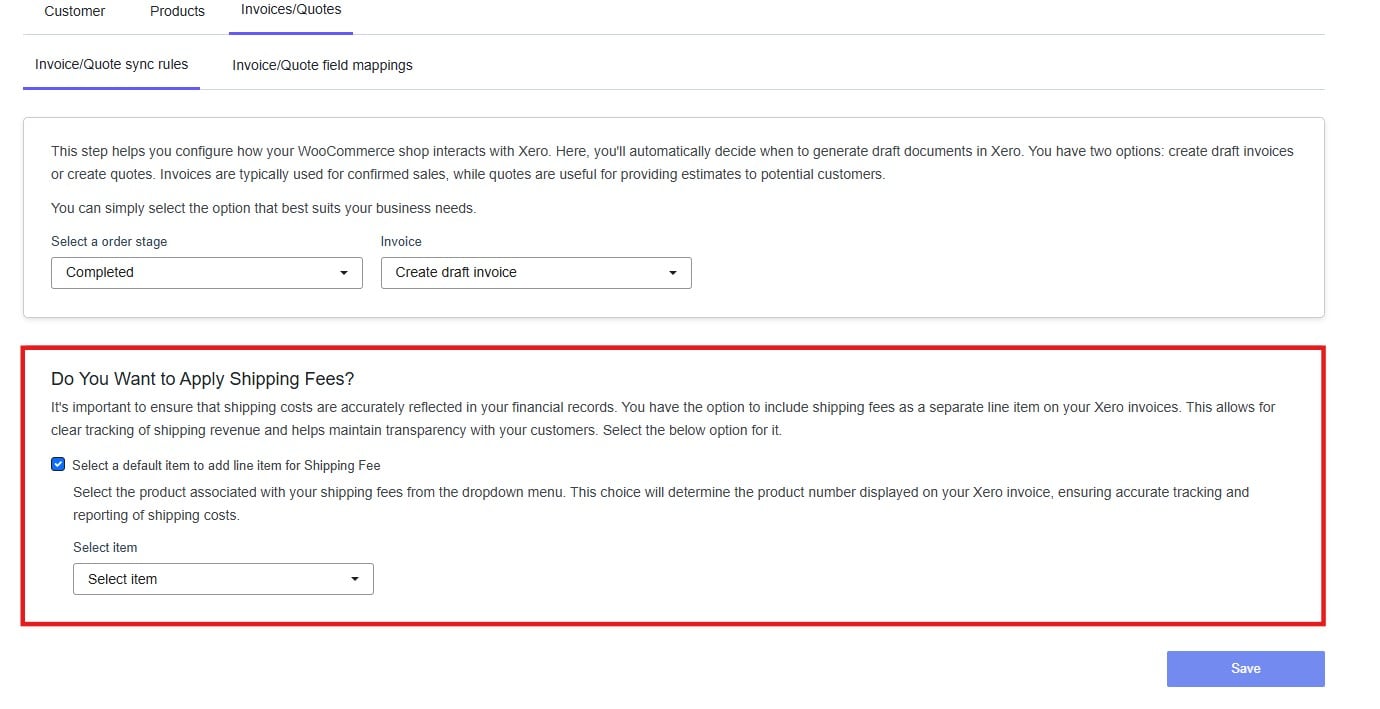
- Check Select a default item to add line item for Shipping Fee.
- A product dropdown will appear. Select the Xero item that represents your shipping charge.
Invoice / Quote Field Mappings
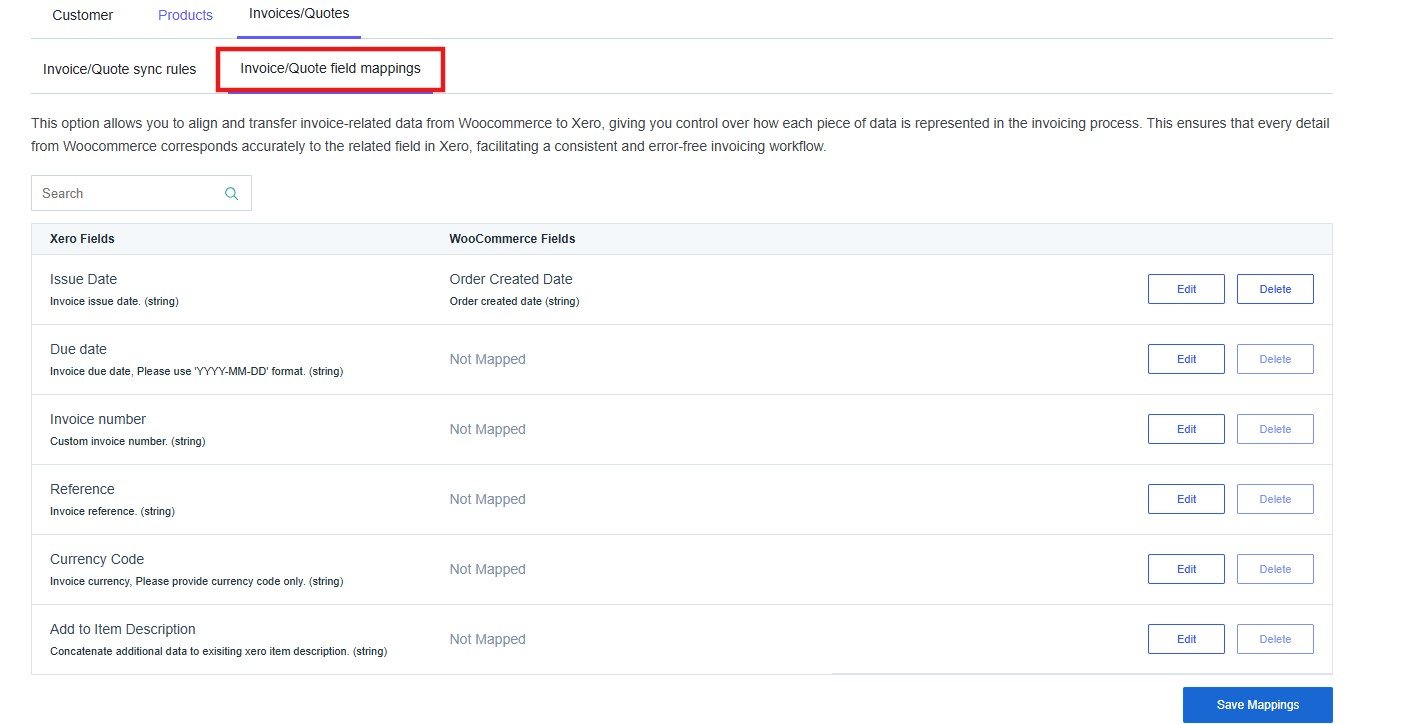
To update a mapping, click Edit next to the relevant Xero field and select the corresponding WooCommerce field. Fields showing Not Mapped will not be populated in Xero unless a mapping is added.
Click Save Mappings when finished.