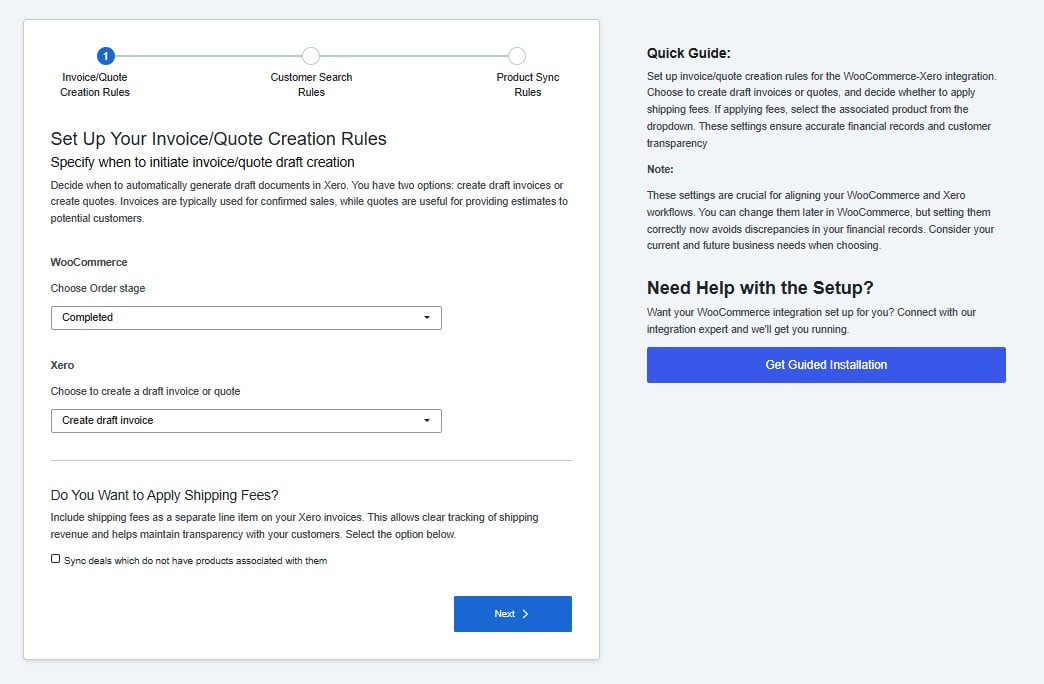
This step controls when the integration creates a document in Xero and what type of document it creates. These are the most important settings in the setup — they determine how your WooCommerce sales appear in your Xero account.
Screenshot 2026 06 25 005723

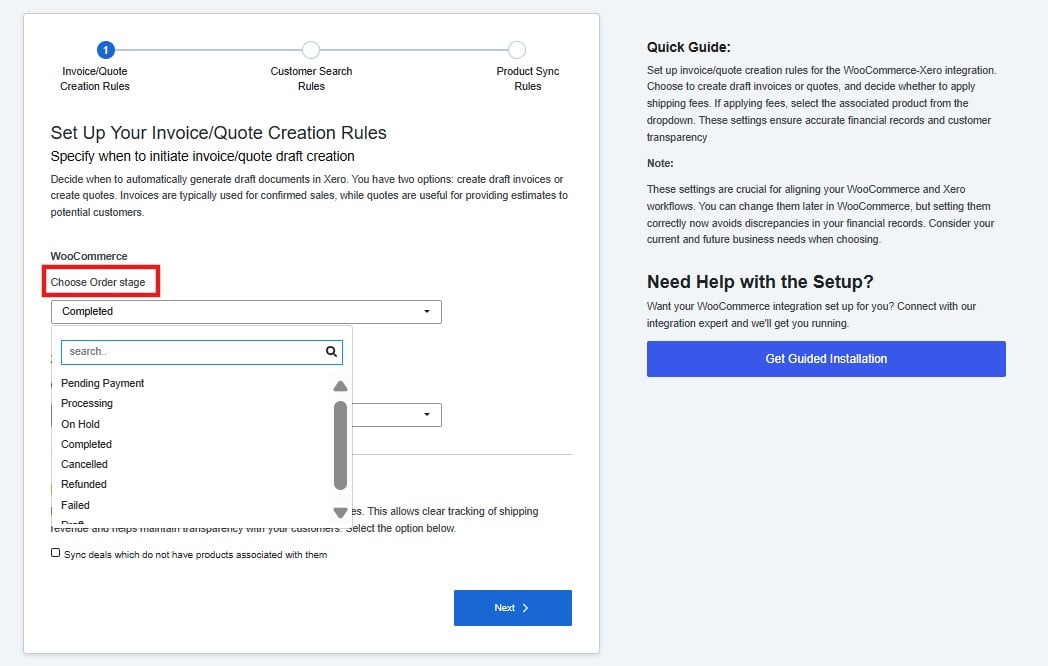
Order Stage

Screenshot 2026 06 25 005824
The order stage is the trigger. When a WooCommerce order reaches the status you select here, the integration automatically creates a document in Xero. Completed is the recommended default for most stores. It ensures a document is only created once the order has been fully fulfilled — keeping your Xero records clean and avoiding invoices for orders that might still be cancelled or refunded. If your business needs to record revenue earlier — for example, at the point of payment — you can select Processing instead.

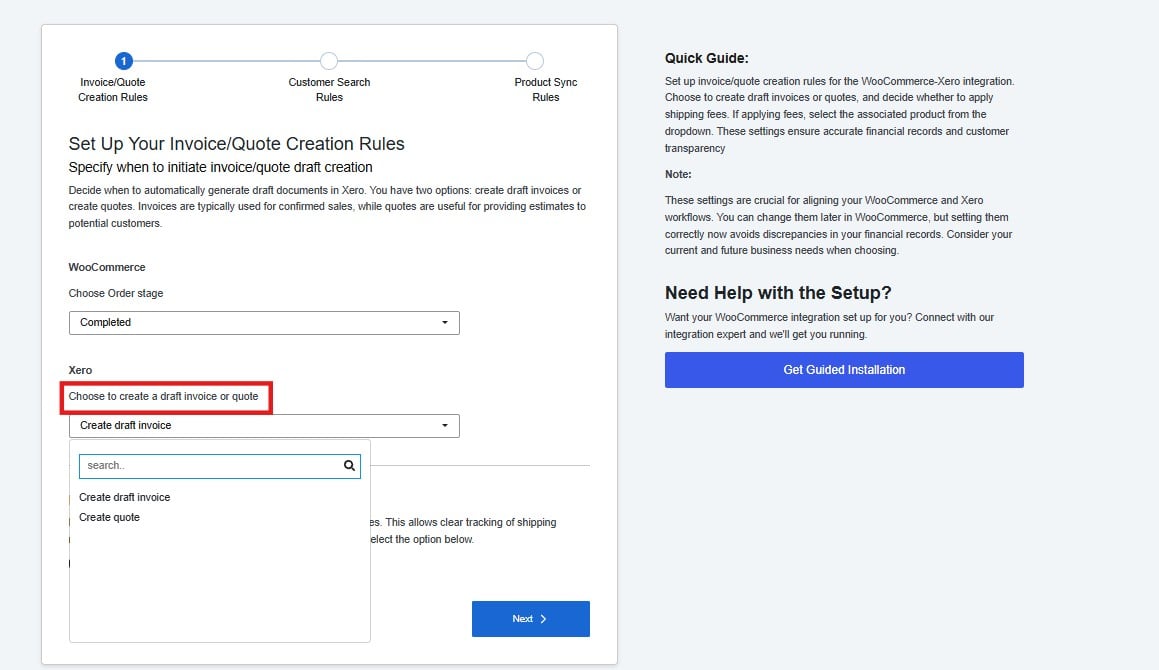
Document Type

Choose whether the integration creates a draft invoice or a quote in Xero.
Screenshot 2026 06 25 005909
  • Draft invoice — The right choice for most stores. It records the sale as a receivable in Xero, which you can approve and send to your customer directly from Xero.
  • Quote — Use this if your WooCommerce orders represent estimates or pending sales that haven’t been confirmed yet.

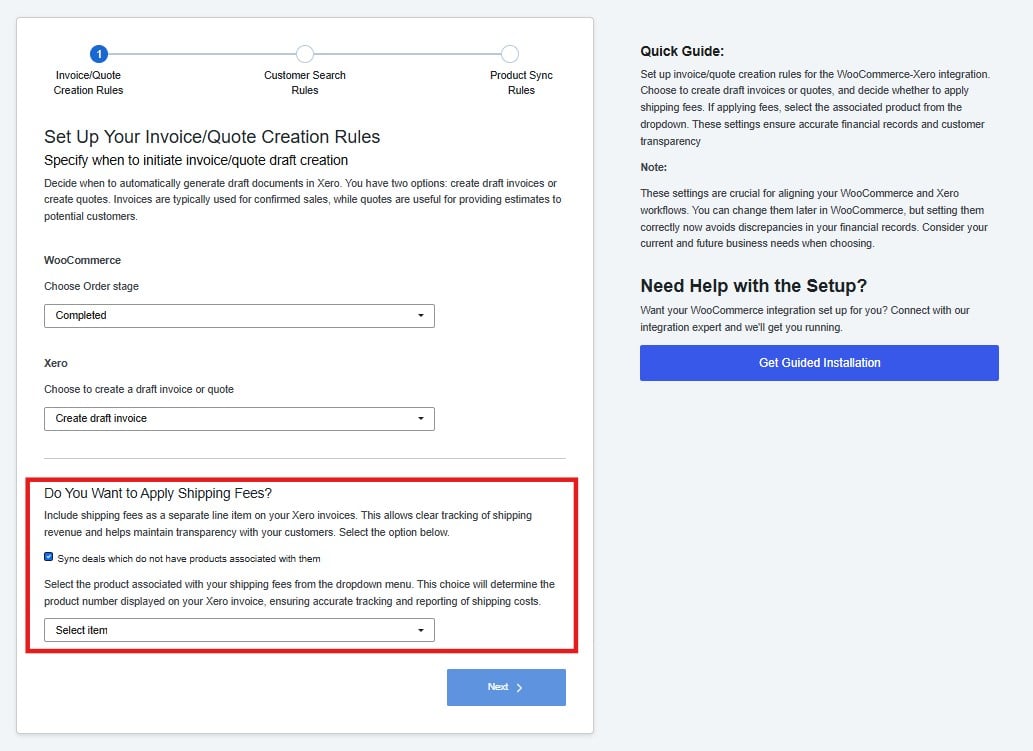
Shipping Fees

If you charge shipping on your orders, you can include it as a separate line item on your Xero invoices.
Screenshot 2026 06 25 005958
If you leave this disabled, shipping costs will not appear as a line item in Xero. Click Next to continue.