

Simple Search
This feature matches products between HubSpot and Microsoft Business Central using a selected field such as SKU or product number. It is recommended for users with large product catalogs.1
Select Simple Search.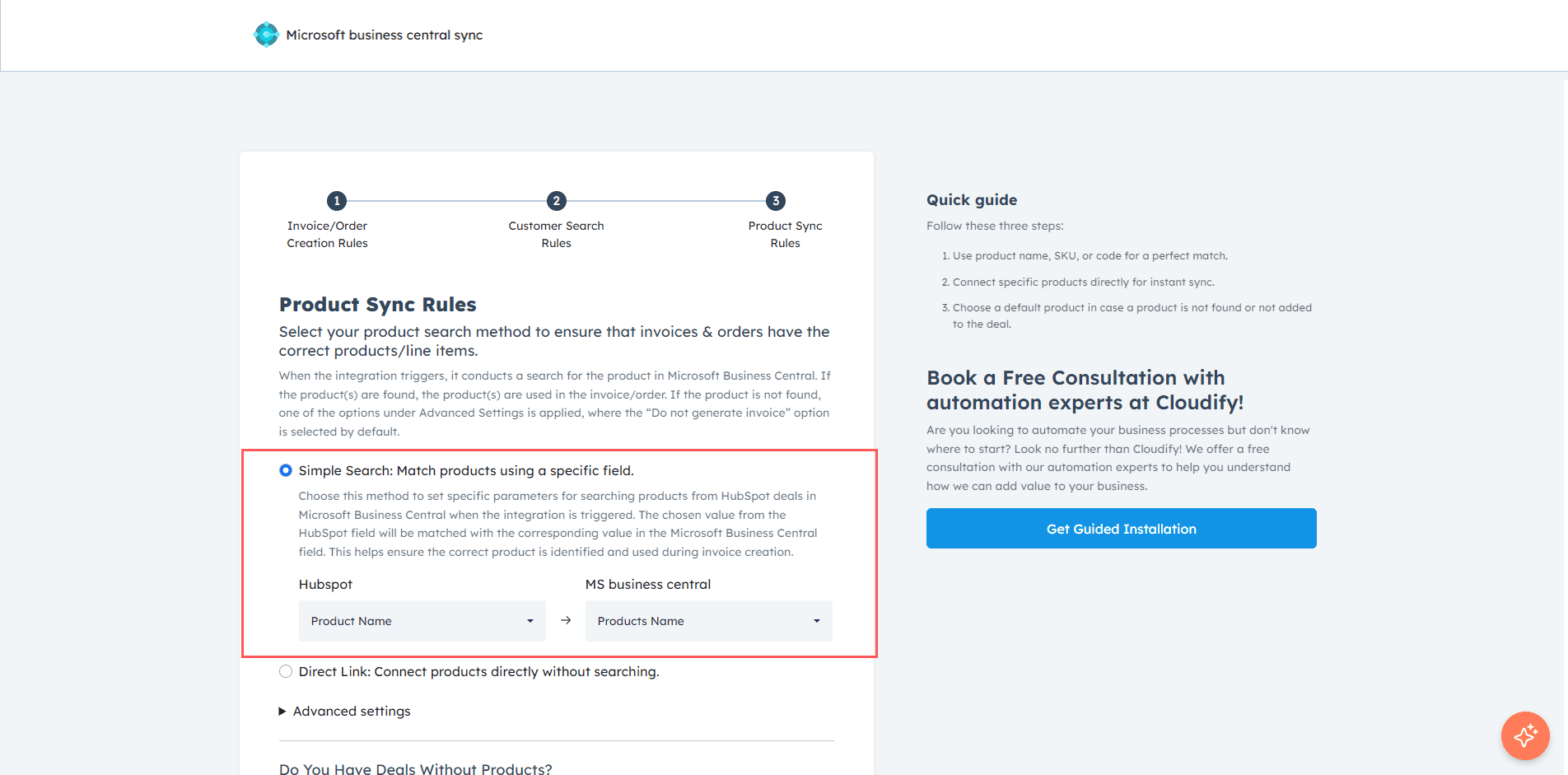
2
Choose the corresponding fields in HubSpot and Microsoft Business Central for matching.This ensures products are identified correctly across both platforms.
Direct Link
This option allows you to directly map products without performing a search. It is best suited for users with a smaller product catalog.1
Select Direct Link.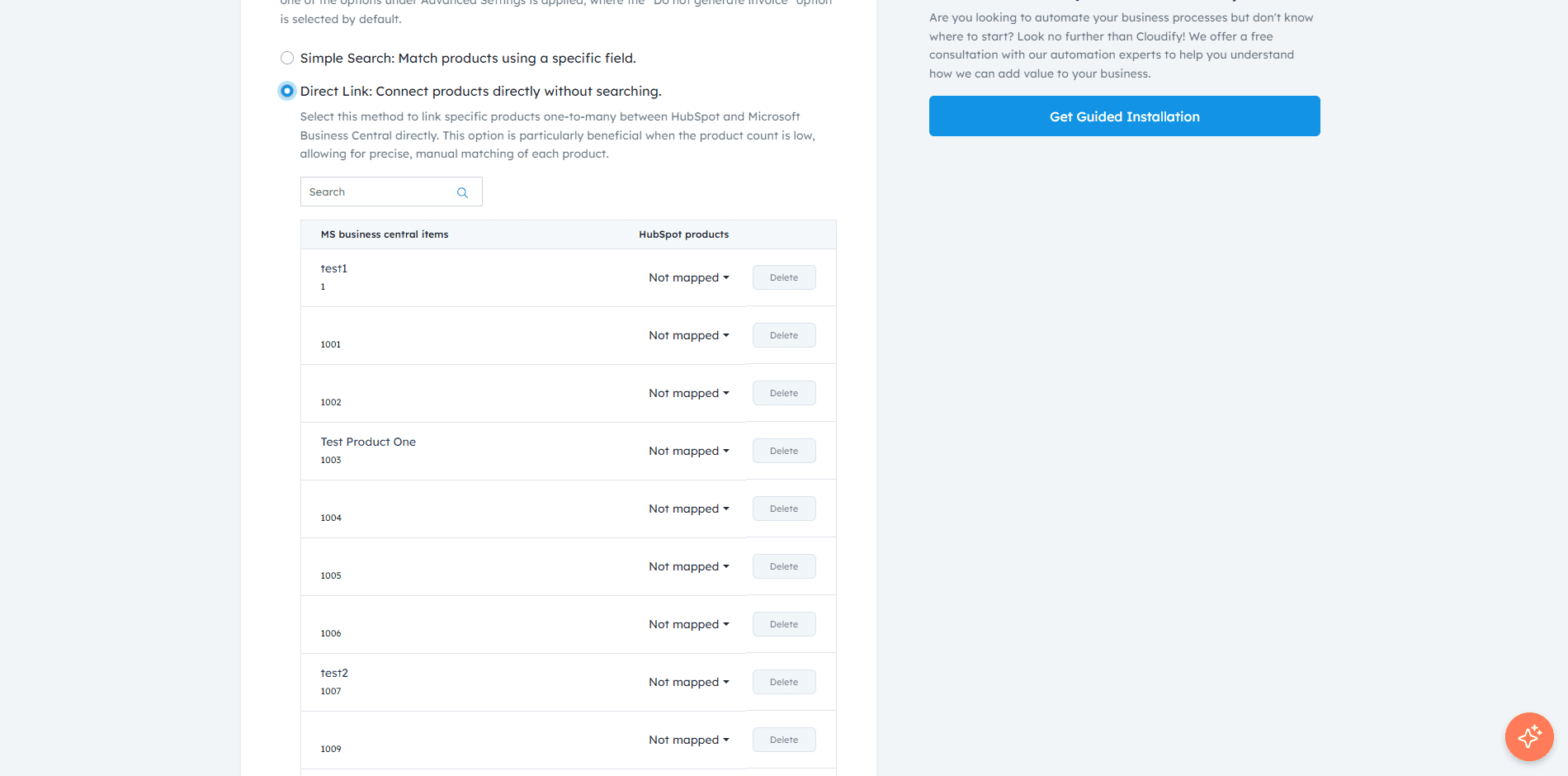
2
Map the HubSpot product fields to the corresponding Microsoft Business Central fields.
3
Click Save Mappings.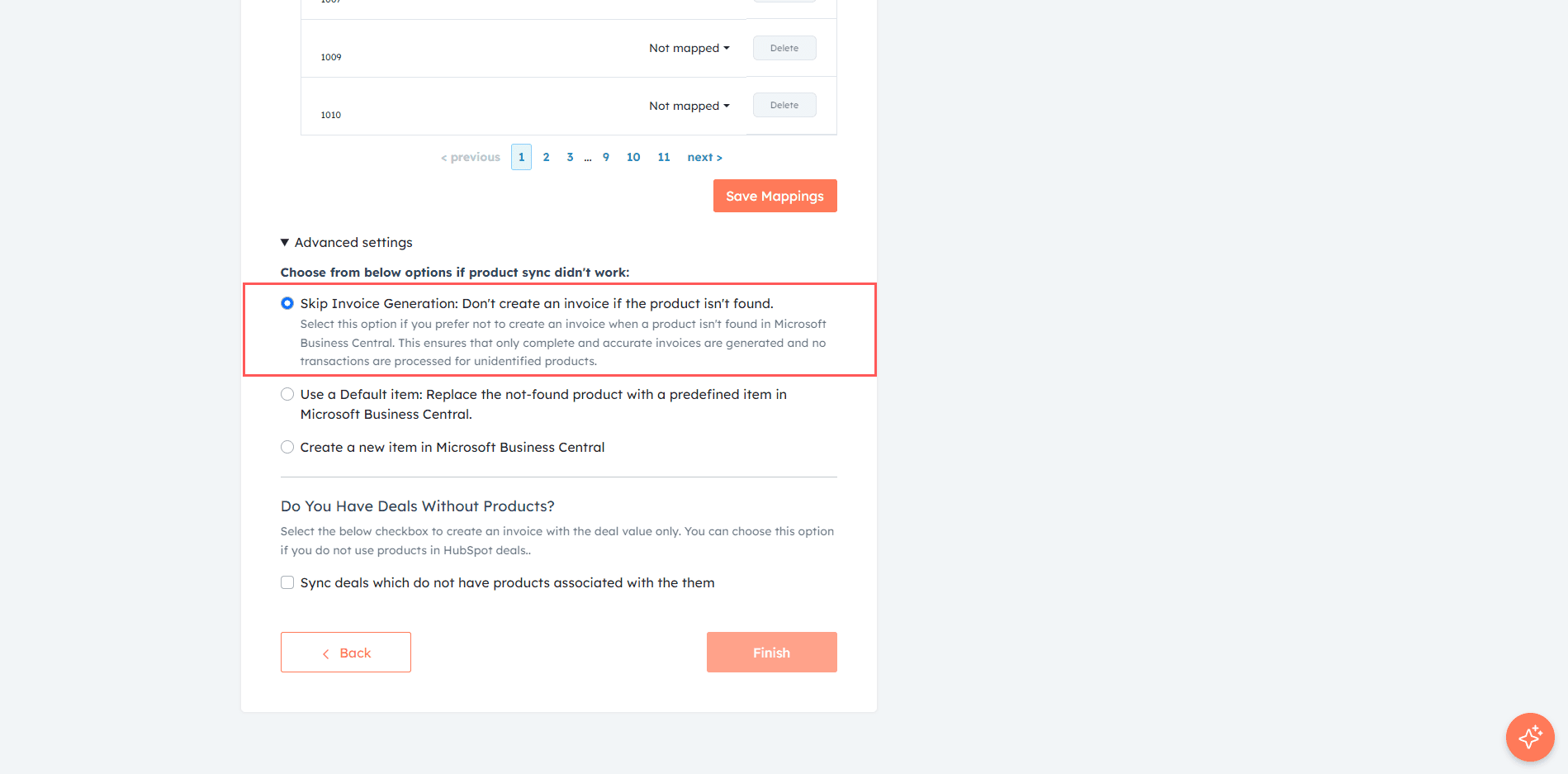
Advanced Settings
This section defines what happens when a product is not found in Microsoft Business Central.1
Select Skip Invoice Generation if you do not want to create an invoice when a product is missing.
2
Select Use a Default Item to replace missing products with a predefined item.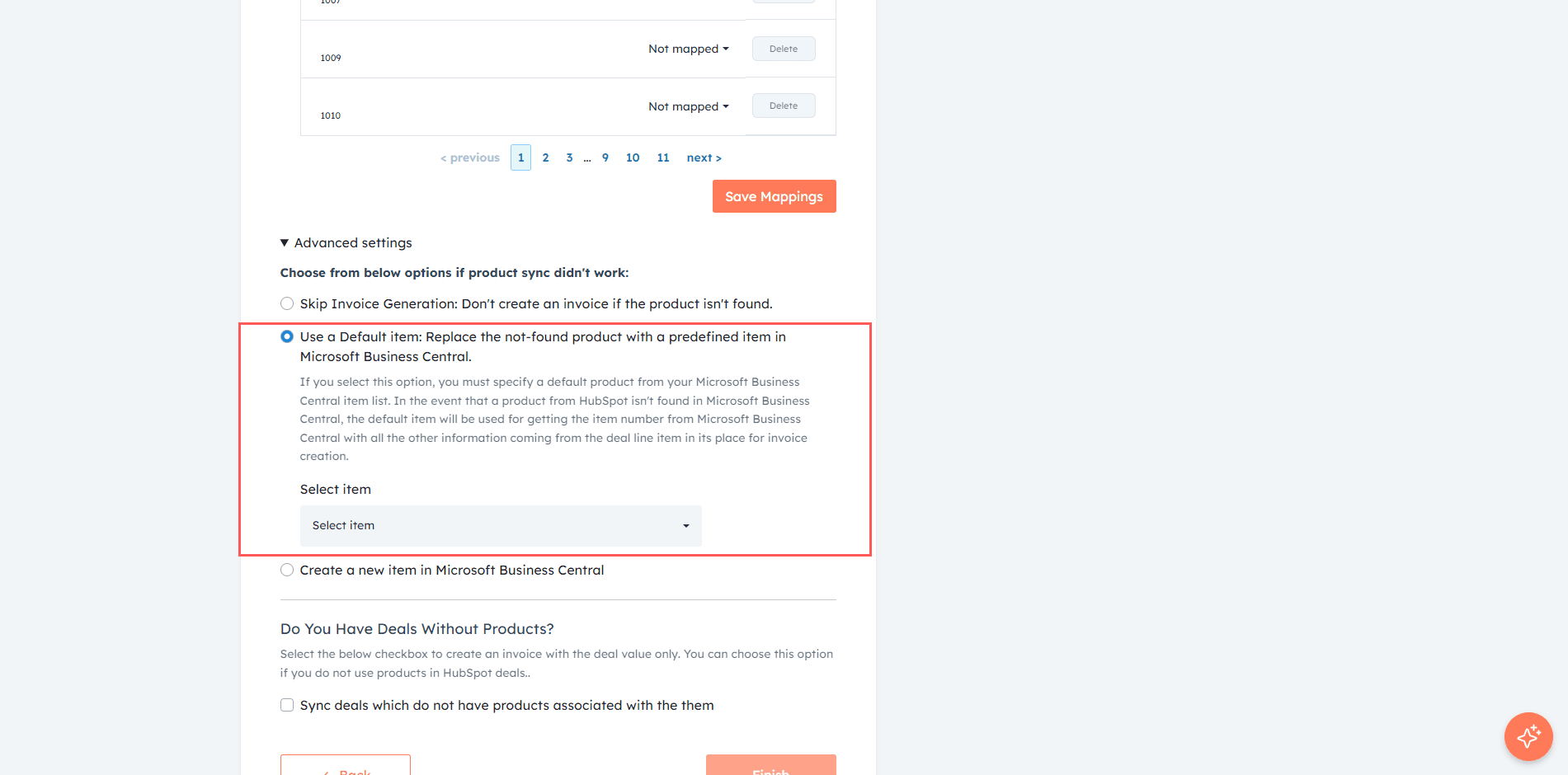
3
Select Create New Item to automatically create a product in Microsoft Business Central using HubSpot product data.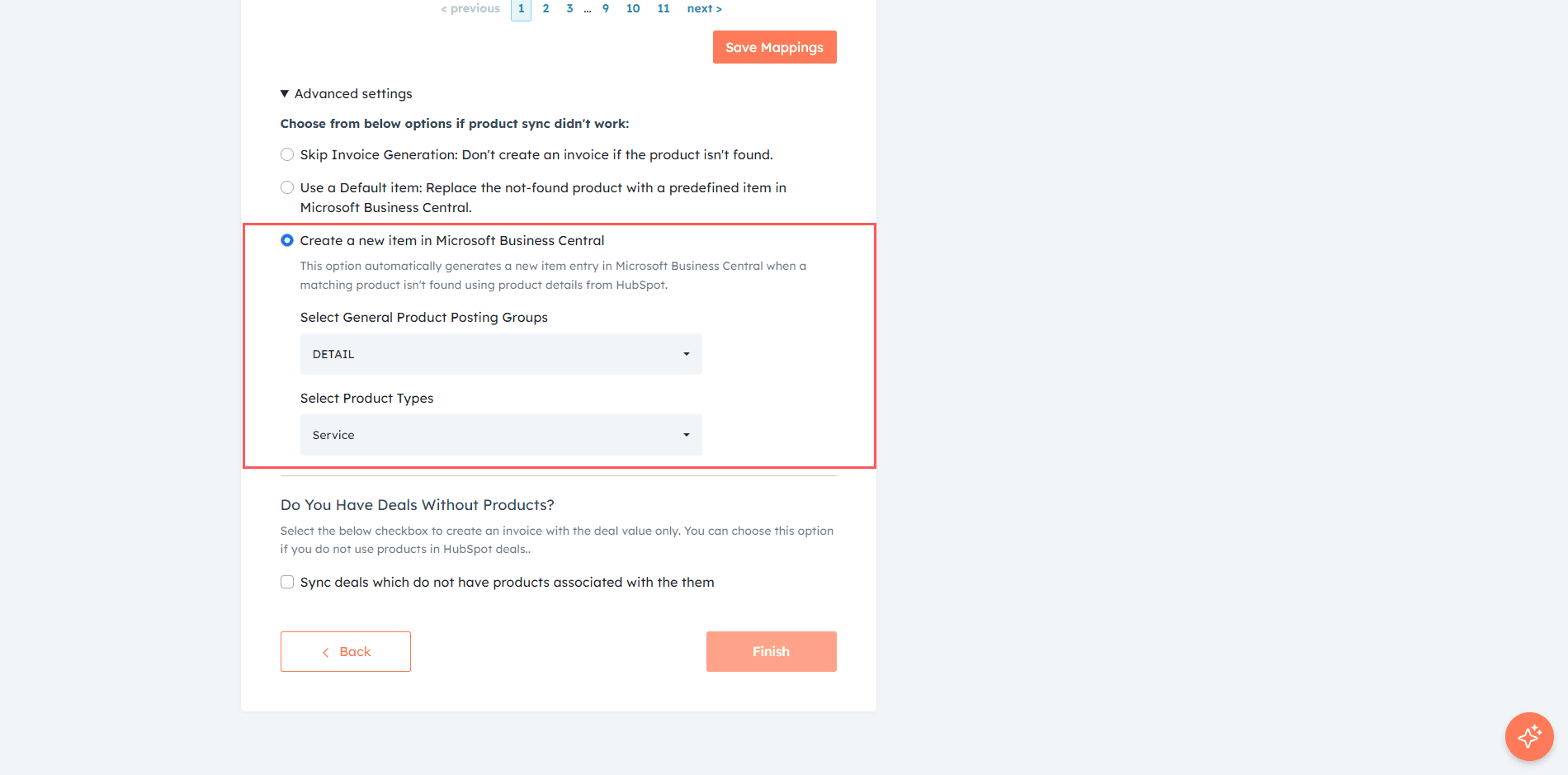
Sync Deals Without Products
This option allows syncing deals even when no products are associated.1
Enable Sync deals which do not have products associated with them.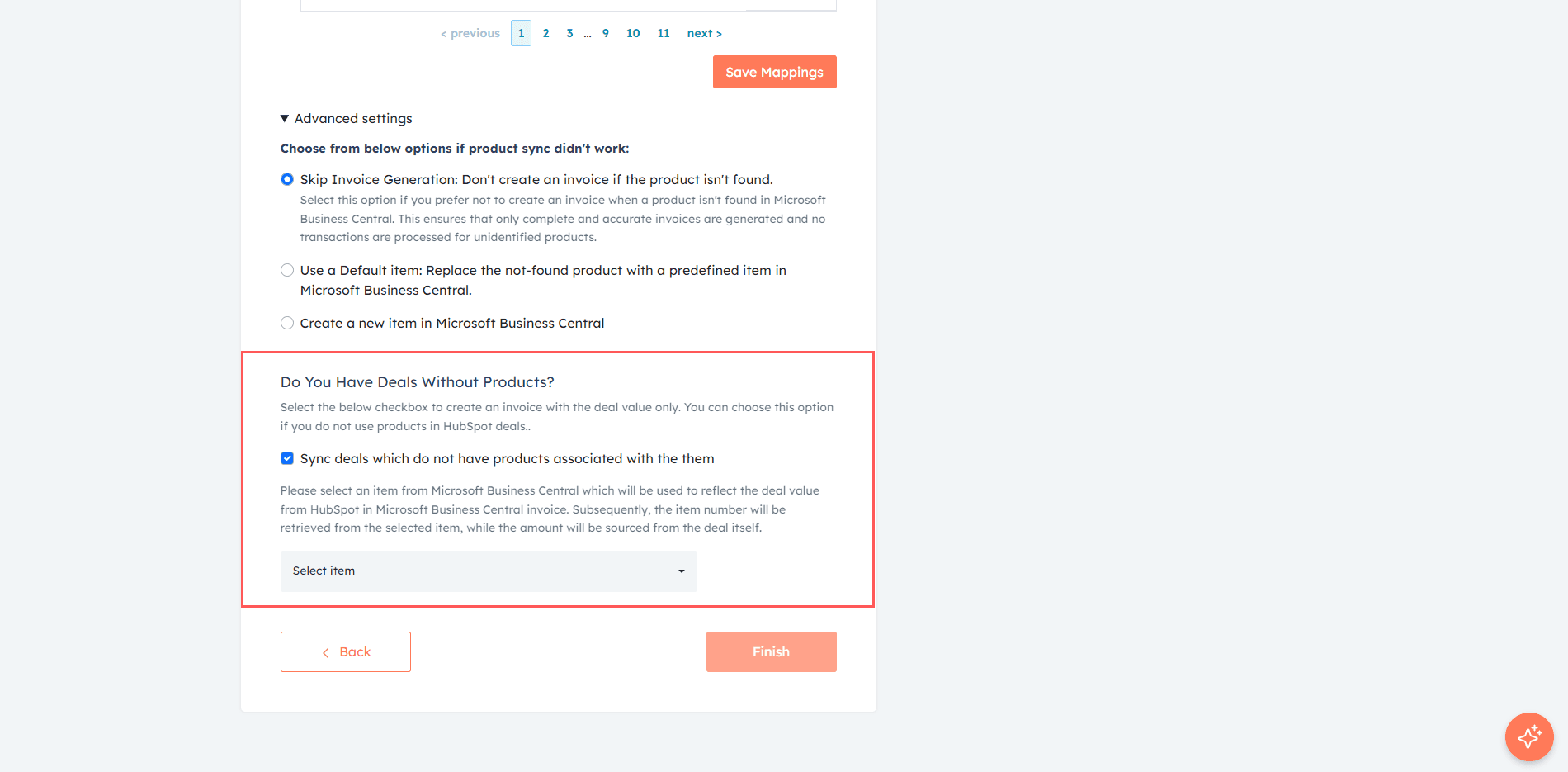
2
Select a default item to be used for such deals.
3
Click Finish to complete the setup.