

Company search property
Select the search parameter for the sync to decide which HubSpot field should be used to search for existing customers in Tripletex. Choose a field that is stable and likely to be unique, such as a company name, email, phone number, or VAT-related identifier.
Example
If you use the company name field in HubSpot and map it to the customer name field in Tripletex:- the integration will search Tripletex using that value
- if a match is found, the customer will be updated
- if no match is found, a new customer will be created
If the selected search field is missing, the sync can fail.
Tripletex customer number preference
Go to the Tripletex customer number preference section. You can choose one of two ways to handle customer numbers when a new customer is created.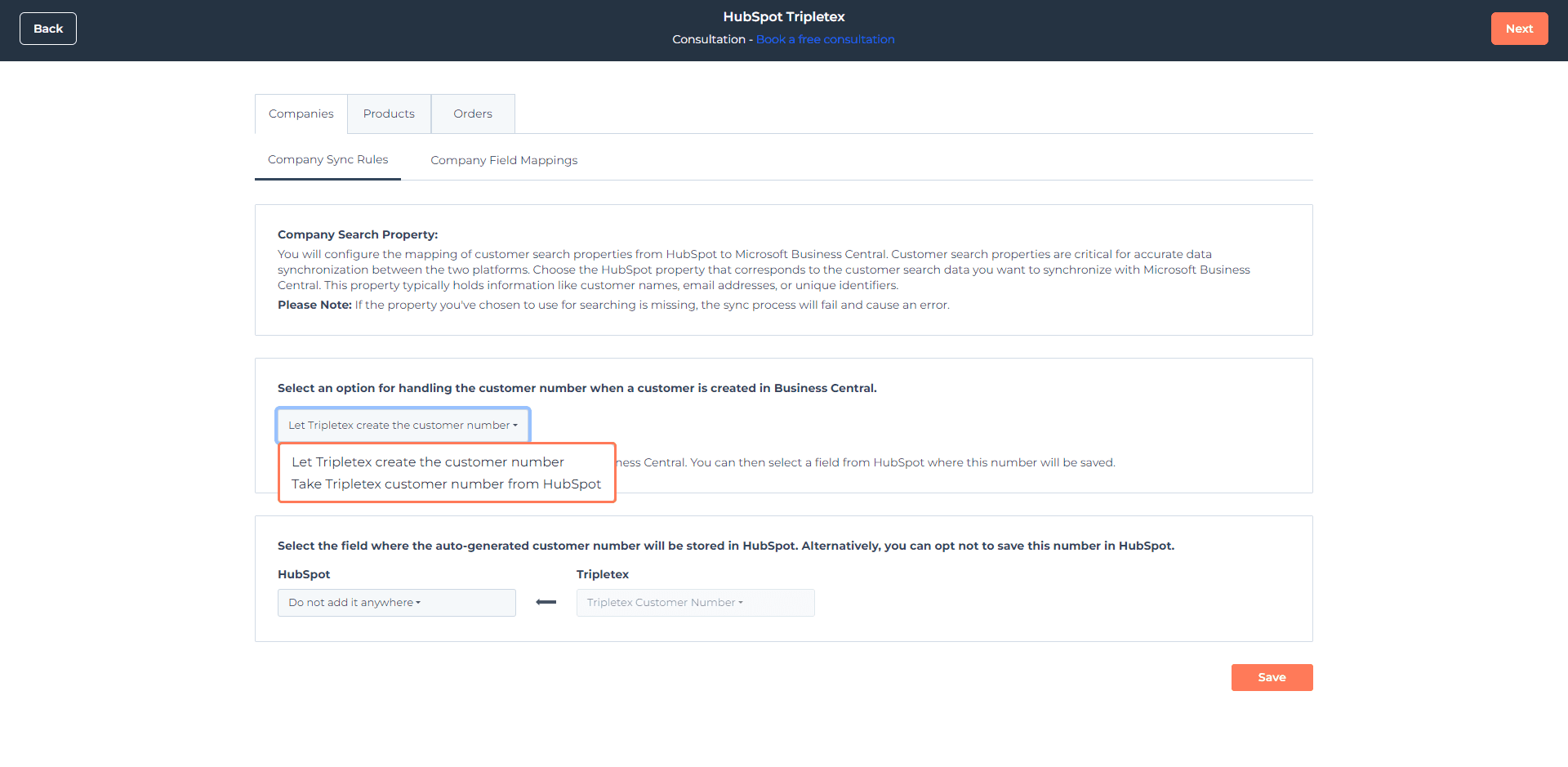
Option 1: Let Tripletex create the customer number
Choose Let Tripletex create the customer number if you want Tripletex to generate the customer number automatically. Then select the HubSpot field where that generated number should be stored.Option 2: Take Tripletex customer number from HubSpot
Choose Take Tripletex customer number from HubSpot if you want a HubSpot field to provide the customer number that should be used in Tripletex.Company field mappings
Use Company field mappings to control which HubSpot company properties populate the matching fields in Tripletex when a new customer is created. Some fields may already be mapped by default. To edit mappings:- Open the mapping tab
- Use Actions
- Click Edit Mapping

Make sure your search field and customer number strategy are set before enabling sync. This helps keep customer creation predictable and avoids duplicates.