

Install the app in HubSpot
1
Find the app in HubSpot Marketplace
Search for the Tripletex sync app in the HubSpot Marketplace.Then click Install app.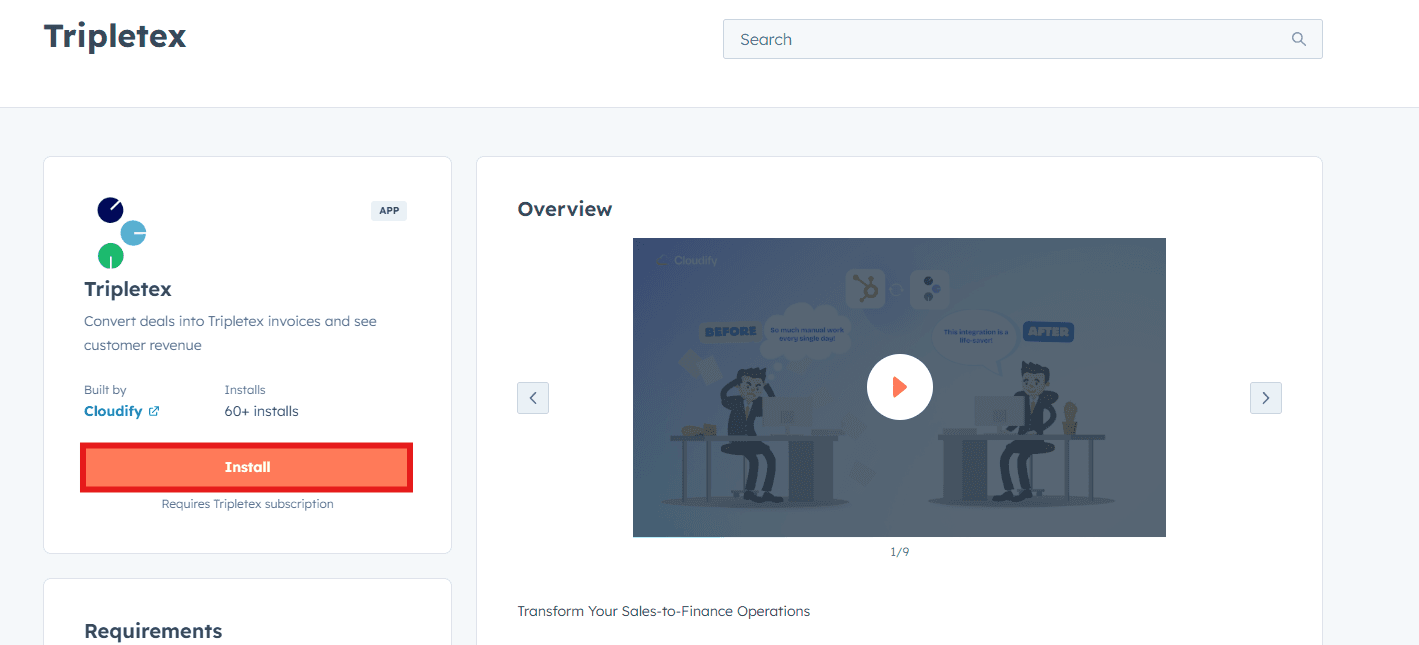
2
Choose your HubSpot account
Select the HubSpot account where you want to install the app.Then grant the requested permissions and click Allow and Install.
3
Open the setup window
After permissions are granted, the app is installed automatically and you are redirected to the setup screen.
Before you generate the token
You need a Tripletex API token to connect the app.The integration module must be activated in Tripletex before you can generate a token. Without that module, the connection process cannot continue.
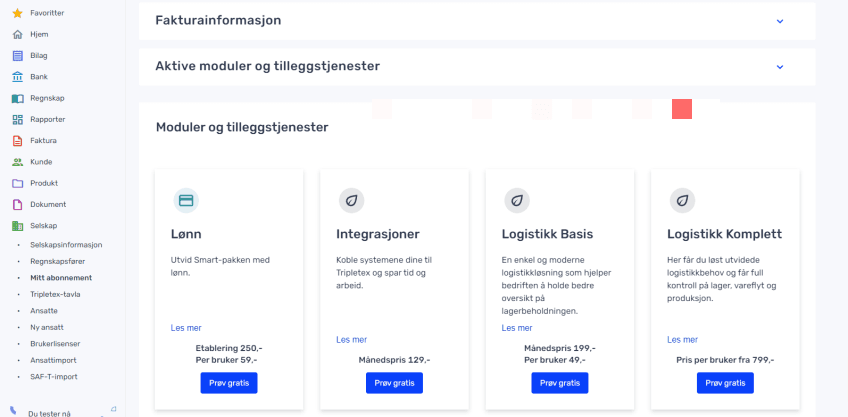
Generate the Tripletex token
1
Log in to Tripletex
Log in to your Tripletex account.If needed, switch to the correct company by clicking the company name in the header.
2
Open the employee record
In the left menu, go to Company → Employees.Open the employee who has the access rights that should be used for this integration.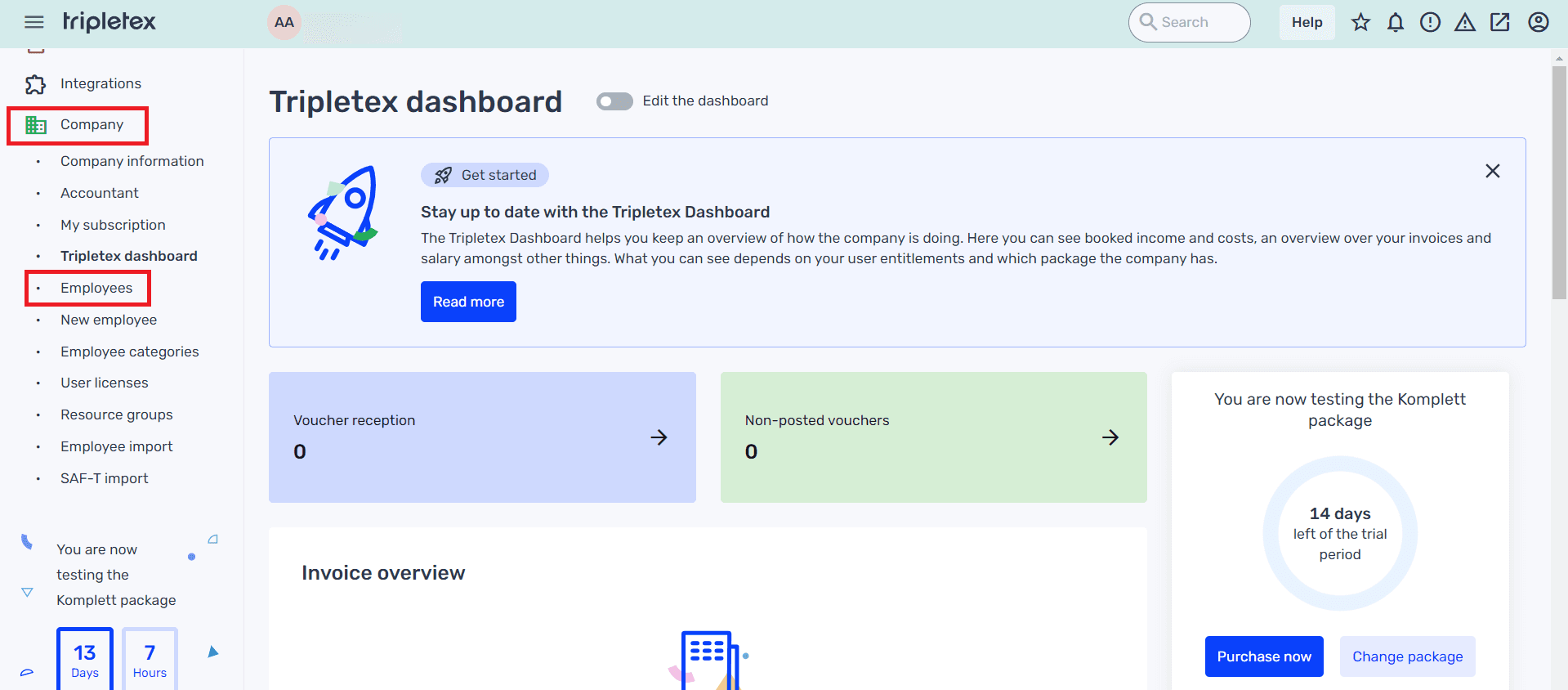
3
Open API access
Inside the employee record, go to API access.Then click New token.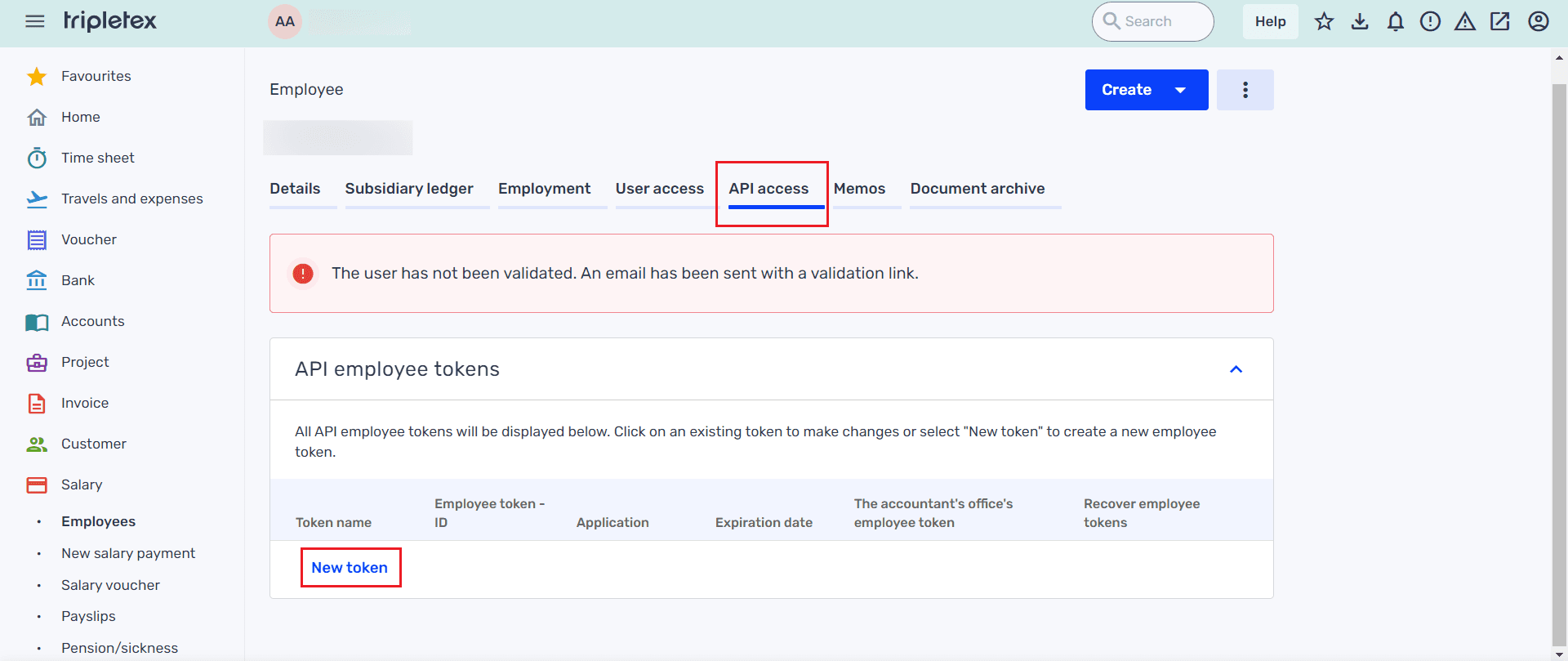
4
Configure the token
Select: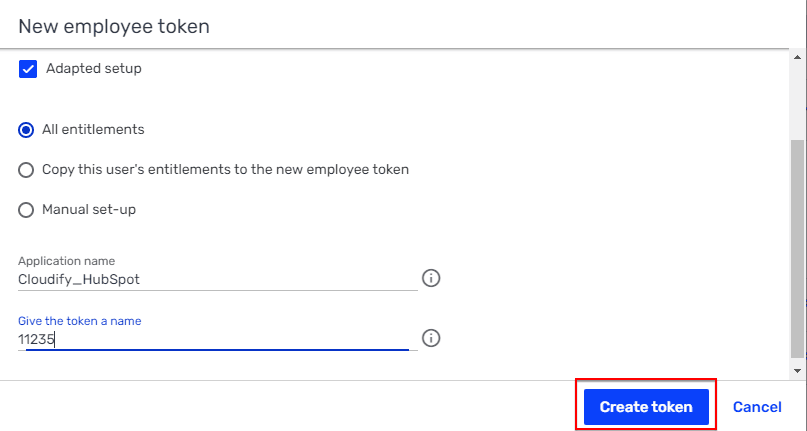
- Adapted setup
- All entitlements
5
Copy the token
Copy the generated token and click OK.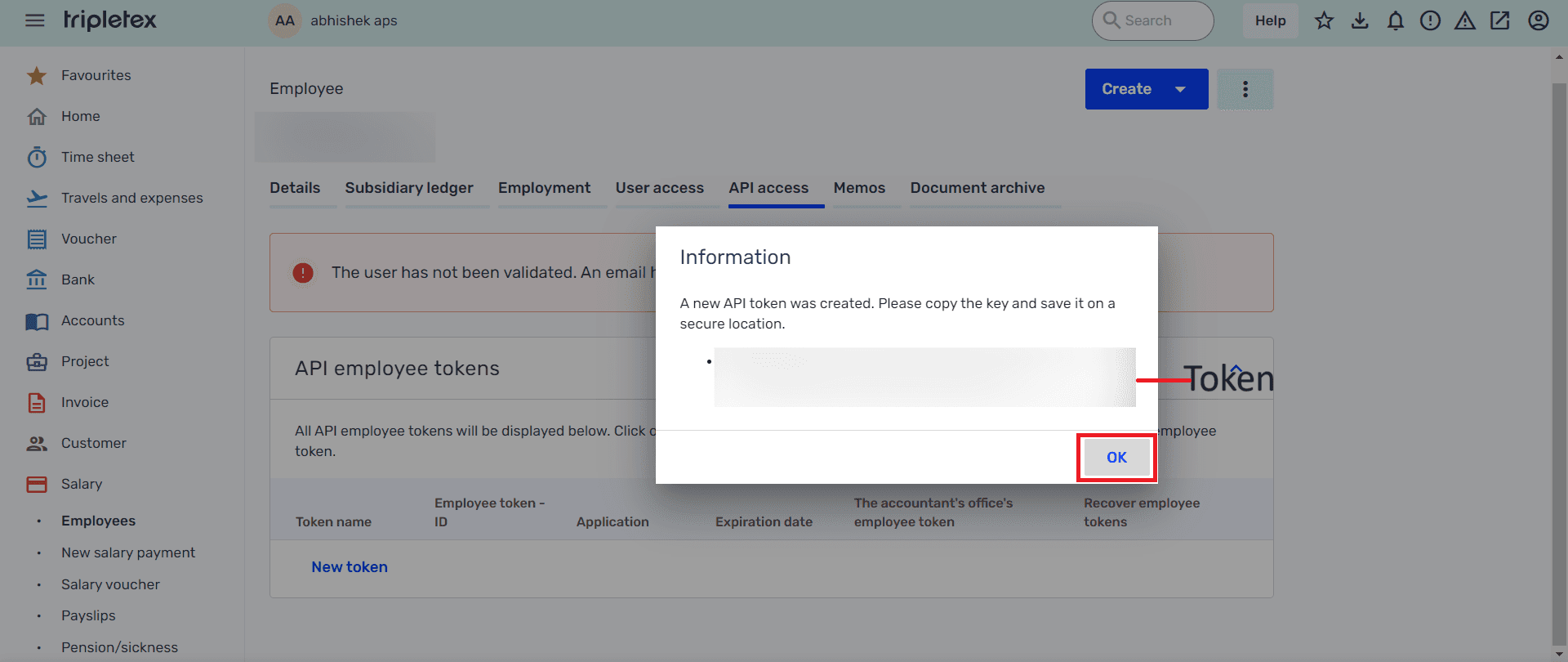
Connect Tripletex in the app
Go back to the setup screen in the HubSpot Tripletex app. Paste the generated token into the token field, then click Connect Tripletex.Make sure you store the token securely when it is created, as this token is required for the integration to authenticate with Tripletex.