

Order/Invoice Sync Rules
Choose which pipeline and deal stage should trigger order or invoice creation. You can add more pipelines if you need different trigger rules for different sales flows.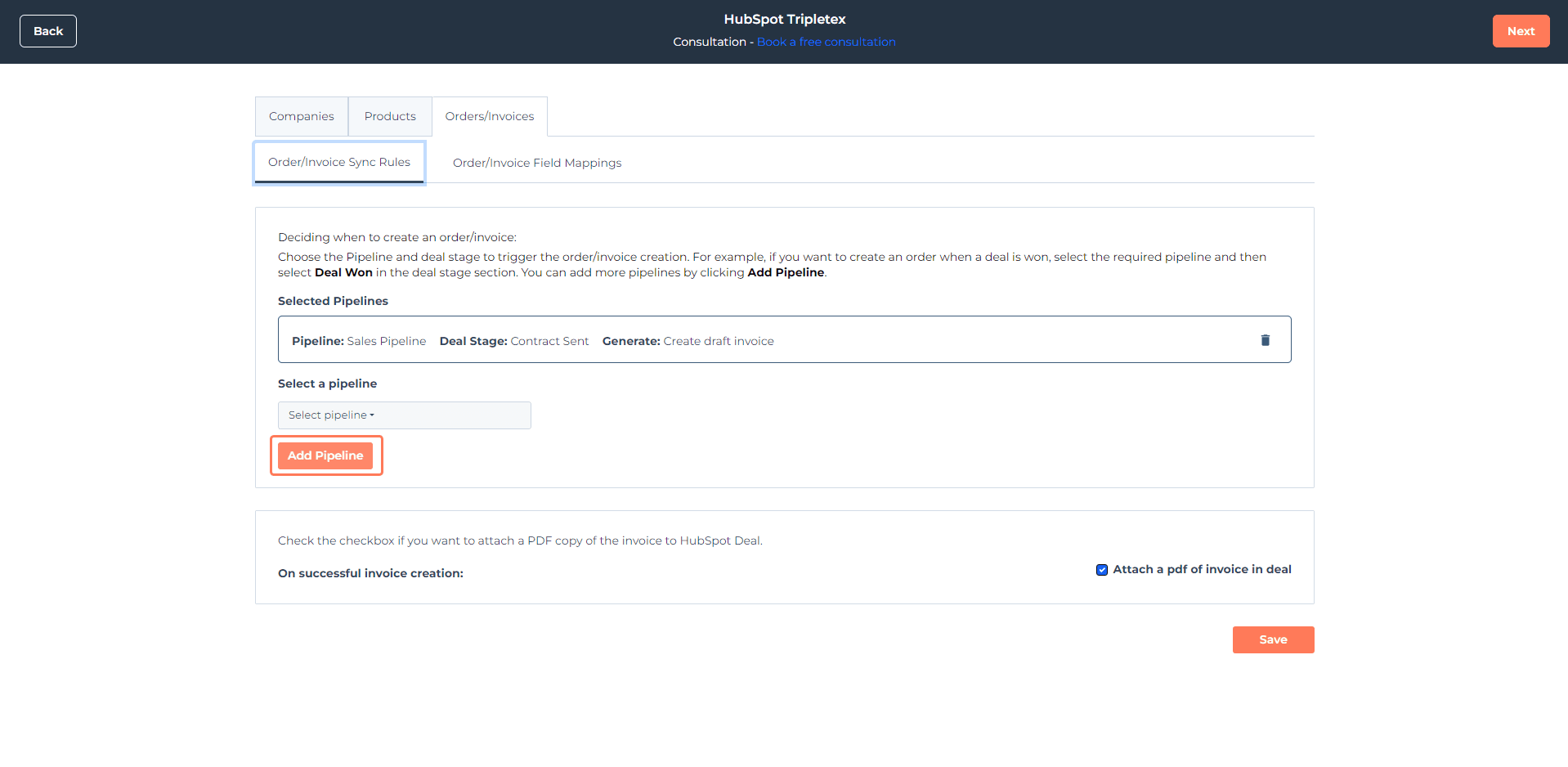
How it works
- Select a pipeline from your CRM
- Choose the deal stage that should trigger the sync
- Choose what should be generated
- Click Add Pipeline if you want to add more trigger rules
Order/Invoice Field Mapping
Use field mapping to control which HubSpot properties should populate the corresponding fields in Tripletex. Some fields are already mapped by default. To update mappings:- Open Actions on the right side
- Click Edit Mapping
- To add a new property, click Create new HubSpot property
- Enter the property name and choose the property type
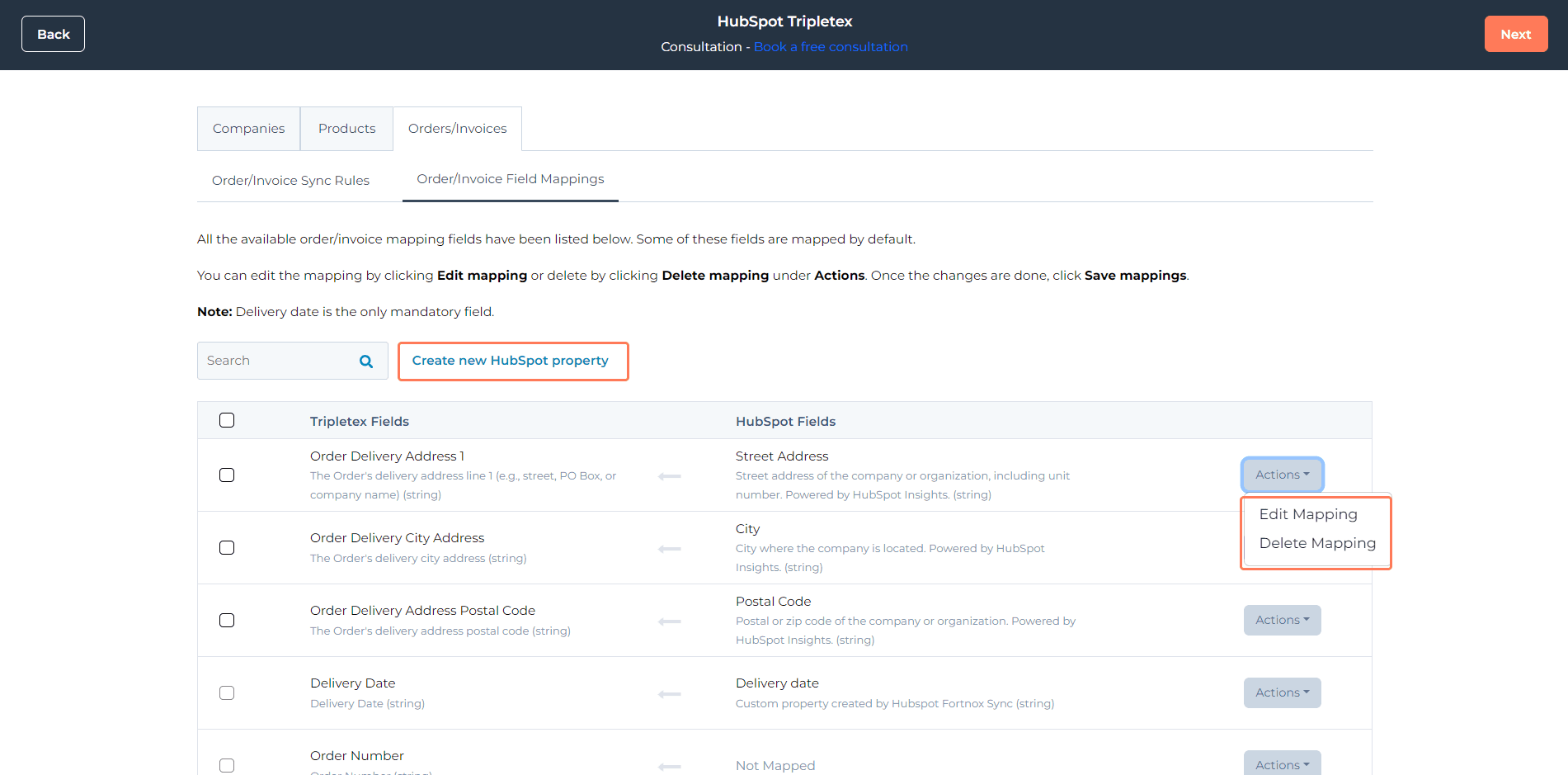
The Delivery date field is mandatory. The integration can fail if it is not mapped correctly.
Completing the installation
After configuring the rules and mappings:- Follow the deal-to-order or deal-to-invoice creation steps in the app
- Click Finish to complete the installation