

How to Connect Salesforce to Visma e-conomic
We recommend you log in to your e-conomic account before starting the steps below.
1
Click “App Launcher” and search for Visma e-conomic. Click on the app.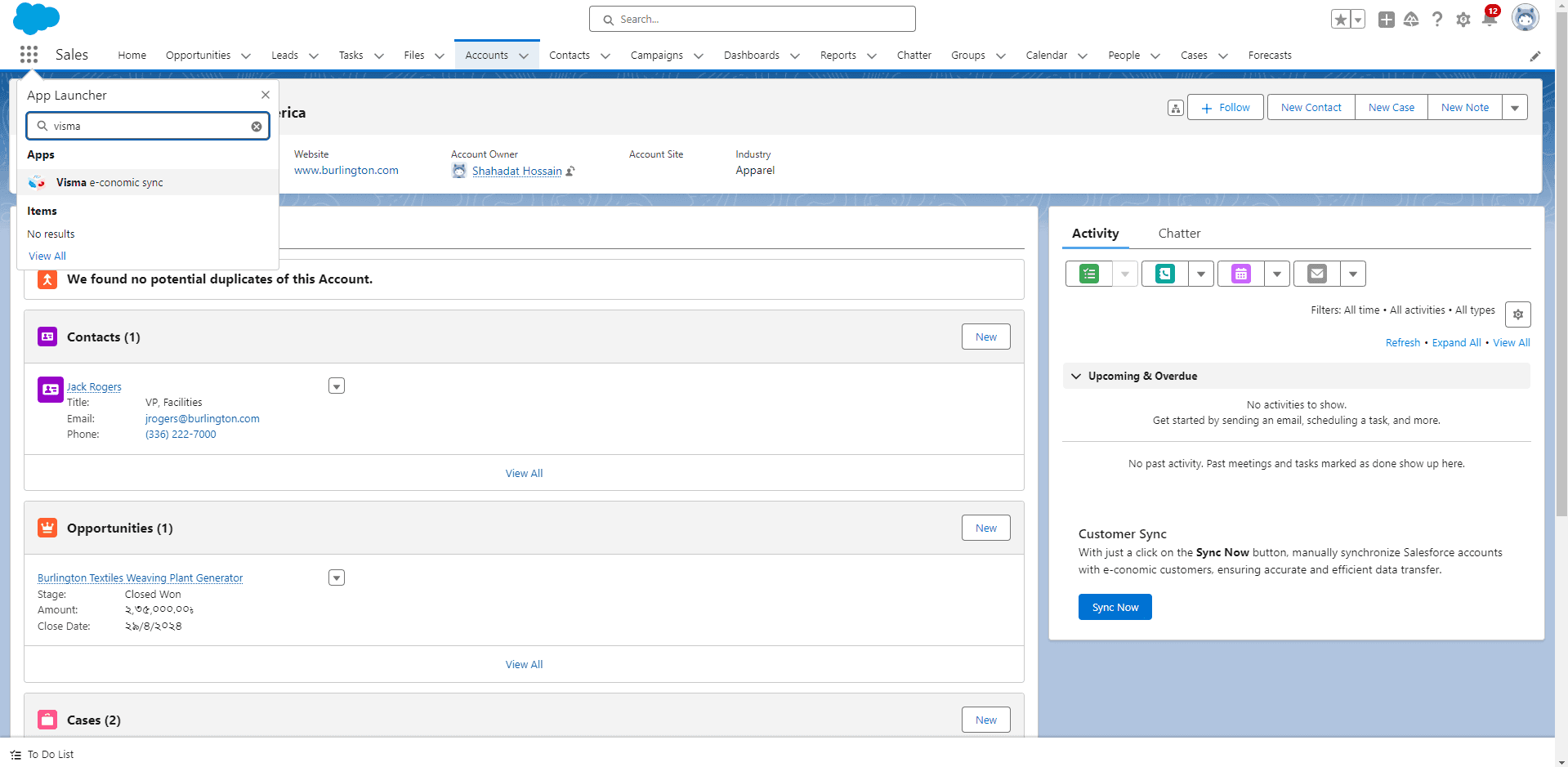
2
A new screen will appear. If you already have a token, paste it in the blank field and click “Connect”. You will receive a success message.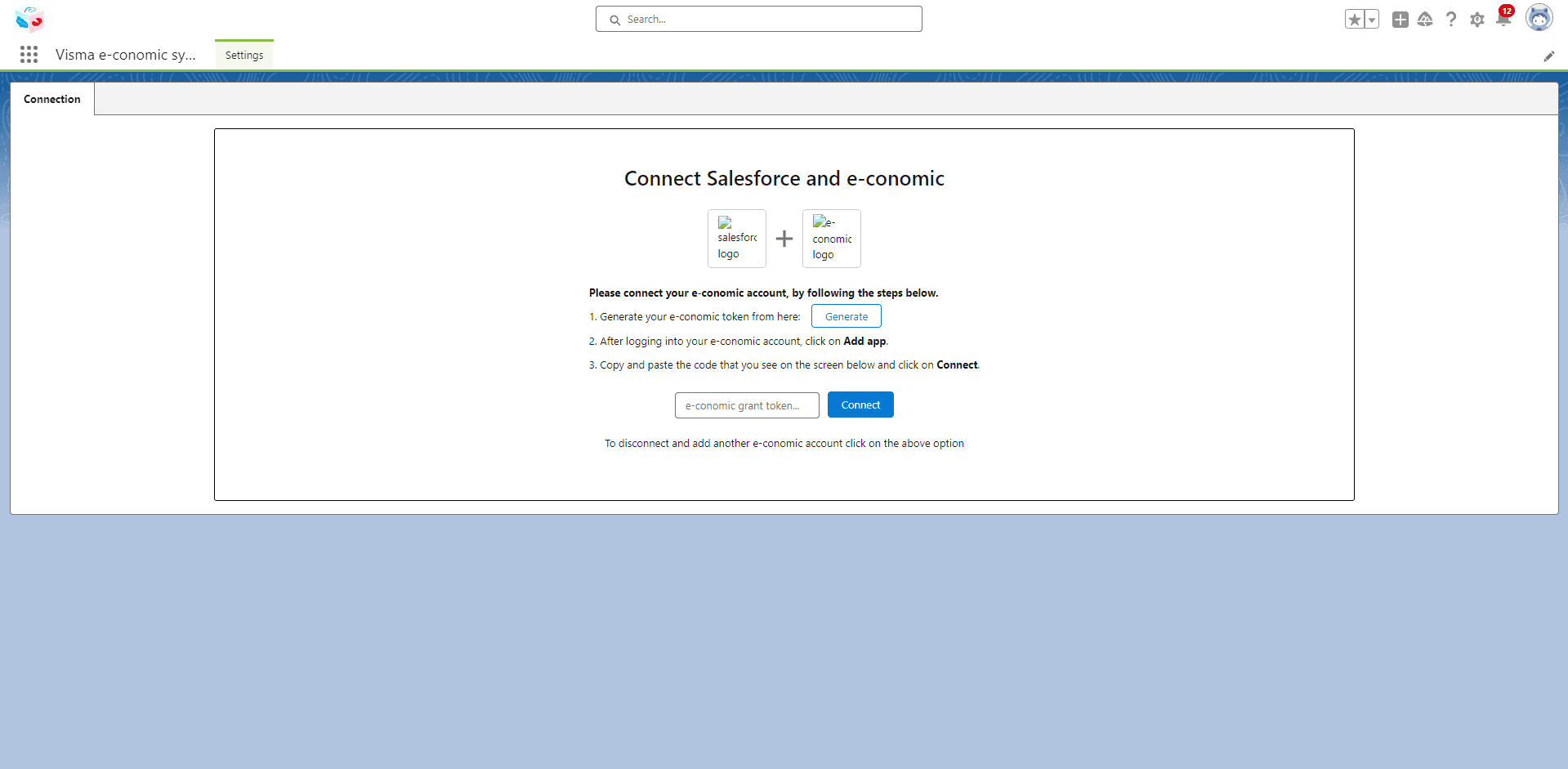
3
If you don’t have a token, click “Generate” to create a new one. A new window will open — click “Add App” to receive your token.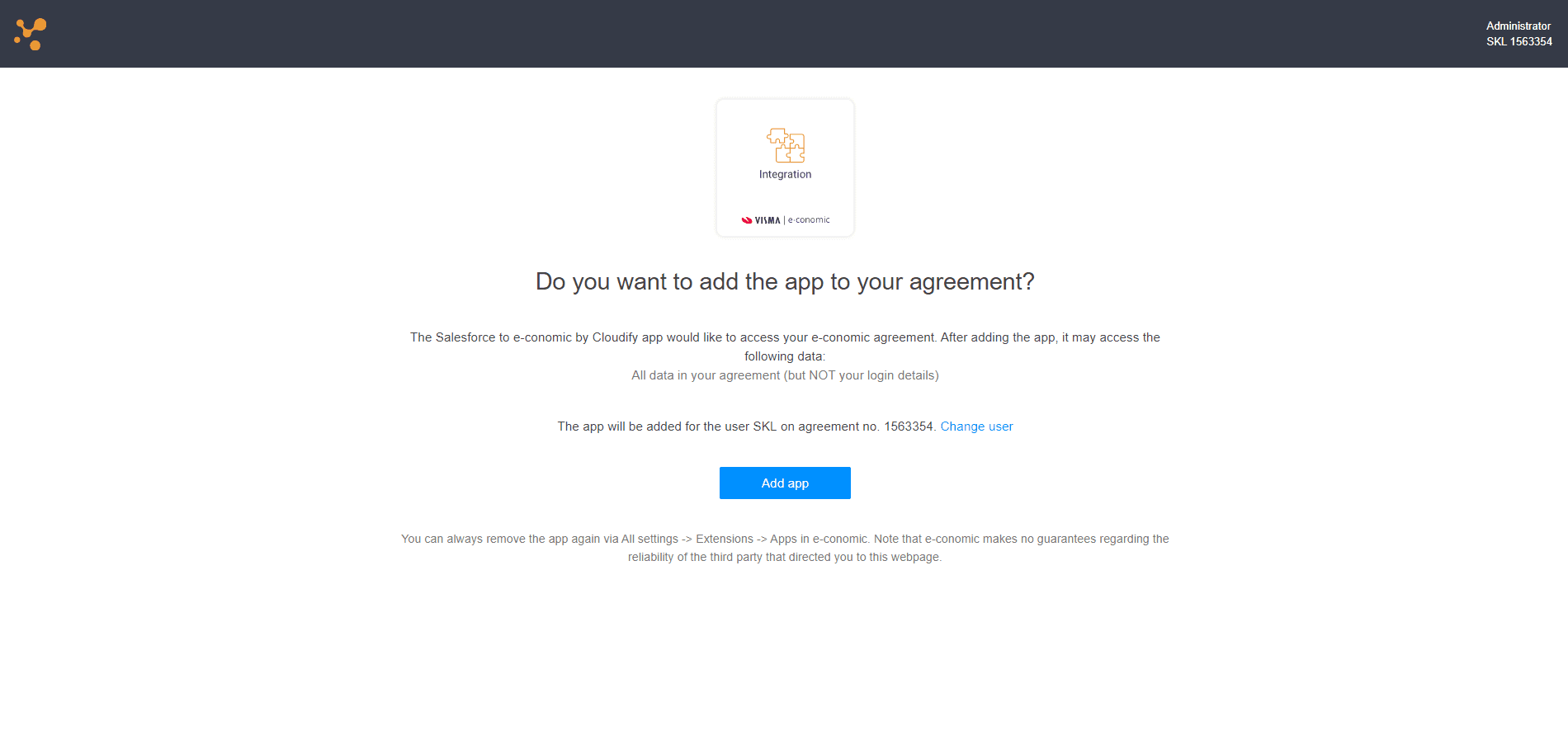
If you are not already logged into your e-conomic account, you will be prompted to log in with your credentials first.
4
Copy the generated token and go back to the token input screen. Paste the token and click “Connect”.
5
You will receive a success message confirming the connection.